





















 Saudi Arabia
 UAE
 Qatar
 Bahrain
 Kuwait
 Oman
 Lebanon
 Egypt
 Jordan
 Iraq
 India
 UK
 Ireland
 Germany
 USA
 Australia
 Singapore
 South Africa
 France
 Hungary
 Georgia
 Turkey
 Canada
 LagosNigeria




ERPNext ZATCA E-Invoicing in Saudi Arabia
ERPNext core does not include ZATCA e-invoicing, so Phase 2 compliance depends on the app you choose and how well it is configured and tested. We set up community ZATCA apps on ERPNext, onboard every invoicing unit with Fatoora, test each invoice type in the ZATCA sandbox and support the integration after go-live.
- App selection
- CSID onboarding
- XML and stamping
- Clearance and reporting
 ERPNext & FrappeImplementation · migration · AMC
Get a free quote
Reply within 24 hours with scope and a fixed quote.
ERPNext ZATCA E-Invoicing in Saudi Arabia: the short answer
- ERPNext core
- Frappe's documentation states plainly that ERPNext does not include ZATCA (Fatoora) e-invoicing; a ZATCA app adds it.
- Apps we use
- KSA Compliance by LavaLoon (AGPL, open source) and zatca_erpgulf by ERPGulf (MIT licence), or an integration we build.
- Phase 2 flows
- Standard invoices cleared before the buyer receives them; simplified invoices stamped locally and reported within 24 hours.
- Latest wave
- Wave 25 covers VAT-subject revenue above SAR 187,500 in 2022 to 2025, with Phase 2 from 1 February 2027.
- Delivered by
- Shyphan AI Solutions, an ERPNext implementation partner and Zoho Premium Partner, with 24/7 support. Call +966 54 176 1946.
- Last reviewed
- 27 November 2026
How ZATCA e-invoicing works, and where ERPNext fits
Fatoora arrived in two phases. Phase 1, the generation phase, started on 4 December 2021 and requires invoices and notes to be produced electronically by a compliant solution, with a QR code on simplified invoices. Phase 2, the integration phase, started on 1 January 2023 and is being applied wave by wave. It connects your invoicing system to ZATCA's Fatoora platform through APIs, using XML invoices in ZATCA's UBL-based format, cryptographic stamps and onboarded devices identified by a CSID.
Under Phase 2, a standard tax invoice to a business or government buyer is sent to Fatoora for clearance before it reaches the buyer. Fatoora validates it, adds its cryptographic stamp and QR code and returns the cleared XML. A simplified invoice to a consumer is stamped by your own system with its CSID, carries a QR code with nine tags and is reported to Fatoora within 24 hours. Credit and debit notes follow the same route as the invoices they correct.
ERPNext produces the invoice data, but the XML generation, signing, onboarding and API calls come from a ZATCA app. Choosing that app, configuring it correctly and proving every scenario in the sandbox is where projects succeed or stumble.
From first record to the finished report
One open-source system, so each step feeds the next without re-keying.
What our ZATCA Phase 2 service covers
App selection
We compare KSA Compliance by LavaLoon and zatca_erpgulf by ERPGulf against your ERPNext version, hosting, POS needs and support preferences, and explain the trade-offs honestly before you choose.
CSID onboarding
Each invoicing unit generates its key and certificate request, receives a compliance CSID through an OTP from the Fatoora portal, passes compliance checks and is issued a production CSID.
XML and stamping
The app builds the UBL XML from each submitted invoice, calculates the invoice hash and counter, signs simplified invoices and stores the XML against the document.
Clearance and reporting
Standard invoices go for clearance on submit and are shared only once cleared; simplified invoices are reported, in live or batch mode depending on the app, within the 24-hour window.
Sandbox test pack
Standard, simplified, credit and debit notes, discounts, zero-rated and exempt lines, exports and advance payments tested against the ZATCA sandbox, with results recorded.
Rejection handling
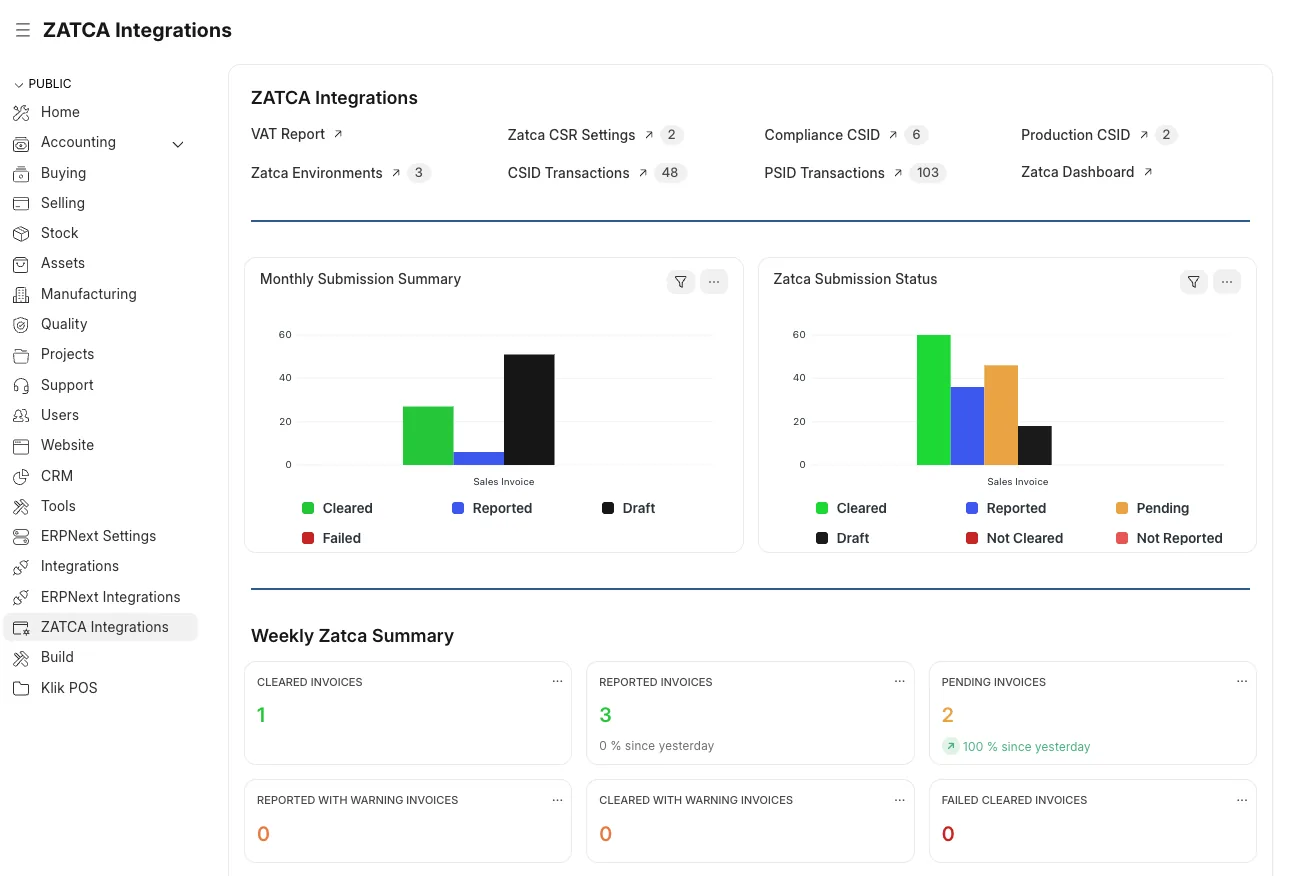
A dashboard of pending, rejected and warning responses, with a process for fixing the data and issuing the correct note, so nobody edits a submitted invoice.
See it in ERPNext
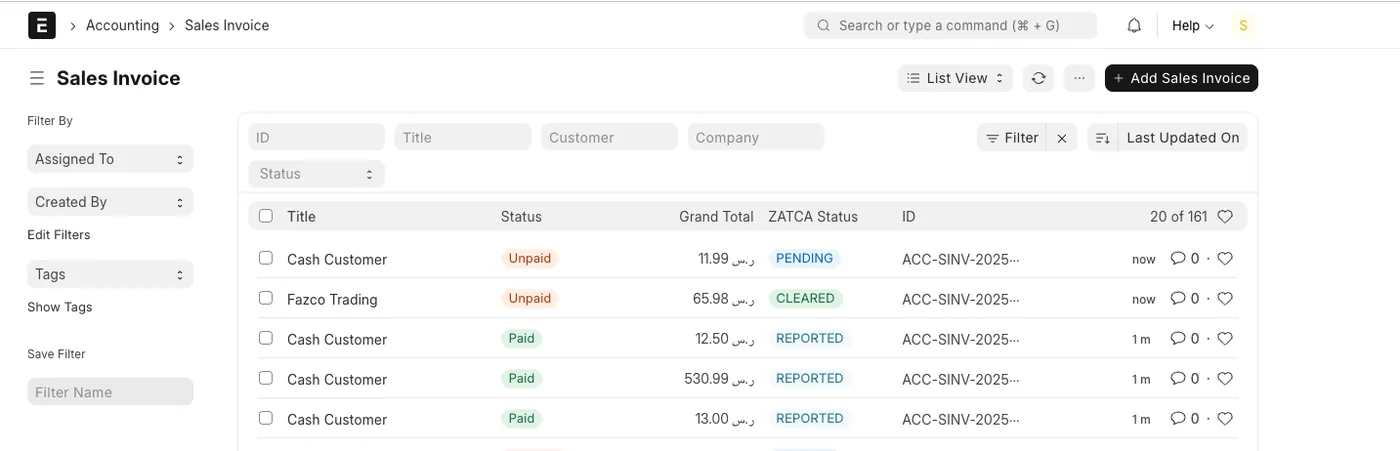
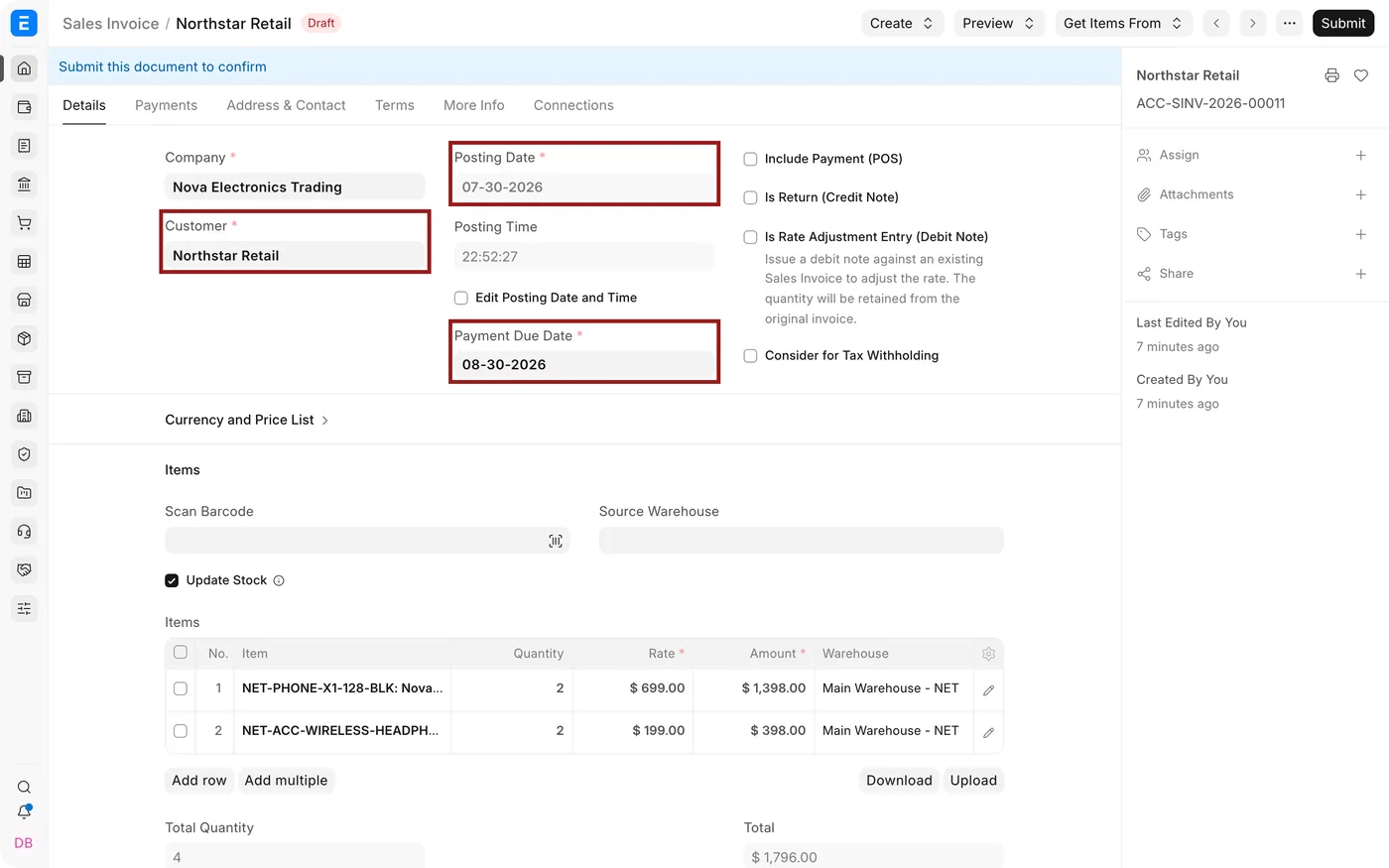
Real ERPNext and Frappe screens for the work described on this page. We configure them for Saudi rules and your data.
ERPNext and the Frappe apps we implement
One open-source platform, one database, no per-user licence fees.







ZATCA Phase 2 requirements and our ERPNext set-up
| Topic | The Saudi rule | What we set up |
|---|---|---|
| Standard tax invoices | Phase 2 tax invoices are generated as XML or PDF/A-3 with embedded XML, submitted as XML for clearance, and shared with the buyer only after Fatoora returns them stamped. | The ZATCA app sends each standard invoice on submit, blocks printing until clearance succeeds and attaches the cleared XML and QR code. |
| Simplified invoices | Simplified invoices are stamped by the taxpayer's solution using a ZATCA-issued CSID, carry a nine-tag QR code and are reported to Fatoora within 24 hours. | Simplified invoices from desk sales and POS are signed locally, printed with the QR code and queued for reporting, with alerts for anything near the deadline. |
| Onboarding | Each e-invoice generation solution unit must be onboarded and hold a CSID; the stamping private key must not be exportable. | We onboard head office, branches and POS units as separate devices where needed and keep keys on the server under the app's control. |
| Tamper resistance | Solutions must prevent undetected alteration or deletion of invoices and allow XML export and archiving. | Submitted invoices are locked, cancellations go through credit notes, and stored XML is included in backups. |
| Waves | Wave 23 had a SAR 750,000 threshold due 31 March 2026, Wave 24 SAR 375,000 due 30 June 2026, and Wave 25 SAR 187,500 with Phase 2 from 1 February 2027. ZATCA notifies affected taxpayers. | We plan your onboarding back from the date in your ZATCA notice, leaving time for sandbox tests and user training. |
| Arabic | The human-readable invoice must be in Arabic, with other languages allowed alongside. | Bilingual print formats show ZATCA fields in Arabic and English and place the QR code where scanners read it reliably. |
We configure the system and check it against your accountant’s figures; we are not tax advisers, and your accountant files the returns. Last reviewed 27 November 2026.
From Phase 1 to a live Phase 2 integration
Confirm your wave and scope
We check your ZATCA notice, list every invoice type and channel you use, and count the units that issue invoices, from head office to each POS terminal.
Install and configure the app
On staging we install the chosen ZATCA app, link it to your company VAT details, tax categories, exemption reasons and print formats.
Sandbox compliance cycle
Every scenario in the test pack is sent to the ZATCA sandbox. Failures are traced to data, configuration or app behaviour and fixed until the full pack passes.
Production onboarding
Using OTPs from your Fatoora portal account, each unit is onboarded, compliance checks run and production CSIDs issued, then a controlled first batch of live invoices is watched closely.
Monitor and maintain
After go-live we watch rejections and warnings, keep the app updated as ZATCA publishes changes and renew or re-onboard units when required.
Every ERPNext page for Saudi businesses
Services
Compliance
- ERPNext ZATCA E-Invoicing in Saudi Arabia
- ERPNext VAT and Zakat Reporting in Saudi Arabia
- Frappe HR Payroll in Saudi Arabia
Industries
Other countries
Worldwide

Written and reviewed by Vikas Saroj, Co-Founder, COO & Growth at Shyphan AI Solutions, who owns ERPNext, Odoo and Zoho delivery across Saudi Arabia and the wider region. Reviewed against current Saudi rules on 27 November 2026. Meet the team · LinkedIn
ERPNext ZATCA E-Invoicing in Saudi Arabia: questions answered
Is ERPNext ZATCA Phase 2 compliant?
Which ZATCA app should we use?
Can ERPNext POS issue ZATCA simplified invoices?
What happens when Fatoora rejects an invoice?
Is Shyphan an official Frappe partner?
Do ZATCA apps carry licence fees?
Request your free quote
Tell us about your project and a senior ERPNext consultant - not a bot - replies within 24 hours with scope, timeline and a fixed quote. The first 30-minute discovery call is free, with no obligation.
- Free 30-minute discovery call
- Fixed-quote SOW - no surprises
- Arabic · English delivery
- VAT 15%, ZATCA, GOSI & mada ready