





















 Lebanon
 UK
 Ireland
 Germany
 USA
 Australia
 Singapore
 South Africa
 France
 Hungary
 Georgia
 Turkey
 Canada
 LagosNigeria




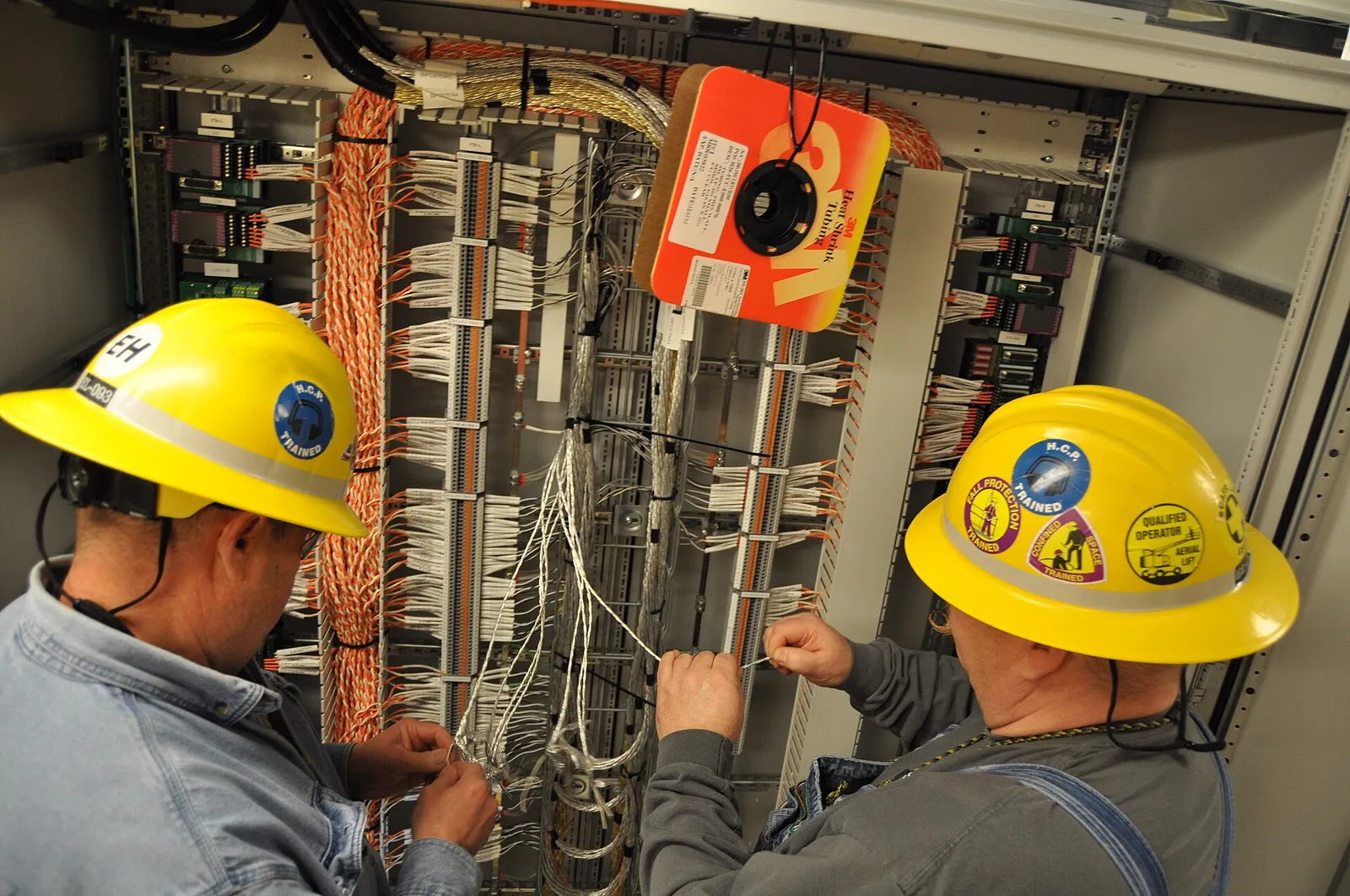
Facility Management Software with CAFM, CMMS and a Field App
Run maintenance contracts across many sites from one place: requests from every channel, work orders and PPM, dispatch to the right technician, live SLA clocks and AMC billing, in English or Arabic.
Prefer to talk? Call +91 95651 53545Book a demo
Tell us about your business. A Shyphan consultant will walk you through the Facility Management on your own process.
What the Facility Management does
Facility management companies juggle hundreds of assets, dozens of contracts and a field team spread across cities. A chiller alarm, a blocked drain and a lift fault can land in the same minute, each with its own SLA and contract behind it. This software ties every request to its customer, site, asset, contract and SLA the moment it arrives, so the helpdesk, the dispatcher and the technician see the same job and the same clock.
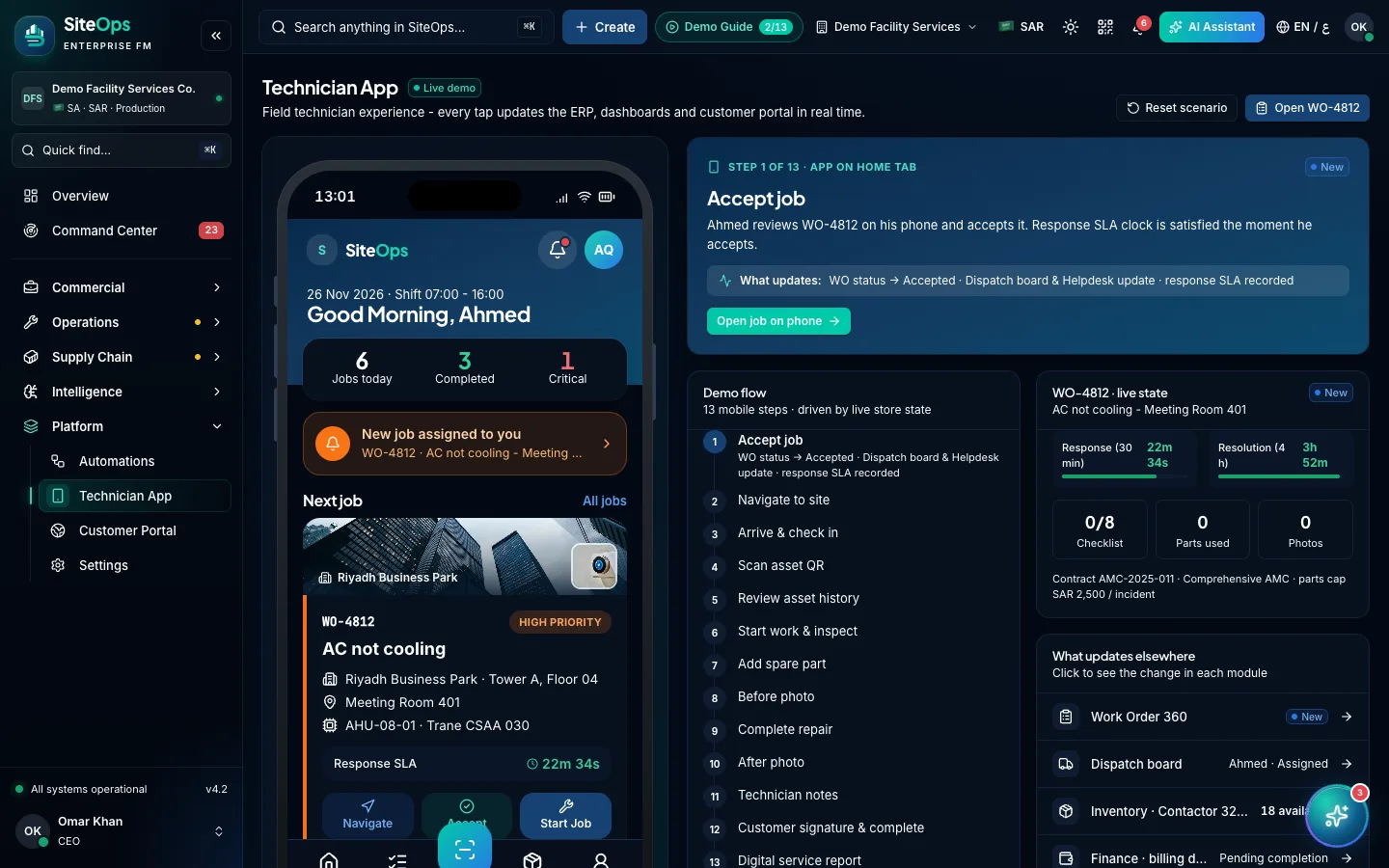
The demo models a multi-country FM provider with sites in Saudi Arabia, the UAE, Qatar and Oman. Planned maintenance raises work orders ahead of time, dispatch suggests a technician by skill, distance and workload, and the technician app records arrival, QR scan, parts, photos and customer sign-off. When a job closes, the system checks the contract to decide whether the AMC covers it or it is chargeable, then invoices with the right VAT.
Business challenges it solves
Facility Management modules
25 modules in the live demo. The main ones are below with what each covers.
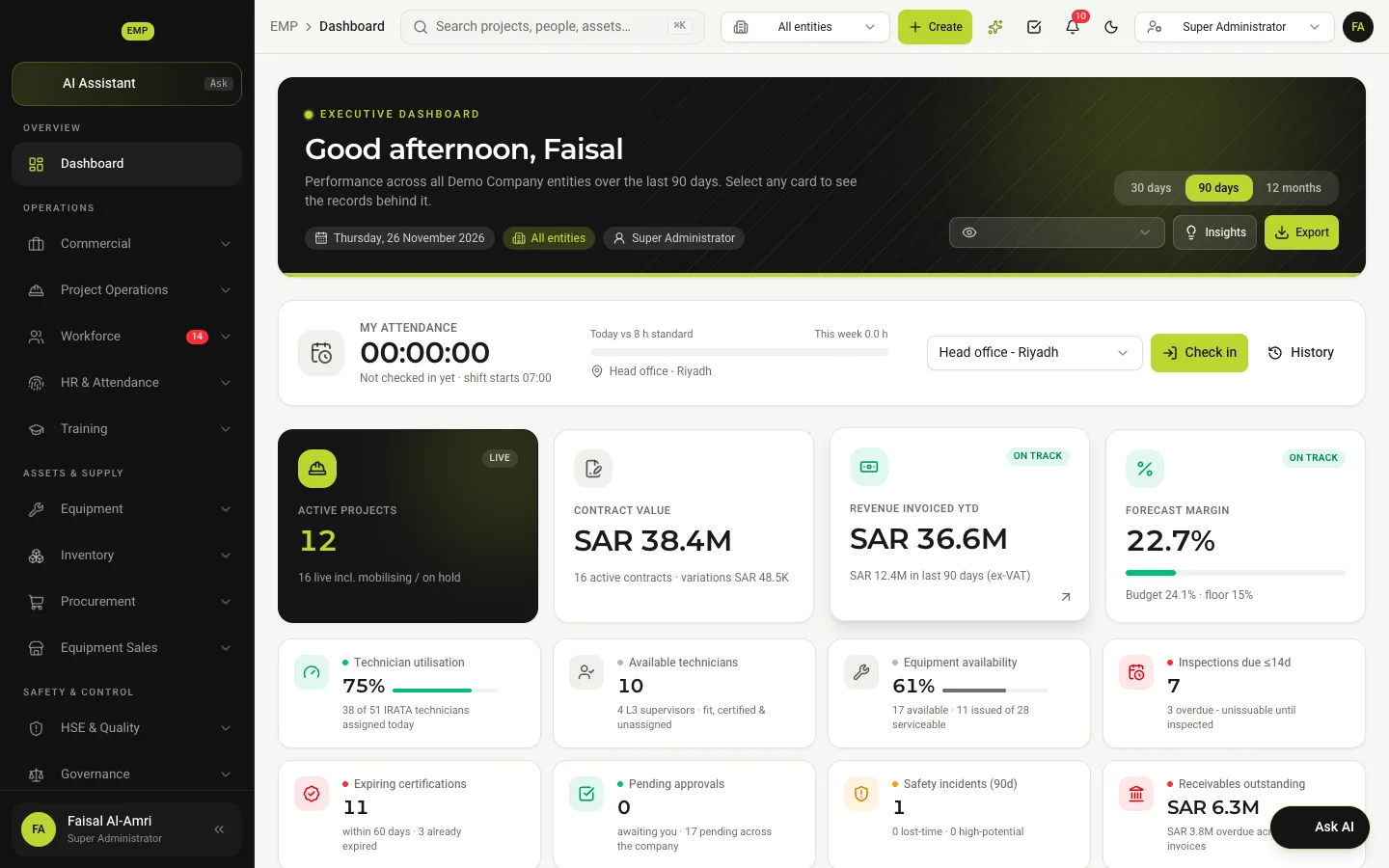
Overview Dashboard
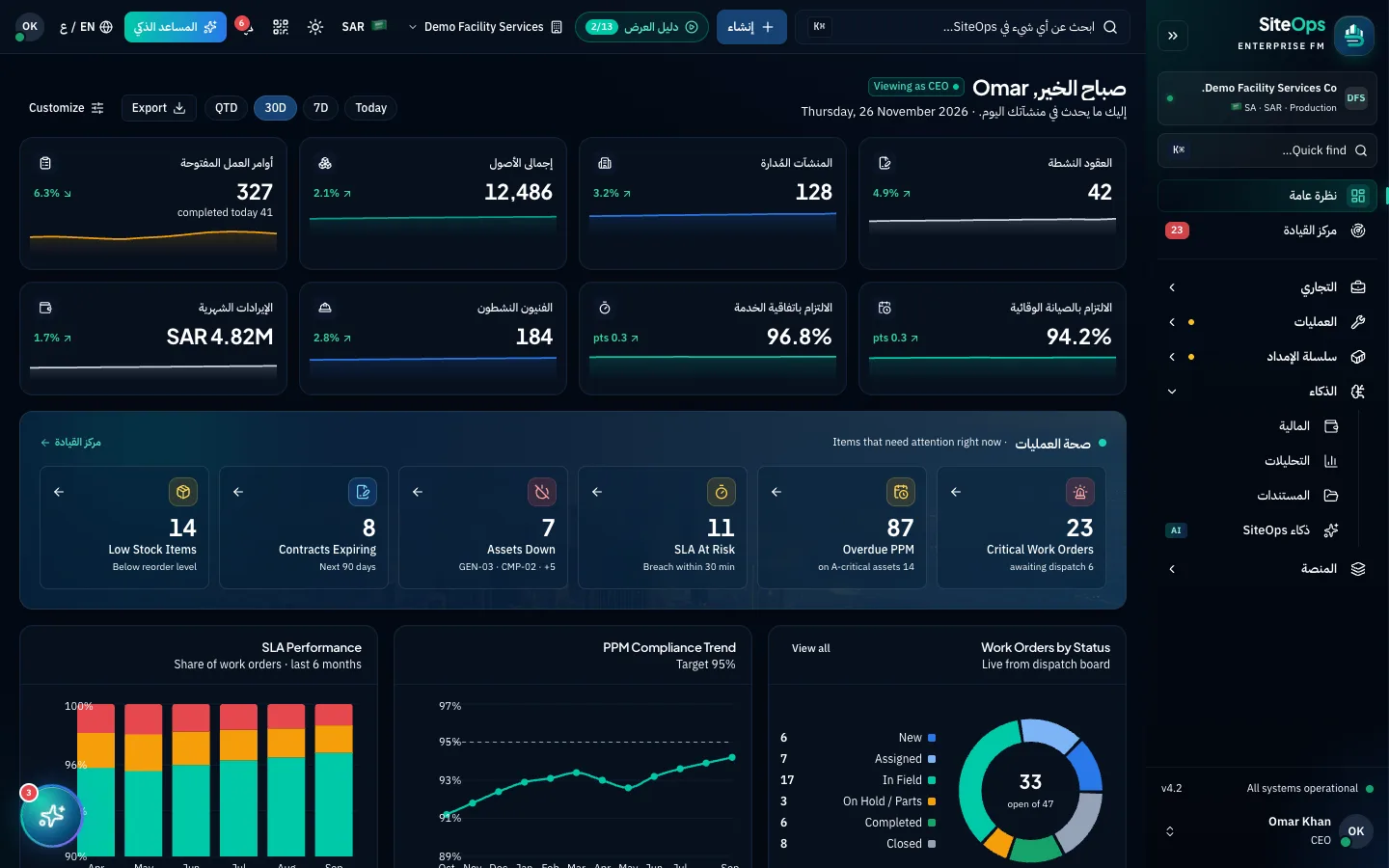
- Active contracts, facilities, assets, open work orders and technicians
- PPM compliance, SLA compliance and monthly revenue
- Operations health: critical work orders, overdue PPM, SLA at risk, assets down, expiring contracts and low stock
- Charts for work orders by status, SLA performance, revenue against maintenance cost and contract profitability
- Role-based home screens
Command Center
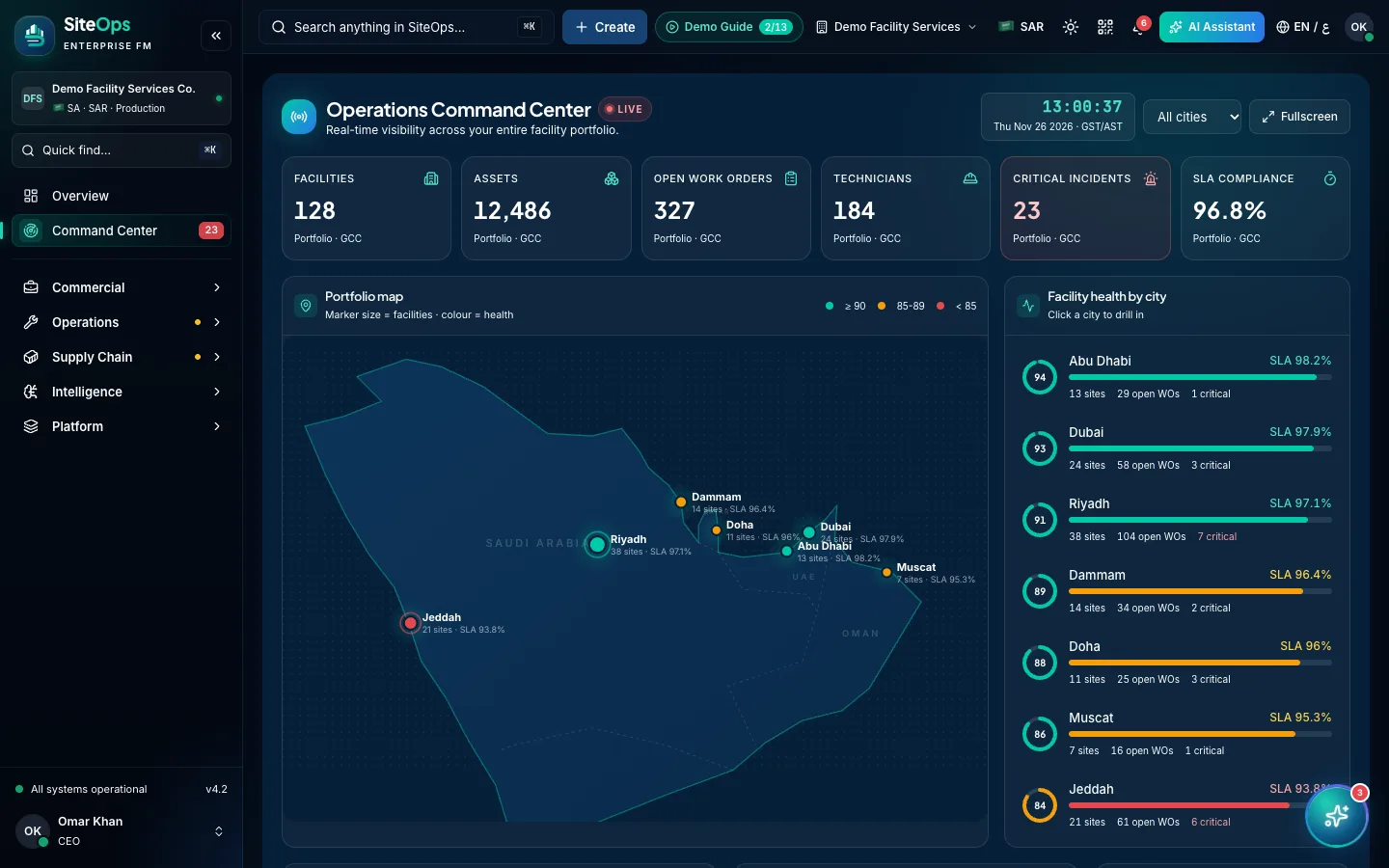
- Portfolio map of sites across GCC cities coloured by health
- Facility health and SLA by city with drill-down
- Live operations feed from BMS, mobile app and helpdesk
- Full-screen mode for control rooms
CRM
- FM sales pipeline from lead to signed contract on a board or list
- Weighted pipeline, win rate and average deal size
- Sites, assets and service scope per opportunity
- Stages from new lead through site survey to closing
Customers
- Client accounts with sites, assets, contracts and contract value
- Open work orders and SLA per customer
- Account manager, status and at-risk flags
- Filters by industry, country and status
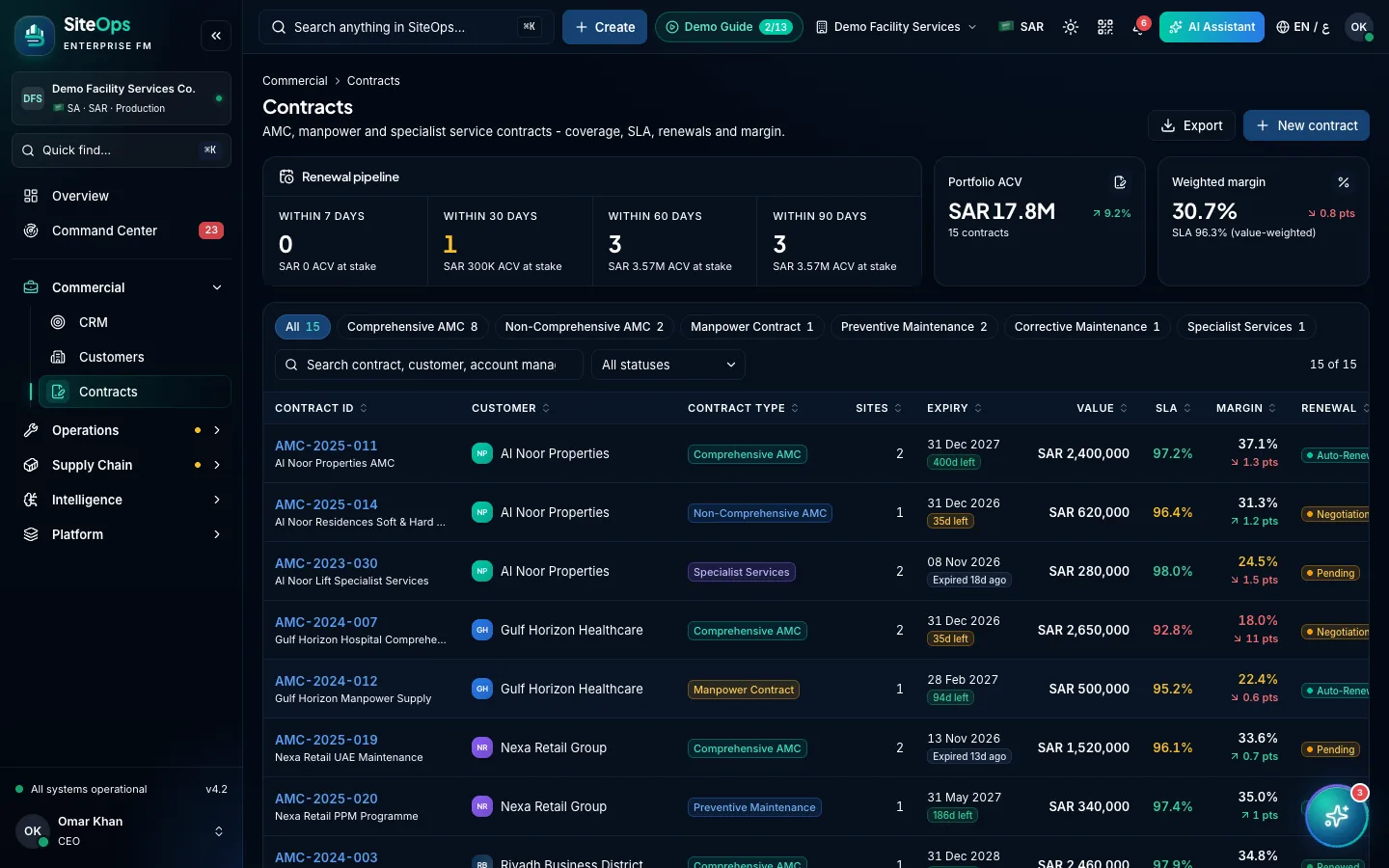
Contracts
- Comprehensive and non-comprehensive AMC, manpower, PPM, corrective and specialist contracts
- Renewal pipeline within 7, 30, 60 and 90 days
- Contract value, SLA, margin and renewal status
- Auto-renew and negotiation tracking
Sites
- Customer, site, building, floor, zone and asset hierarchy
- Grid, table, map and hierarchy views
- Open work orders, PPM due, SLA and assets per site
- Facility health score and cost month to date
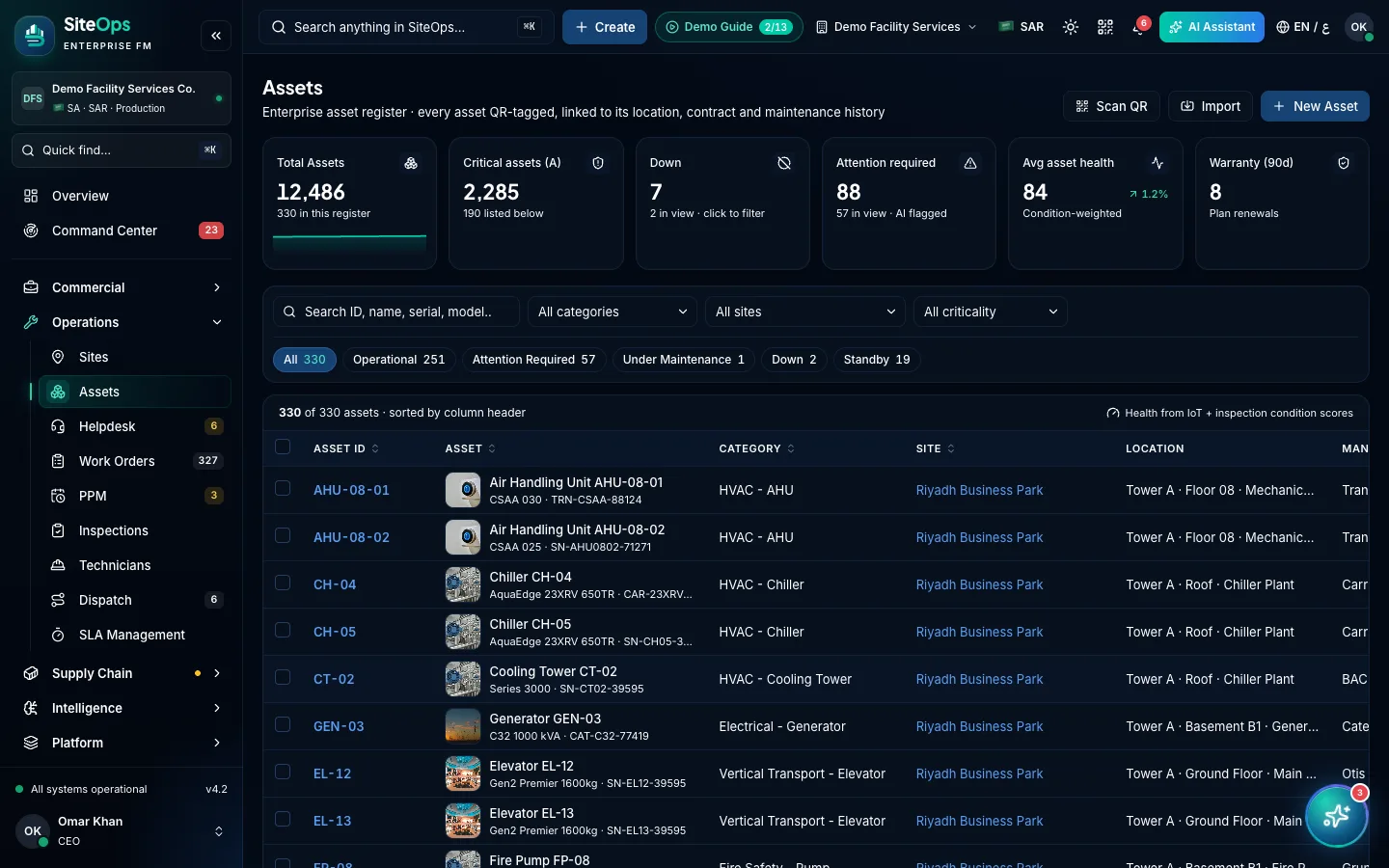
Assets
- Enterprise asset register with QR tags, location, manufacturer and warranty
- Criticality A, B and C with health scores from IoT and inspections
- Status: operational, attention required, under maintenance, down or standby
- Last service, next PPM and warranty renewals
Helpdesk
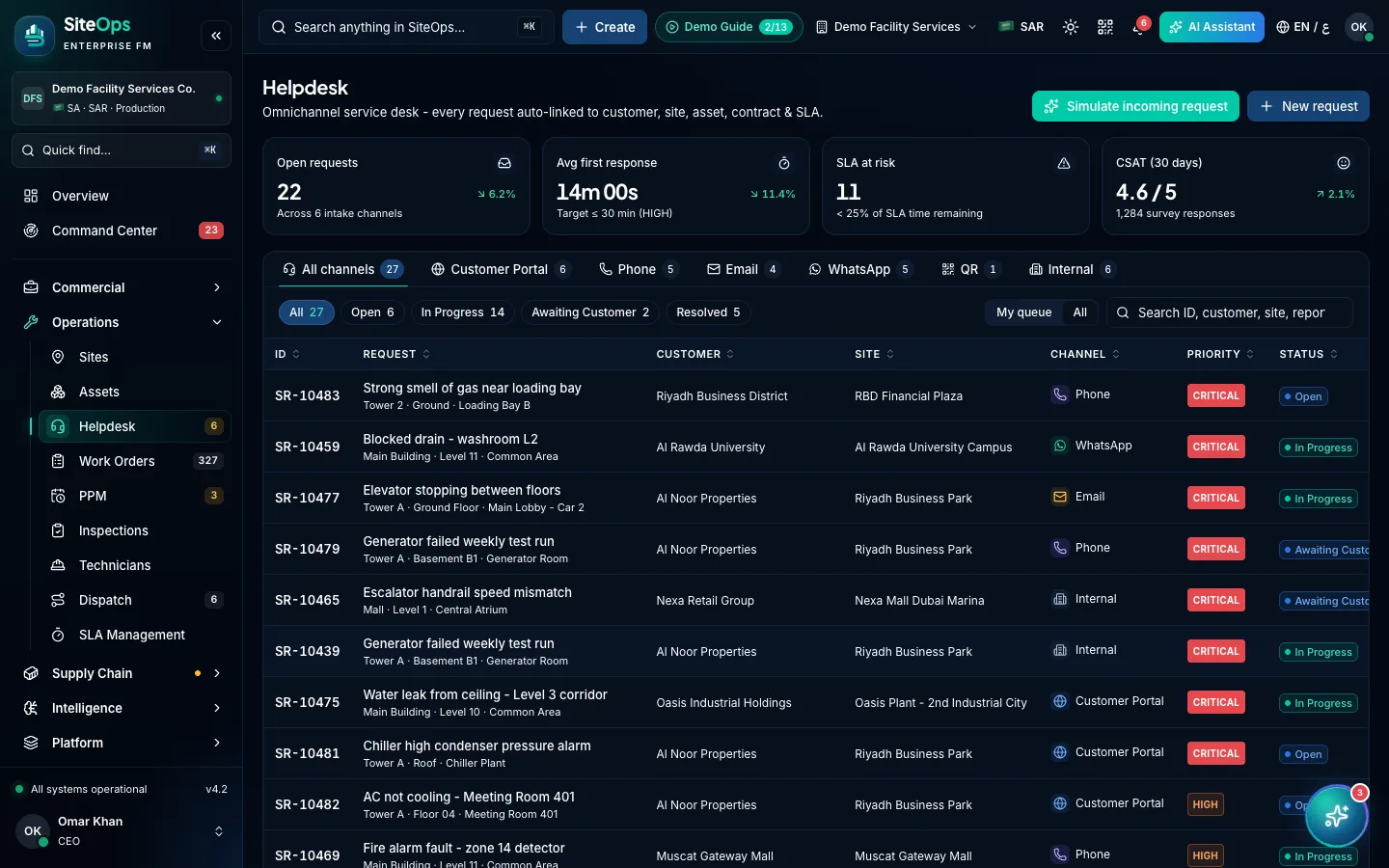
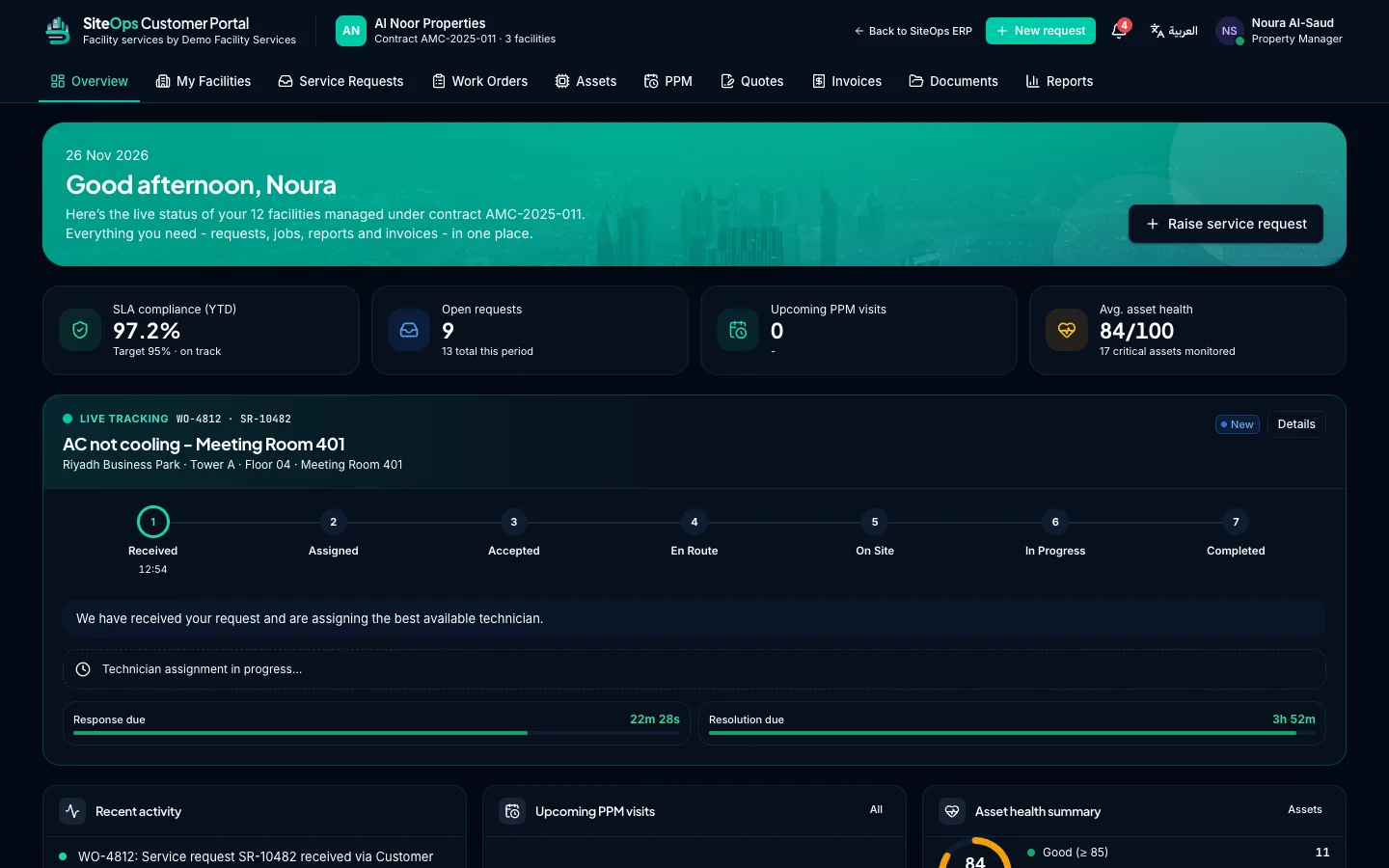
- Service requests from customer portal, phone, email, WhatsApp, QR and internal channels
- Each request linked to customer, site, asset, contract and SLA
- First response time, SLA at risk and CSAT
- Requests turned into work orders
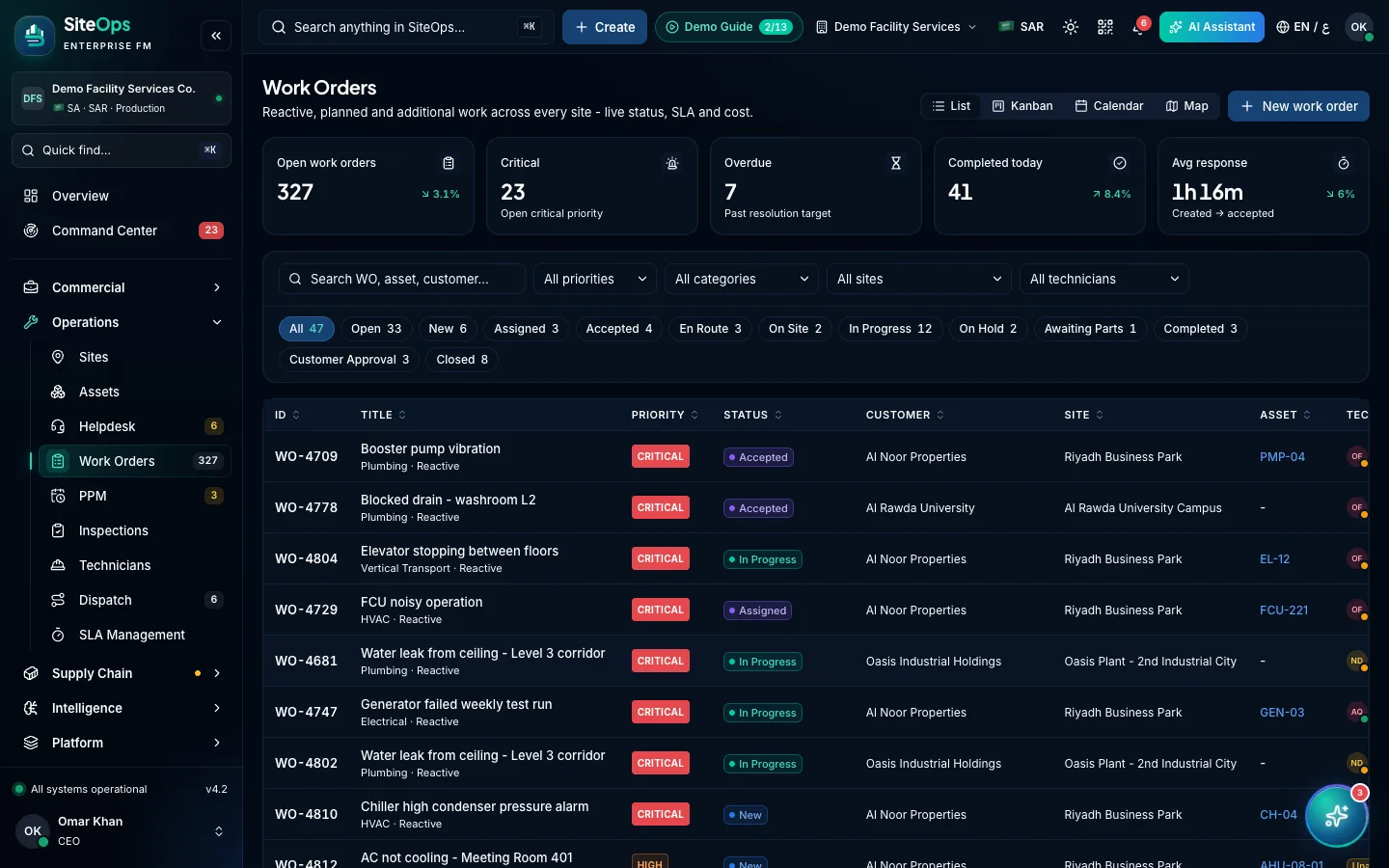
Work Orders
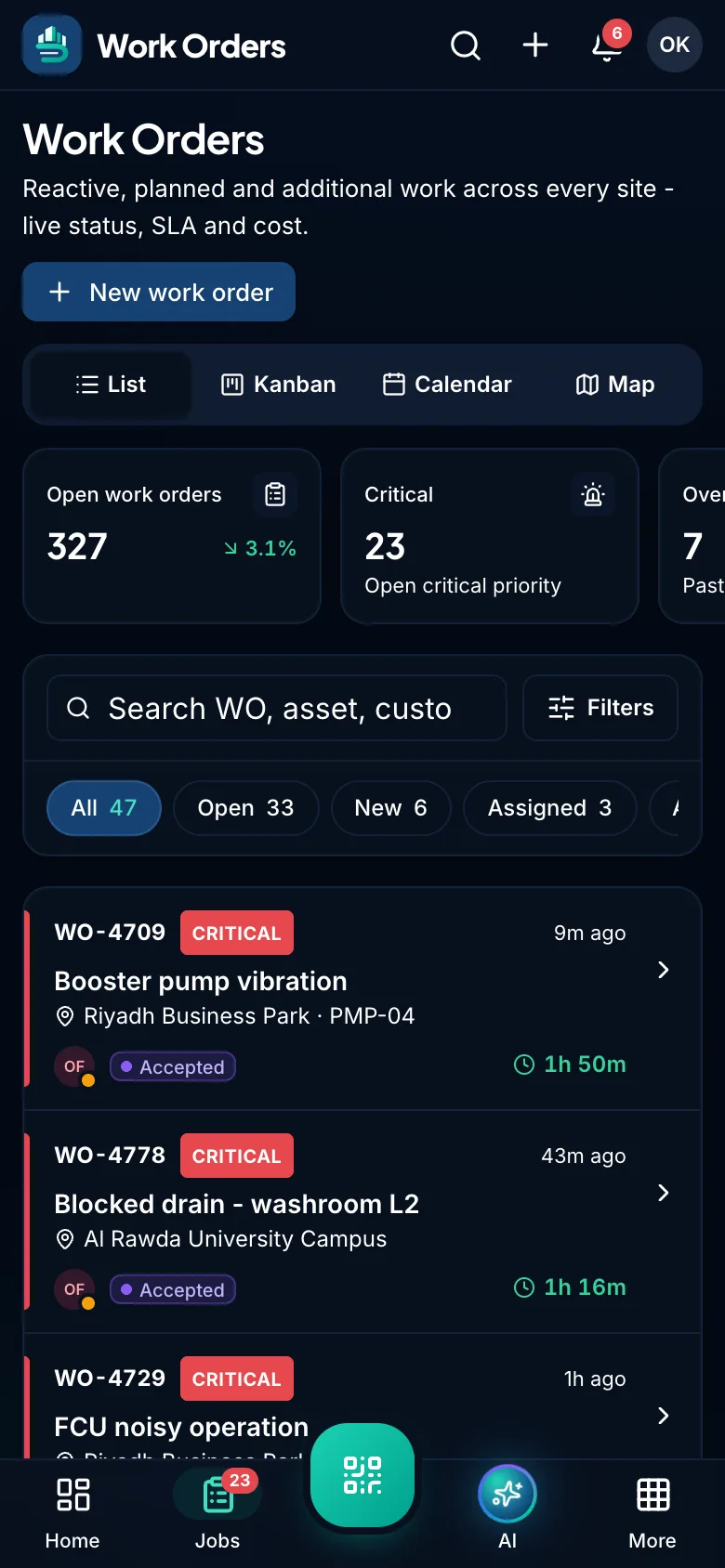
- Reactive, planned and additional work across all sites
- List, kanban, calendar and map views
- Status flow from new through en route, on site, awaiting parts and customer approval to closed
- Priority, category, asset, technician and SLA on every job
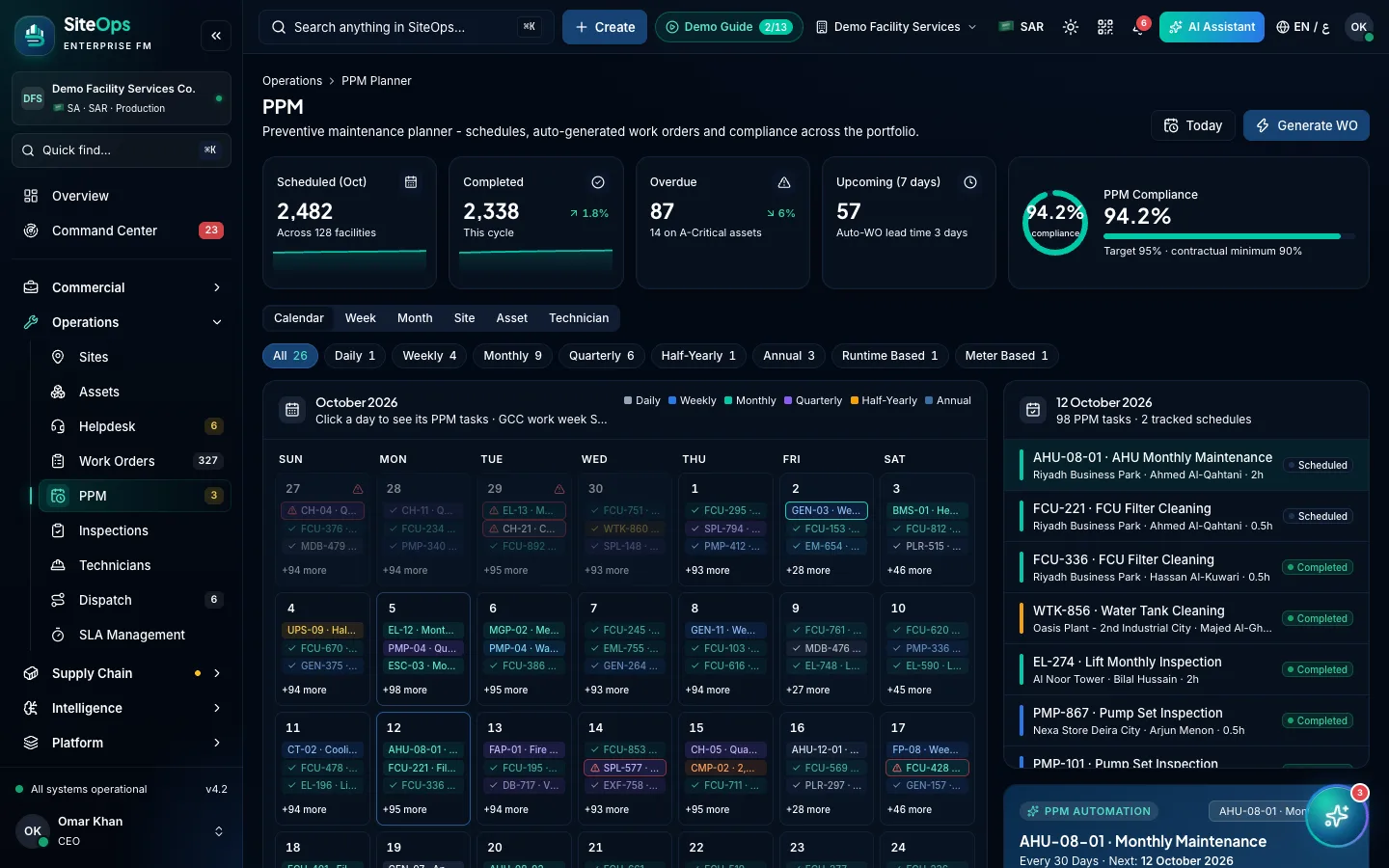
PPM
- Preventive maintenance calendar by day, week and month
- Daily, weekly, monthly, quarterly, half-yearly, annual, runtime-based and meter-based schedules
- Work orders generated ahead with a set lead time
- PPM compliance against target and contractual minimum
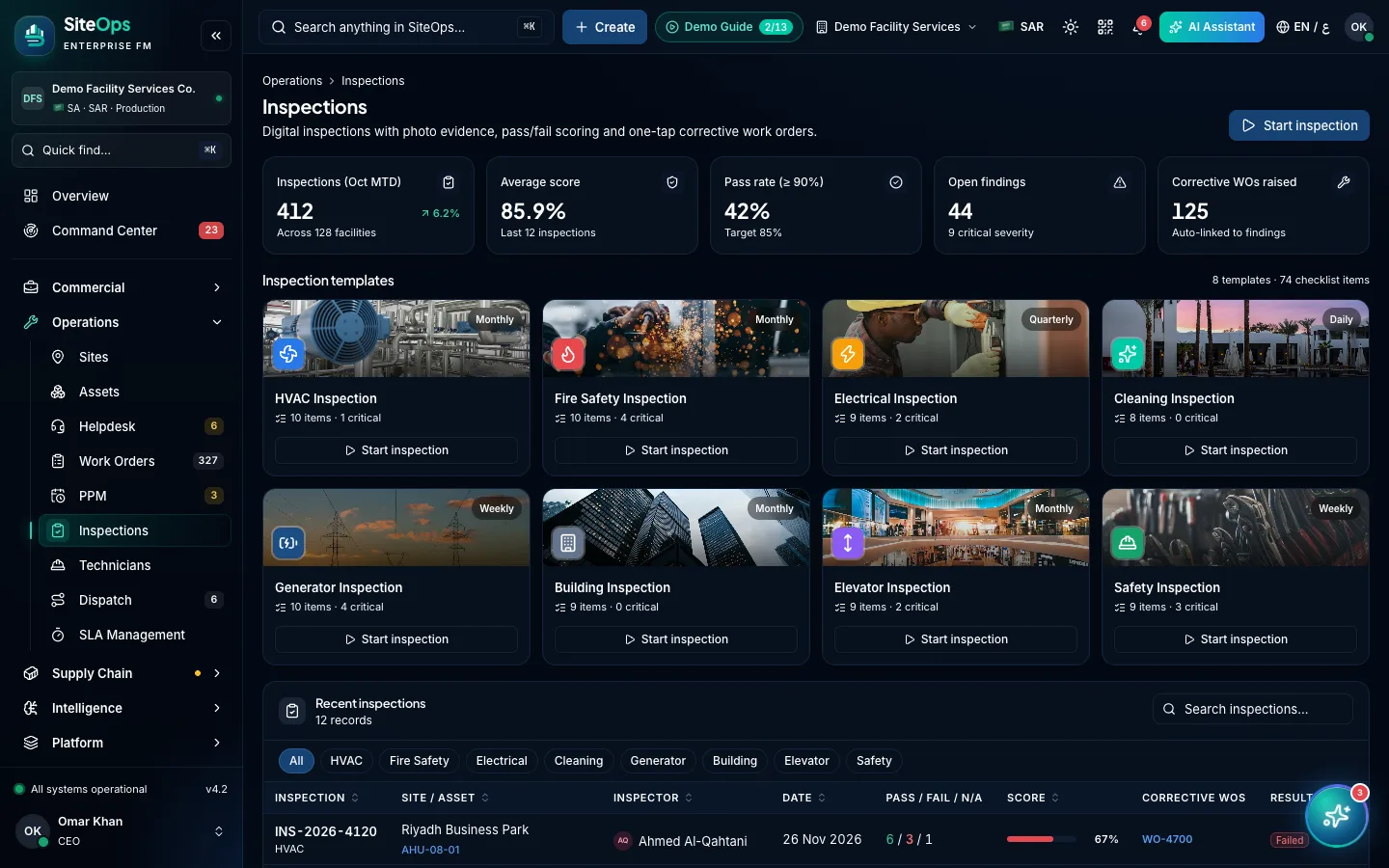
Inspections
- Templates for HVAC, fire safety, electrical, cleaning, generator, building, elevator and safety
- Pass, fail and N/A scoring with critical items
- Photo evidence and open findings
- One-tap corrective work orders linked to findings
Technicians
- Roster with live status by city and trade
- Skills, certifications and expiry warnings
- Jobs today, completion, first-time fix rate and utilisation
- Broadcast messages to the field
See the Facility Management screen by screen
Real screens from the live demo. Pick a screen on the left.
Watch the Facility Management in action
A short screen walkthrough made from the live demo. Use the controls to pause or jump ahead.
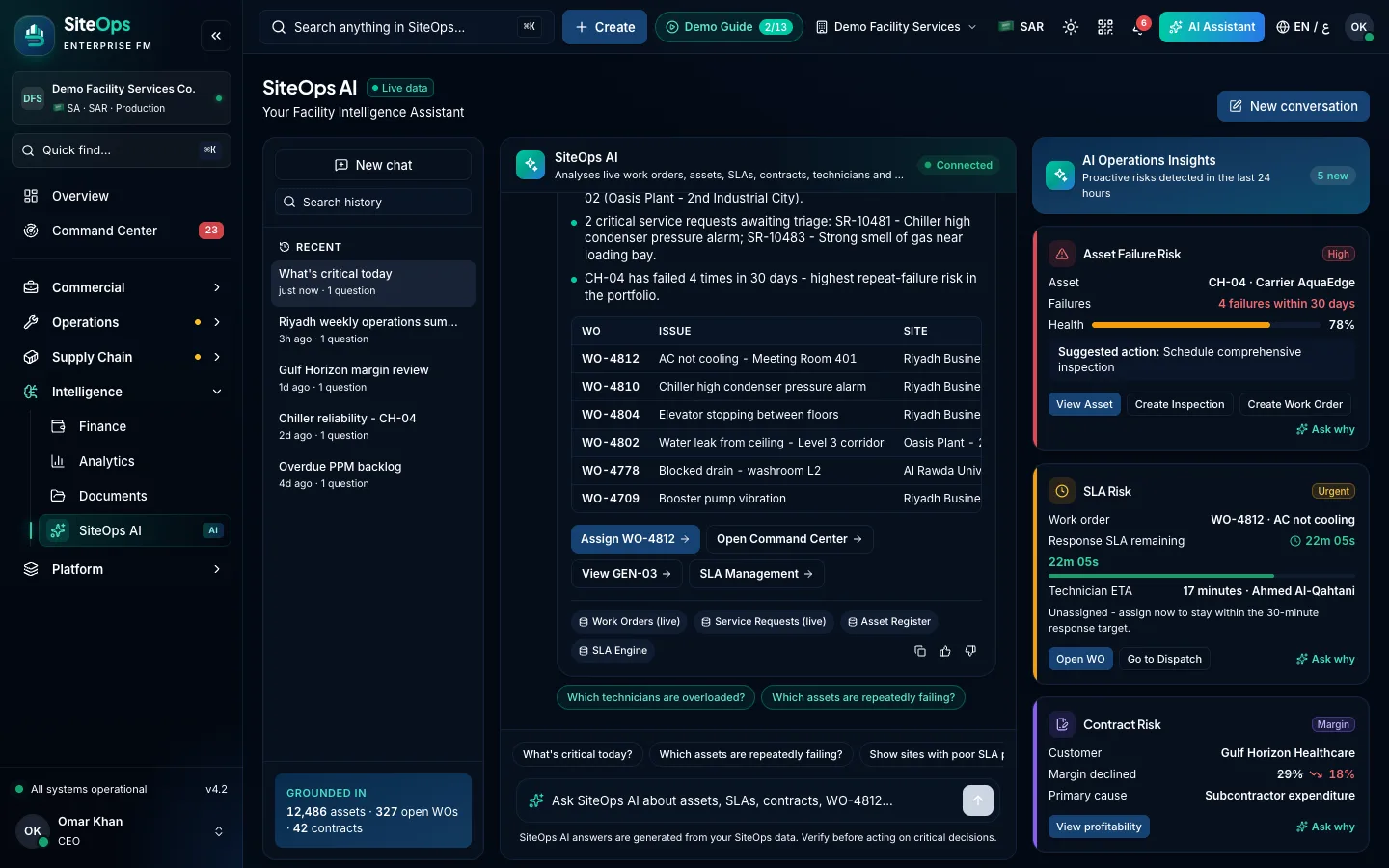
AI built into the Facility Management
What the AI and automation features in the live demo do for your team.
How work flows through the Facility Management
- Request comes inA tenant, customer or BMS alarm raises a request through the portal, phone, email, WhatsApp, QR code or internally. It is linked to the customer, site, asset, contract and SLA straight away.
- Work order and priorityThe helpdesk turns the request into a work order with a category and priority, and the SLA clock starts.
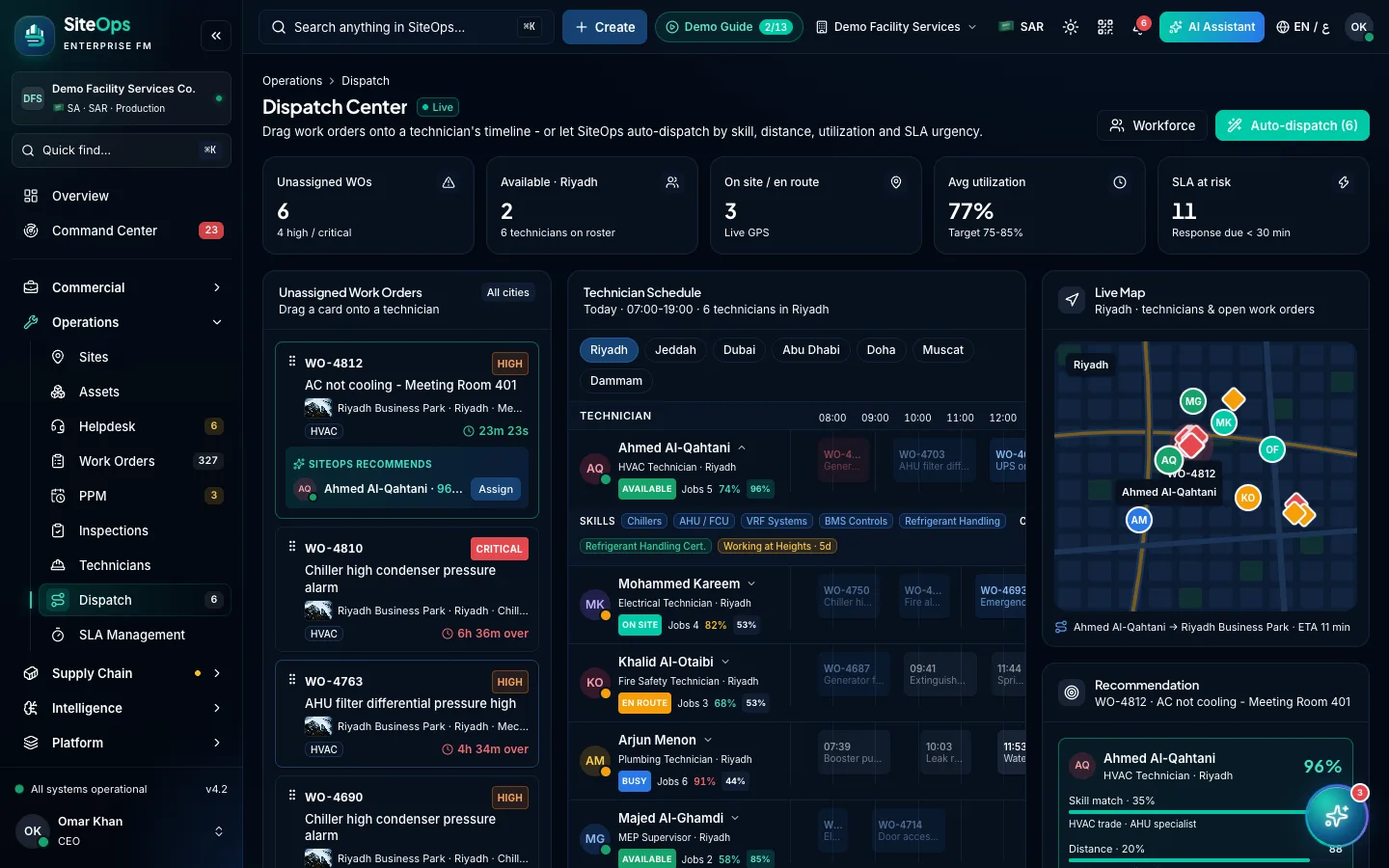
- DispatchThe dispatcher drags the job onto a technician or accepts the recommended match based on skill, distance, utilisation and SLA urgency.
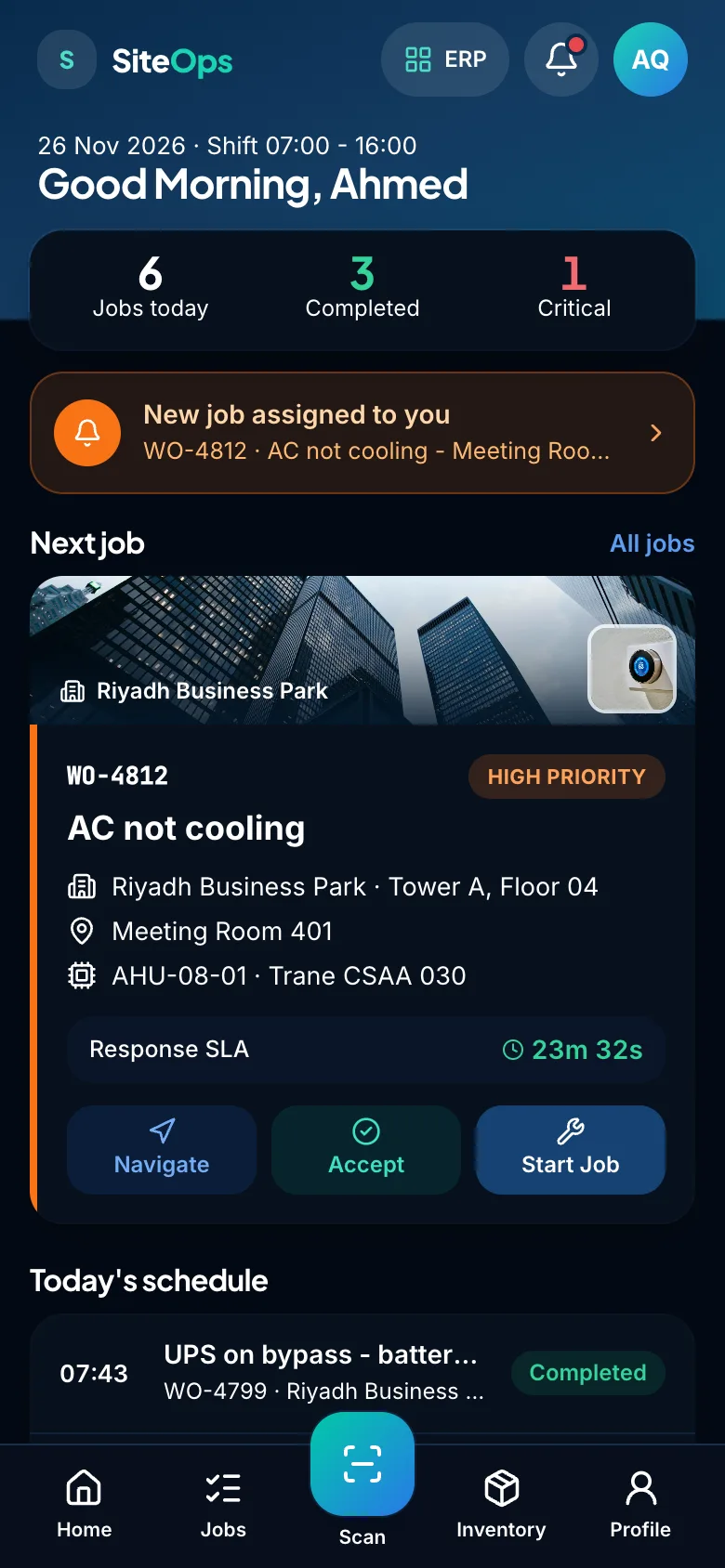
- Work in the fieldThe technician accepts, navigates, checks in, scans the asset QR, reviews history, adds parts and photos, and gets the customer's signature.
- SLA watch and escalationLive clocks show jobs at risk, and automations escalate to the operations manager or send a WhatsApp message before a breach.
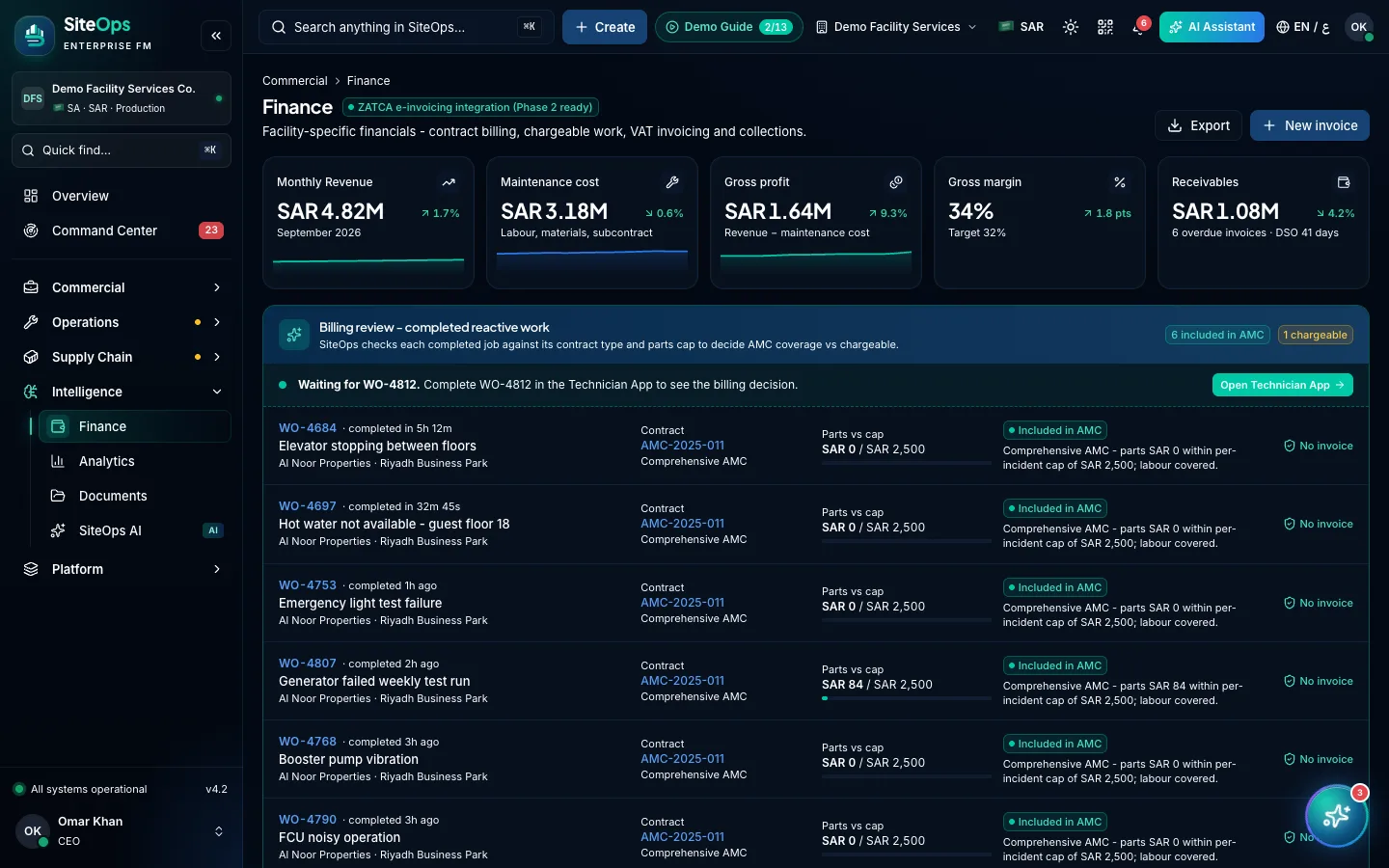
- Close-out and billing reviewOn completion the system checks the contract type and parts cap to mark the job as included in the AMC or chargeable, and issues a service report.
- Invoice and reportChargeable work and contract billing are invoiced with VAT, and analytics track SLA, PPM compliance, cost and margin by contract.
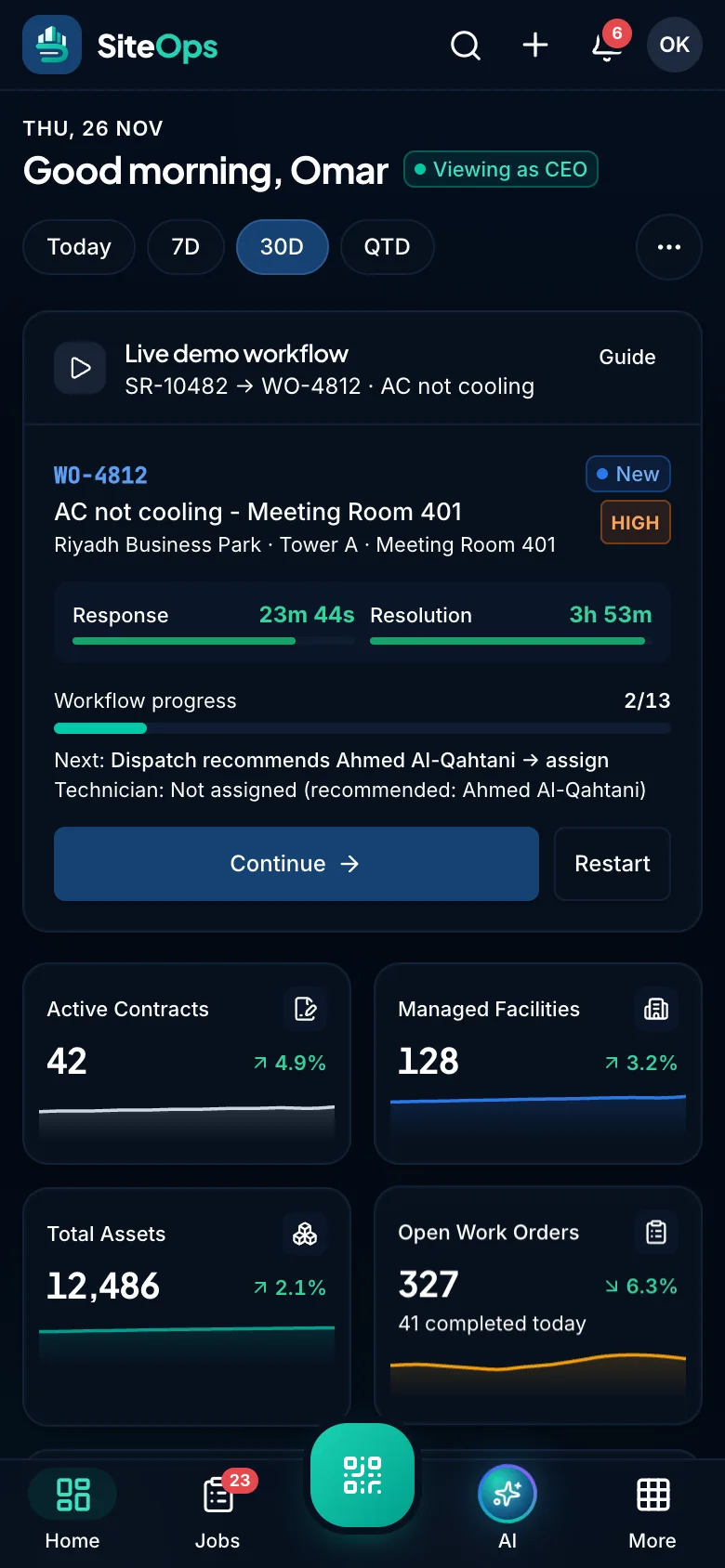
Works on the phone too
The same system in a mobile browser, for teams away from a desk.
What changes for your business
Business benefits
Typical use cases
Set up for your country, connected to your systems
What the product handles out of the box, and what Shyphan does to put it live in your business.
Built into the product
Delivered and supported in
 Saudi Arabia
 UAE
 India
 Bahrain
 Qatar
 Kuwait
 Oman
 Iraq
 Egypt
 Jordan
Plus the UK, Europe, the USA and other markets, from Shyphan offices in India, the UAE, Saudi Arabia and four more countries.
How Shyphan puts it live
Facility Management by industry
Pages written for how each industry actually works with the product.
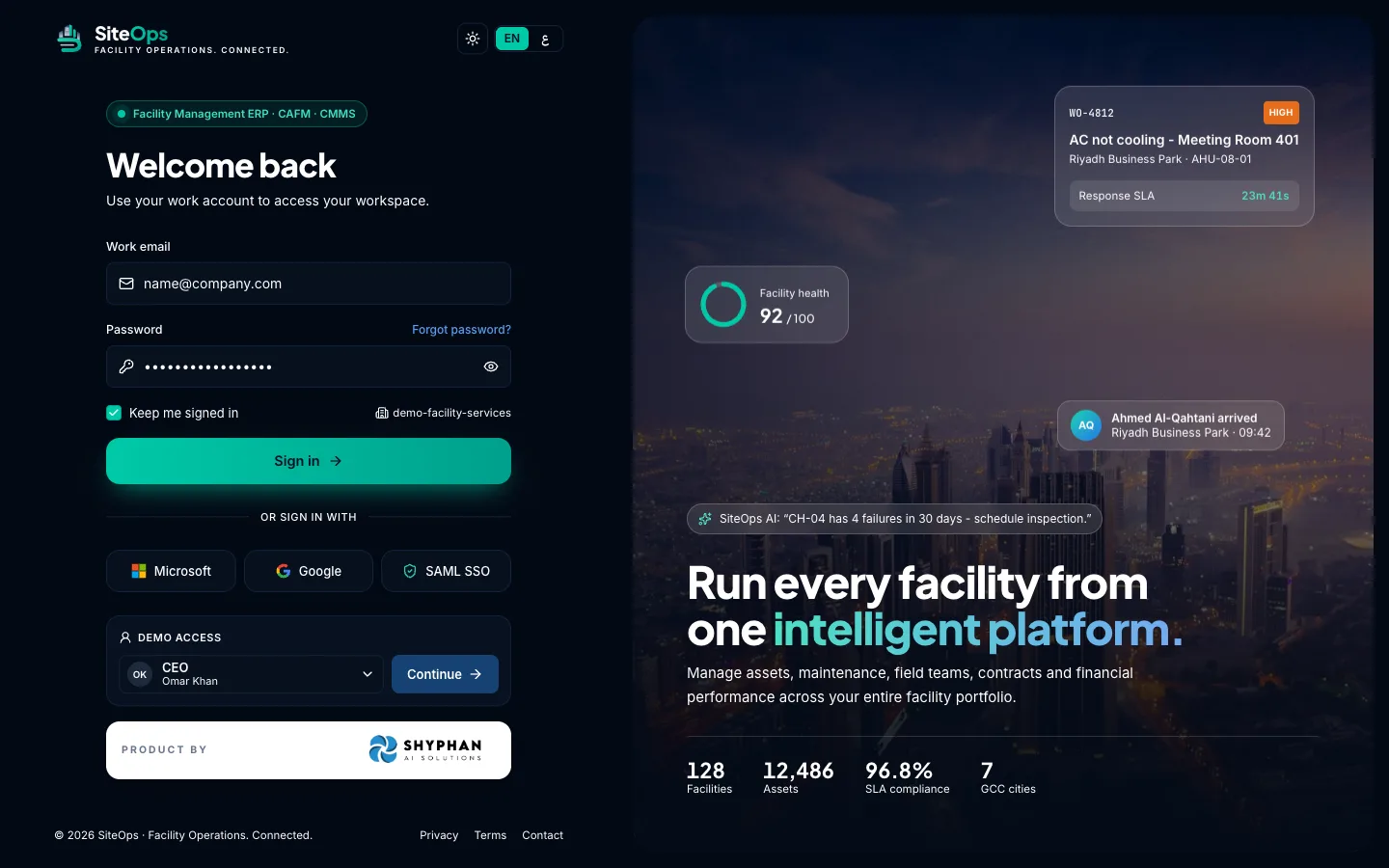
Try the Facility Management yourself
No sign-up. The demo opens in your browser with sample data.
- Open the live demo in a new tab.
- On the sign-in screen, pick a role in the Demo Access card and click Continue
- Explore the screens freely. It is a demo company with sample data.
- Book a guided demo and we will set it up around your own process.
Facility Management: questions we get asked
How much does the facility management software cost?
How long does implementation take?
Is it a CAFM or a CMMS?
Does it support Arabic?
Is it ready for ZATCA e-invoicing?
Can it handle sites in several GCC countries?
Can it connect to our BMS and other systems?
Can you move our assets and contracts from spreadsheets?
Related products and solutions
Construction & Contracting ERP
One system for contractors who deliver façade, inspection and maintenance work at height, from the first enquiry and site survey to permits,...
View product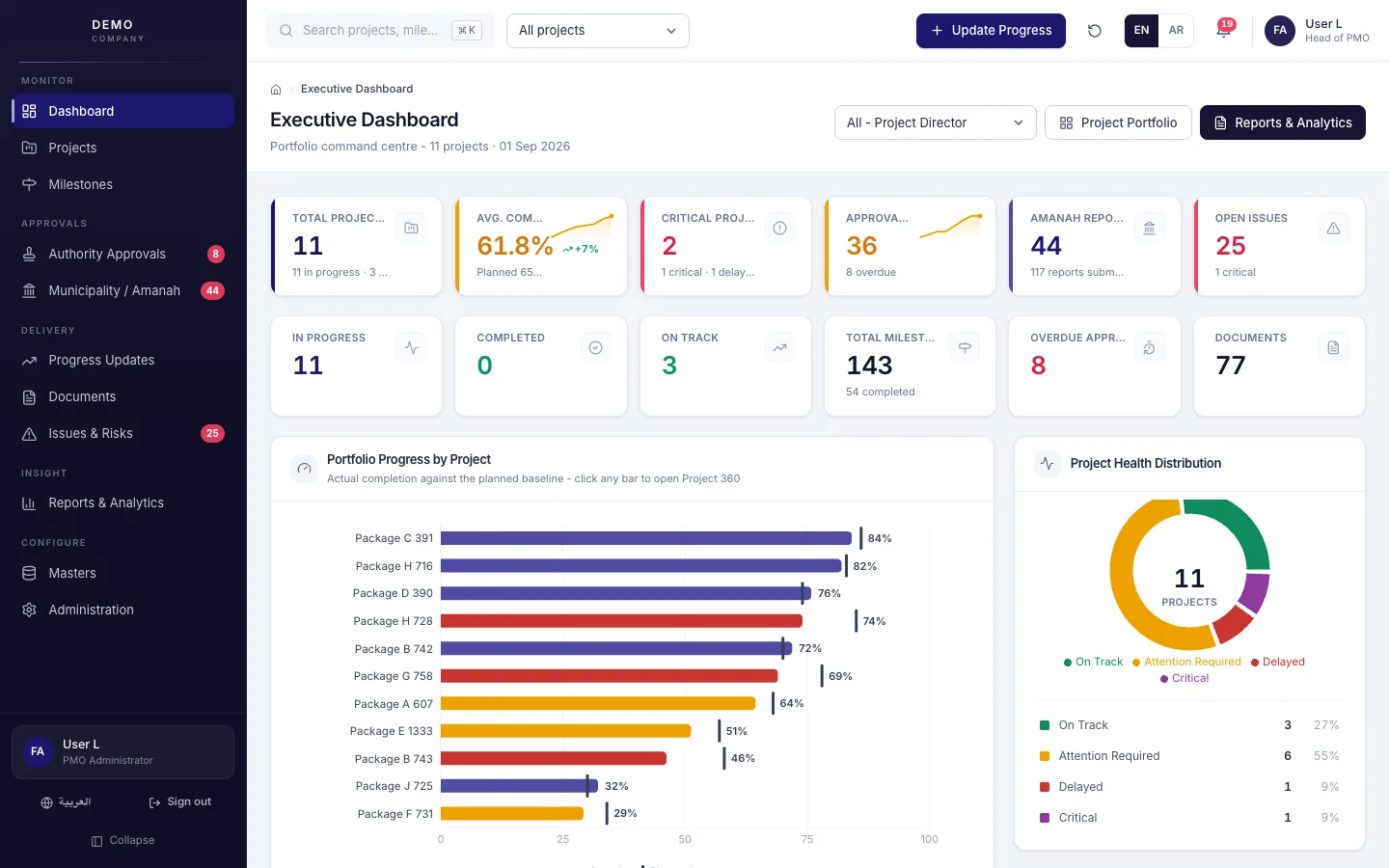
Infrastructure Project & Approval Management
One PMO platform for infrastructure packages in Saudi Arabia: weighted physical milestones, NWC, SEC and CST approvals, Amanah submissions, site...
View product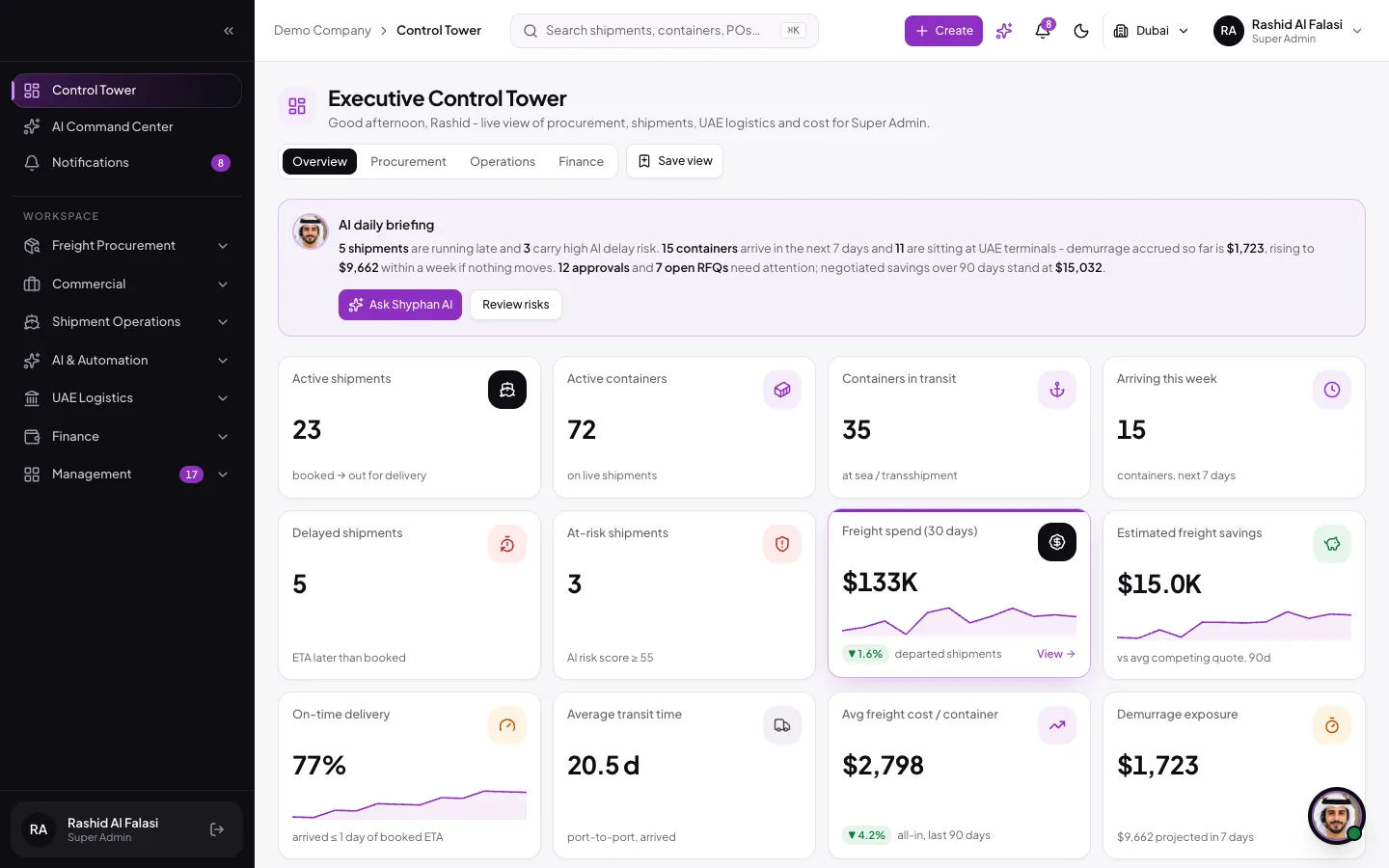
AI-Powered Freight Forwarding ERP
One platform to source freight, compare quotes, book carriers, track every container, clear UAE customs and control demurrage and landed cost,...
View product
See the Facility Management on your own process
A guided demo on your branches, users and workflows, then a written scope and a fixed quote.
