





















 Saudi Arabia
 UAE
 Qatar
 Bahrain
 Kuwait
 Oman
 Lebanon
 Egypt
 Jordan
 Iraq
 India
 UK
 Ireland
 Germany
 USA
 Australia
 Singapore
 South Africa
 France
 Hungary
 Georgia
 Turkey
 Canada
 LagosNigeria




ERPNext Customization in Saudi Arabia
Standard ERPNext covers most of what a Saudi business needs, but not every tender form, approval chain or bank file. We add the missing pieces as separate Frappe apps, so your changes survive version upgrades and never touch the core code.
- Approval workflows
- Bilingual print formats
- Custom doctypes
- Bank and payroll files
 ERPNext & FrappeImplementation · migration · AMC
Get a free quote
Reply within 24 hours with scope and a fixed quote.
ERPNext Customization in Saudi Arabia: the short answer
- Typical requests
- Tender and contract tracking, multi-level approvals, Arabic print layouts, bank payment files and dashboards for owners.
- How we build
- Custom fields, client and server scripts for small changes; a dedicated Frappe app for anything larger.
- Upgrade safety
- No edits to ERPNext or Frappe core files, and every change is tested on staging during upgrades.
- Ownership
- The code is yours, held in your own repository, under the licence terms of the Frappe ecosystem.
- Delivered by
- Shyphan AI Solutions, an ERPNext implementation partner and Zoho Premium Partner, with 24/7 support. Call +966 54 176 1946.
- Last reviewed
- 27 November 2026
When configuration stops and development starts
Take a medical equipment supplier in Riyadh that sells to hospitals through tenders. A bid needs a tender number, a closing date, technical compliance sheets, a bank guarantee and a chain of approvals from sales, pricing and the general manager. Standard quotations in ERPNext handle the commercial part, but the tender record, guarantee tracking and approval rules are specific to that business.
We always try configuration first: custom fields, naming rules, workflows and print formats need no code. When that is not enough, we build a small Frappe app with its own doctypes, scripts and reports. Keeping custom work in its own app means a future upgrade replaces the ERPNext code without overwriting yours, and another developer can read exactly what was added and why.
Saudi projects bring their own list of requests. Owners ask for Arabic and English on every printed page. Finance teams want payment files their bank portal will accept without retyping. HR wants the Mudad wage file produced from payroll rather than rebuilt in Excel each month. Contracting and trading firms want approval steps that mirror their delegation of authority. Each of these is a modest, well-understood piece of work when it is designed properly and kept apart from the standard code.
From first record to the finished report
One open-source system, so each step feeds the next without re-keying.
Customisation work we do for Saudi clients
Approval workflows
Purchase requests, discounts above a limit, credit overrides and payment runs routed through department heads and finance, with each approval recorded against the document.
Bilingual print formats
Tax invoices, quotations, delivery notes and salary slips laid out with Arabic and English side by side, company stamps, the ZATCA QR code and your branding.
Custom doctypes
New records such as tenders, bank guarantees, vehicle logs or rental contracts, linked to customers, projects and ledgers like any standard ERPNext document.
Bank and payroll files
Payment files for your bank's portal and a wage protection file shaped for Mudad, generated from approved payment entries and payroll.
Integrations
REST connections to e-commerce stores, payment gateways, logistics providers and legacy systems, with error logs so failed calls are visible rather than silent.
Owner dashboards
Number cards and charts for sales by branch, receivables ageing and stock value, built with Frappe's dashboard tools or Frappe Insights. Owners can open them on a phone between meetings.
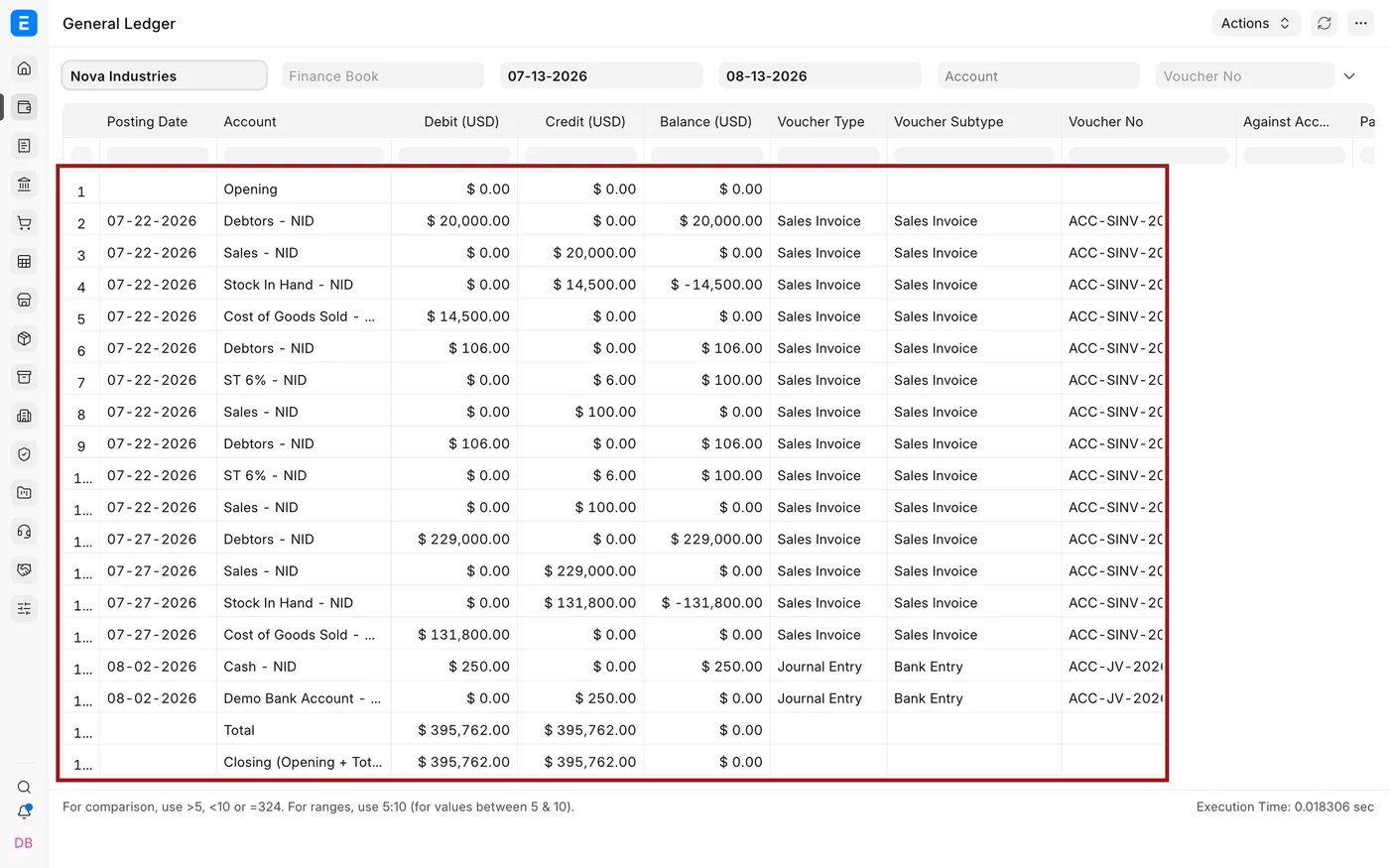
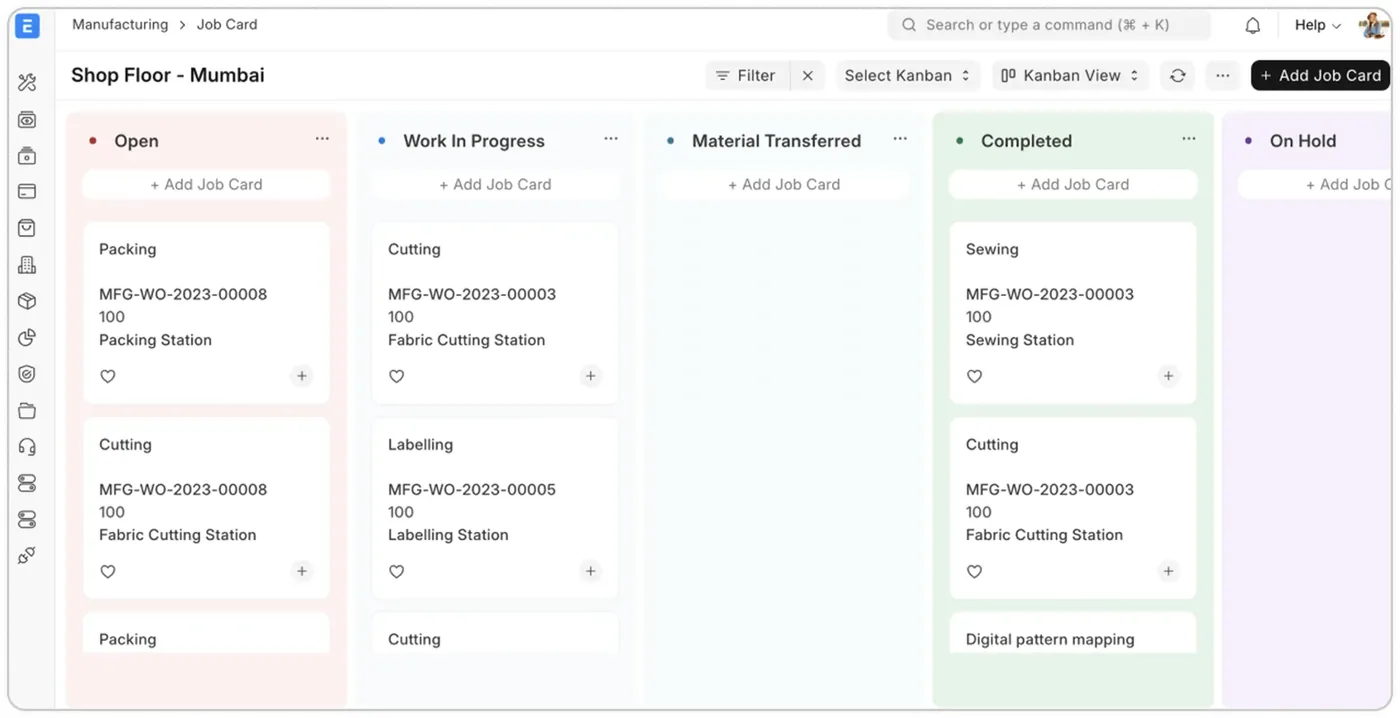
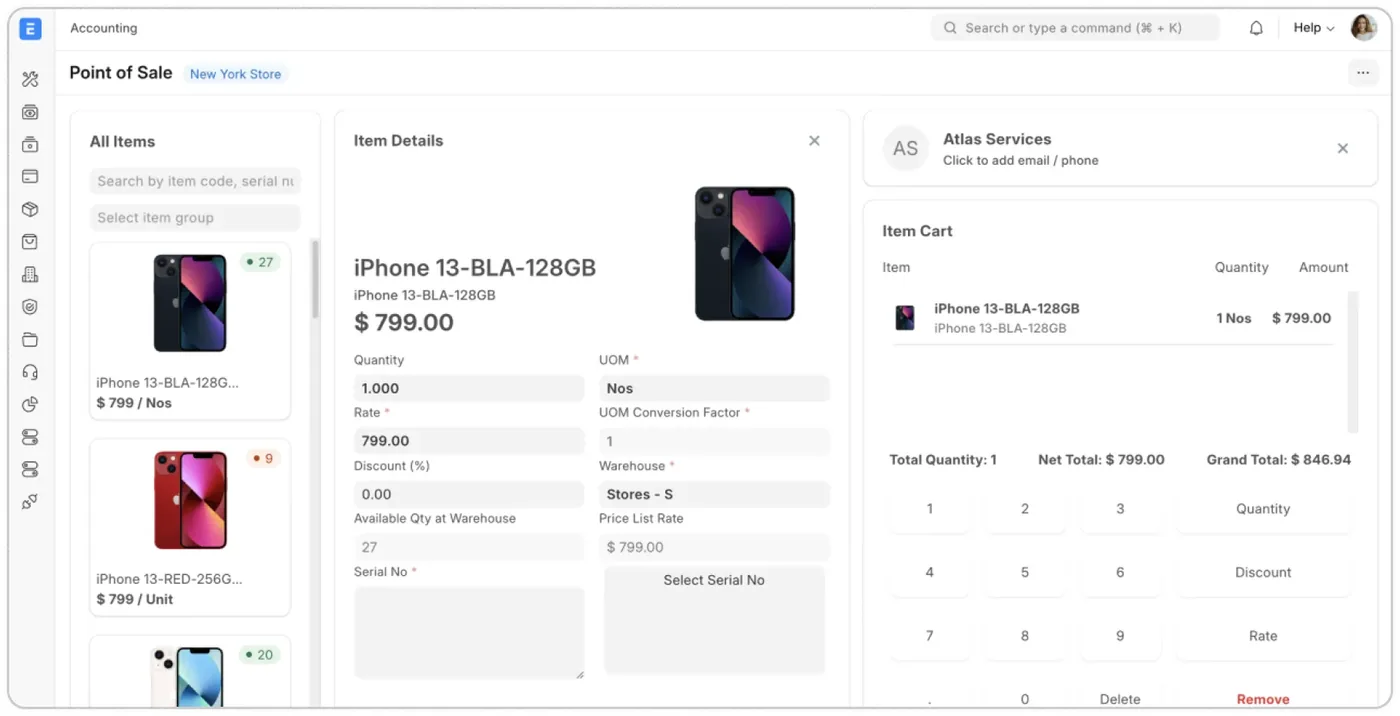
See it in ERPNext
Real ERPNext and Frappe screens for the work described on this page. We configure them for Saudi rules and your data.
ERPNext and the Frappe apps we implement
One open-source platform, one database, no per-user licence fees.







Saudi rules that shape custom development
| Topic | The Saudi rule | What we set up |
|---|---|---|
| Invoice integrity | ZATCA requires e-invoice solutions to be tamper-resistant and to block undetected changes to issued invoices. | Custom code never edits submitted invoices or their XML. Corrections run through credit and debit notes that the ZATCA app reports as usual. |
| Arabic content | The human-readable invoice must include Arabic; Arabic or Hindi numerals are both accepted. | Print formats pull Arabic item and customer names from dedicated fields and let you choose which numeral style appears. |
| Wage protection | Monthly wage files go to the Mudad compliance system, and HRSD shortened the upload window to 30 days from 1 March 2025. | A one-click export from the payroll entry plus a reminder to HR before the window closes. |
| Personal data | PDPL limits how personal data is processed and shared, and has been enforceable since 14 September 2024. | Custom doctypes holding personal data get restricted roles, masked fields where sensible and an audit log of changes. |
We configure the system and check it against your accountant’s figures; we are not tax advisers, and your accountant files the returns. Last reviewed 27 November 2026.
How a customisation request moves through our team
Write the requirement
We document the business need, who uses it, sample documents and the result you expect, then agree it with the person who asked.
Choose the lightest option
If a custom field, workflow or report solves it, we stop there. Code is only written when configuration cannot do the job, which keeps maintenance and upgrade effort low.
Build in your app
Developers work in a separate Frappe app under version control, with clear commit messages and comments in English.
Test with your users
The change goes to staging, where your team tries it with real cases, including Arabic text and edge cases such as returns.
Release and document
Approved changes are deployed in a planned window, and a short note explains what changed, for your records and for future upgrades.
Every ERPNext page for Saudi businesses
Services
Compliance
Industries
Other countries
Worldwide

Written and reviewed by Vikas Saroj, Co-Founder, COO & Growth at Shyphan AI Solutions, who owns ERPNext, Odoo and Zoho delivery across Saudi Arabia and the wider region. Reviewed against current Saudi rules on 27 November 2026. Meet the team · LinkedIn
ERPNext Customization in Saudi Arabia: questions answered
Will customisations break when ERPNext is upgraded?
Can you change how ZATCA invoices are generated?
Who owns the custom code?
Is Shyphan an official Frappe partner?
Can you fix customisations another provider built?
Can custom screens appear in Arabic?
Request your free quote
Tell us about your project and a senior ERPNext consultant - not a bot - replies within 24 hours with scope, timeline and a fixed quote. The first 30-minute discovery call is free, with no obligation.
- Free 30-minute discovery call
- Fixed-quote SOW - no surprises
- Arabic · English delivery
- VAT 15%, ZATCA, GOSI & mada ready