





















 Lebanon
 UK
 Ireland
 Germany
 USA
 Australia
 Singapore
 South Africa
 France
 Hungary
 Georgia
 Turkey
 Canada
 LagosNigeria




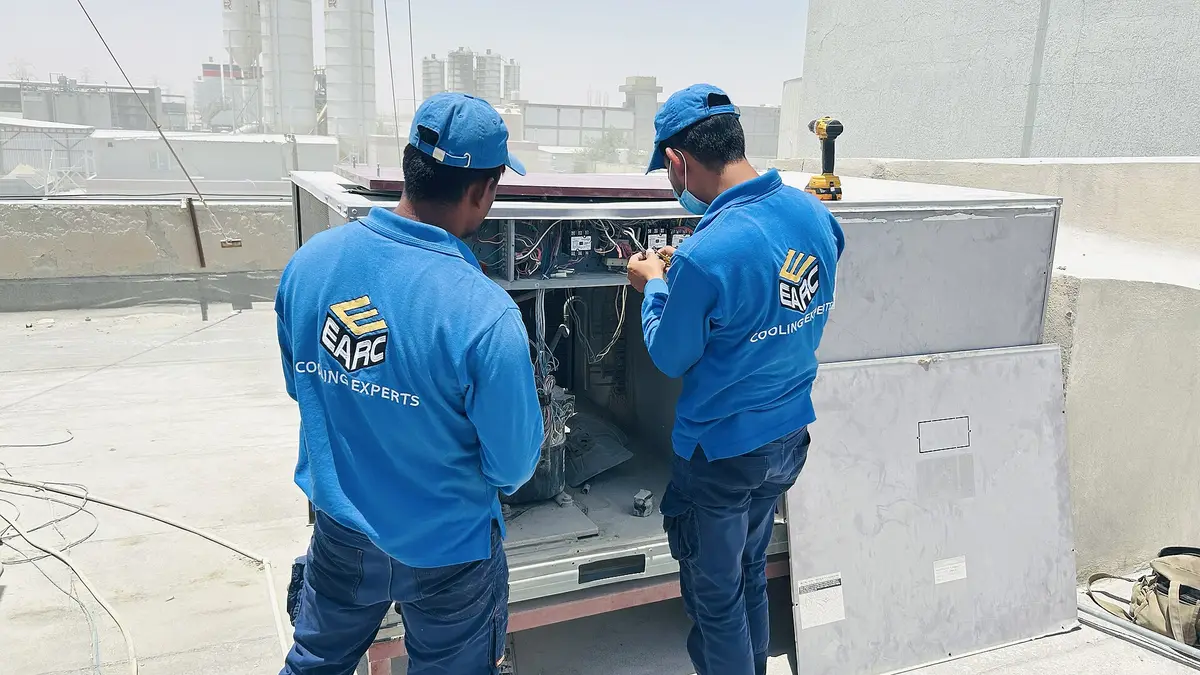
Field Service Management Software for Equipment Service Teams
Log every service request, assign the right area engineer, track response and resolution SLAs live, and close each visit on mobile with diagnosis, parts, photos and customer sign-off.
Prefer to talk? Call +91 95651 53545Book a demo
Tell us about your business. A Shyphan consultant will walk you through the Field Service Management on your own process.
What the Field Service Management does
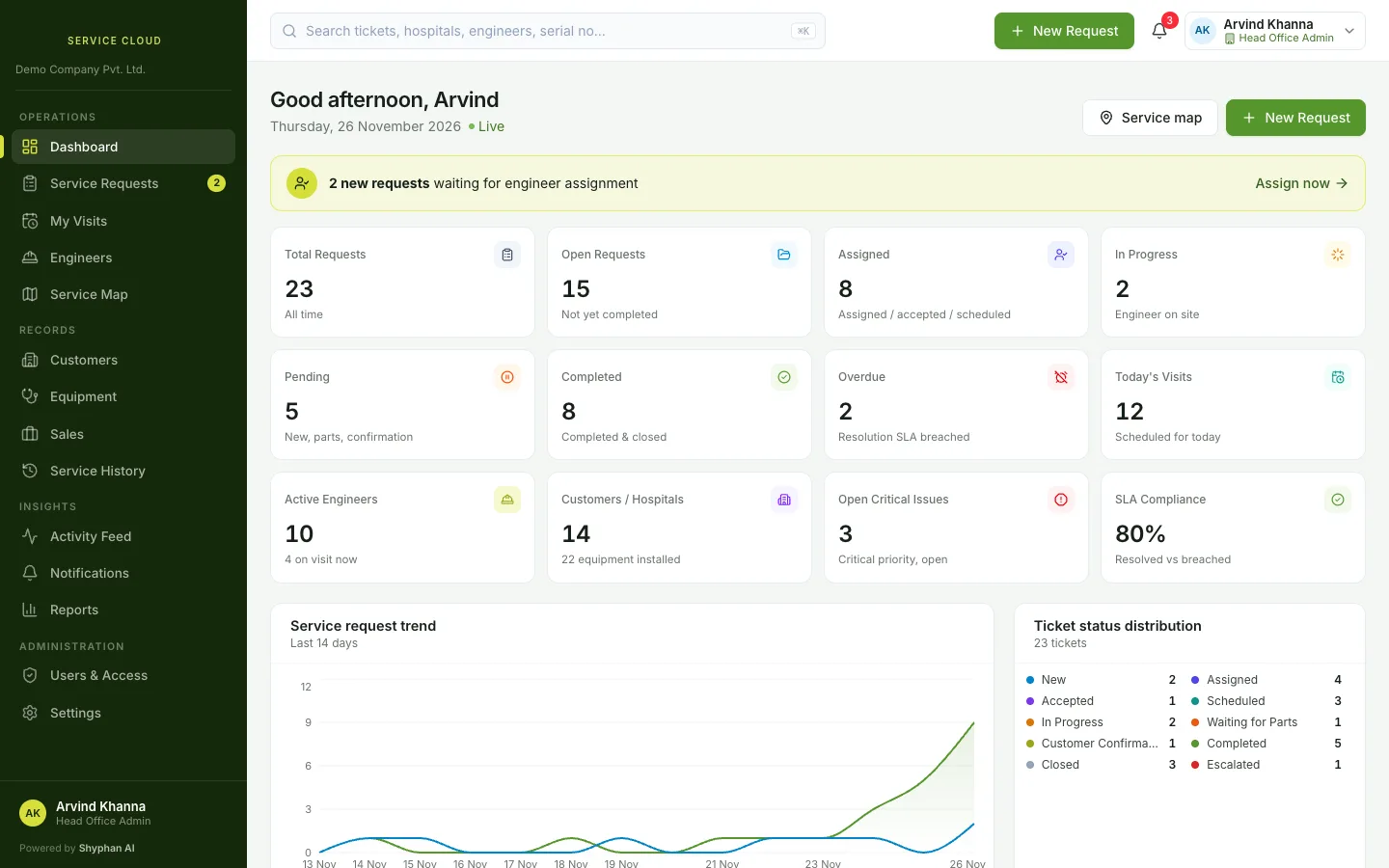
Customer & Field Service Management is one platform for the head office, the customer support desk, field engineers, sales engineers and management. A complaint comes in, support logs it against the customer and the exact piece of equipment, and the system starts the response and resolution SLA clocks for that priority. Head office assigns an engineer who covers that service area, and everyone can see the ticket move from New to Completed in real time.
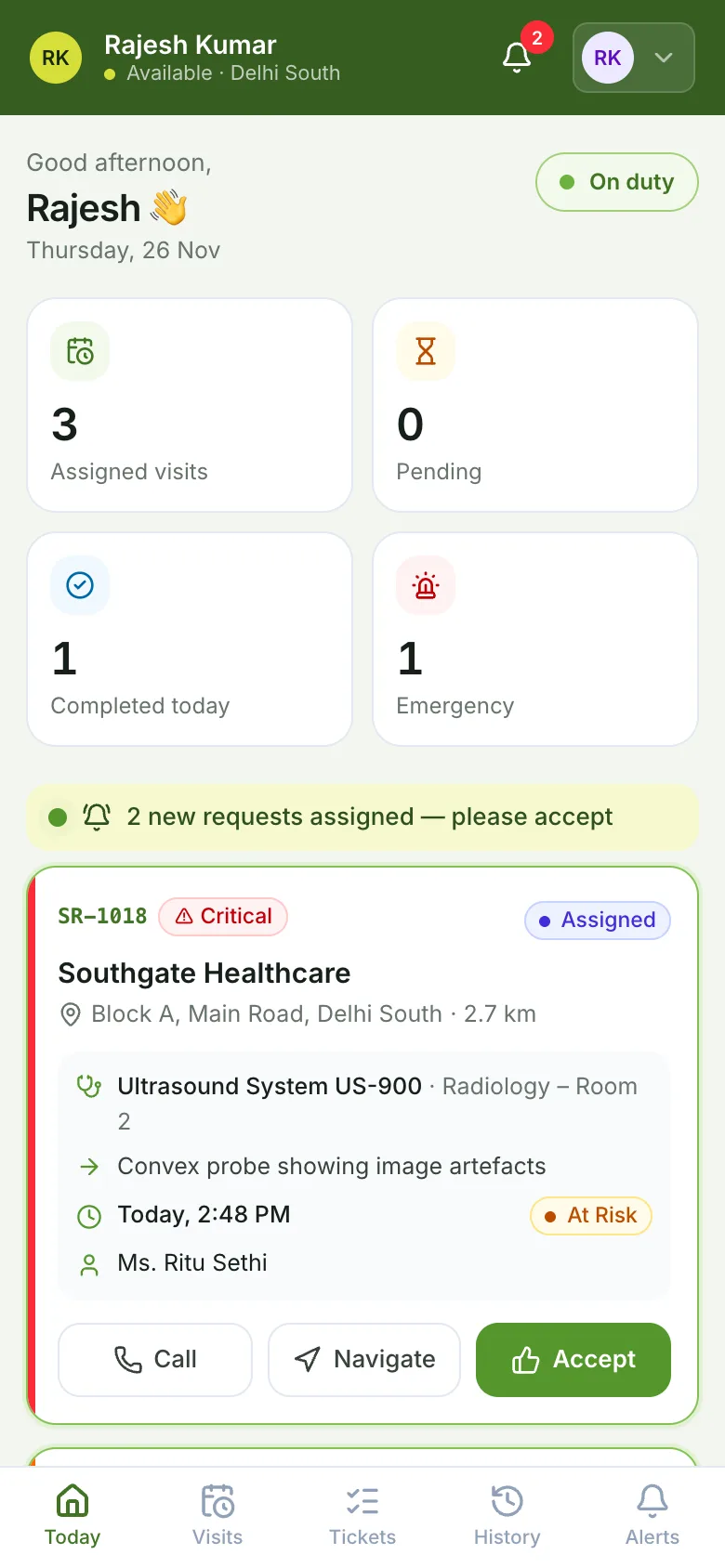
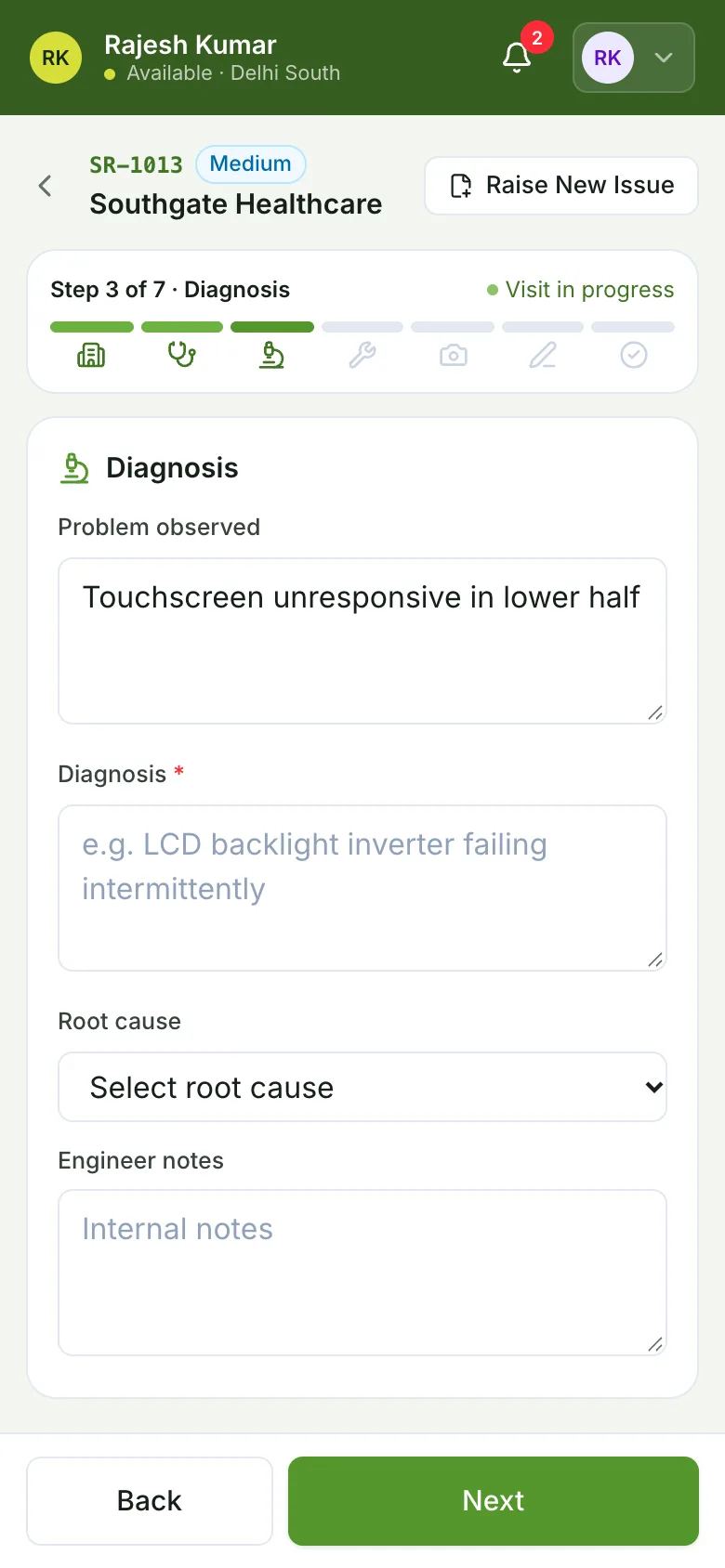
Engineers work from a mobile view built for the field. They accept the job, call or navigate to the site, then follow a seven step visit: customer, equipment, diagnosis, service work, photos, customer sign-off and completion. Every finished visit lands in the service history with parts used, root cause and the customer's comments. Managers get a live dashboard, a service map, engineer workload, AMC and warranty status, and nine ready reports with CSV export.
Business challenges it solves
Field Service Management modules
14 modules in the live demo. The main ones are below with what each covers.
Operations Dashboard
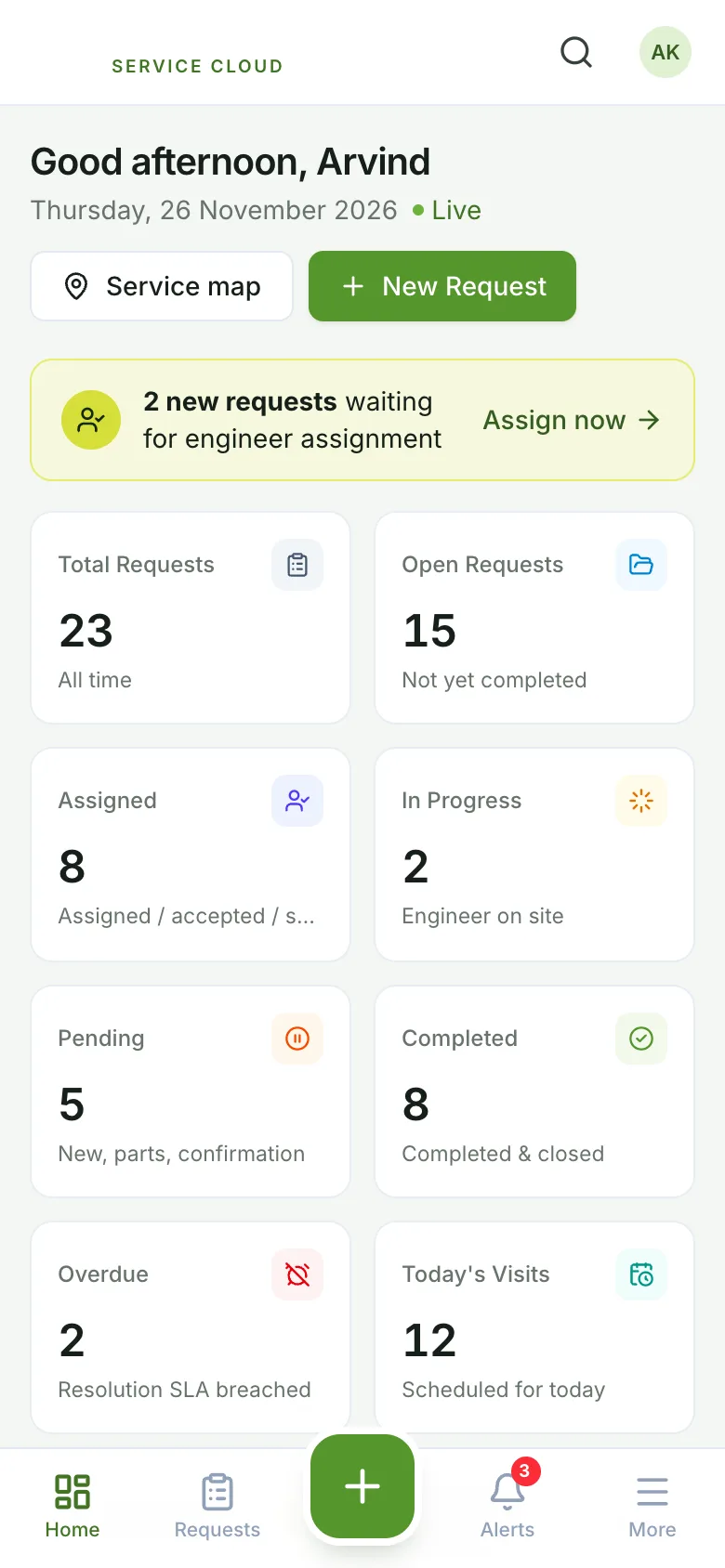
- Open, assigned, in progress, pending, completed and overdue counts
- SLA compliance, open critical issues and today's visits
- Service request trend and ticket status distribution
- Engineer workload and area-wise open vs completed charts
- Banner for new requests waiting for assignment
Service Requests
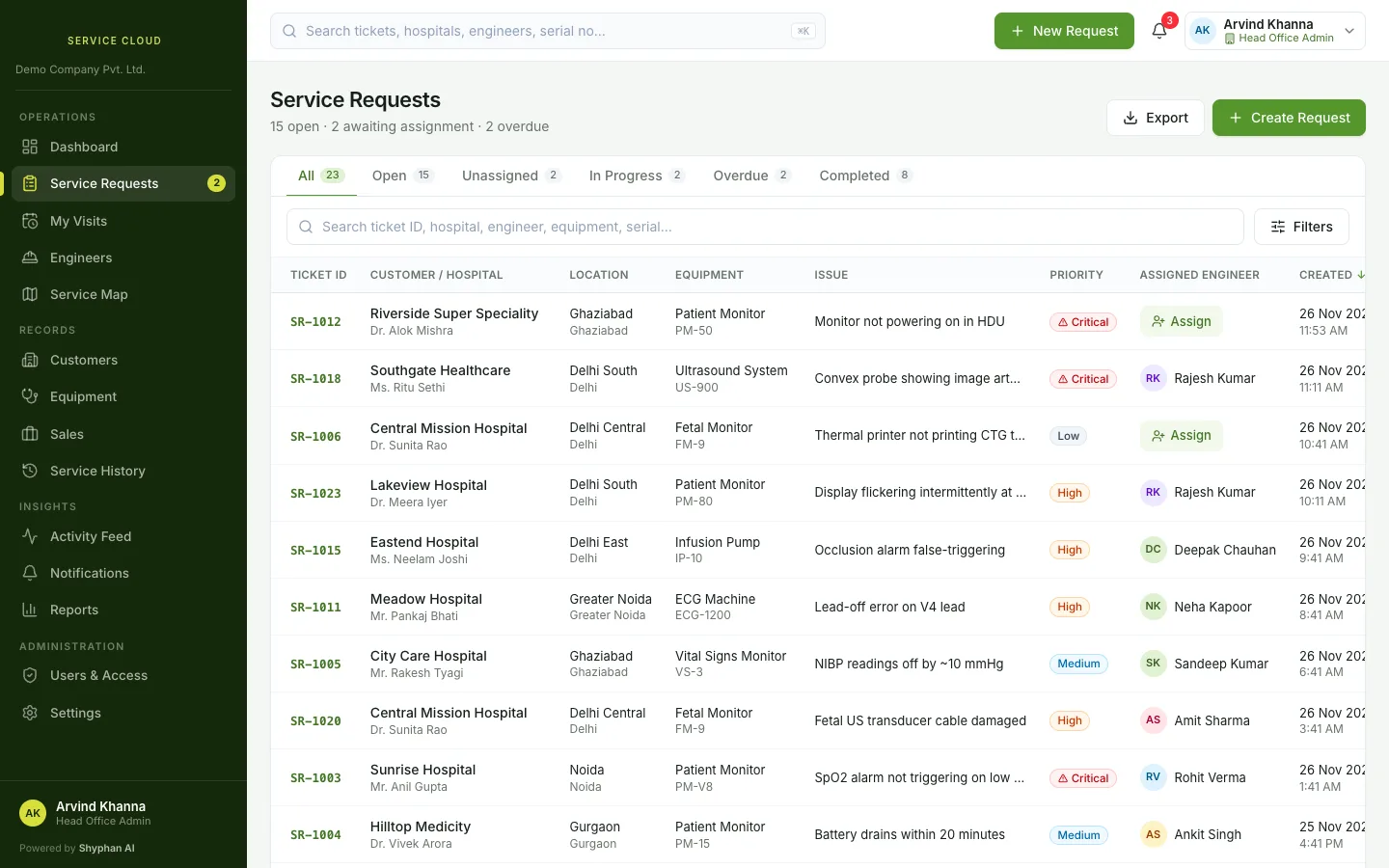
- Tickets linked to customer, location, equipment model and serial
- Priority levels: Critical, High, Medium, Low
- Tabs for open, unassigned, in progress, overdue and completed
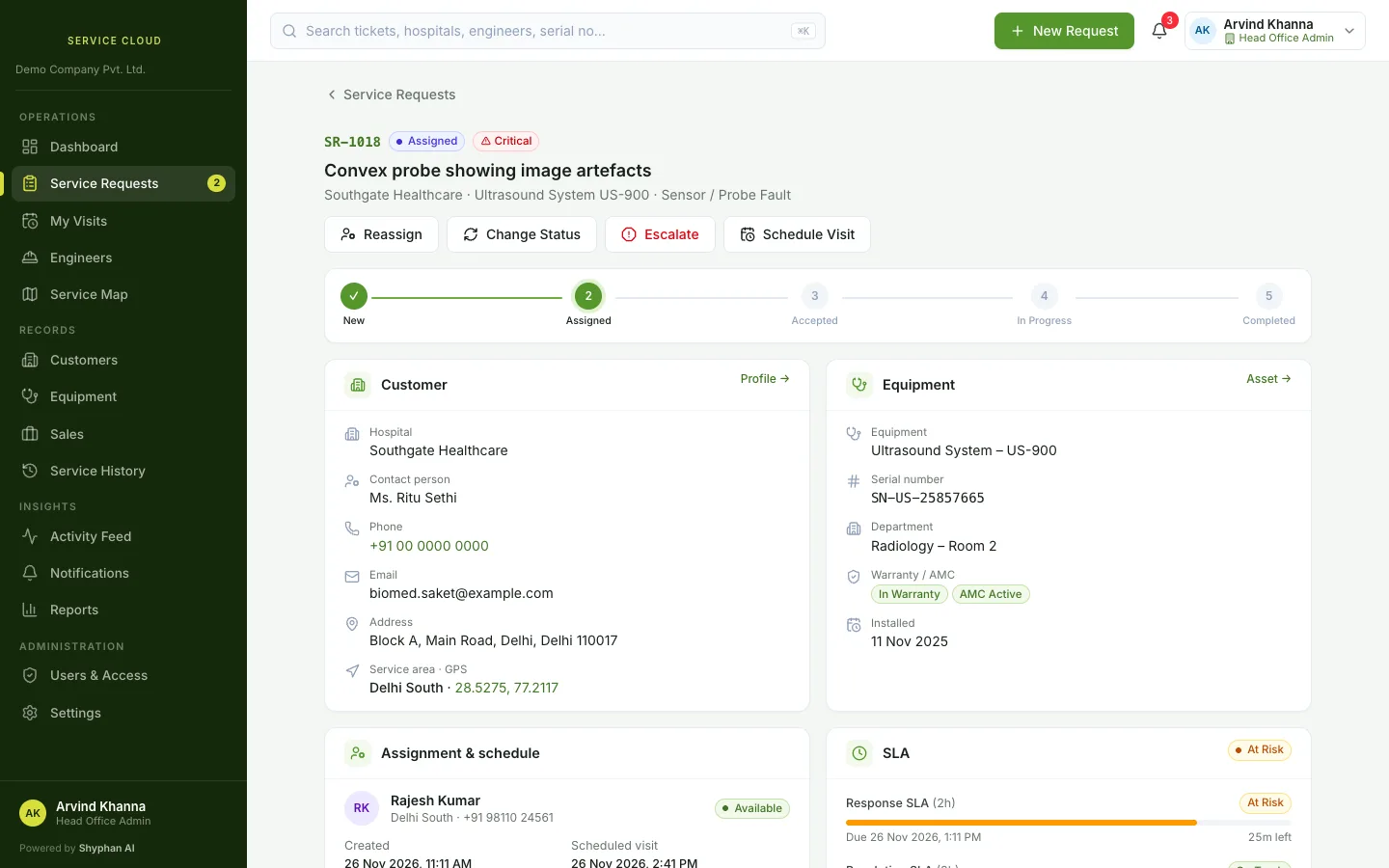
- Live SLA status per ticket: On Track, At Risk, Breached, Met
- Reassign, change status, escalate and schedule visit actions
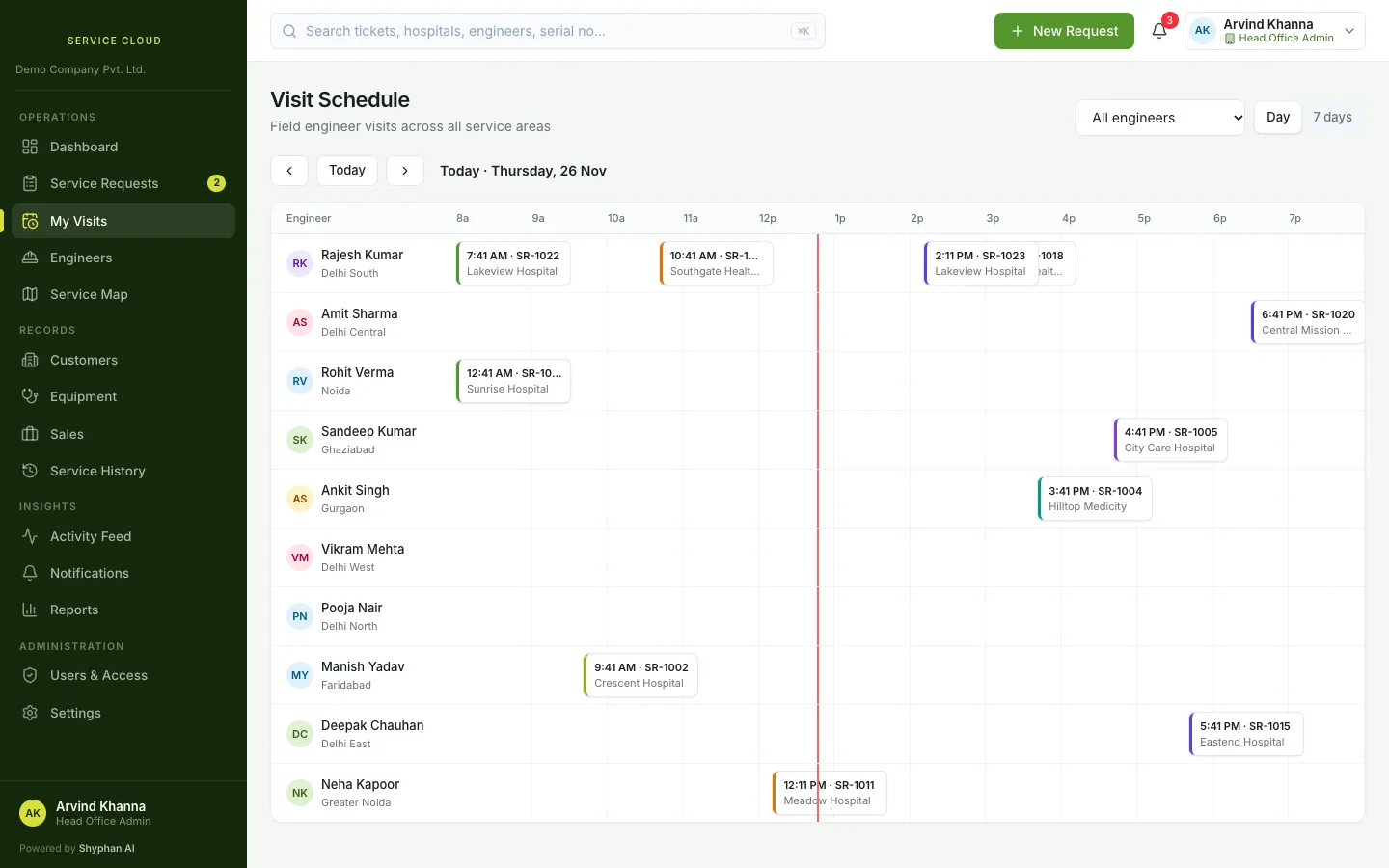
Visit Schedule
- Day and seven day timeline per engineer
- Visits shown by time, ticket and customer
- Filter by engineer
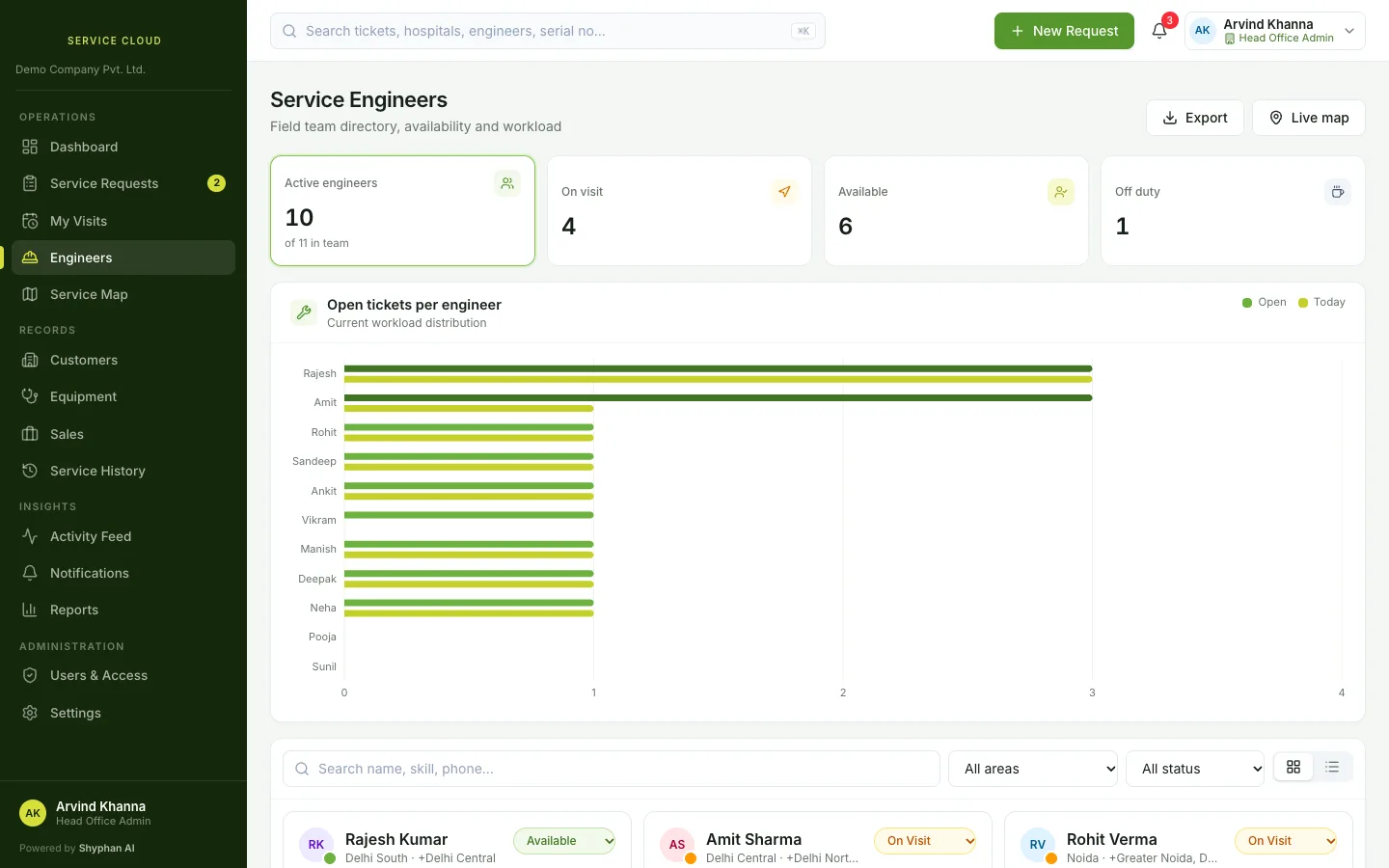
Engineers
- Field team directory with primary and secondary service areas
- Availability status: Available, On Visit, Off Duty
- Open and today's tickets per engineer
- Equipment skills and customer rating per engineer
- Open tickets per engineer workload chart
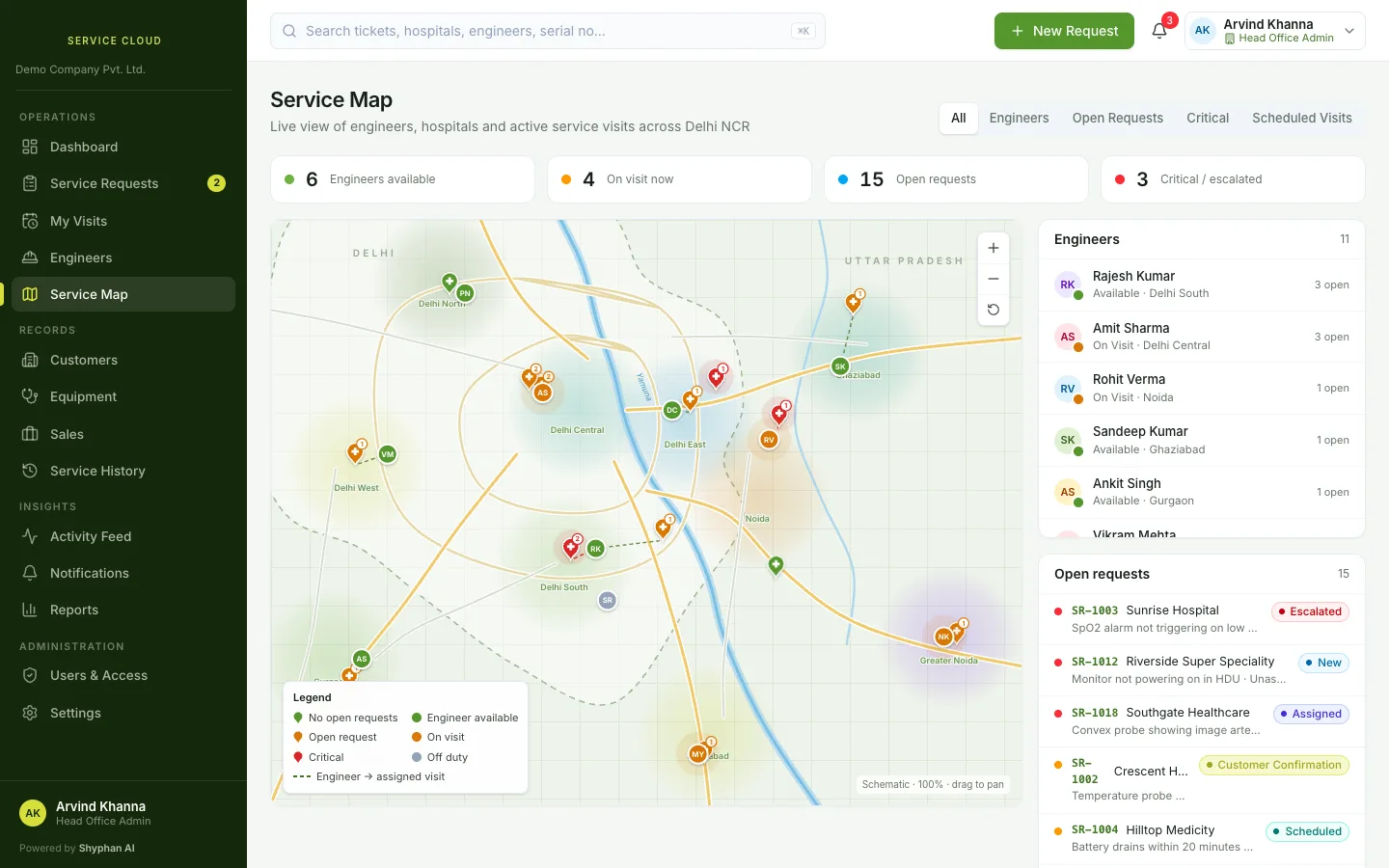
Service Map
- Live schematic map of engineers, customer sites and open requests
- Filters for engineers, open requests, critical and scheduled visits
- Engineer to assigned visit lines
- Side lists of engineers and open requests
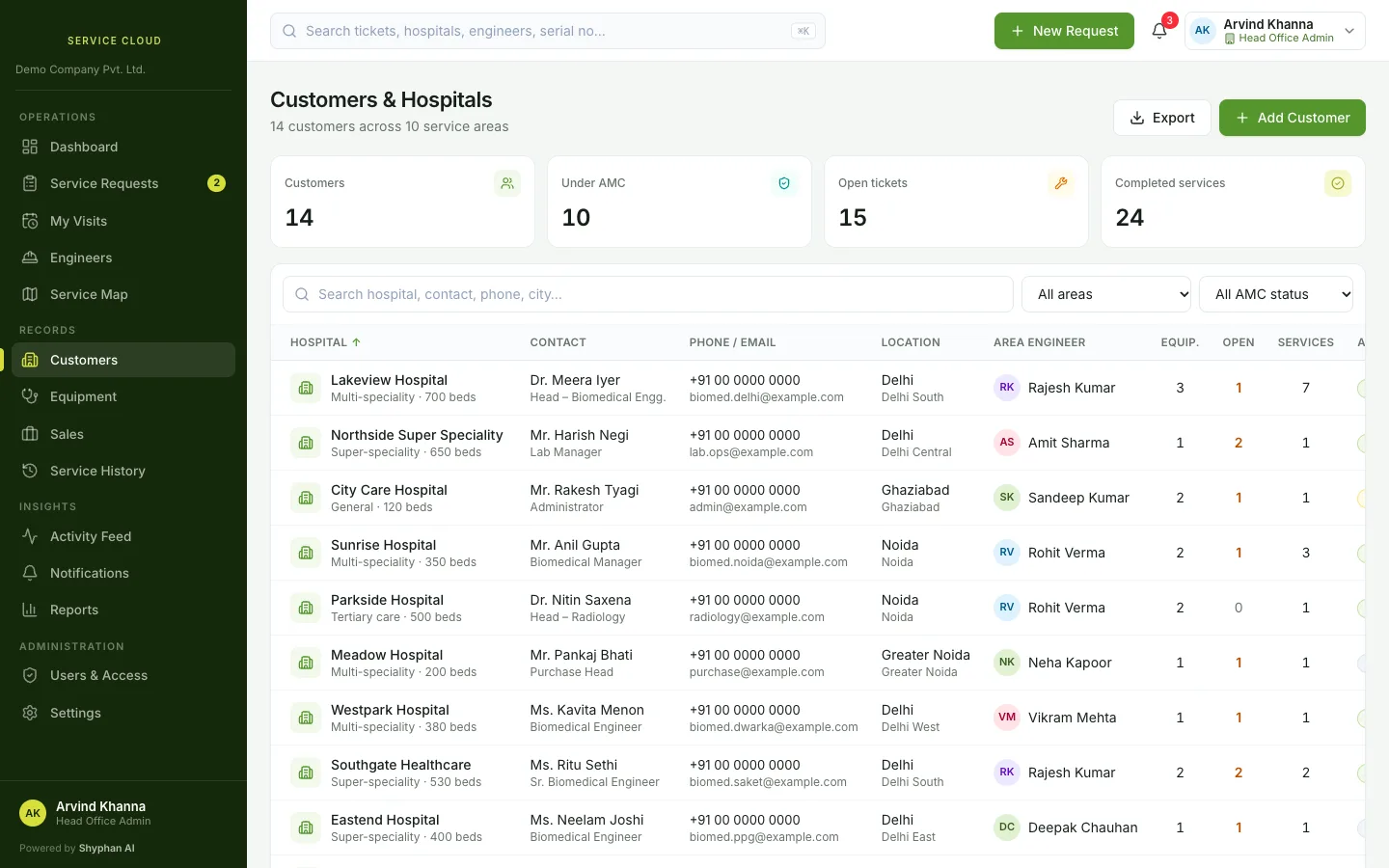
Customers
- Customer and site directory with contact person and designation
- Service area and area engineer per customer
- Installed equipment, open tickets and completed services count
- AMC status filter: Active, Expiring, Expired, No AMC
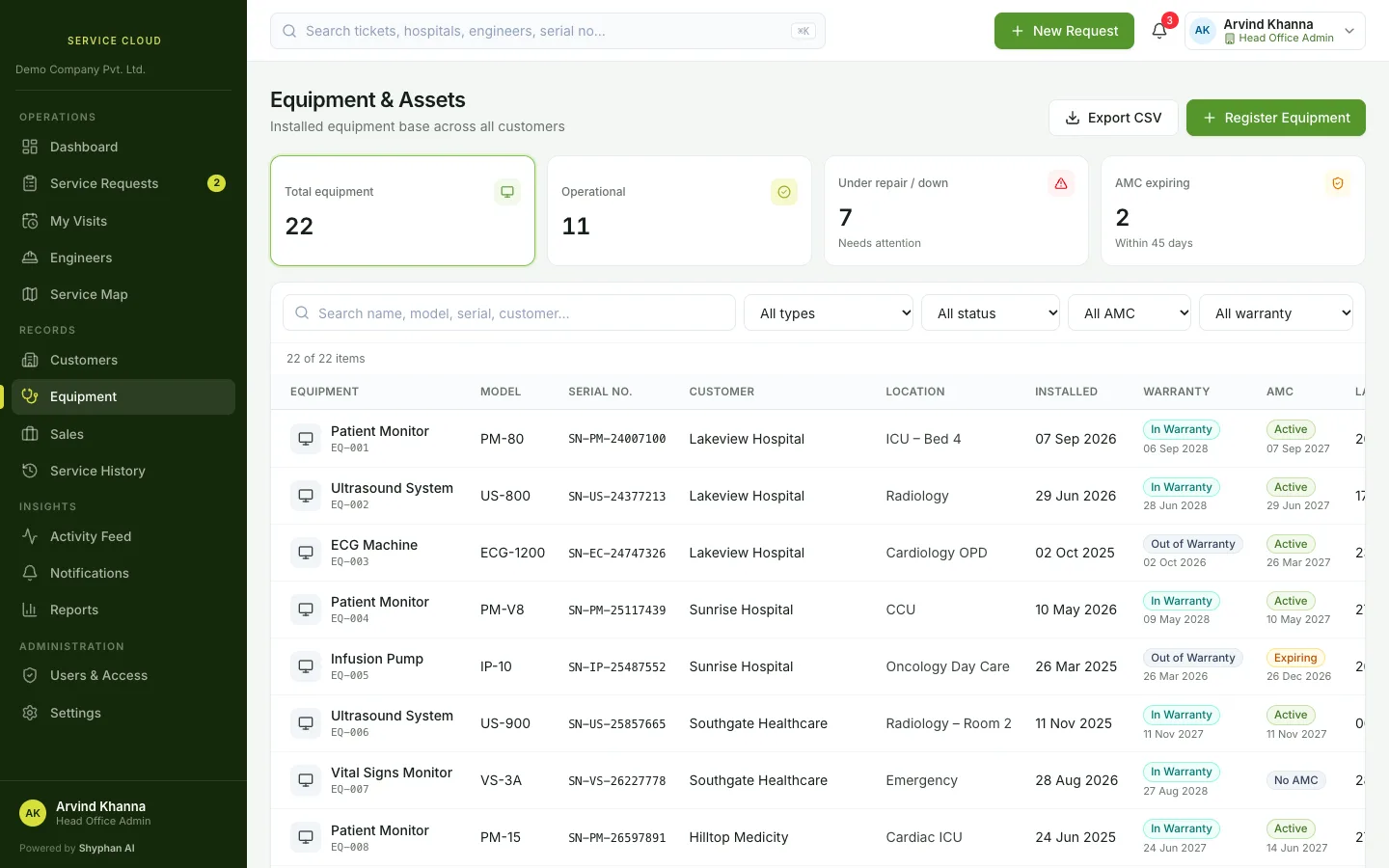
Equipment & Assets
- Installed base register with type, model and serial number
- Location or department at the customer site
- Installed date, warranty end and AMC end dates
- Last and next service dates
- Status: Operational, Needs Service, Under Repair, Down
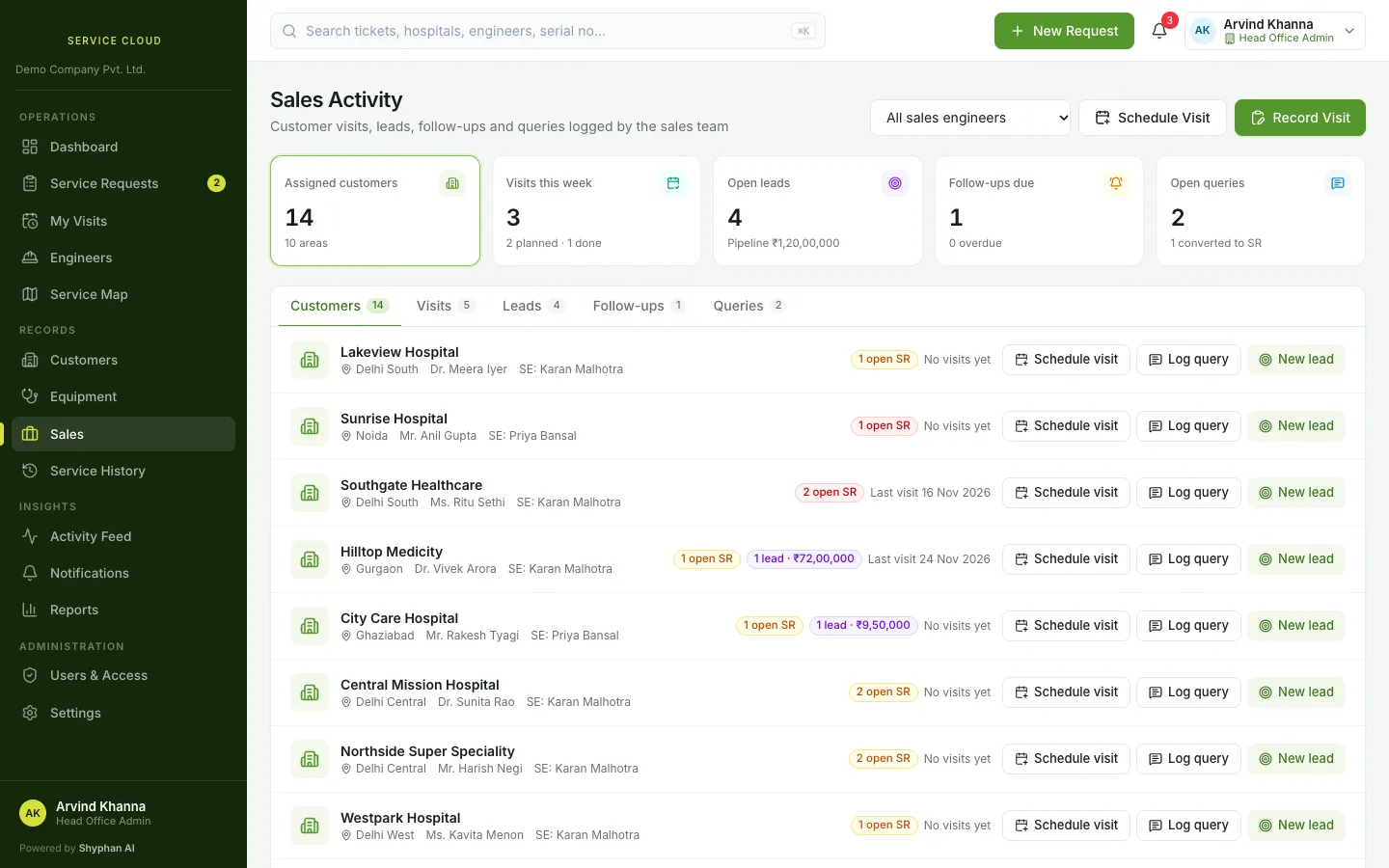
Sales Activity
- Customers assigned to each sales engineer
- Schedule and record customer visits
- Leads with pipeline value
- Follow-ups due and overdue
- Customer queries, with conversion to a service request
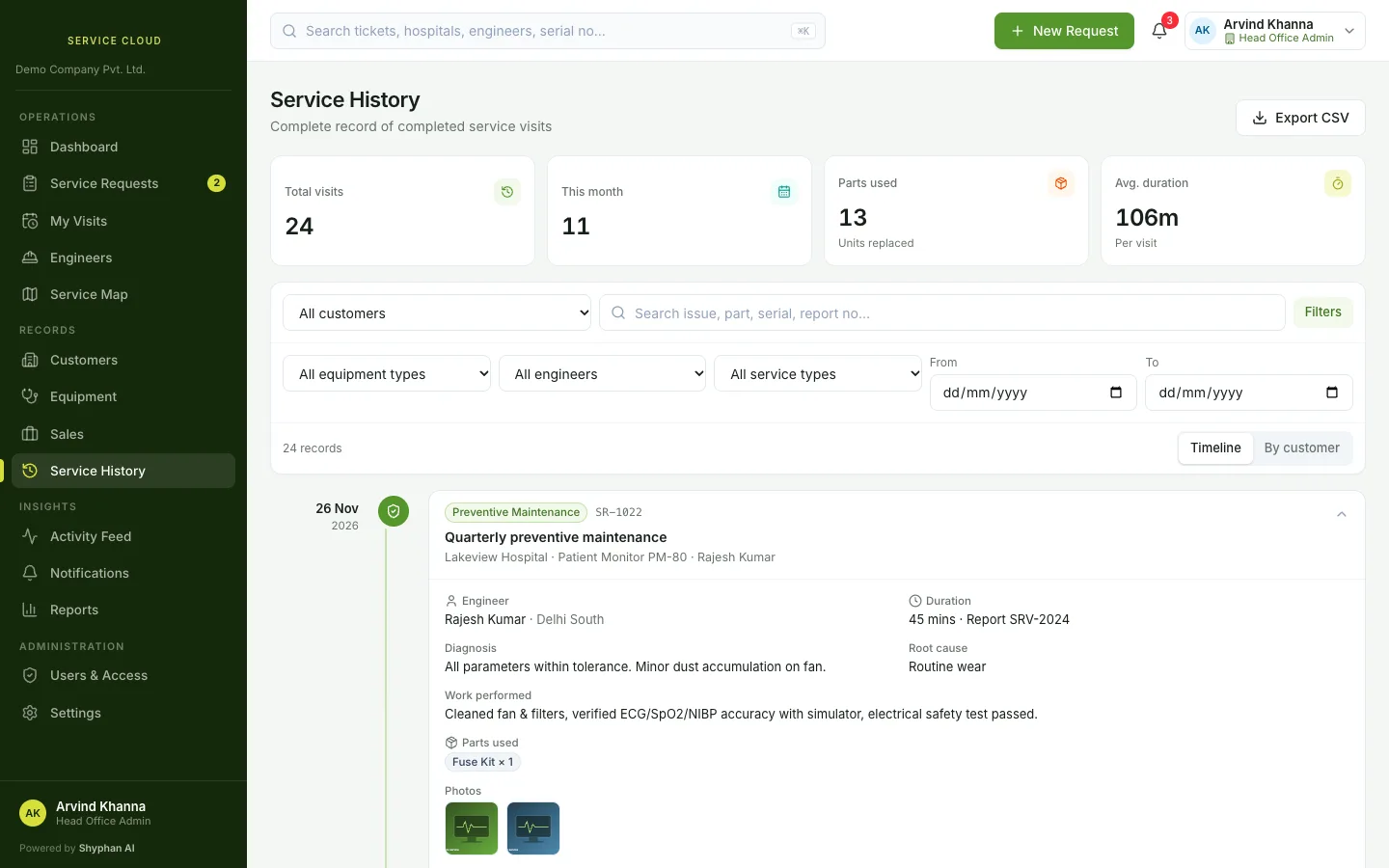
Service History
- Timeline of every completed visit
- Service types: preventive maintenance, repair, calibration, installation, software update
- Diagnosis, root cause, work performed and parts used
- Service photos and customer confirmation with remarks
- Service report per visit
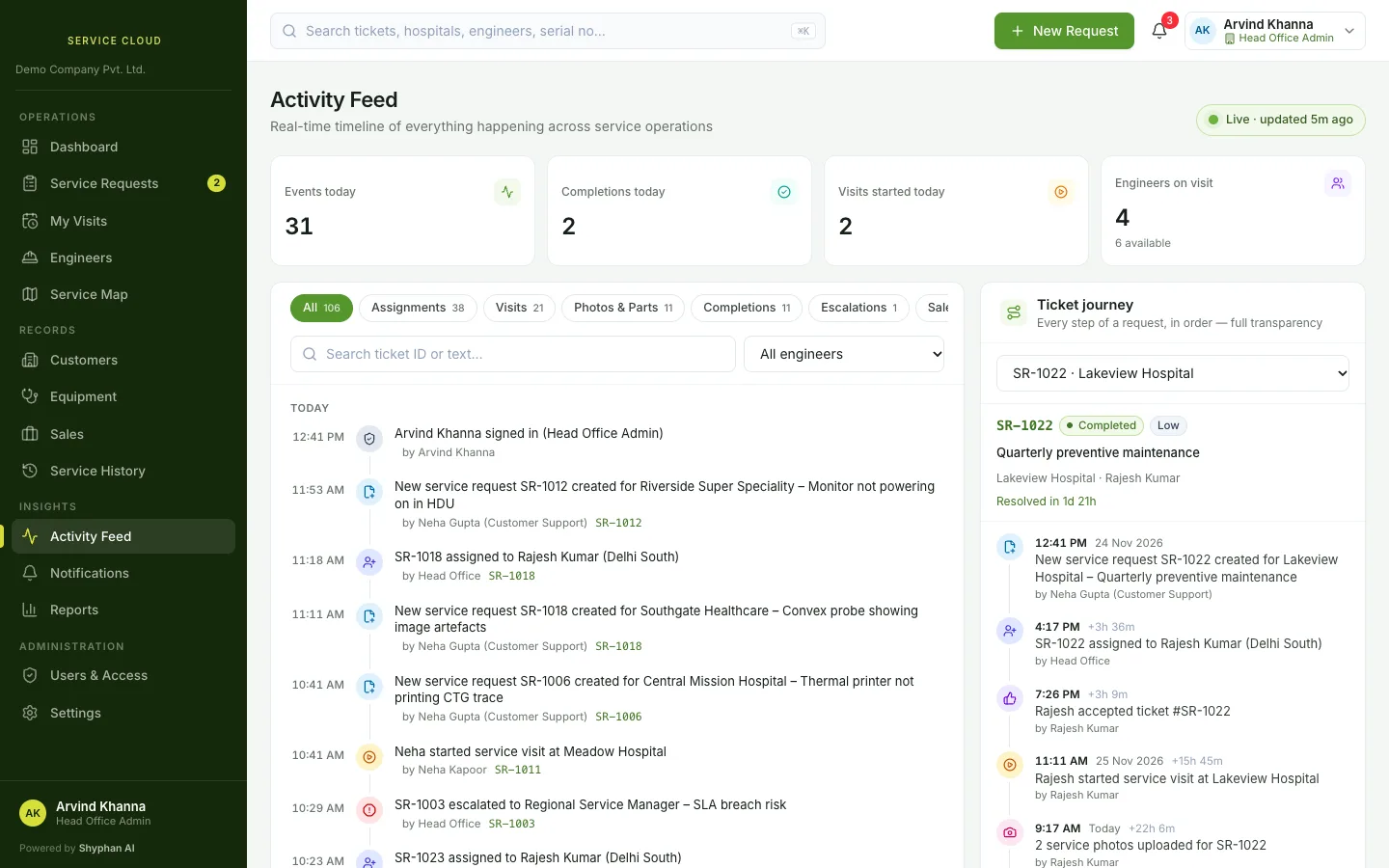
Activity Feed & Notifications
- Real-time feed of assignments, visits, photos, parts, completions and escalations
- Ticket journey view for any request
- Notifications for critical requests, SLA warnings, assignments and completions
- Per-user notification preferences
Reports
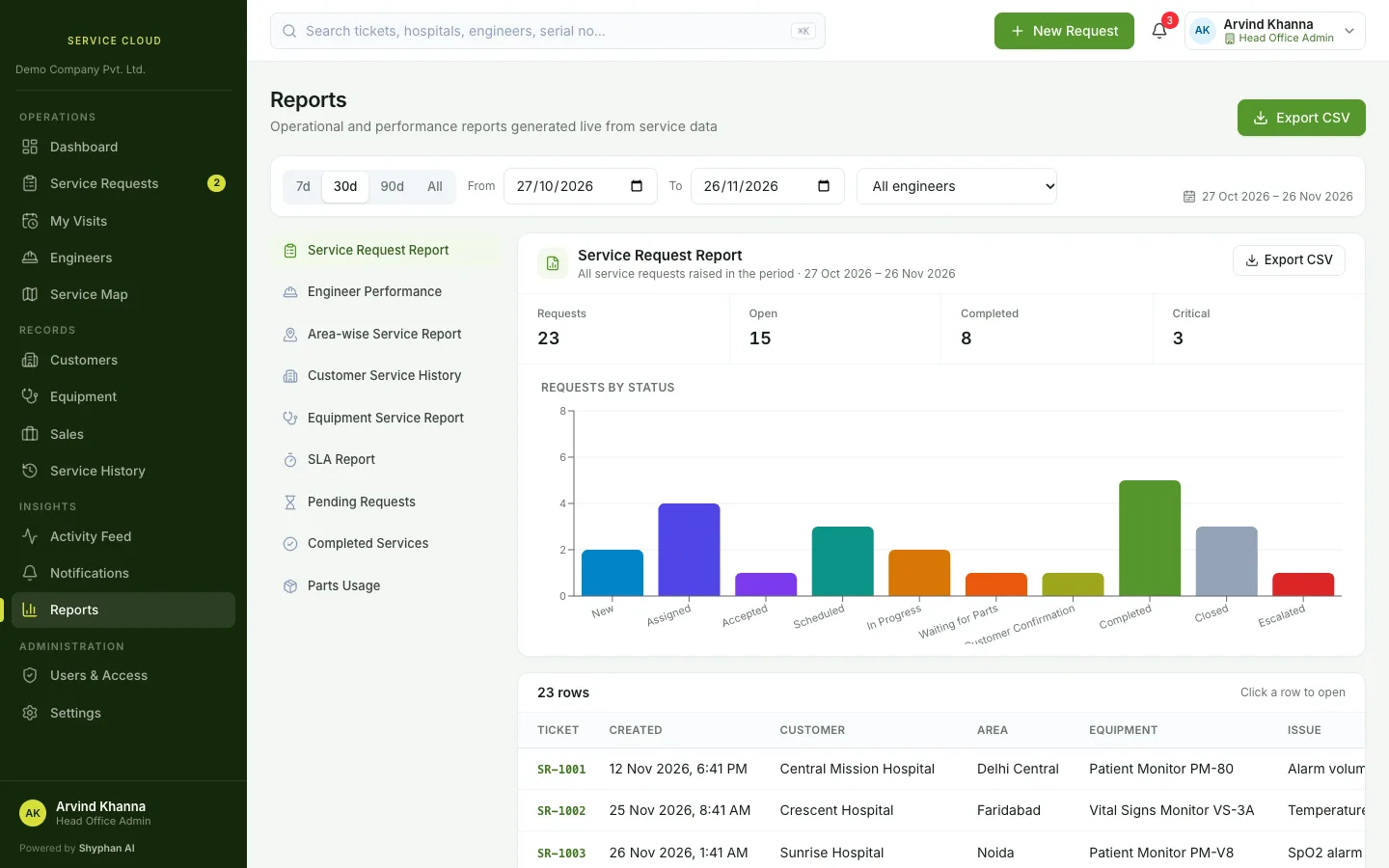
- Service request, engineer performance and area-wise reports
- Customer service history and equipment service reports
- SLA, pending requests, completed services and parts usage reports
- Date range and engineer filters
- CSV export
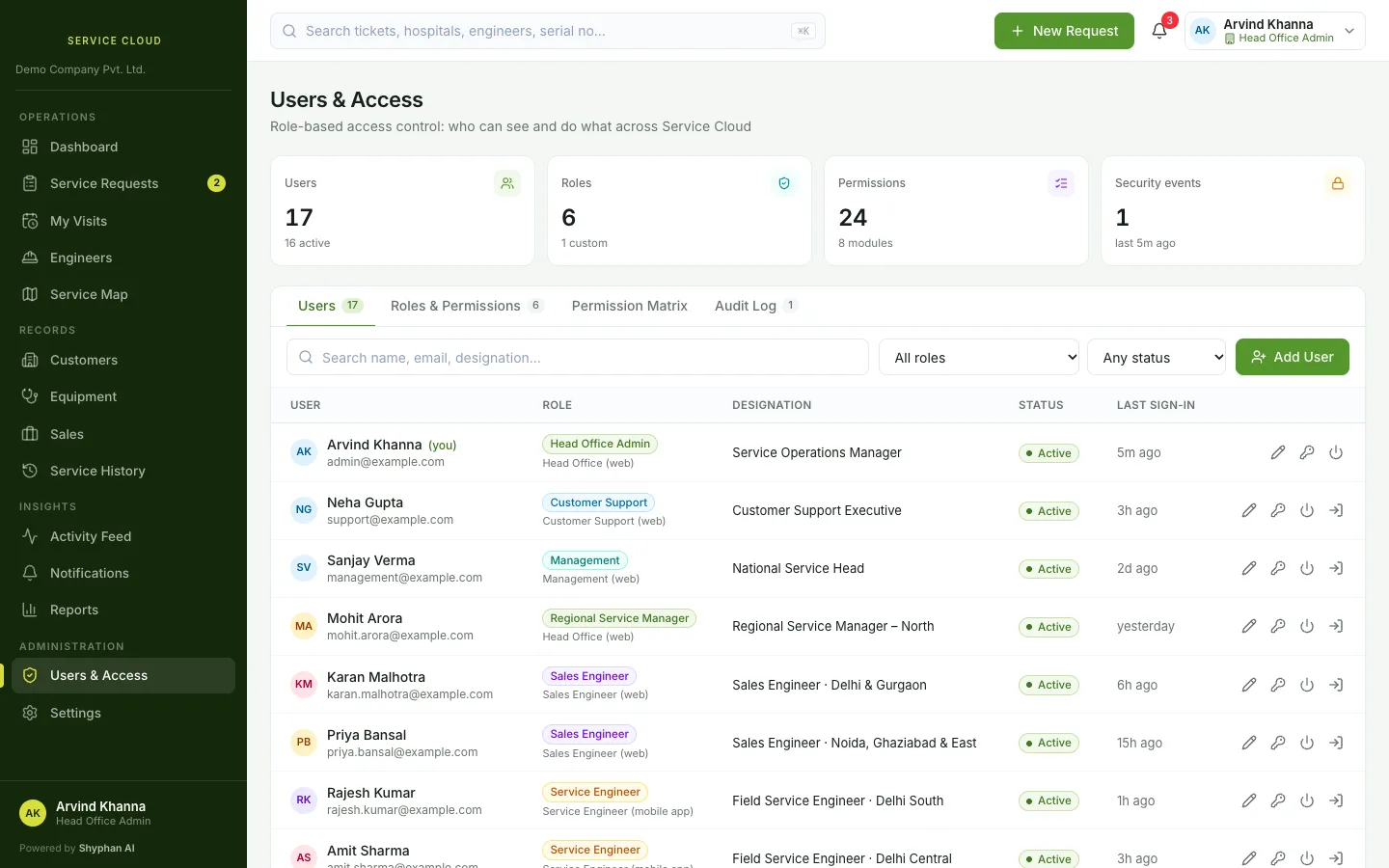
Users & Access
- Six roles with web or mobile app access
- Roles and permissions with a permission matrix
- User status and last sign-in
- Audit log of security events
See the Field Service Management screen by screen
Real screens from the live demo. Pick a screen on the left.
Watch the Field Service Management in action
A short screen walkthrough made from the live demo. Use the controls to pause or jump ahead.
Automation in the Field Service Management
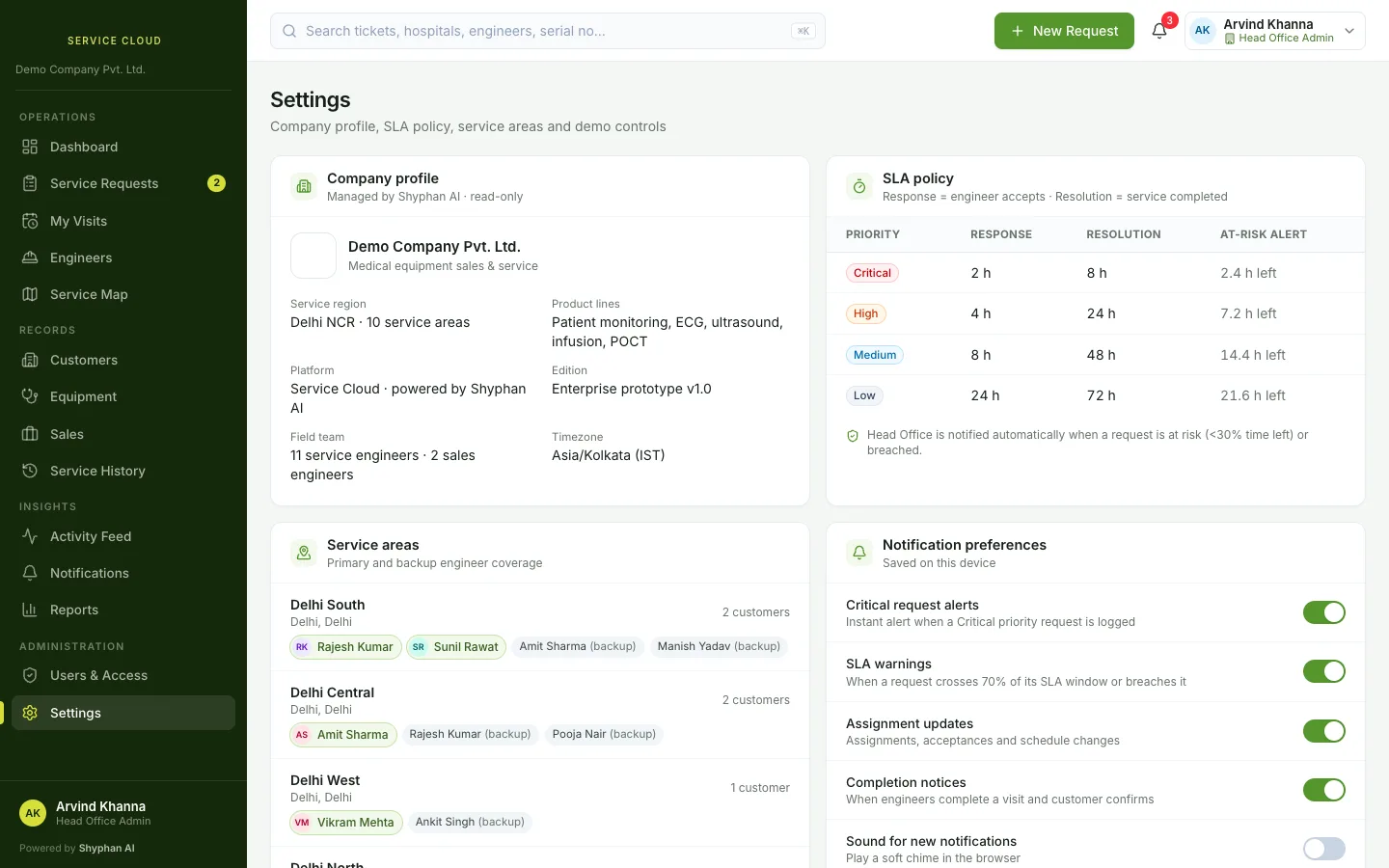
Rules and alerts in the live demo that do the routine checking for your team.
How work flows through the Field Service Management
- Request loggedCustomer support records the complaint against the customer, site and equipment, with priority and source. The ticket opens as New.
- SLA clocks startResponse and resolution targets are set from the priority. The ticket shows On Track, At Risk or Breached from that moment.
- Engineer assignedHead office assigns an engineer who covers that service area, with backup engineers available when the primary is busy.
- Accept and scheduleThe engineer accepts on mobile, which closes the response SLA, and the visit appears on the schedule and the service map.
- On-site visitThe engineer checks the equipment and its past history, records diagnosis, root cause, work performed and parts used, and uploads photos.
- Customer sign-offThe customer confirms the visit with a signature and remarks, and the engineer completes the ticket. A service report is created.
- History and reviewThe visit joins the equipment and customer history. Managers track SLA, workload and parts usage in reports.
Works on the phone too
The same system in a mobile browser, for teams away from a desk.
What changes for your business
Business benefits
Typical use cases
Set up for your country, connected to your systems
What the product handles out of the box, and what Shyphan does to put it live in your business.
Built into the product
Delivered and supported in
 Saudi Arabia
 UAE
 India
 Bahrain
 Qatar
 Kuwait
 Oman
 Iraq
 Egypt
 Jordan
Plus the UK, Europe, the USA and other markets, from Shyphan offices in India, the UAE, Saudi Arabia and four more countries.
How Shyphan puts it live
Field Service Management by industry
Pages written for how each industry actually works with the product.
Try the Field Service Management yourself
No sign-up. The demo opens in your browser with sample data.
- Open the live demo in a new tab.
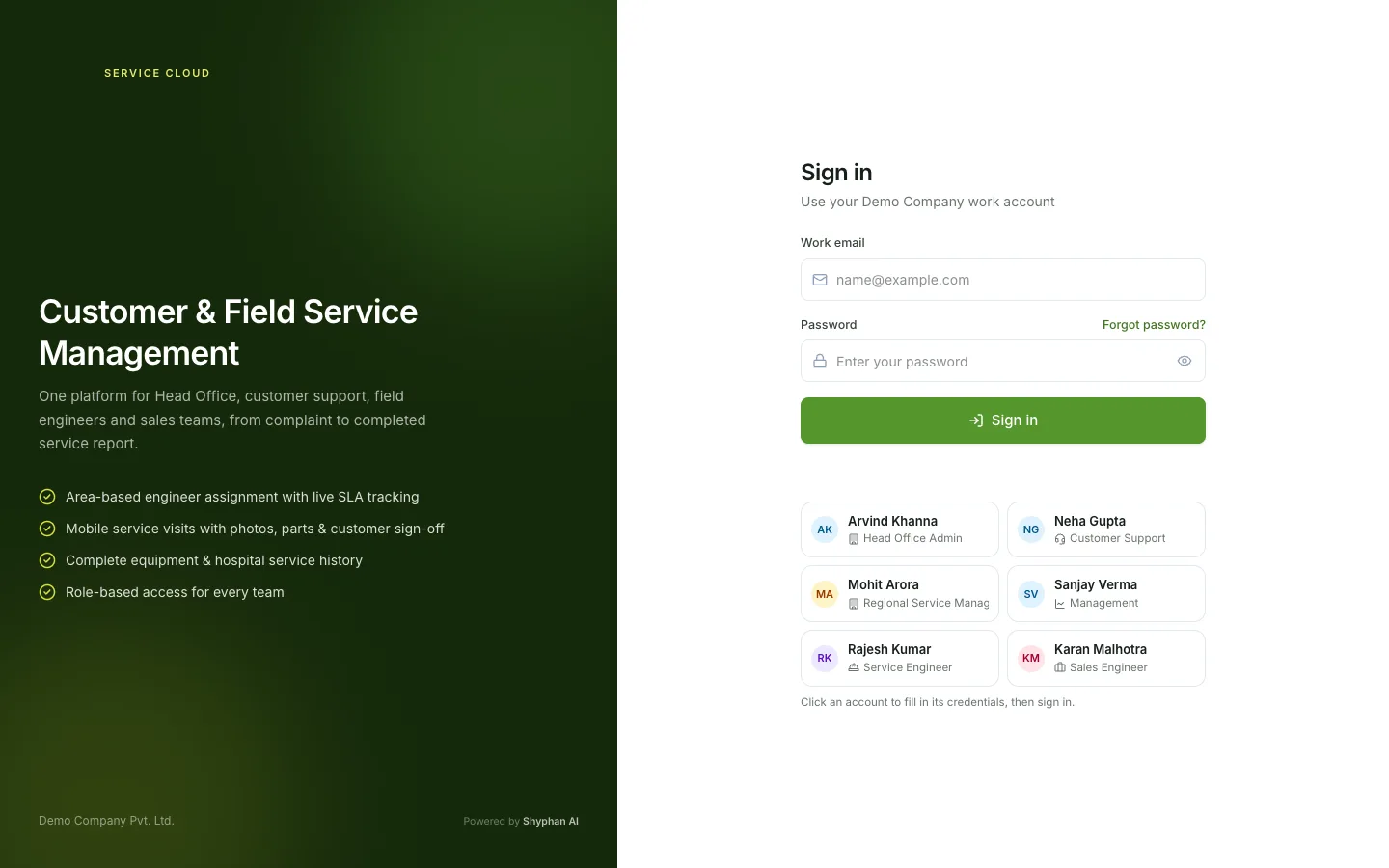
- Pick a demo account on the sign-in screen, then click Sign in
- Explore the screens freely. It is a demo company with sample data.
- Book a guided demo and we will set it up around your own process.
Field Service Management: questions we get asked
How much does the field service management software cost?
How long does it take to go live?
Does it only work for medical equipment?
Can field engineers use it on their phones?
How are SLAs set and tracked?
Can it track AMC and warranty contracts?
Can we move our existing customer and equipment data in?
Can we see a demo?
Related products and solutions
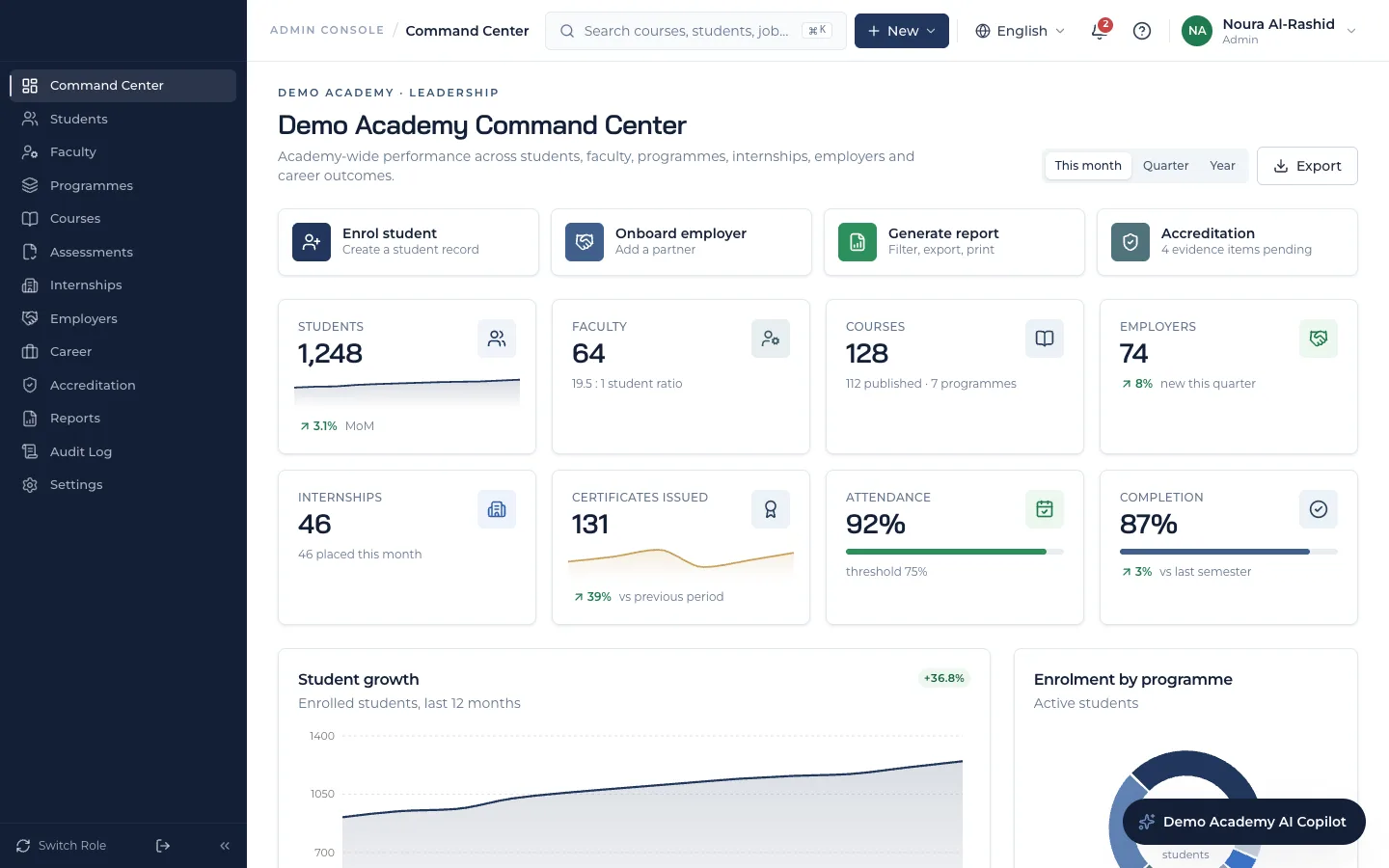
Learning Management System (LMS)
One platform for students, faculty, administrators and employers: courses, secure exams, practical training, internships, verified certificates...
View product
AI-Powered Travel & Tourism ERP
Run sales, bookings, visas, suppliers, payments and profitability for your travel business in one system, with AI that flags margin risk, refund...
View product
Customer Experience & CRM Platform
One system from first enquiry to paid invoice: leads, quotations, reservations, fleet, support tickets with SLAs, a WhatsApp and social inbox, a...
View product
See the Field Service Management on your own process
A guided demo on your branches, users and workflows, then a written scope and a fixed quote.
