





















 Saudi Arabia
 UAE
 Qatar
 Bahrain
 Kuwait
 Oman
 Lebanon
 Egypt
 Jordan
 Iraq
 India
 UK
 Ireland
 Germany
 USA
 Australia
 Singapore
 South Africa
 France
 Hungary
 Georgia
 Turkey
 Canada
 LagosNigeria




ERPNext for Retail in Saudi Arabia
Saudi retailers need tills that never stop, receipts that meet ZATCA rules and head office reports that combine every branch. ERPNext's Point of Sale works with the same stock, pricing and accounts as the rest of the system, and we connect it to a ZATCA app so every simplified invoice is stamped and reported on time.
- POS profiles and tills
- ZATCA receipts
- Multi-branch stock
- Loyalty and promotions
 ERPNext & FrappeImplementation · migration · AMC
Get a free quote
Reply within 24 hours with scope and a fixed quote.
ERPNext for Retail in Saudi Arabia: the short answer
- POS
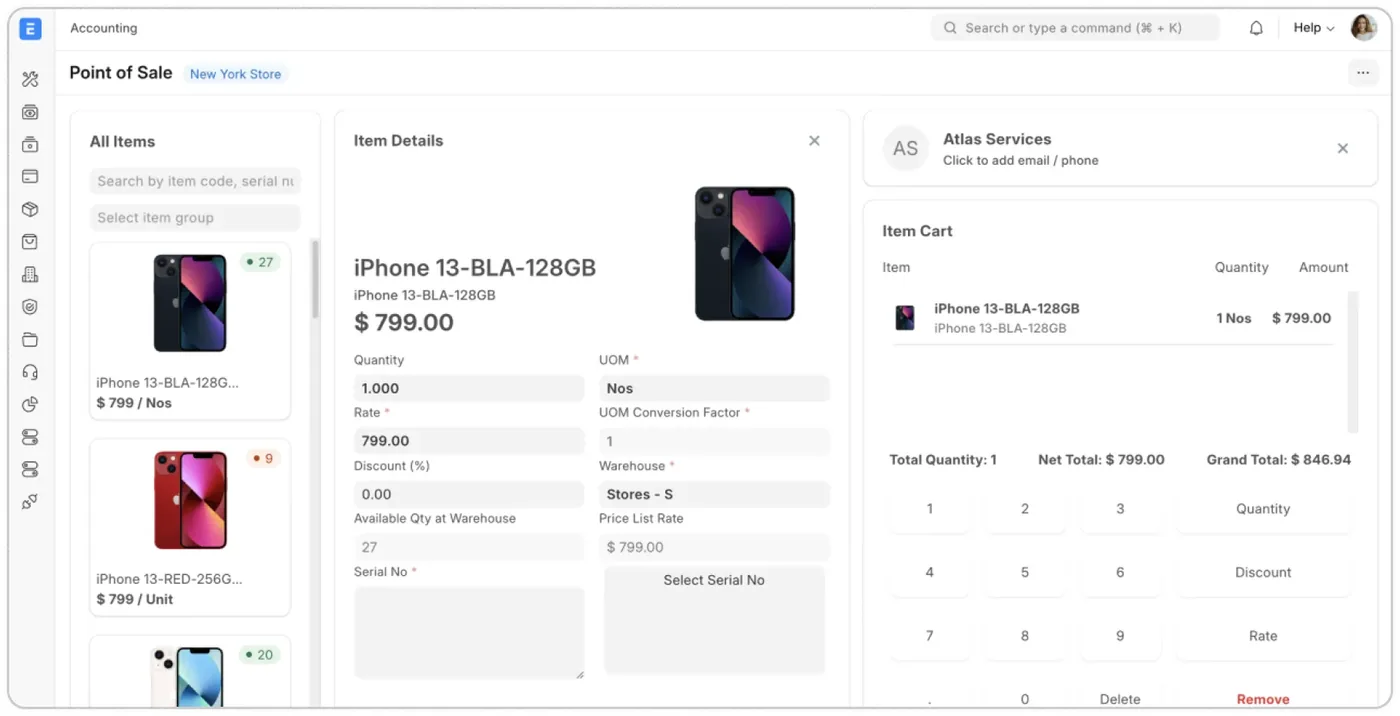
- ERPNext Point of Sale with POS profiles per branch or till, payment modes, returns and cashier opening and closing.
- E-invoicing
- Simplified invoices stamped with a CSID, printed with a QR code and reported to Fatoora within 24 hours.
- Branches
- Stock, prices and sales by branch, with transfers from a central warehouse and head office reporting.
- Customers
- Loyalty programmes, coupon codes and pricing rules managed centrally for every store.
- Delivered by
- Shyphan AI Solutions, an ERPNext implementation partner and Zoho Premium Partner, with 24/7 support. Call +966 54 176 1946.
- Last reviewed
- 27 November 2026
Retail across branches, on one stock and one ledger
A chain of perfume and cosmetics stores with branches in Riyadh malls, a shop in Jeddah and an online store faces a familiar set of problems. Stock sits in the wrong branch. Promotions are set up differently in each till. Cash closings are emailed as photos. Head office sees sales a day late and margins a month late. And since Phase 2, every receipt is a simplified invoice that must be stamped and reported to ZATCA within 24 hours.
ERPNext addresses these together. Each branch is a warehouse and each till a POS profile, sharing one item master, one set of prices and one ledger. Promotions and loyalty rules are set once and apply everywhere. Cashiers open and close shifts in the system, with differences recorded. Transfers from the central warehouse are planned from branch sales, and the ZATCA app handles stamping, QR codes and reporting for every simplified invoice.
For retailers with a website, ERPNext's own Website module or an integration with your e-commerce platform keeps online orders on the same stock, so a customer who buys online and collects in store sees accurate availability.
From first record to the finished report
One open-source system, so each step feeds the next without re-keying.
What we configure for Saudi retailers
POS profiles and tills
A POS profile per branch or till with its warehouse, price list, payment modes and print format, so each counter works with the right stock and prices.
ZATCA receipts
Simplified invoice receipts with the Phase 2 QR code, stamped by the ZATCA app and queued for reporting, including returns and exchanges.
Multi-branch stock
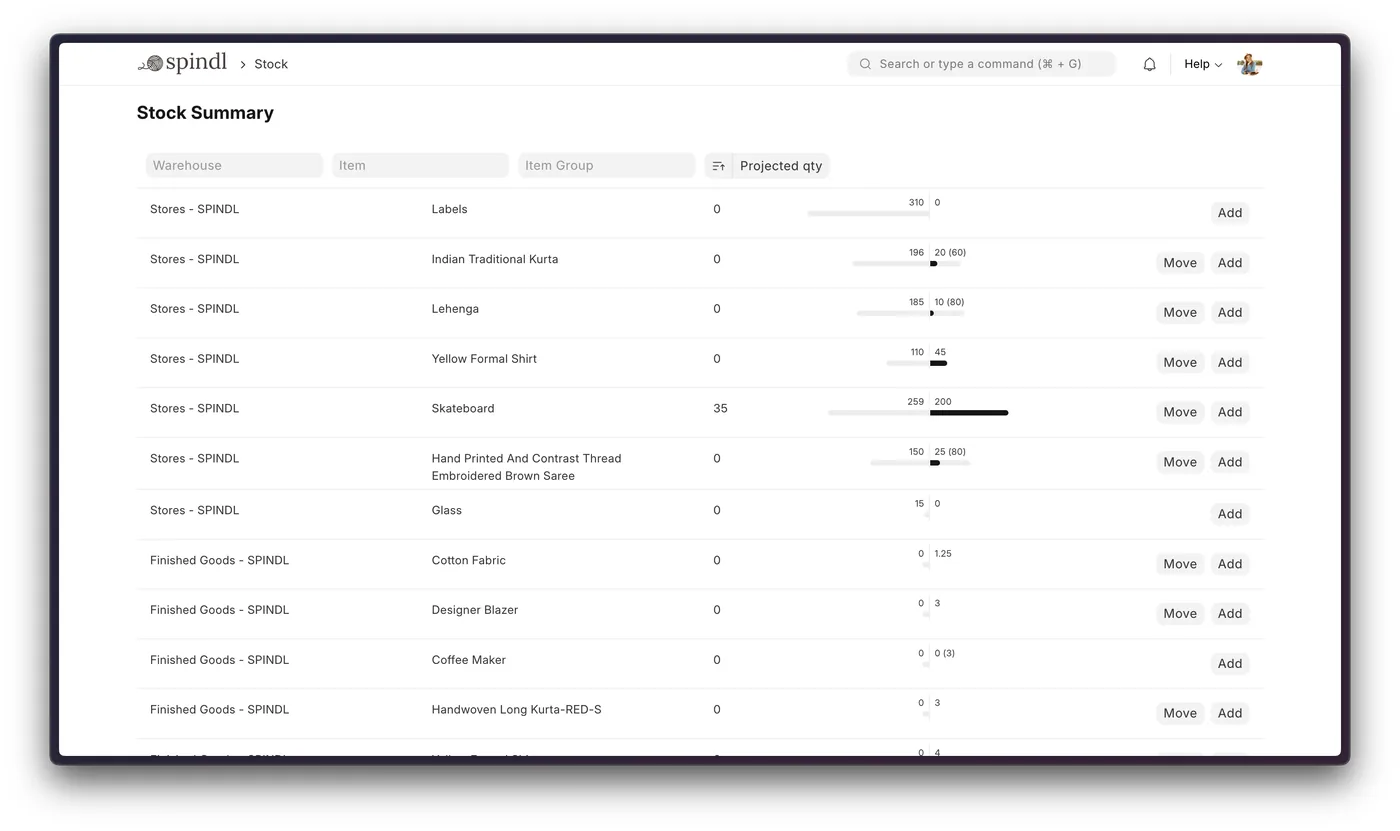
Branch warehouses with reorder levels, transfers from the central store and stock reports by branch, brand and category.
Loyalty and promotions
Loyalty programmes with points earned and redeemed at the till, coupon codes and pricing rules for seasonal campaigns such as Ramadan and national holidays.
Cashier opening and closing
Opening floats, closing counts by payment mode, differences recorded and journal entries posted to the ledger automatically. Area managers can review every closing remotely the same evening.
Head office reporting
Sales, margin, basket size and stock cover by branch and category, available to managers without waiting for spreadsheets.
See it in ERPNext
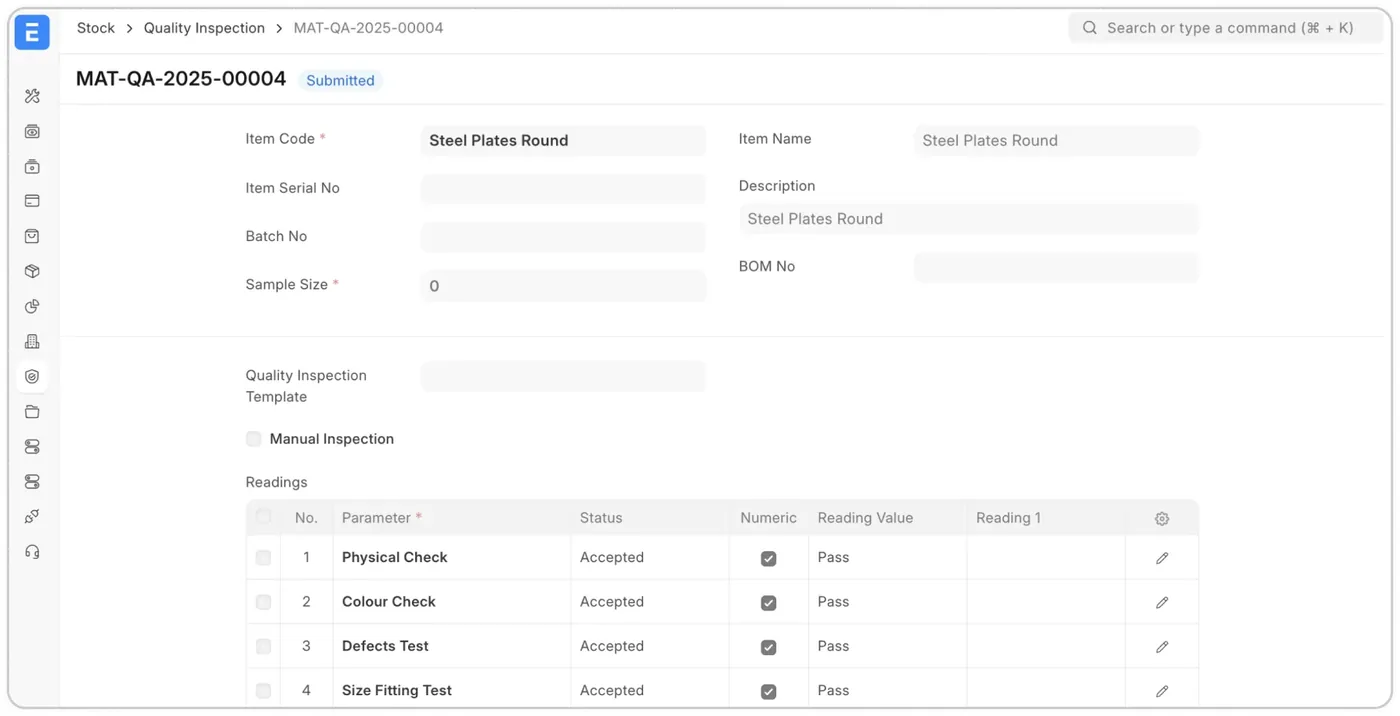
Real ERPNext and Frappe screens for the work described on this page. We configure them for Saudi rules and your data.
ERPNext and the Frappe apps we implement
One open-source platform, one database, no per-user licence fees.







Saudi retail rules and our POS set-up
| Topic | The Saudi rule | What we set up |
|---|---|---|
| Simplified invoices | Under Phase 2, simplified invoices are stamped by the seller's solution using a ZATCA-issued CSID, carry a nine-tag QR code and are reported to Fatoora within 24 hours. | The ZATCA app stamps each POS invoice, prints the QR code on the receipt and reports it, with alerts if anything is still pending near the deadline. |
| Printed copy | A simplified invoice must be given to the buyer immediately in printed form, or electronically where the parties agree. | Receipt printers at each till are configured for the bilingual receipt format, with optional email or SMS copies for customers who ask. |
| B2B at the counter | A simplified invoice can be used for a B2B sale only where the taxable value is below SAR 1,000. | Cashiers can switch to a standard tax invoice for business customers, capturing the buyer's VAT number, and larger B2B sales are blocked from simplified invoices. |
| Returns | Issued invoices cannot be edited; returns are handled through credit notes linked to the original invoice. | POS returns look up the original receipt, create a linked credit note and pass it to the ZATCA app for reporting. |
| Language | Human-readable invoices must include Arabic. | Receipts print item names and totals in Arabic and English, with Arabic item names drawn from the item master. |
We configure the system and check it against your accountant’s figures; we are not tax advisers, and your accountant files the returns. Last reviewed 27 November 2026.
How we roll out ERPNext POS across your stores
Store survey
We list branches, tills, printers, scanners and payment terminals, and how stock reaches each store today.
Pilot branch
One branch goes live first with the ZATCA app onboarded, so receipt layouts, returns and cash closing are refined before the rollout. Store staff at the pilot branch often become the trainers for the branches that follow.
Device onboarding
Each till or branch that issues invoices is onboarded with Fatoora as required by the app and tested in the sandbox before production.
Branch-by-branch rollout
Remaining stores move in waves, each with an opening stock count, cashier training and a supervisor on hand for the first days.
Central control
Head office takes over price changes, promotions and replenishment from the central system, with daily branch reports by email.
Every ERPNext page for Saudi businesses
Services
Compliance
Industries
- ERPNext for Manufacturing in Saudi Arabia
- ERPNext for Trading Companies in Saudi Arabia
- ERPNext for Construction Companies in Saudi Arabia
- ERPNext for Retail in Saudi Arabia
Other countries
Worldwide

Written and reviewed by Vikas Saroj, Co-Founder, COO & Growth at Shyphan AI Solutions, who owns ERPNext, Odoo and Zoho delivery across Saudi Arabia and the wider region. Reviewed against current Saudi rules on 27 November 2026. Meet the team · LinkedIn
ERPNext for Retail in Saudi Arabia: questions answered
Does ERPNext POS work if the internet drops?
Which ZATCA app works with ERPNext POS?
Can we run loyalty points across all branches?
Is Shyphan an official Frappe partner?
Can receipts be printed in Arabic?
Is there a licence fee per till?
Request your free quote
Tell us about your project and a senior ERPNext consultant - not a bot - replies within 24 hours with scope, timeline and a fixed quote. The first 30-minute discovery call is free, with no obligation.
- Free 30-minute discovery call
- Fixed-quote SOW - no surprises
- Arabic · English delivery
- VAT 15%, ZATCA, GOSI & mada ready