





















 Lebanon
 UK
 Ireland
 Germany
 USA
 Australia
 Singapore
 South Africa
 France
 Hungary
 Georgia
 Turkey
 Canada
 LagosNigeria





Home / Products / Infrastructure PMO
Egypt · Infrastructure PMOInfrastructure Project and Approval Management Software in Egypt
Infrastructure packages in Egypt depend on water and wastewater companies, electricity distribution companies, telecom bodies and the governorate or new city agency that issues permits. The Shyphan Infrastructure PMO keeps milestones, approvals, permits, site progress and risks for every package in one record, in English and Arabic.
Prefer to talk? Call +91 95651 53545Book a demo
Tell us about your business. A Shyphan consultant will walk you through the Infrastructure PMO on your own process.
Approvals and submissions tracked in Egypt
Authorities, approval stages and municipality departments are master data, set up for your market during implementation.
What infrastructure teams in Egypt struggle with
How the Infrastructure PMO works in Egypt
- Configure Egyptian mastersShyphan loads your authorities, such as the HCWW affiliated company, the distribution company and the governorate or city agency, with their stages and departments.
- Set up each packageThe PMO creates the project with its code, location, owner, manager and director, and loads the physical milestones with their weightage, from earthworks to road marking.
- Register submissions from day oneEach submission is logged with its date, expected date, reference and engineer, so days pending count at once.
- Report progress from siteSite managers update milestone percentages with a note and photo; overall completion recalculates from the weights.
- Log issues, risks and documentsUtilities clashes and supply problems go into the risk register with an owner; drawings and approval letters go into the document register.
- Review exceptions and reportDirectors work from overdue approvals and late milestones on the dashboard, and the PMO exports standard reports to PDF or Excel.
Infrastructure PMO modules
12 modules in the live demo. The main ones are below with what each covers.
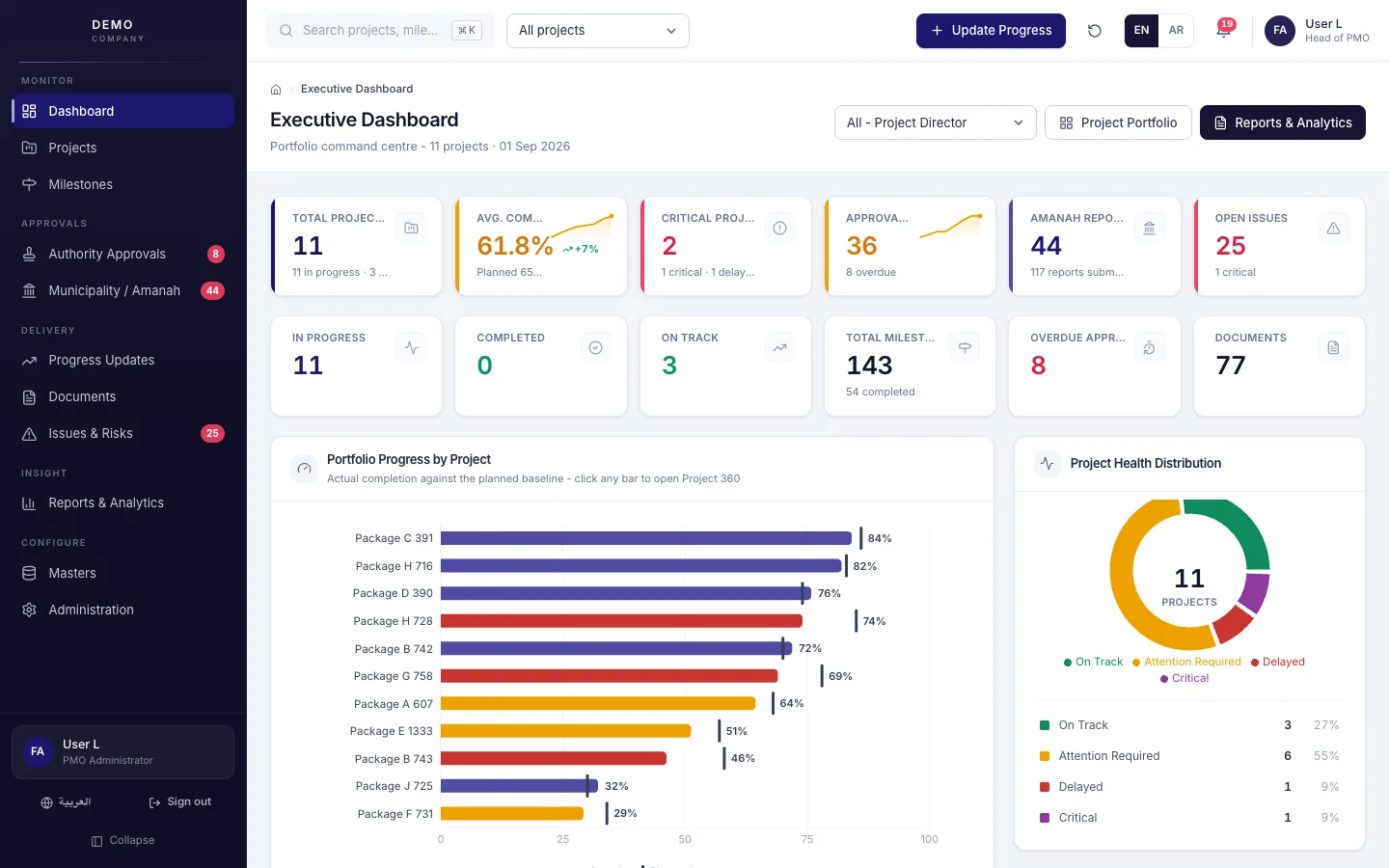
Executive Dashboard
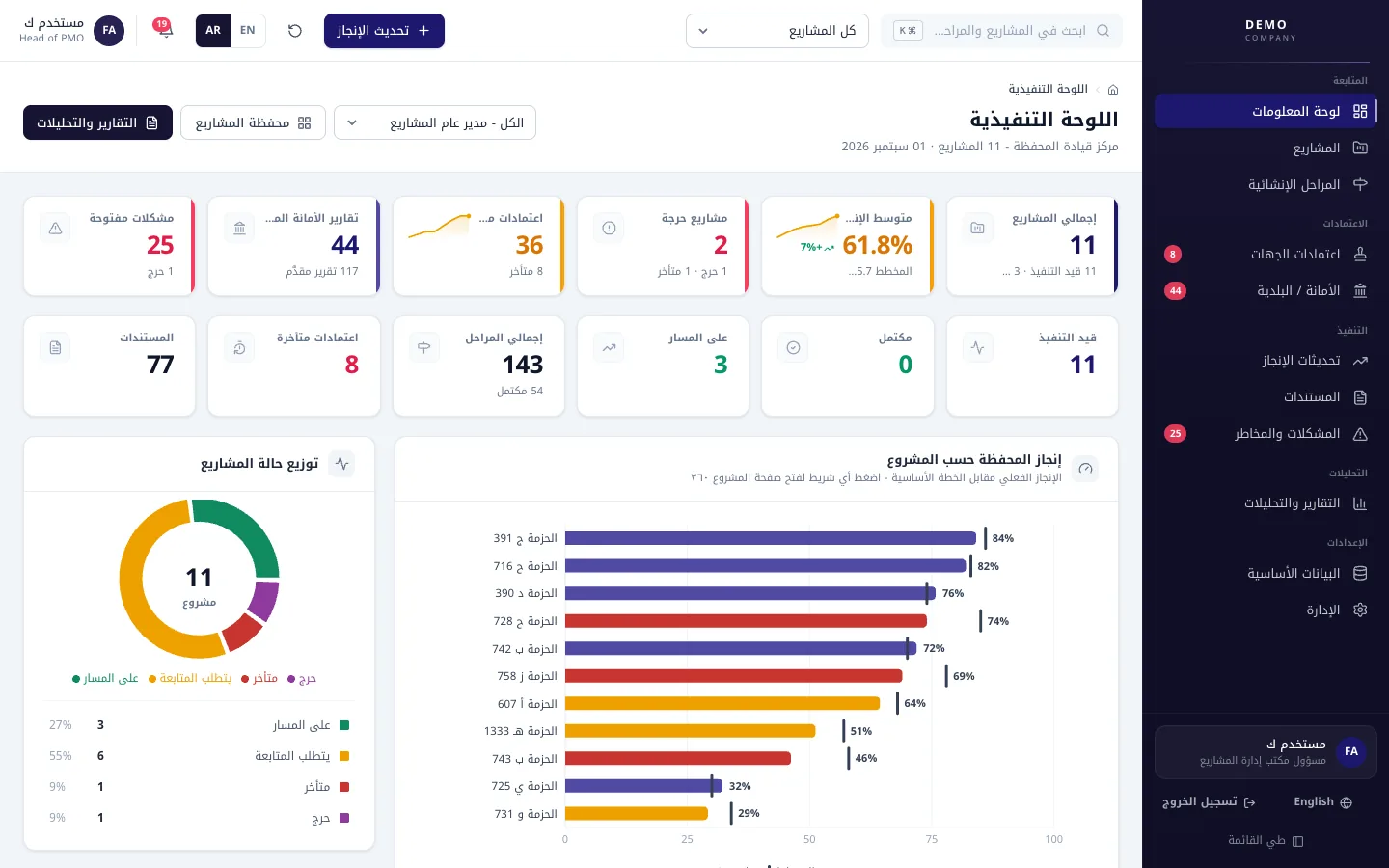
- Portfolio totals for projects, average completion against plan, critical projects, open approvals, Amanah reports and open issues
- Portfolio progress bar chart of actual against planned baseline, with a click through to Project 360
- Project health and project status distribution
- Projects Requiring Attention list covering overdue approvals, schedule variance, late milestones, critical issues and approaching due dates
- Filter by project director
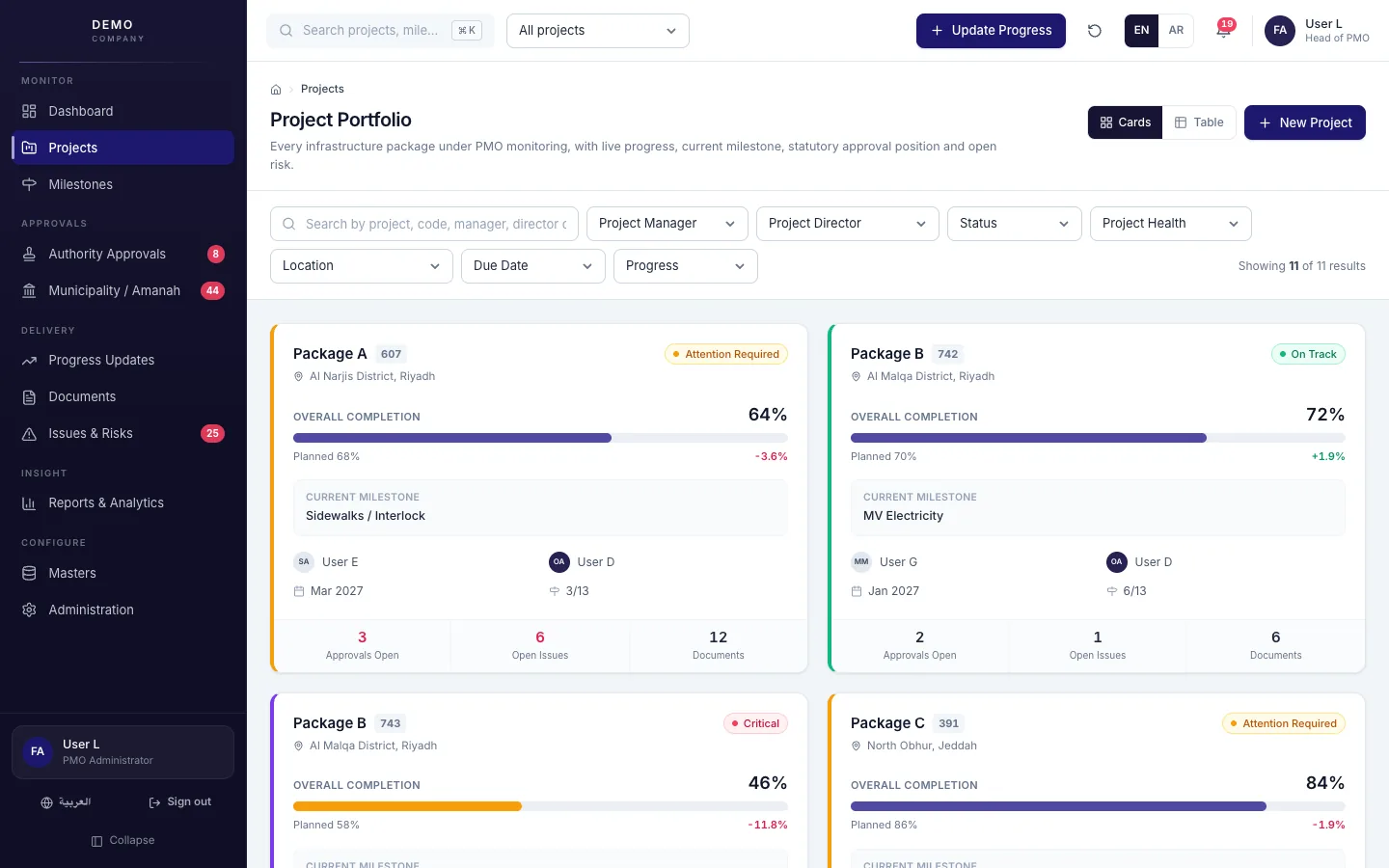
Project Portfolio
- Card and table views of every infrastructure package under PMO monitoring
- Overall completion, planned percentage and variance per package
- Current milestone, project manager, project director and due date
- Open approvals, open issues and document counts on each card
- Filters for manager, director, status, health, location, due date and progress band
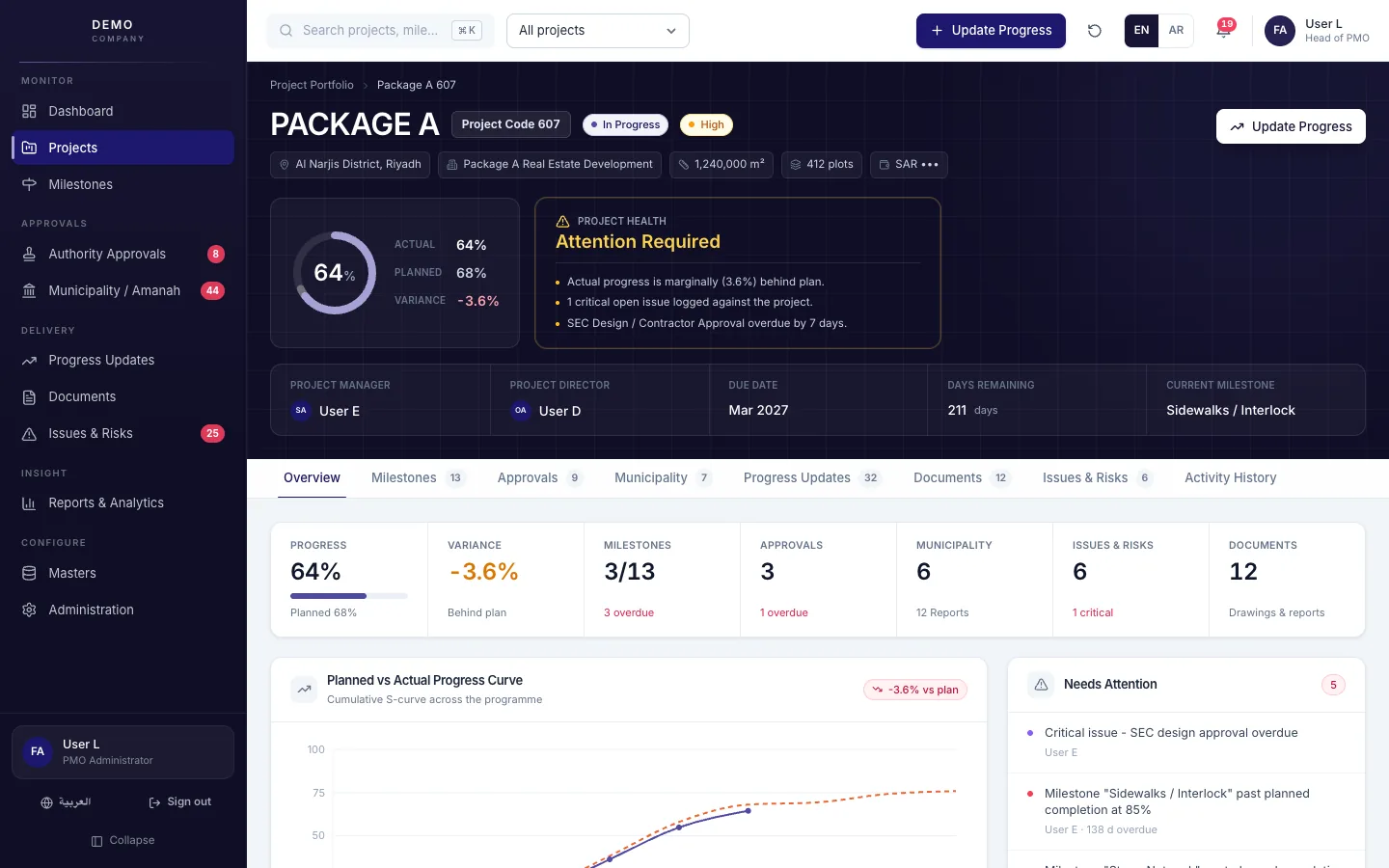
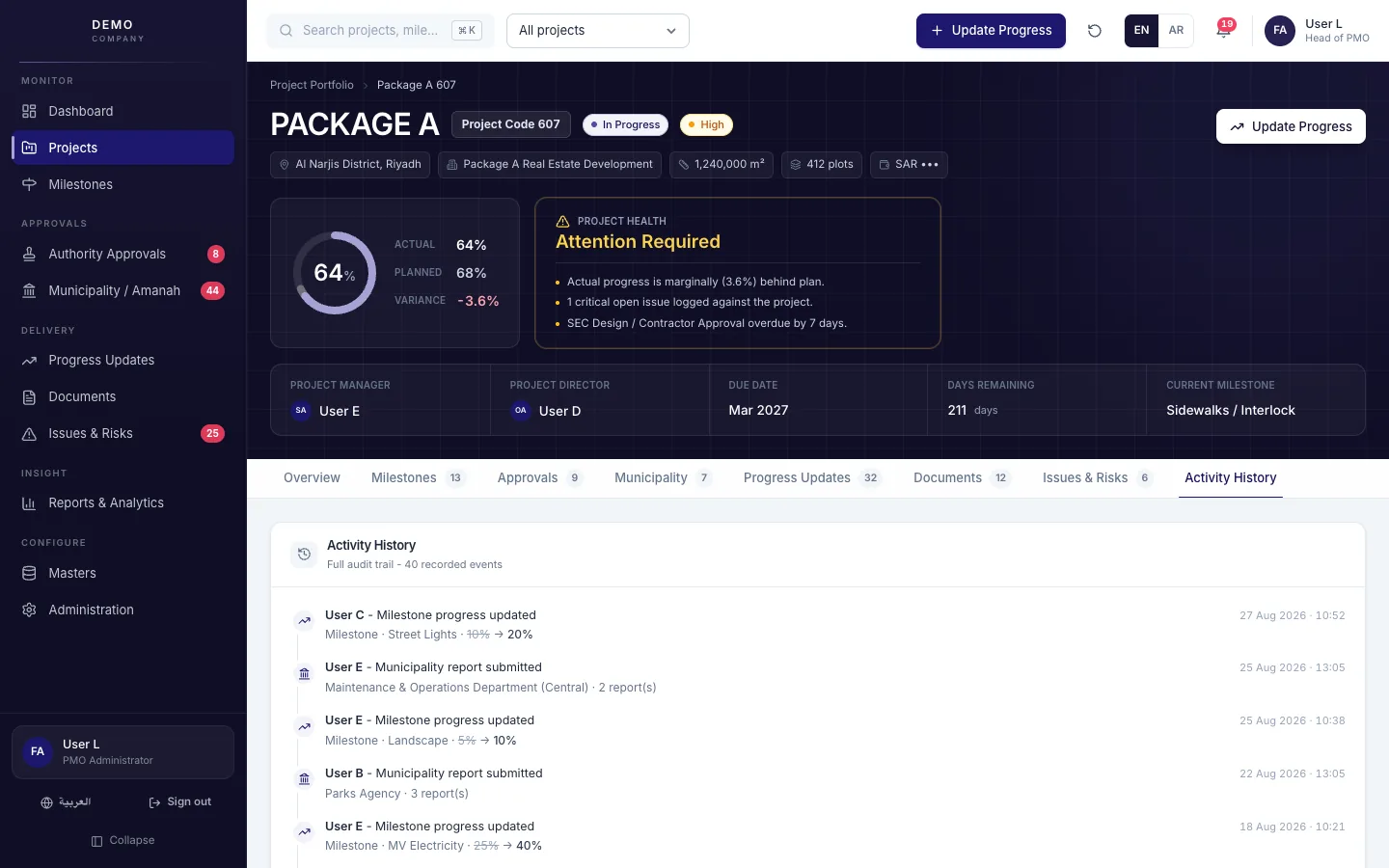
Project 360
- Project header with code, status, priority, location, client or owner, area and contract value field
- Actual, planned and variance ring with a health rating and the reasons behind it
- Planned against actual S-curve, milestones in flight and next milestones
- Authority approval pipeline per authority and Municipality department stage view
- Tabs for milestones, approvals, municipality, progress updates, documents, issues and a full activity history
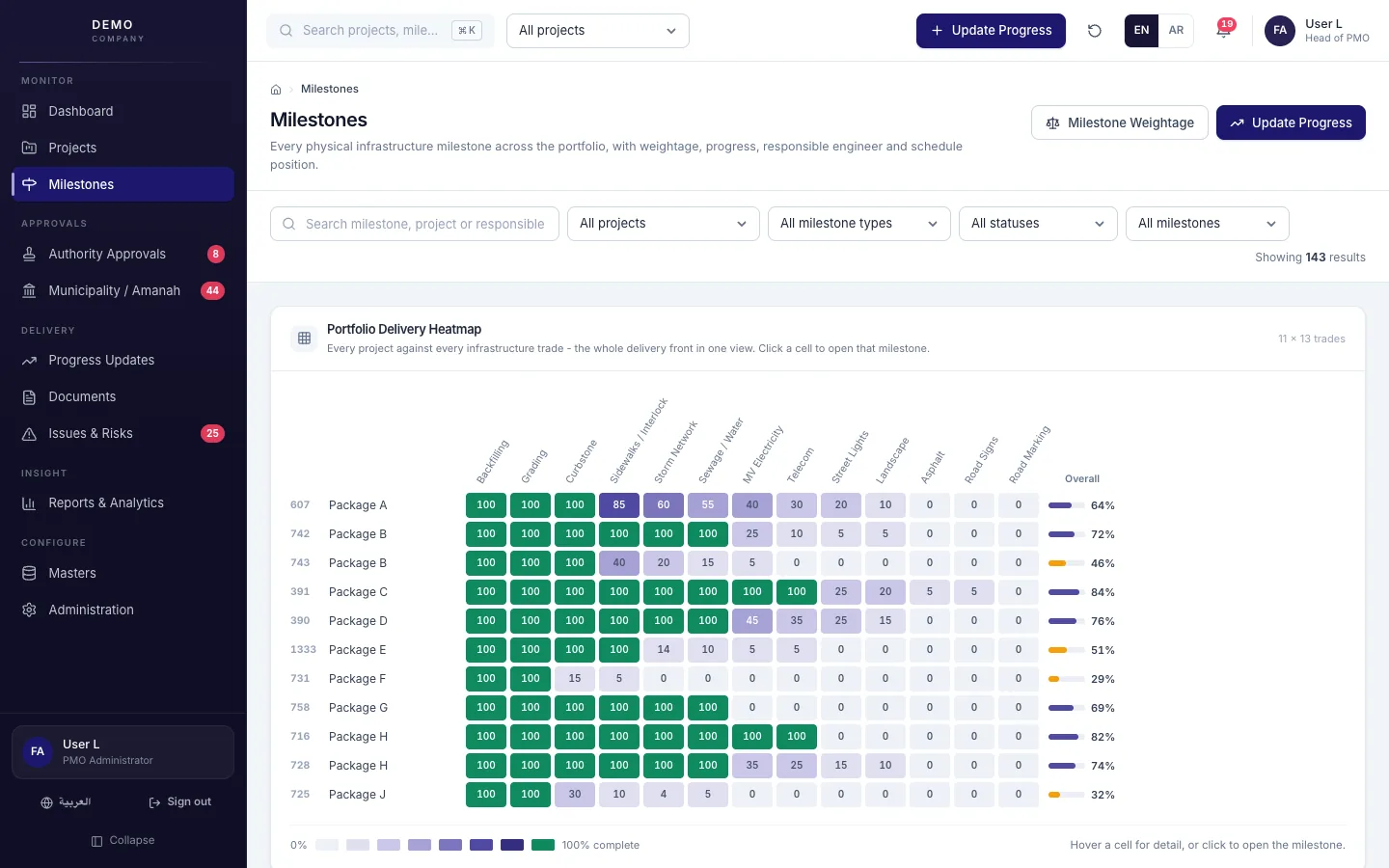
Milestones and Weightage
- Thirteen physical trades per package: backfilling, grading, curbstone, sidewalks and interlock, storm network, sewage and water, MV electricity, telecom, street lights, landscape, asphalt, road signs and road marking
- Weightage per milestone that rolls up to overall completion
- Portfolio delivery heatmap of every project against every trade
- Completion by milestone type and average progress per trade
- Milestone register with status, planned end, responsible engineer and overdue filter
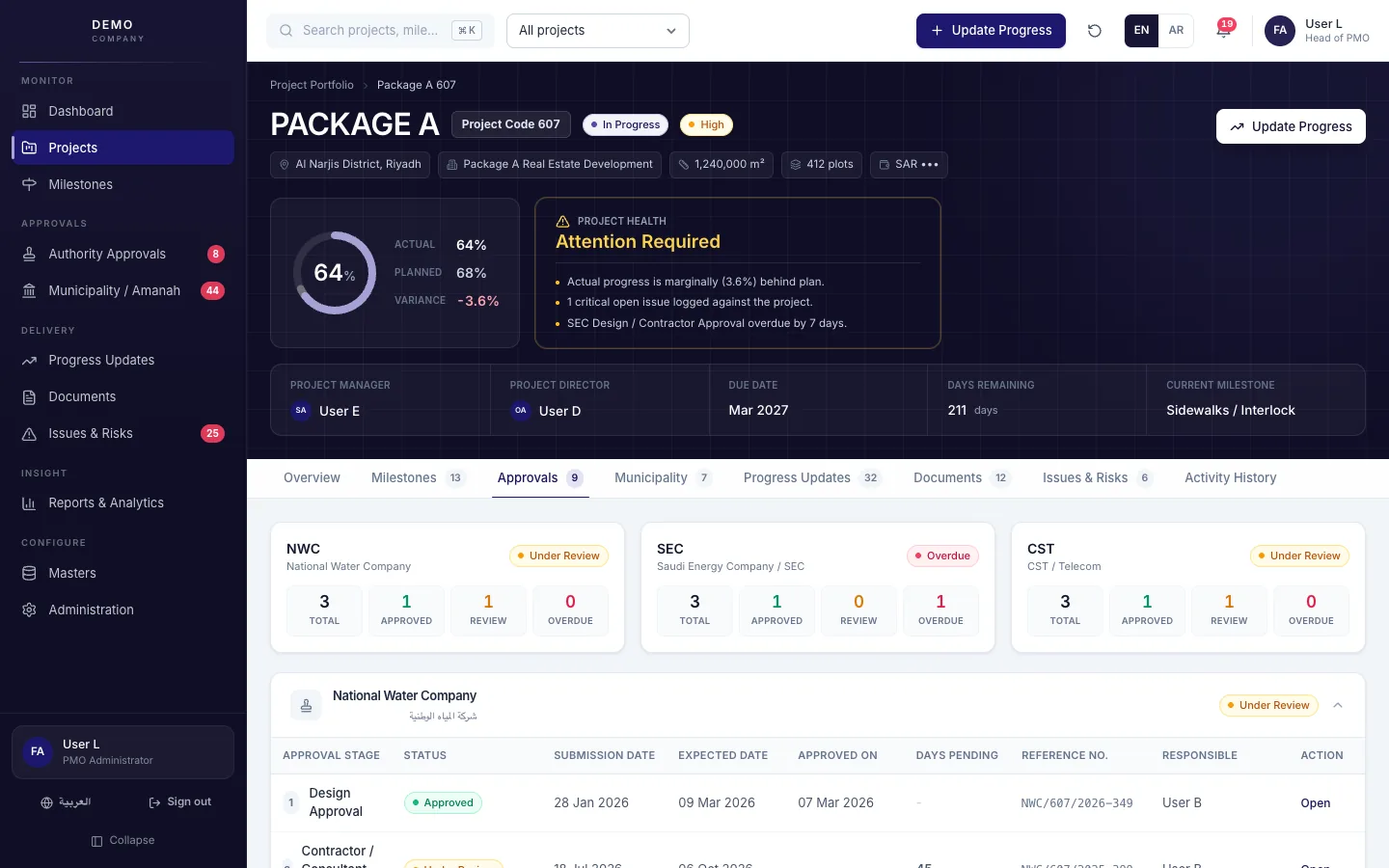
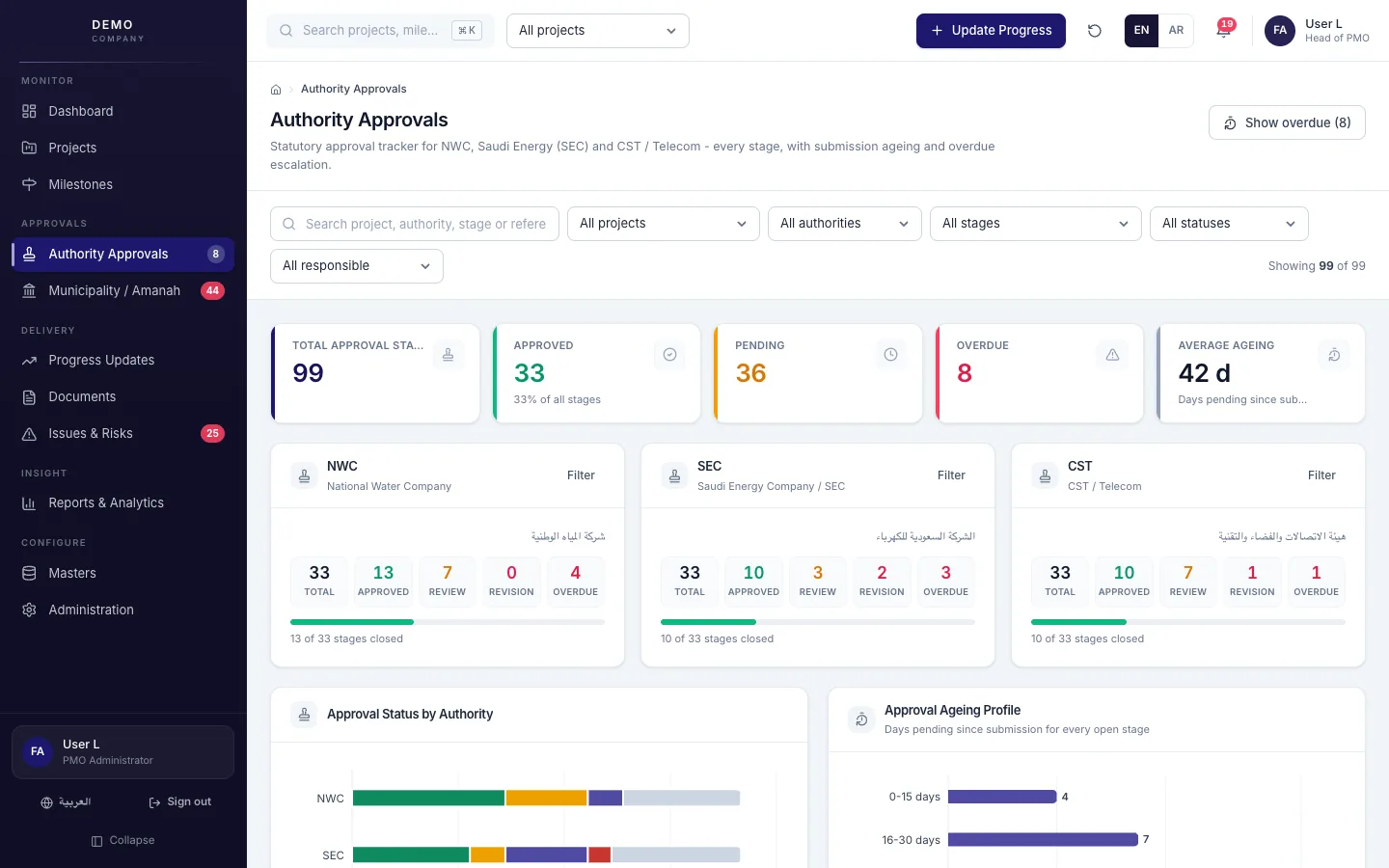
Authority Approvals
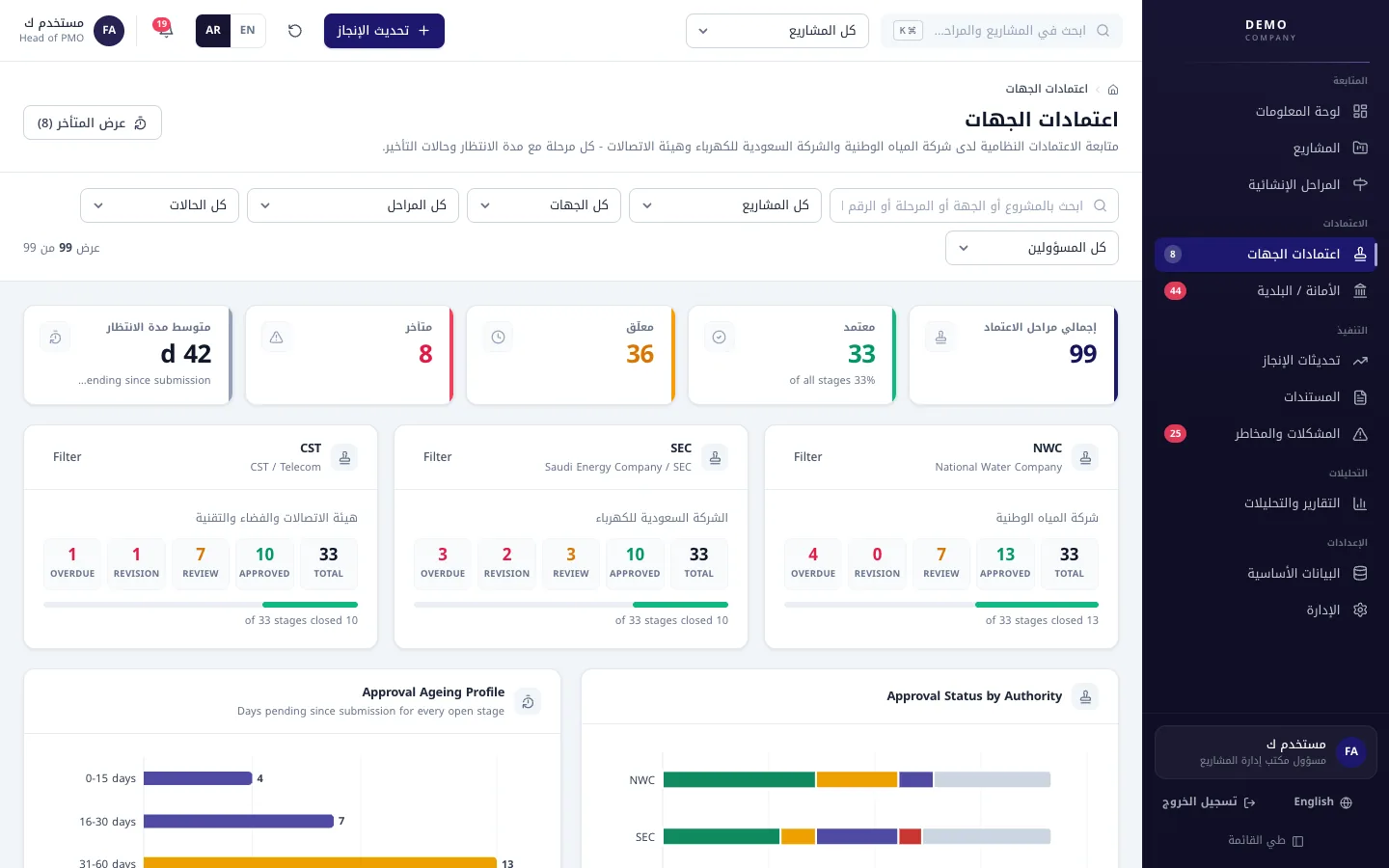
- Statutory approval tracker for NWC, SEC and CST / Telecom
- Stages such as agreement, design approval, contractor or consultant approval and handover
- Statuses from not started and preparing through submitted, under review, revision required and resubmitted to approved
- Submission date, expected date, days pending, days late, reference number and responsible engineer
- Status by authority chart and an ageing profile in 0 to 15, 16 to 30, 31 to 60, 61 to 90 and 90+ day buckets, sorted most overdue first
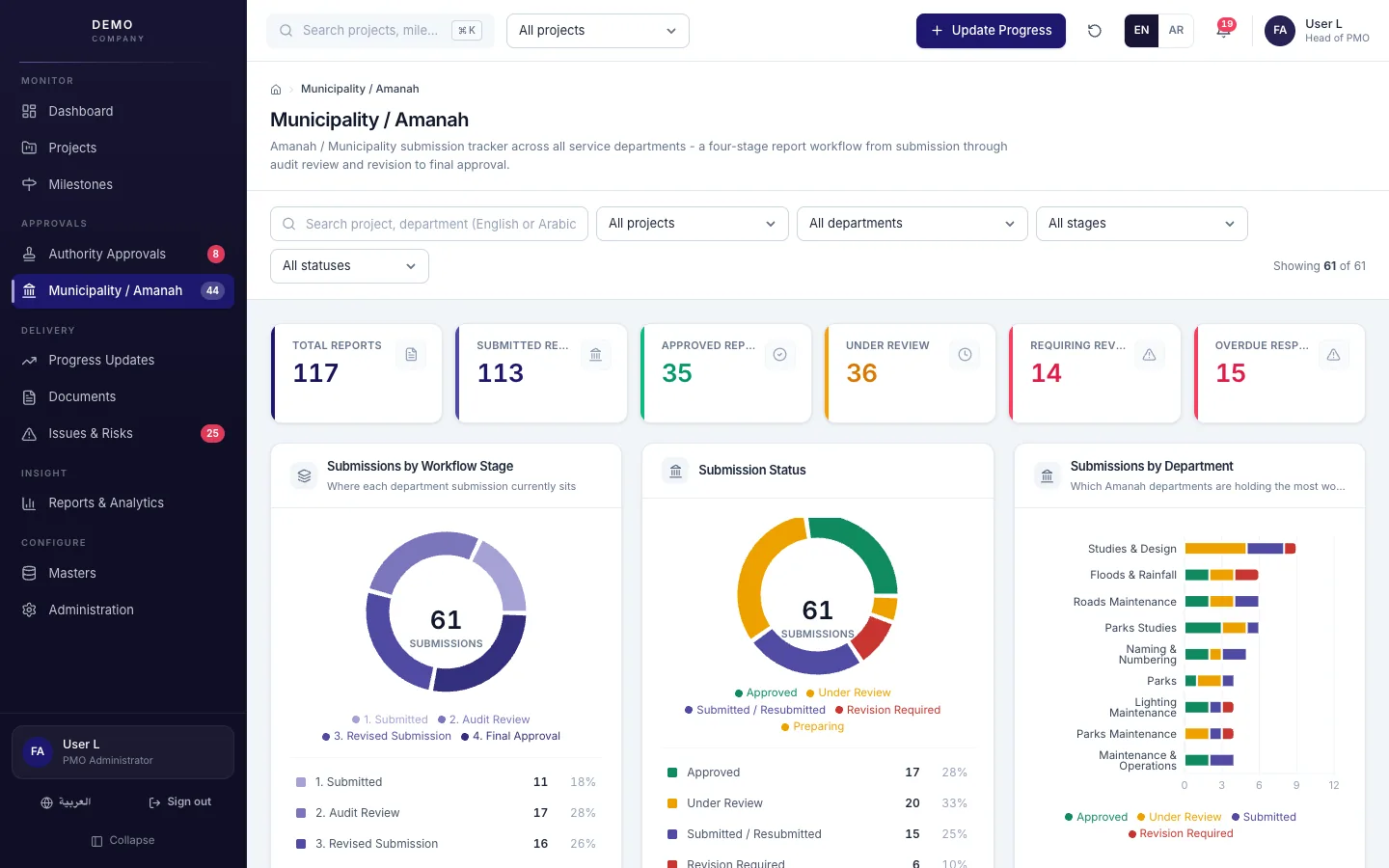
Municipality and Amanah Submissions
- Submission tracker across sixteen Amanah departments, named in English and Arabic
- Four-stage workflow: submitted, audit review, revised submission and final approval
- Submission types such as technical study, design report, inspection request and handover package
- Report count, submission date, days pending and report number per submission
- Charts by workflow stage, by status and by department
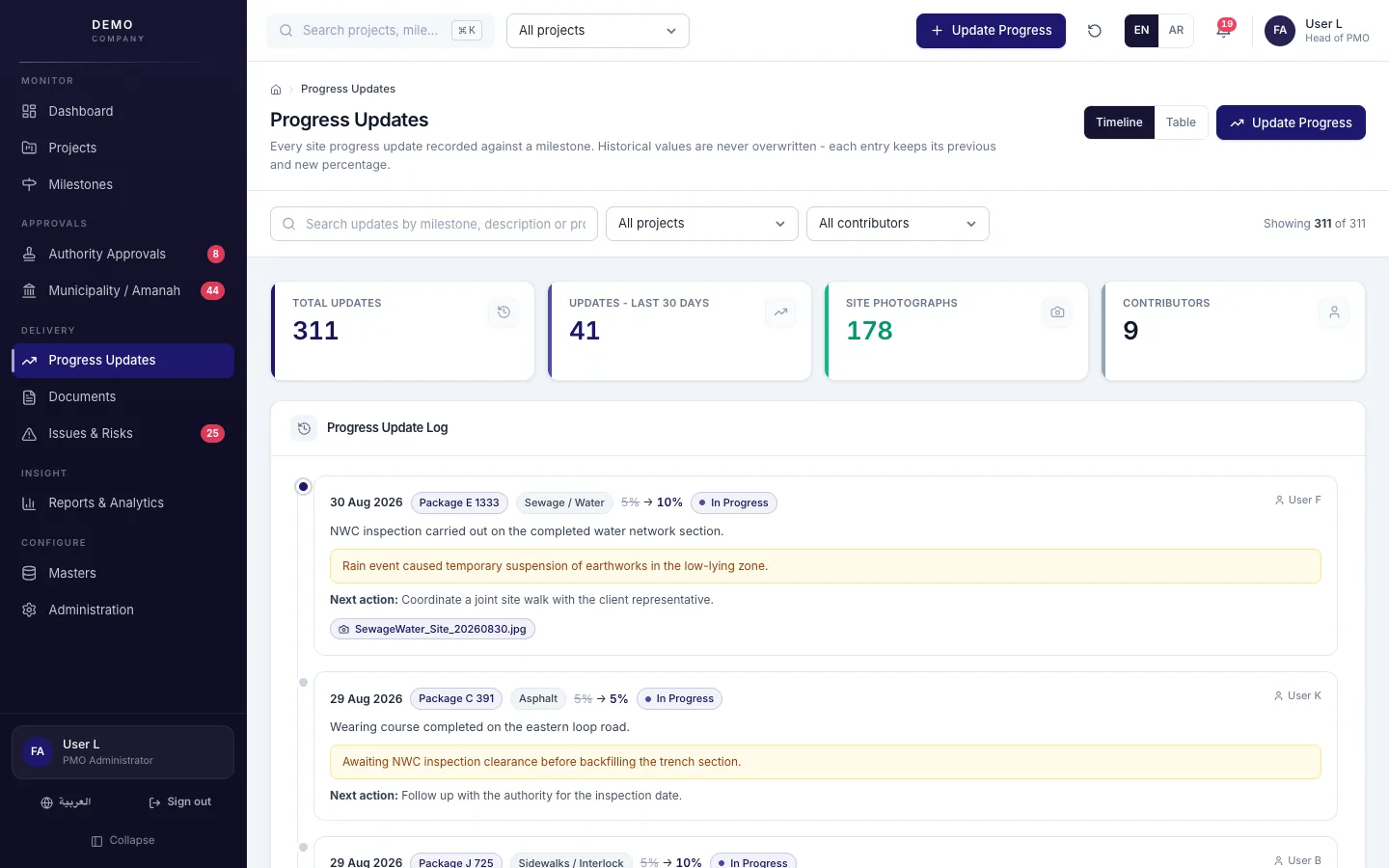
Progress Updates
- Site progress log against each milestone, in timeline or table view
- Previous and new percentage kept on every entry, never overwritten
- Work description, highlighted constraint and next action
- Site photograph or note attached to the update
- Filters by project and contributor
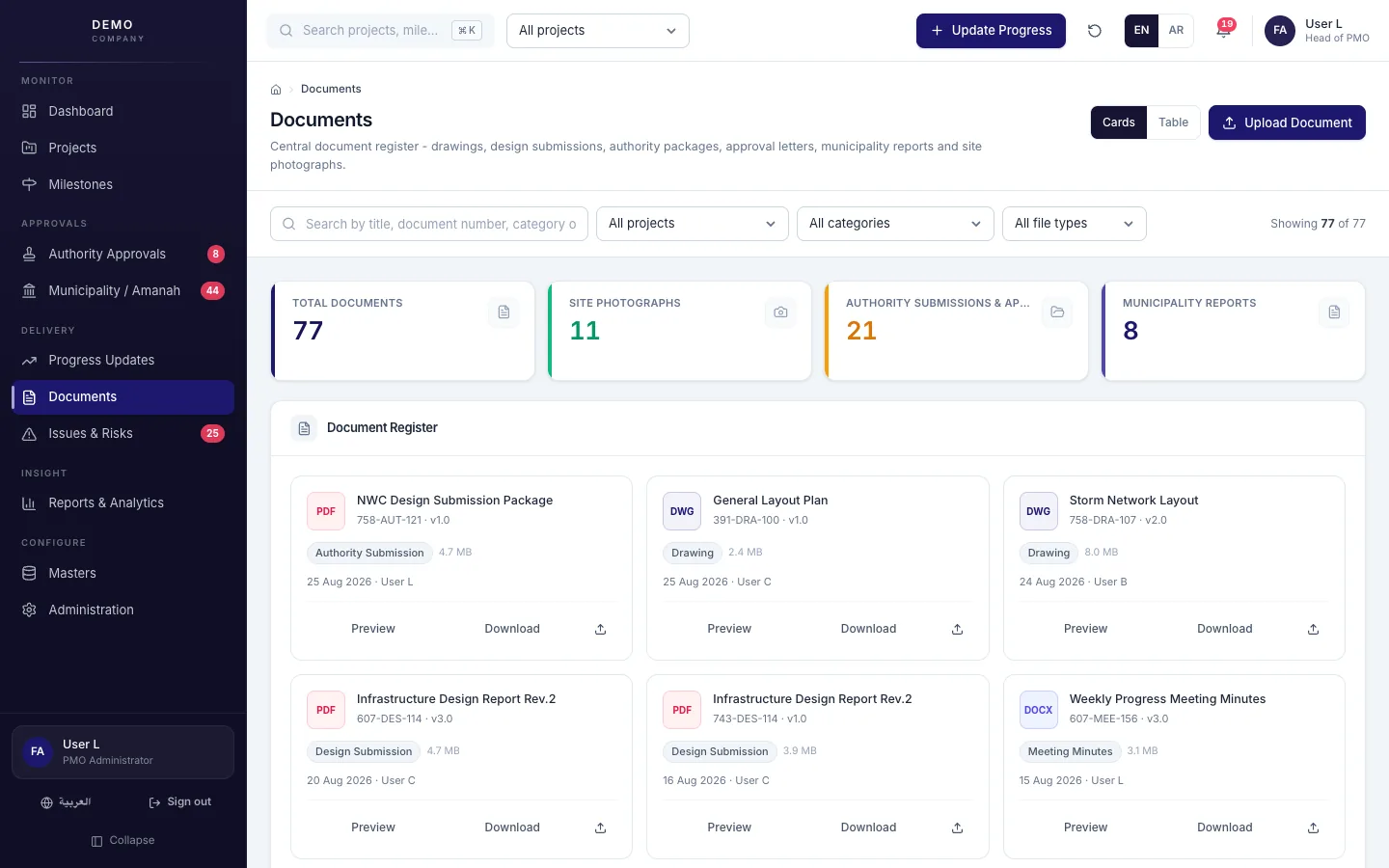
Documents
- Central register for drawings, design submissions, authority submissions and approval letters
- Municipality reports, site photographs, meeting minutes, handover and technical reports
- Document number, version, file type, size, date and uploader
- DWG, PDF, JPG, DOCX and XLSX files with preview and download
- Card and table views with project, category and file type filters
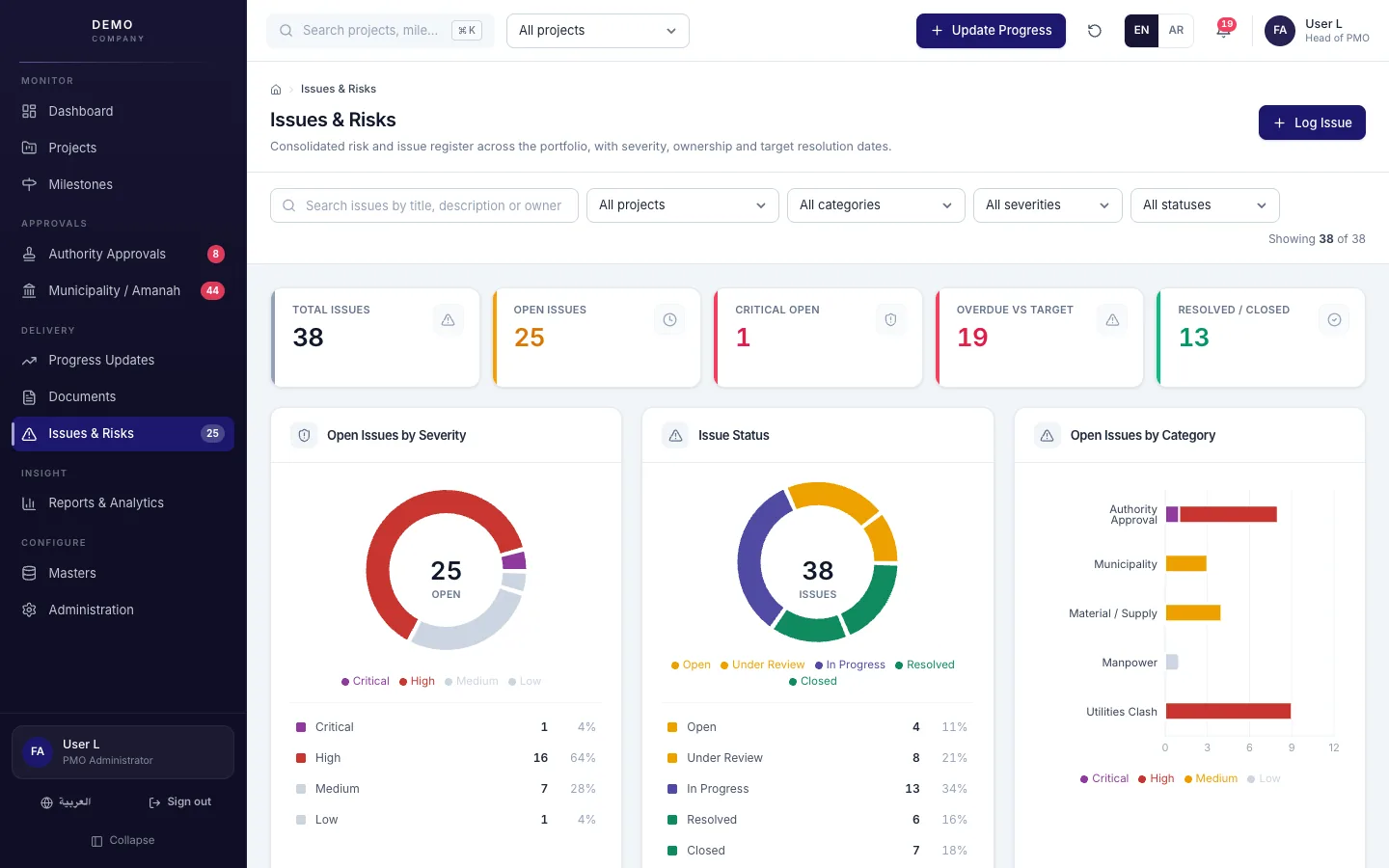
Issues and Risks
- Portfolio issue and risk register with owner, raised date and target date
- Categories including design, authority approval, municipality, material and supply, manpower, contractor, site condition, weather, utilities clash and commercial
- Severity from low to critical and status from open to closed
- Overdue against target count
- Charts by severity, status and category
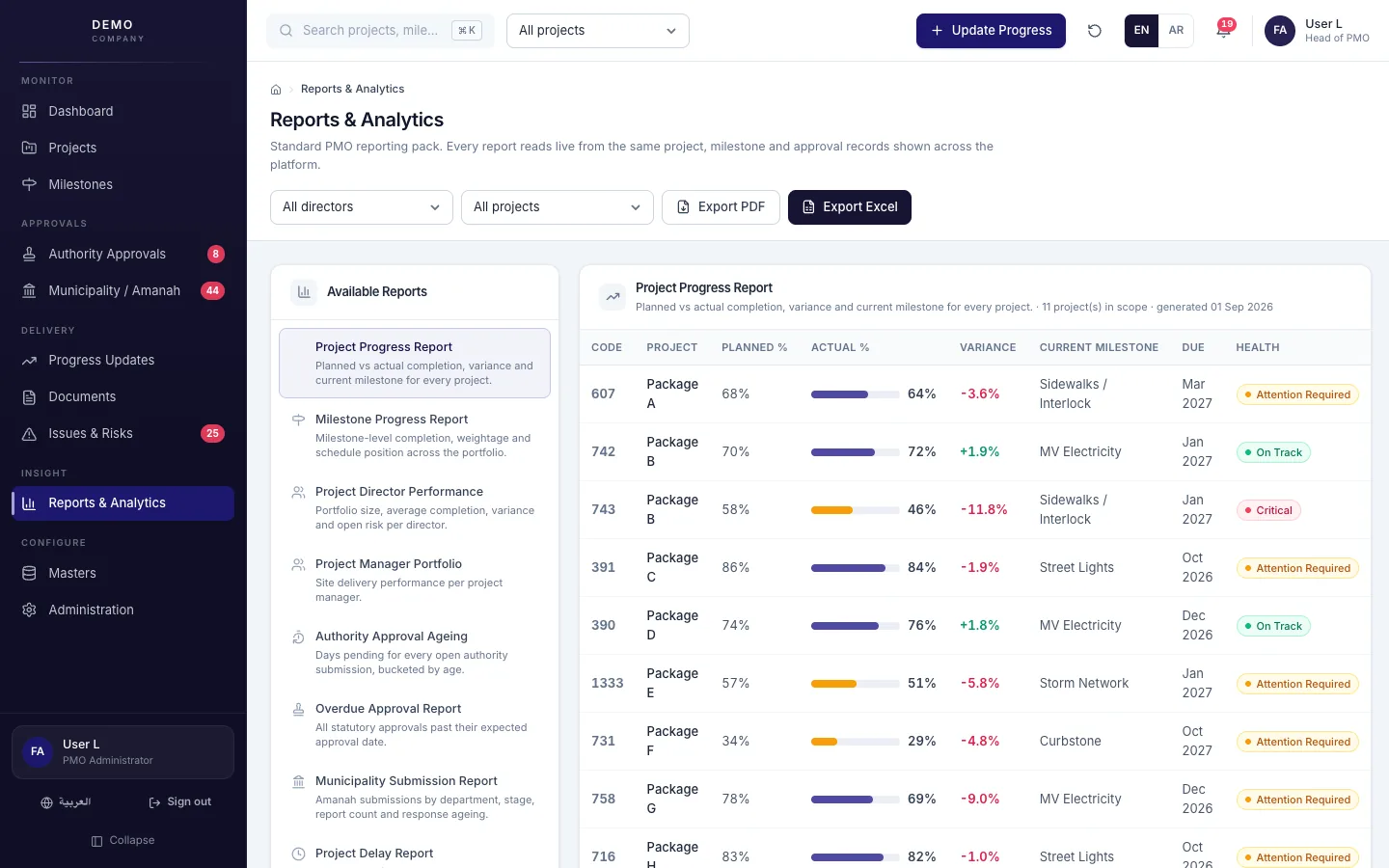
Reports and Analytics
- Standard PMO pack of twelve reports read live from the same records
- Project progress, milestone progress, project delay, project health and due date reports
- Project director performance and project manager portfolio reports
- Authority approval ageing, overdue approval and municipality submission reports
- Document register and issue and risk reports, filtered by director or project, with PDF and Excel export
Masters
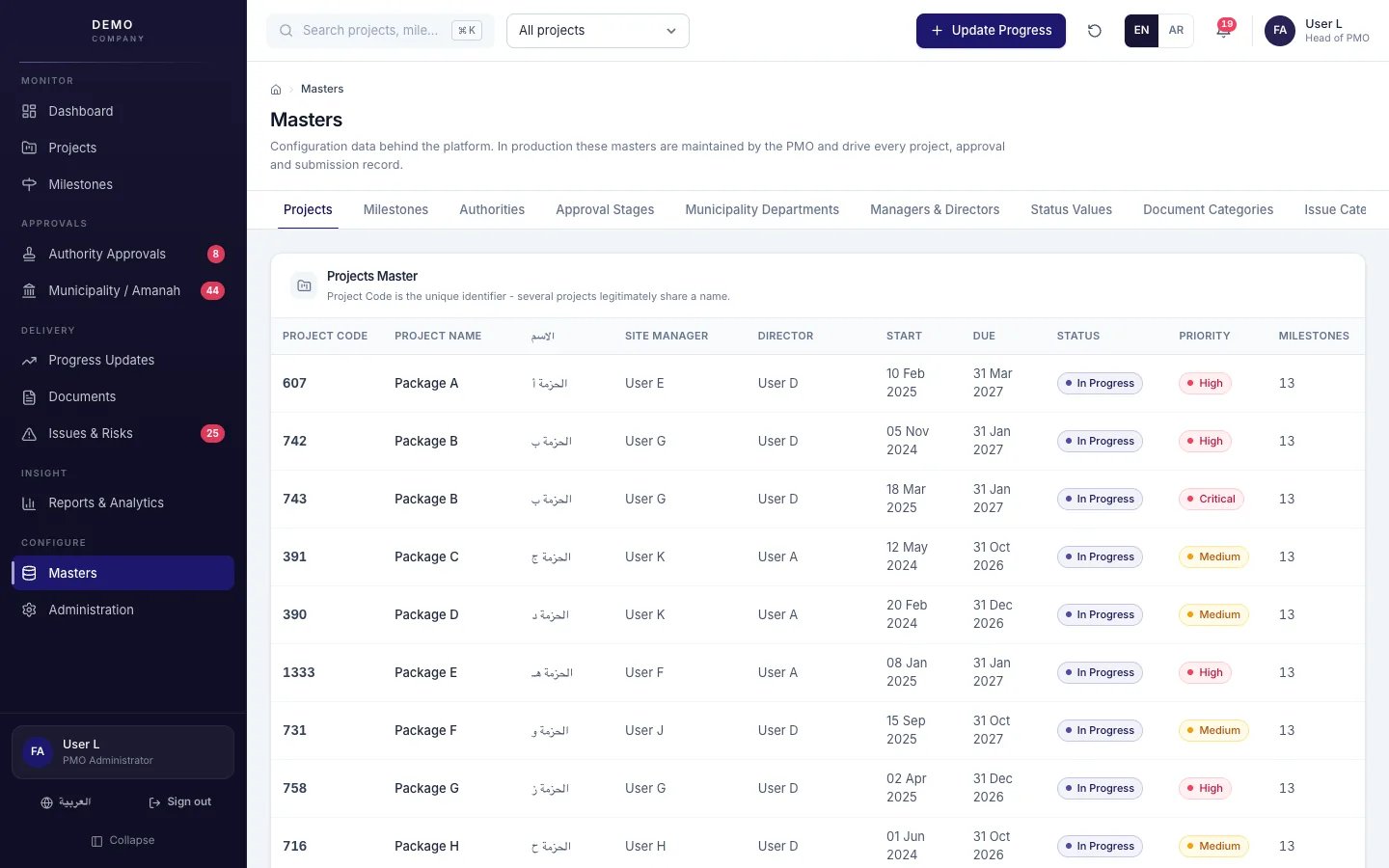
- Projects master with code, English and Arabic name, site manager, director, dates, status, priority and milestone count
- Milestones, authorities and approval stages
- Municipality departments and managers and directors
- Status values, document categories and issue categories
Administration and Permissions
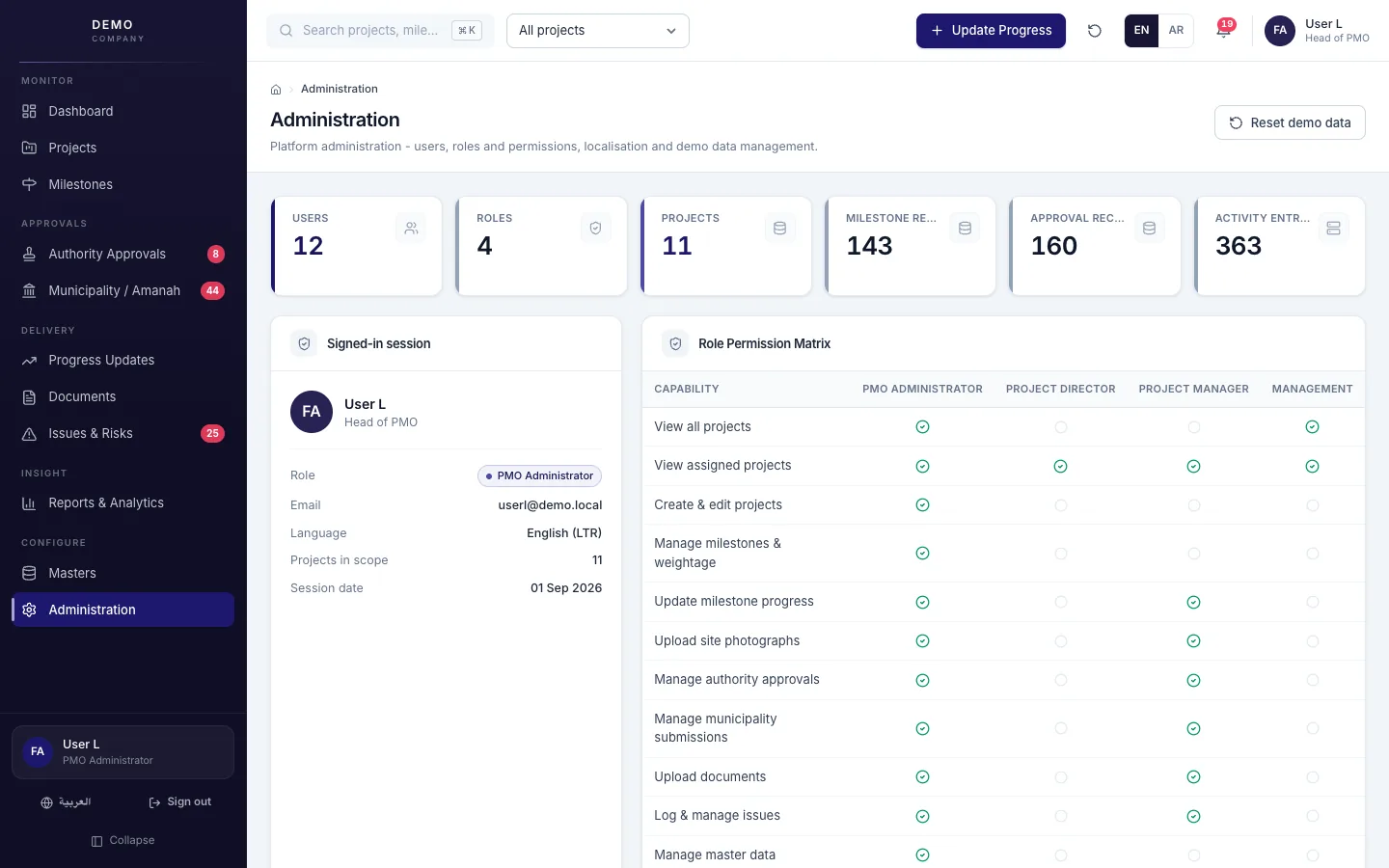
- Users with title, role and bilingual display name
- Four roles: PMO Administrator, Project Director, Project Manager and Management
- Role permission matrix across fourteen capabilities, from viewing projects to system administration
- Localisation settings for English (LTR) and Arabic (RTL)
- Demo data reset to a seeded baseline
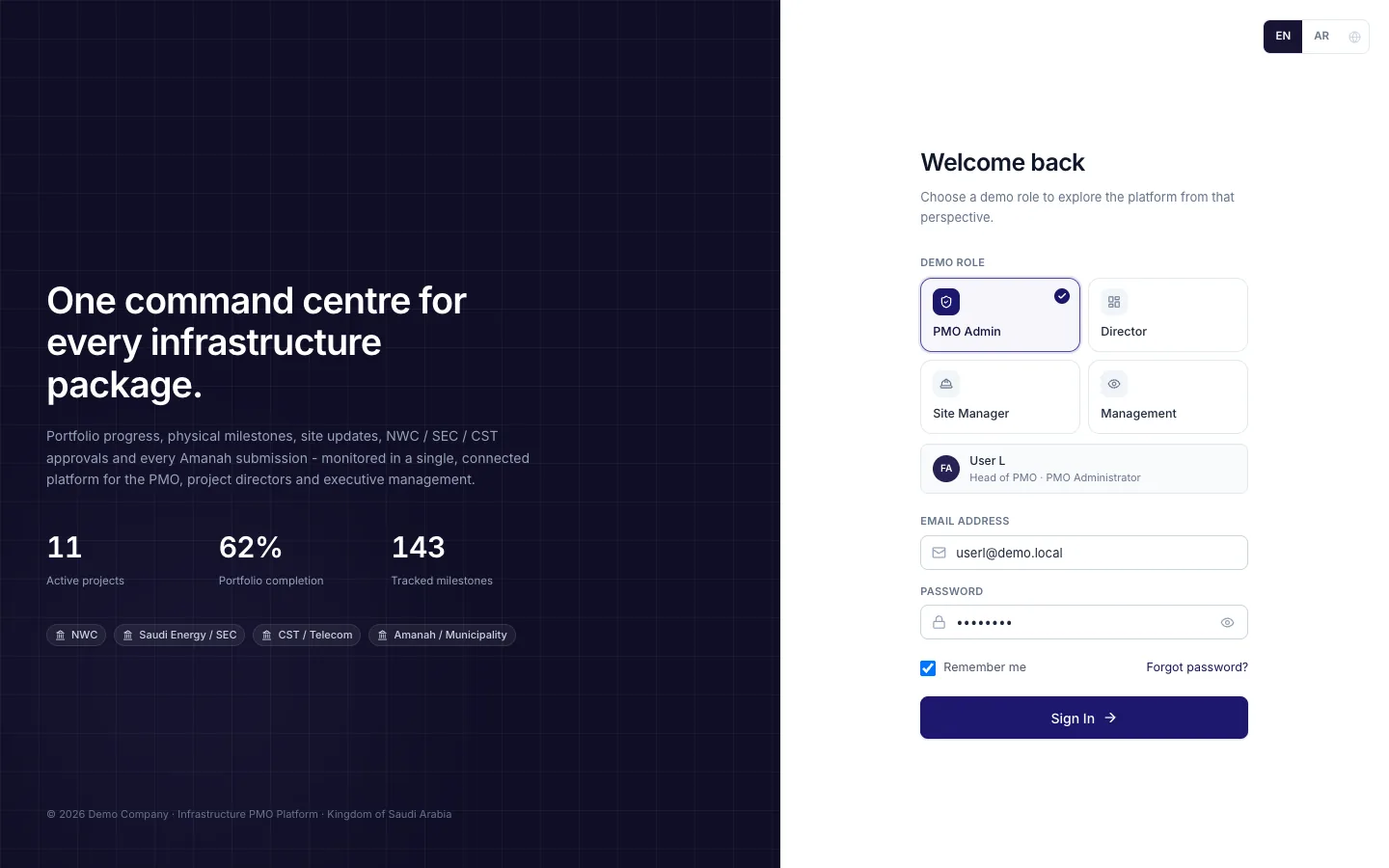
Infrastructure PMO screens
Real screens from the live demo, shown with its Saudi set-up.
Where it helps in Egypt
Set up for your country, connected to your systems
What the product handles out of the box, and what Shyphan does to put it live in your business.
Built into the product
Delivered and supported in
 Saudi Arabia
 UAE
 India
 Bahrain
 Qatar
 Kuwait
 Oman
 Iraq
 Egypt
 Jordan
Plus the UK, Europe, the USA and other markets, from Shyphan offices in India, the UAE, Saudi Arabia and four more countries.
How Shyphan puts it live
Infrastructure PMO in other countries
Pages written for the authorities, permits and language of each market.
Infrastructure PMO by industry
Pages written for how each industry actually works with the product.
Try the Infrastructure PMO yourself
No sign-up. The demo opens in your browser with sample data.
- Open the live demo in a new tab.
- Open the demo and pick a demo role (PMO Admin, Director, Site Manager or Management) on the sign-in screen. The password is pre-filled, so just click Sign in.
- Explore the screens freely. It is a demo company with sample data.
- Book a guided demo and we will set it up around your own process.
Infrastructure PMO in Egypt: questions
Which authorities does it track in Egypt?
Is the system available in Arabic?
Does it connect to authority portals or the permit systems?
How does set-up work for an Egyptian portfolio?
Does it handle BOQs, budgets or payment certificates?
Sources for the authority information on this page
- HCWW: About the Holding Company for Water and Wastewater
- EgyptERA: Duties of distribution companies
- Daily News Egypt: EgyptERA updates procedures for new electricity connections to non-industrial properties
- Wikipedia: Egyptian Electricity Holding Company
- Wikipedia: National Telecom Regulatory Authority
- Wikipedia: Telecom Egypt
- Wikipedia: Ministry of Transportation (Egypt)
- Egypt Real Estate Portal: Everything You Need to Know About Building Permits in Egypt
- Wikipedia: New Urban Communities Authority
Related products and solutions
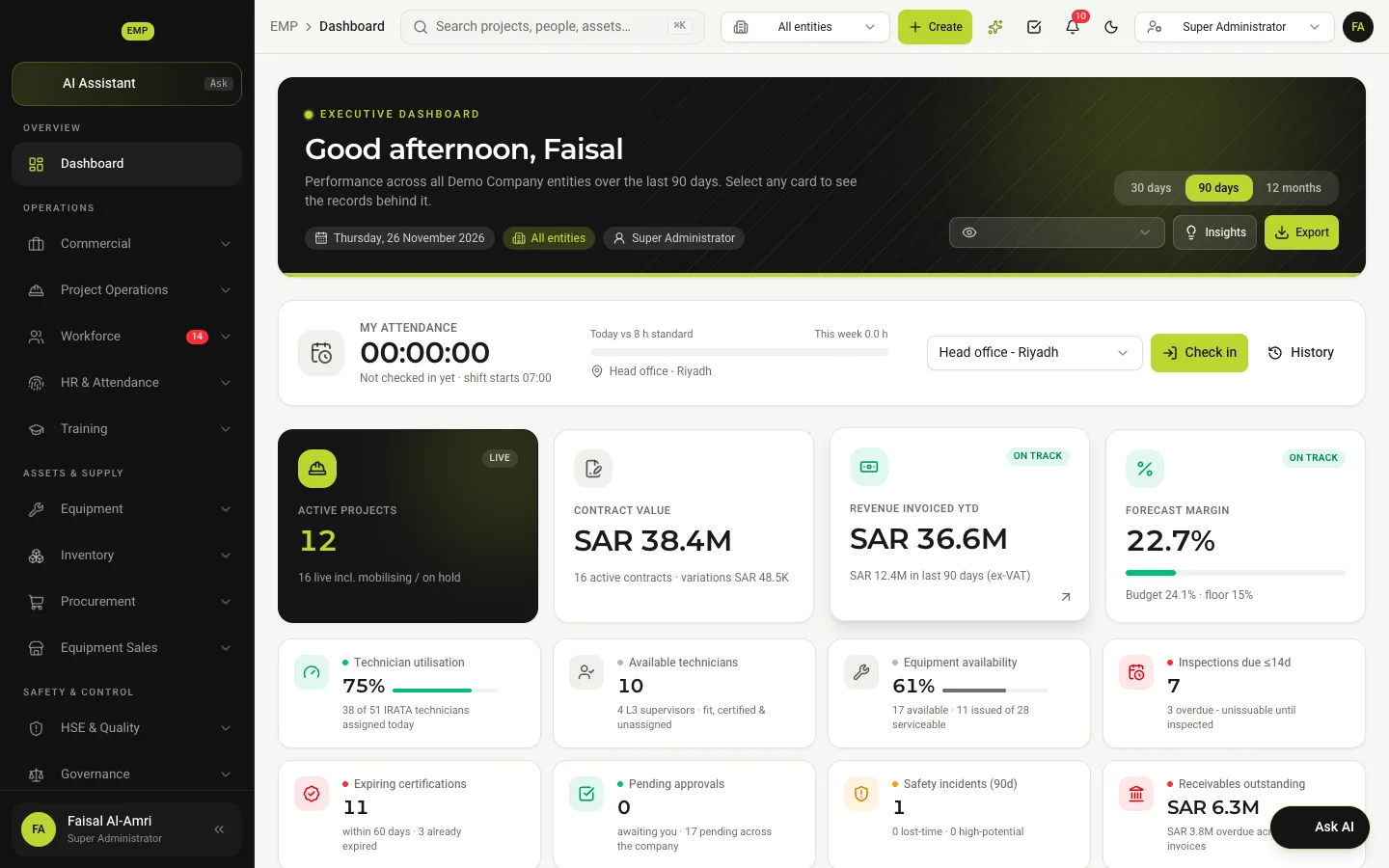
Construction & Contracting ERP
One system for contractors who deliver façade, inspection and maintenance work at height, from the first enquiry and site survey to permits,...
View product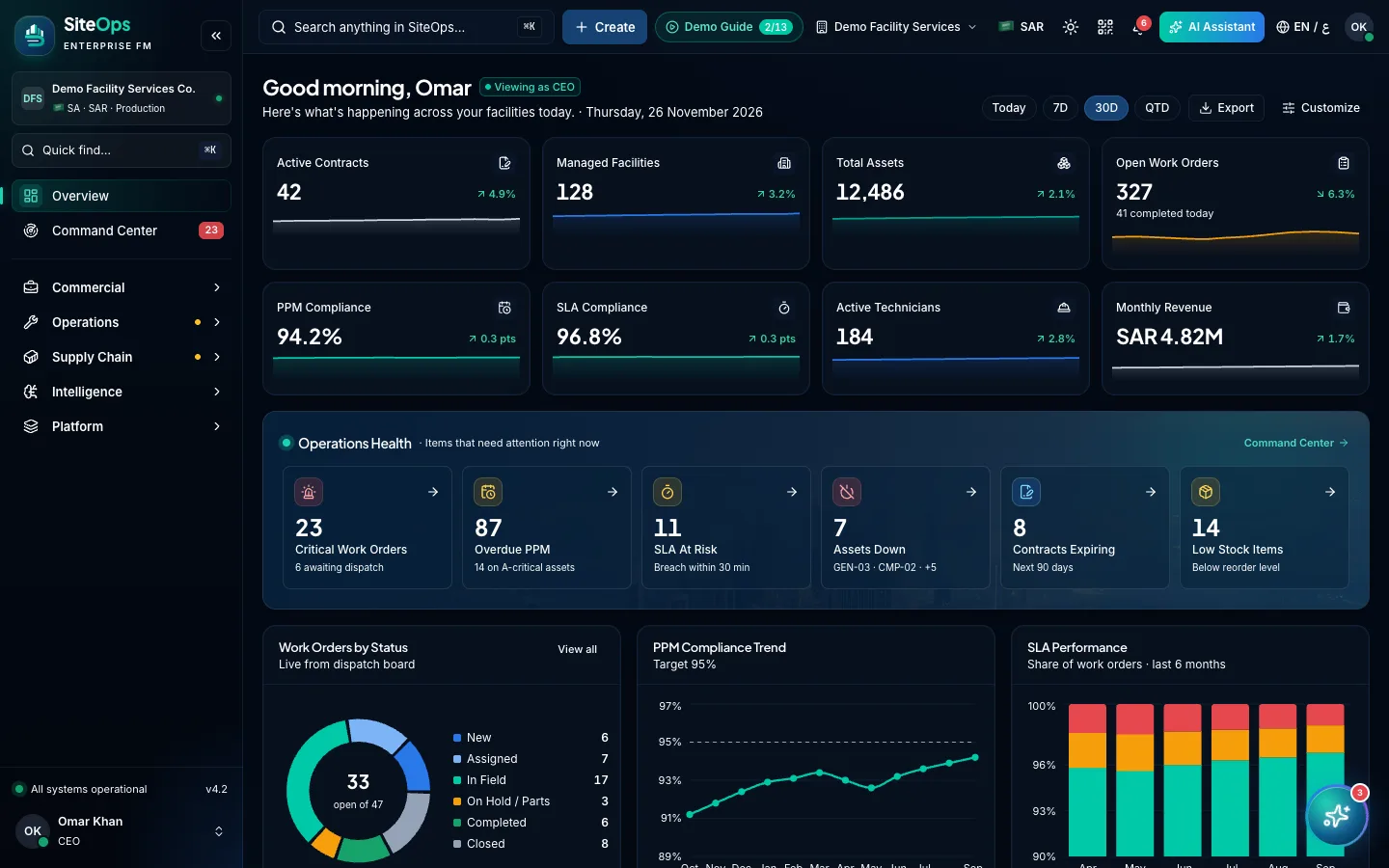
Facility Management Software
Run maintenance contracts across many sites from one place: requests from every channel, work orders and PPM, dispatch to the right technician,...
View product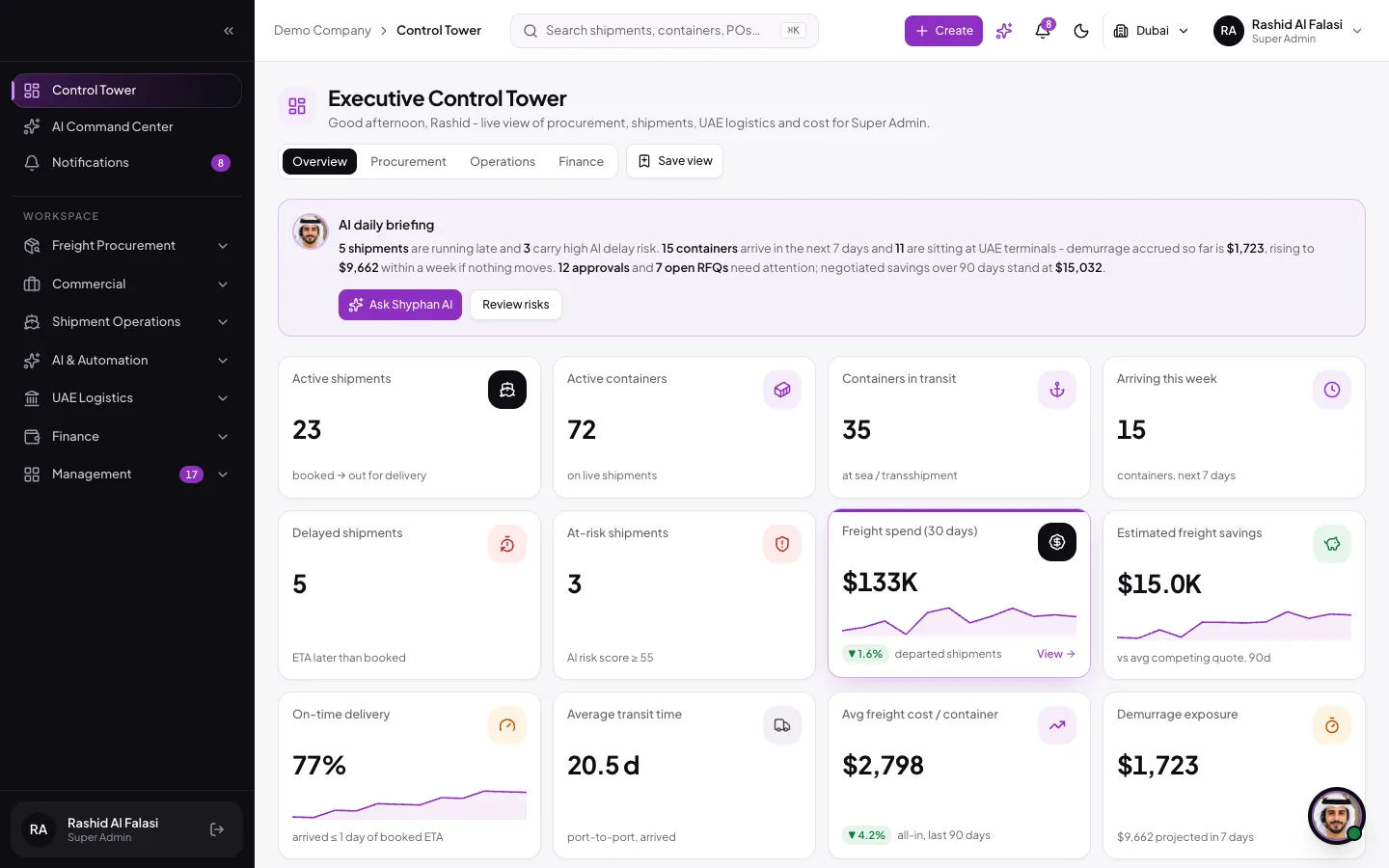
AI-Powered Freight Forwarding ERP
One platform to source freight, compare quotes, book carriers, track every container, clear UAE customs and control demurrage and landed cost,...
View product
See it on your Egypt portfolio
A guided demo with your authorities and milestones, then a written scope and a fixed quote.
