





















 Saudi Arabia
 UAE
 Qatar
 Bahrain
 Kuwait
 Oman
 Lebanon
 Egypt
 Jordan
 Iraq
 India
 UK
 Ireland
 Germany
 USA
 Australia
 Singapore
 South Africa
 France
 Hungary
 Georgia
 Turkey
 Canada
 LagosNigeria




ERPNext Migration in the UAE
Moving off Tally, QuickBooks, Zoho Books, a spreadsheet stack or an ageing ERP is mostly a data problem, not a software one. We extract, clean, map and reconcile your records so the first VAT period in ERPNext starts from balances your auditor already agrees with.
- From Tally
- From QuickBooks
- From Zoho Books
- From Excel
 ERPNext & FrappeImplementation · migration · AMC
Get a free quote
Reply within 24 hours with scope and a fixed quote.
ERPNext Migration in the UAE: the short answer
- Sources we handle
- Tally Prime and Tally ERP 9, QuickBooks Online and Desktop, Zoho Books, Sage, Excel workbooks and older on-premise ERPs with database or CSV exports.
- What moves
- Chart of accounts, customers and suppliers with TRNs, items, opening stock by warehouse, open invoices, open orders and, where useful, summarised history.
- Best cutover point
- The start of a VAT tax period or financial year, so returns are never split across two systems.
- Proof it worked
- Trial balance, receivables, payables and stock value in ERPNext match the old system on the cutover date, signed off by your finance lead.
- Delivered by
- Shyphan AI Solutions, an ERPNext implementation partner and Zoho Premium Partner, with 24/7 support. Call +971 55 145 3265.
- Last reviewed
- 27 November 2026
Why migrations go wrong, and how we avoid it
Most failed migrations share a cause: someone exported everything, imported everything and hoped. Ten years of Tally ledgers contain duplicate parties, retired items, suspense accounts and VAT codes that were set up differently in 2018 than they are today. Carrying all of that into ERPNext simply moves the mess to a new address.
We take a different route. First we decide what actually needs to exist in the new system on day one. Usually that is clean master data, open balances and open documents, with full history either summarised by month or kept read-only in the old system for the period your records must be retained. Then we map every old account, tax code and item group to its ERPNext equivalent, and only then import.
For UAE companies the map includes VAT treatment. A customer marked as GCC in one system and simply foreign in another will land on the wrong line of VAT 201 unless the tax category is fixed during migration, not after.
From first record to the finished report
One open-source system, so each step feeds the next without re-keying.
What a migration from each source involves
From Tally
We export ledgers, groups, stock items, godowns and outstanding bills, then rebuild Tally's group structure as a proper ERPNext chart of accounts with cost centres instead of hundreds of near-identical ledgers.
From QuickBooks
Customers, vendors, products and services, open invoices and bills come across through exports. QuickBooks classes and locations usually become cost centres or accounting dimensions in ERPNext.
From Zoho Books
Contacts with TRNs, items, tax rates and open transactions export cleanly. We map Zoho's tax groups to ERPNext tax templates and check reverse charge flags on supplier bills.
From Excel
Spreadsheets get the most cleansing. We give you structured templates, run duplicate and format checks and agree a single item code scheme before import.
From an older ERP
Where an old system offers database access, we extract with SQL and transform in scripts that can be rerun, so a trial load and a final load use exactly the same logic.
Reconciliation pack
For every load we produce side-by-side totals: trial balance, ageing, stock quantity and value by warehouse. Nothing goes live until finance signs the pack.
See it in ERPNext
Real ERPNext and Frappe screens for the work described on this page. We configure them for UAE rules and your data.
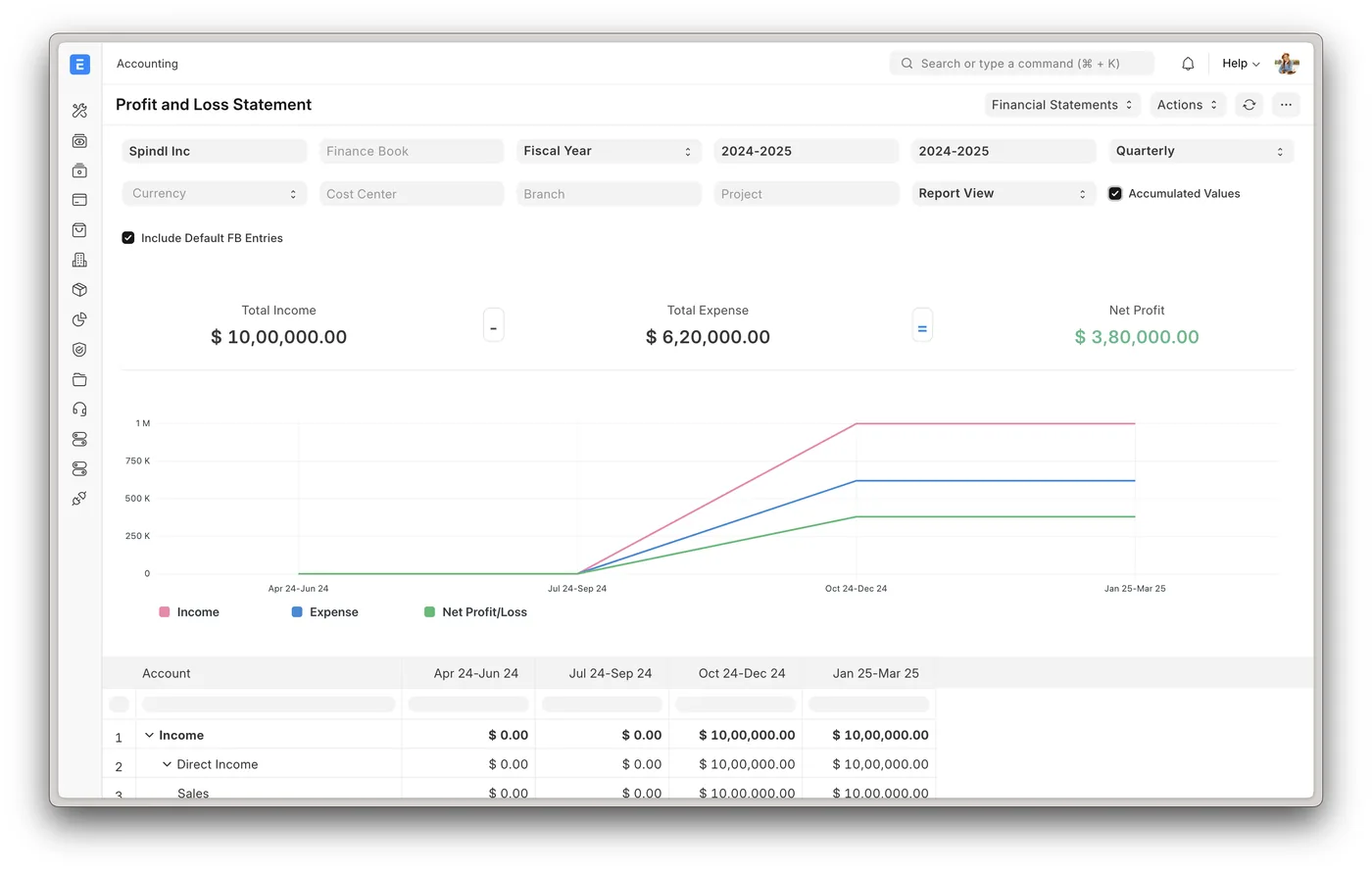
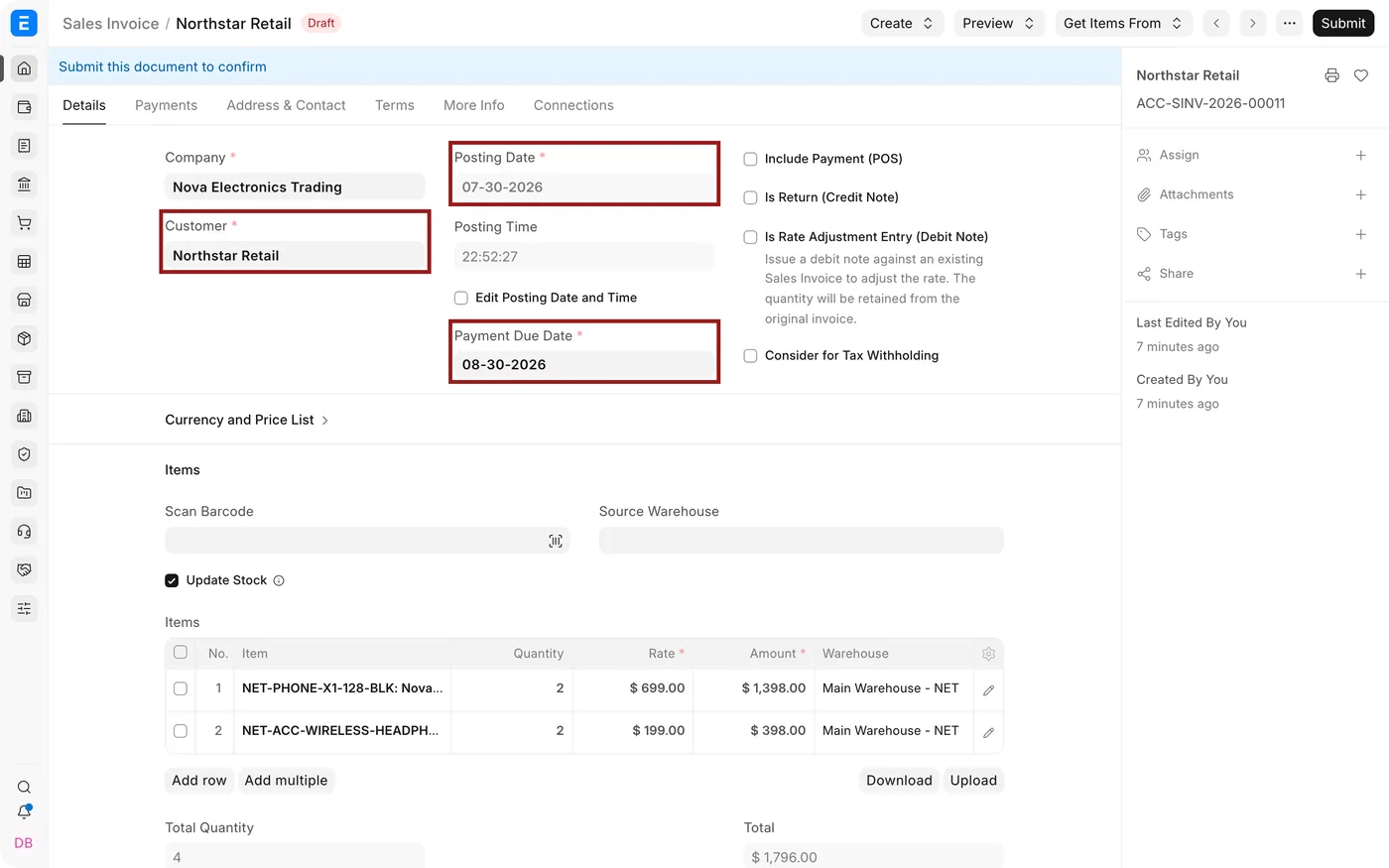
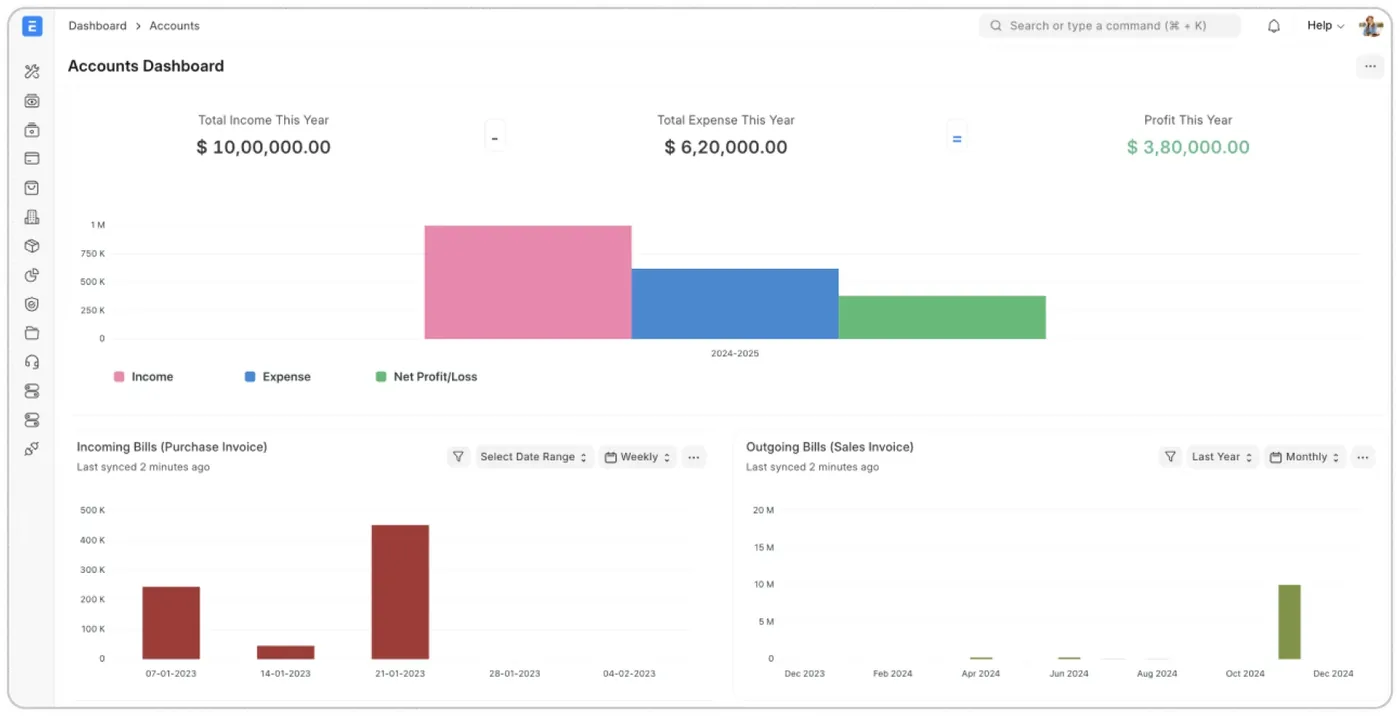
ERPNext and the Frappe apps we implement
One open-source platform, one database, no per-user licence fees.







UAE points that shape a migration
| Topic | The UAE rule | What we set up |
|---|---|---|
| TRNs on parties | UAE tax invoices identify registered suppliers and recipients by Tax Registration Number. | Every customer and supplier imports with its TRN in the tax ID field; missing or malformed TRNs are listed for your team to fix before go-live. |
| VAT period boundary | VAT returns are filed per tax period, due by the 28th day after the period ends. | We cut over at the start of a period so one return comes entirely from the old system and the next entirely from ERPNext's UAE VAT 201 report. |
| Record retention | UAE tax law requires businesses to keep records for the periods set in the Tax Procedures Law; corporate tax guidance refers to seven years for exempt persons. | Old system data is archived read-only or summarised into ERPNext, and your adviser confirms which approach meets your retention obligation. |
| Designated zone stock | Goods held in a designated zone can be treated differently for VAT than goods on the mainland. | Opening stock loads into separate warehouses per location, so zone and mainland quantities never merge. |
| eInvoicing readiness | Businesses under AED 50 million revenue must appoint an Accredited Service Provider by 31 March 2027 and implement by 1 July 2027. | Clean addresses, TRNs and item descriptions during migration make the later eInvoicing connection much simpler. |
We configure the system and check it against your accountant’s figures; we are not tax advisers, and your accountant files the returns. Last reviewed 27 November 2026.
Migration plan, step by step
Inventory the data
We list every data source, its owner and its quality. Some companies discover their real price list lives in a salesperson's spreadsheet, not the accounting system.
Agree scope of history
Finance decides what moves: open items only, monthly summaries or full transactions for a set period. The choice affects effort and is written into the plan.
Trial load
A complete load into a test site, followed by reconciliation. Errors are traced back to source or mapping and fixed in the scripts, never by hand in ERPNext.
Freeze and final load
The old system is frozen at cutover, final balances are extracted and the same scripts run again. Totals are compared line by line.
Parallel check
For the first period, key reports are compared with expectations. We review the first UAE VAT 201 output with your accountant before the return is filed.
Every ERPNext page for UAE businesses
Services
Compliance
Industries
Other countries
Worldwide

Written and reviewed by Vikas Saroj, Co-Founder, COO & Growth at Shyphan AI Solutions, who owns ERPNext, Odoo and Zoho delivery across the UAE and the wider region. Reviewed against current UAE rules on 27 November 2026. Meet the team · LinkedIn
ERPNext Migration in the UAE: questions answered
Can we keep our Tally history?
How long does the old system stay running?
Will our VAT history move across?
Is there a licence fee to move to ERPNext?
Are you an official Frappe partner?
Can our accountant review the data before go-live?
Request your free quote
Tell us about your project and a senior ERPNext consultant - not a bot - replies within 24 hours with scope, timeline and a fixed quote. The first 30-minute discovery call is free, with no obligation.
- Free 30-minute discovery call
- Fixed-quote SOW - no surprises
- Arabic · English delivery
- VAT 5%, corporate tax & WPS ready