





















 Saudi Arabia
 UAE
 Qatar
 Bahrain
 Kuwait
 Oman
 Lebanon
 Egypt
 Jordan
 Iraq
 India
 UK
 Ireland
 Germany
 USA
 Australia
 Singapore
 South Africa
 France
 Hungary
 Georgia
 Turkey
 Canada
 LagosNigeria




Odoo ZATCA E-Invoicing in Saudi Arabia
Odoo already ships a ZATCA connector, Saudi Arabia - E-invoicing (l10n_sa_edi), written by Odoo S.A. What it does not ship is clean company data, a journal plan for your branches or a tested path to production. Our Riyadh team does that work before Fatoora starts rejecting invoices.
- Readiness check on your database
- Journal and branch design
- CSID onboarding
- Sandbox and simulation testing
 Odoo Community & EnterpriseImplementation · migration · AMC
Get a free quote
Reply within 24 hours with scope and a fixed quote.
Odoo ZATCA E-Invoicing in Saudi Arabia: the short answer
- Which module
- l10n_sa_edi for invoices and l10n_sa_edi_pos for Point of Sale receipts, both by Odoo S.A. under the LGPL-3 licence.
- How onboarding works
- Each sales journal is onboarded with a one-time password from the Fatoora portal, which gives a compliance CSID, runs compliance checks and then requests a production CSID.
- Latest wave
- Wave 25, announced on 24 July 2026, covers taxable turnover above SAR 187,500 in any year from 2022 to 2025 and must comply by 1 February 2027.
- Who files
- We configure and test Odoo. Your accountant or tax adviser remains responsible for VAT returns and for any position taken with ZATCA.
- Delivered by
- Shyphan AI Solutions, an Official Odoo Partner and Zoho Premium Partner, with 24/7 support. Call +966 54 176 1946.
- Last reviewed
- 27 November 2026
What Odoo does for ZATCA Phase 2, and what is left for a partner
ZATCA Phase 2 splits invoices into two flows. A standard tax invoice to a business or government buyer must be sent to Fatoora for clearance before the buyer sees it, and Fatoora returns the stamped XML. A simplified tax invoice to a consumer is stamped by your own system with its cryptographic stamp identifier, carries a Phase 2 QR code, is handed over straight away and is reported within 24 hours. Odoo handles both: confirm an invoice, press Process now or Send, and l10n_sa_edi builds a UBL 2.1 XML file, signs it, sends it to the clearance or reporting endpoint and keeps the reply in the chatter.
The module talks to the ZATCA gateway directly in one of three modes: Sandbox, Simulation (Pre-Production) or Production. It keeps a chain of invoice hashes per journal and stores the XML and PDF so they cannot be deleted. Odoo 20, released in September 2026, moved ZATCA synchronisation into the Send wizard with pre-checks and made the invoice date the official ZATCA issue date.
So the software exists. Projects fail on the inputs: a company name longer than 63 characters, a building number that is not four digits, branches on the wrong journal, or credit notes without a ZATCA reason. We clean those inputs, decide which journals become solution units, test every document type, and only then switch to Production, which Odoo does not let you reverse.
From first record to the finished report
One system, so each step feeds the next without re-keying.
Our Odoo ZATCA service, piece by piece
Readiness check on your database
We check your company record, contacts, taxes and journals against the fields ZATCA validates, such as CRN, VAT number and address numbers, and give you a short list of fixes.
Journal and branch design
Each onboarded sales journal is a separate solution unit. We agree whether branches share the parent journal or get their own, and record each branch CRN where ZATCA expects it.
CSID onboarding
We enter the OTP from the Fatoora portal within its 60 minute life and confirm the compliance and production CSIDs for every journal. Retired units are revoked in the portal.
Sandbox and simulation testing
Standard invoices, simplified invoices, credit notes, debit notes, advance payments and retention invoices are tested first in Sandbox and then in a duplicated database on Simulation. Warnings coded 202 are fixed, not ignored.
Point of Sale receipts
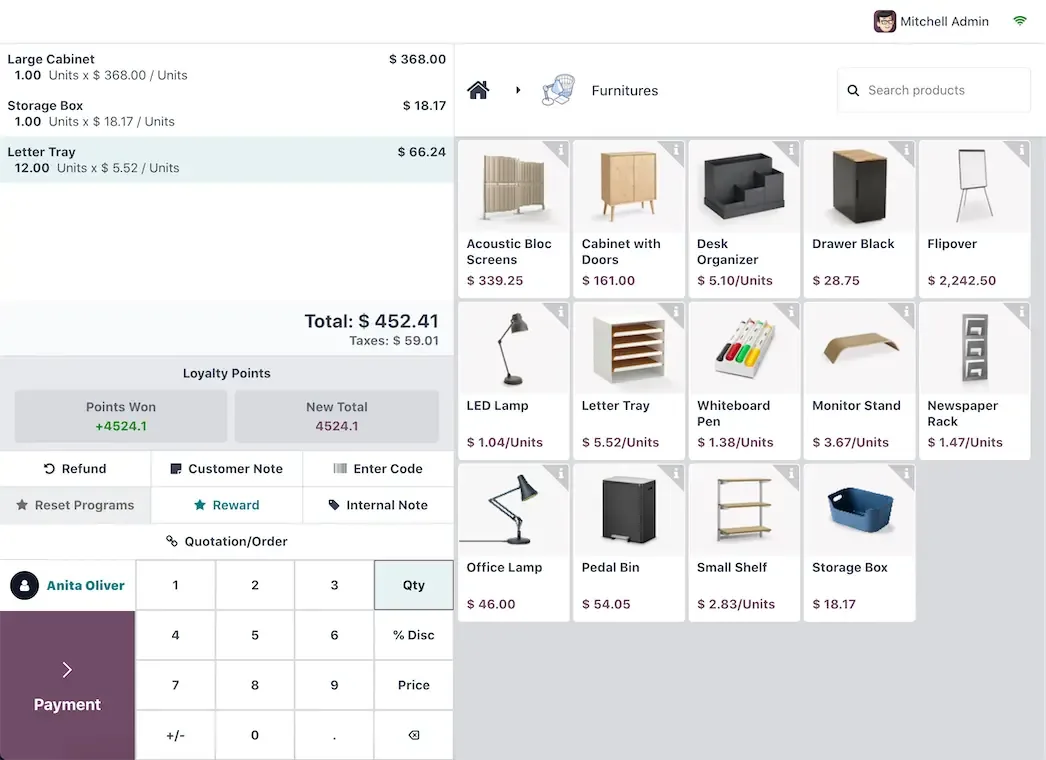
For shops and restaurants we install l10n_sa_edi_pos, onboard the POS invoices journal and train cashiers to attach a customer before payment, so each receipt prints with the Phase 2 QR code and is reported in real time.
Rejections and outages
After go-live our support desk watches the replies. Rejections are corrected and retried, warnings are traced to their cause, and outages are handled under ZATCA's incident guidance.
See it in Odoo
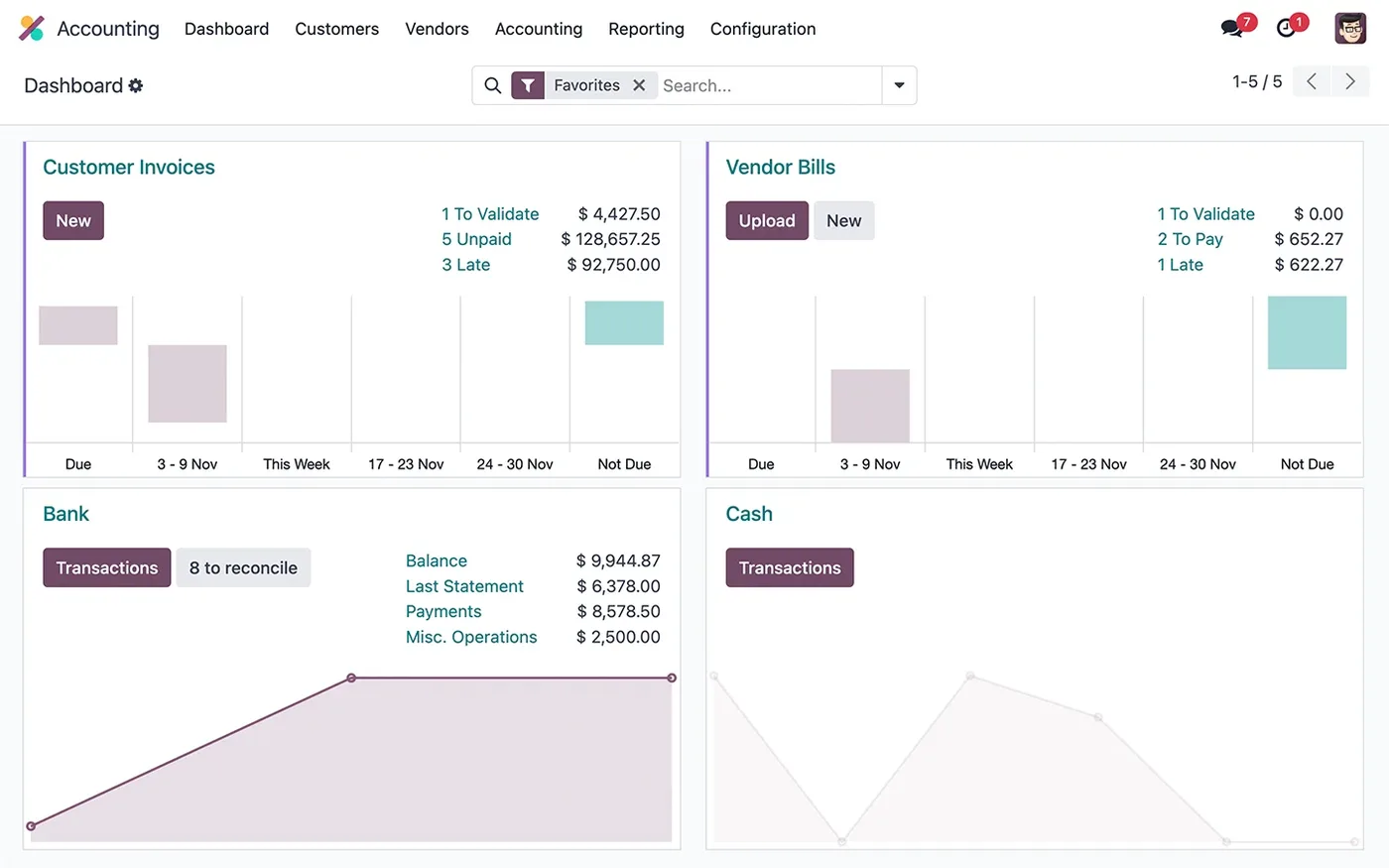
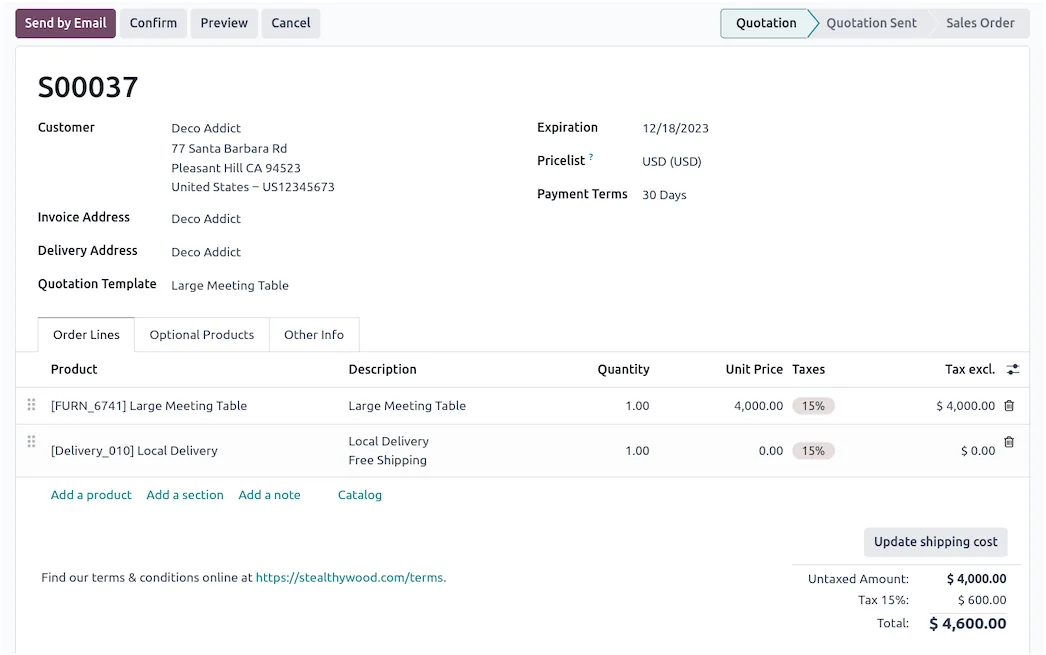
Real Odoo screens for the work described on this page. We configure them for Saudi rules and your data.
The Odoo apps we implement
One database for finance, operations and people, in Odoo Community or Enterprise.


ZATCA rules and the Odoo set-up we apply
| Topic | The Saudi rule | What we set up |
|---|---|---|
| Phases | Phase 1 (Generation) applied from 4 December 2021. Phase 2 (Integration) began on 1 January 2023 and is rolled out in waves, with ZATCA notifying the taxpayers in each wave. | We confirm your wave notice and plan onboarding so testing finishes well before the date ZATCA gives you. |
| Standard tax invoices | B2B and B2G invoices and their notes are cleared by Fatoora before they are shared with the buyer. | Customers with a VAT number and invoicing address go through the clearance flow, and the cleared XML is attached to the invoice in Odoo. |
| Simplified invoices | B2C invoices are stamped by the seller's system, carry a Phase 2 QR code and are reported to Fatoora within 24 hours. | Simplified invoices and POS receipts use the reporting flow, with a scheduled job and a support check for anything left unsent. |
| Arabic on invoices | Tax invoices, simplified invoices and their credit and debit notes must be in Arabic. A second language such as English may be added. | We switch on the Gulf Cooperation Council format so invoices and receipts print in Arabic and English side by side. |
| Credit and debit notes | Notes must give one of the reasons ZATCA accepts, such as cancellation, a change in value or a refund. | The ZATCA Reason field is made mandatory in your process, and unlinked notes carry the original invoice number in the customer reference. |
We configure the system and check it against your accountant’s figures; we are not tax advisers, and your accountant files the returns. Last reviewed 27 November 2026.
From first call to live ZATCA invoices
Scope and wave check
We confirm your Odoo version and edition, the number of companies, branches and journals, and the date in your ZATCA notification. Odoo 15 and later include l10n_sa_edi, but recent ZATCA fixes land in newer versions, so older databases often start with an upgrade plan.
Data clean-up
Company and contact addresses, identification schemes, tax mappings and product taxes are corrected in one pass. This removes most first-week rejections.
Sandbox round
With the API mode on Sandbox we onboard a test journal and push every document type you issue. Each response is logged and every warning gets a named fix.
Simulation round
We duplicate your live database, onboard journals with OTPs from the Fatoora simulation portal and run a realistic week of invoices, credit notes and POS sales. Simulation invoices have no legal value, so nothing leaks to customers.
Production switch and handover
Production journals are onboarded one by one, the first live invoices are watched together with your team, and your accountants get a short guide to reading replies and retrying rejected documents.
Odoo projects we have delivered
More Odoo pages
New guides
- Odoo ZATCA E-Invoicing in Saudi Arabia
- Odoo Partner in Al Ahsa
- Odoo Partner in Taif
- Odoo Partner in Buraidah
Odoo services
- Odoo Partner in Saudi Arabia
- Odoo Implementation in Saudi Arabia
- ERPNext ZATCA E-Invoicing
- ZATCA e-invoicing solutions
- Odoo Accounting & ZATCA Phase-2 E-Invoicing (Fatoora) in Saudi Arabia: The Complete 2026 Setup Guide
- Odoo Accounting in Saudi Arabia
- Odoo POS in Saudi Arabia
- Odoo Version Upgrade in Saudi Arabia
- Odoo Partner in Dammam

Written and reviewed by Vikas Saroj, Co-Founder, COO & Growth at Shyphan AI Solutions, who owns Odoo and Zoho delivery across Saudi Arabia and the wider region. Reviewed against current Saudi rules on 27 November 2026. Meet the team · LinkedIn
Odoo ZATCA E-Invoicing in Saudi Arabia: questions answered
Do we need Odoo Enterprise for ZATCA Phase 2?
Is our company in Wave 25?
We run Odoo 14. Can you connect it to Fatoora?
What happens when ZATCA rejects an invoice?
Is Shyphan an Official Odoo Partner?
Will our invoices show Arabic?
Request your free quote
Tell us about your project and a senior Odoo consultant - not a bot - replies within 24 hours with scope, timeline and a fixed quote. The first 30-minute discovery call is free, with no obligation.
- Free 30-minute discovery call
- Fixed-quote SOW - no surprises
- Arabic · English delivery
- VAT 15%, ZATCA, GOSI & mada ready