





















 Saudi Arabia
 UAE
 Qatar
 Kuwait
 Oman
 Lebanon
 Egypt
 Jordan
 Iraq
 India
 UK
 Ireland
 Germany
 USA
 Australia
 Singapore
 South Africa
 France
 Hungary
 Georgia
 Turkey
 Canada
 LagosNigeria





 Enterprise Mobile · Bahrain
Enterprise Mobile App Development for Staff, Field Teams and Approvals in Bahrain
Enterprise mobile app development in Bahrain from Shyphan delivers internal apps for your employees: field service, inspections, warehouse scanning, approvals and HR self-service, connected to Dynamics 365, Odoo, Zoho or your existing ERP. We add single sign-on, device management, offline working and private distribution, so staff get a fast tool and IT keeps control of data and devices.
Prefer to talk? Call +91 95651 53545
Book a free discovery call
Tell us what you want to fix. A senior consultant replies within one working day with a written view.
Trusted by businesses in Bahrain, the Gulf and beyond









Enterprise Mobile App Development for Staff, Field Teams and Approvals in Bahrain: the short answer
- What it is
- Enterprise mobile app development is building secure, managed mobile apps for a company's own employees and contractors, connected to internal systems and distributed privately rather than to the public.
- Best suited to
- Bahraini manufacturers, contractors, logistics firms, facilities managers and large groups whose staff work in the field, on site or on shop floors and still rely on paper, WhatsApp or laptops.
- Core stack
- Flutter, Kotlin and Swift, Microsoft Entra ID, Microsoft Intune, Power Apps, Dynamics 365 and Odoo APIs
- Typical timeline
- A focused first release in 8 to 16 weeks after discovery: two to three weeks of discovery and prototype, then build in two-week increments you review.
- What it costs
- We quote a fixed price in BHD after a discovery session, broken into phases so you are never committing to the whole build on day one.
- Local specifics
- A multilingual workforce; Employee data under PDPL; LMRA permits and site clearance.
- Delivered by
- Shyphan AI Solutions, a custom software and mobile app development company that also implements Zoho, Odoo and Dynamics 365, so apps are built to connect to your systems.
- Last reviewed
- 27 November 2026
Enterprise Mobile App Development for Staff, Field Teams and Approvals in Bahrain: who it is for
Bahraini manufacturers, contractors, logistics firms, facilities managers and large groups whose staff work in the field, on site or on shop floors and still rely on paper, WhatsApp or laptops. Enterprise mobile app development is building secure, managed mobile apps for a company's own employees and contractors, connected to internal systems and distributed privately rather than to the public.
- Sign-in with company accounts
- Managed devices, private distribution
- Inspections and job forms
- Scanning on rugged devices
What we use to deliver enterprise mobile app development for staff, field teams and approvals
Tools and platforms we typically use, and the systems it connects to. The final choice is made against your systems, budget and team.



 Odoo
 Business Central
 Microsoft 365
 WhatsApp
Enterprise Mobile App Development for Staff, Field Teams and Approvals in Bahrain: what is included
Enterprise mobile app development in Bahrain from Shyphan delivers internal apps for your employees: field service, inspections, warehouse scanning, approvals and HR self-service, connected to Dynamics 365, Odoo, Zoho or your existing ERP.
Sign-in with company accounts
Staff sign in with their Microsoft Entra ID or Zoho Directory account, with multi-factor authentication and role-based access. When someone leaves, disabling their company account removes app access immediately, with no separate app passwords to chase.
Managed devices, private distribution
Apps are distributed through Microsoft Intune or another MDM, Apple Business Manager custom apps or managed Google Play, never the public stores. IT can push updates, enforce passcodes and wipe company data from a lost phone without touching personal data.
Inspections and job forms
Digital checklists for site inspections, HSE observations, equipment checks and job completion capture photos, signatures, GPS and timestamps. Forms are versioned, so an audit shows exactly which checklist a supervisor completed on a given day.
Scanning on rugged devices
Warehouse and yard apps use camera scanning or rugged Android handhelds such as Zebra devices for receiving, picking, cycle counts and asset tags, posting movements straight into Odoo Inventory, Dynamics 365 or your warehouse system.
Approvals on the move
Purchase requests, expense claims, leave, overtime and payment approvals arrive as notifications with documents attached. Managers approve or reject from the phone, and each decision is written back to the ERP with a full audit trail.
Works without signal on site
Construction sites, plant rooms, vessels at Khalifa Bin Salman Port and basements often have no signal. Data is stored encrypted on the device and syncs when connectivity returns, using conflict rules agreed with the business beforehand.
Facilities firm replaces paper job cards
How enterprise mobile app development for staff, field teams and approvals in Bahrain looks in practice. Illustrative; every project is scoped to the business.
For example, a facilities management company maintains air conditioning, lifts and electrical systems for towers in Seef, Juffair and the Diplomatic Area. Technicians use paper job cards and WhatsApp photos, supervisors retype them into Dynamics 365, and clients wait days for completion reports. Many technicians are expatriates with mixed language skills.
- Build a Flutter technician app with Entra ID sign-in, offline job lists, icon-led checklists, photos, client signatures and a record of spare parts used.
- Sync jobs, assets and parts with Dynamics 365 Field Service through Dataverse, writing completed work back so supervisors no longer retype anything.
- Distribute the app through Intune to company phones, and generate a bilingual completion report that is emailed to the client as soon as a job closes.
See it on the platforms we deliver
Real screens from the platforms we implement. Yours are configured to your entities, processes and KPIs.
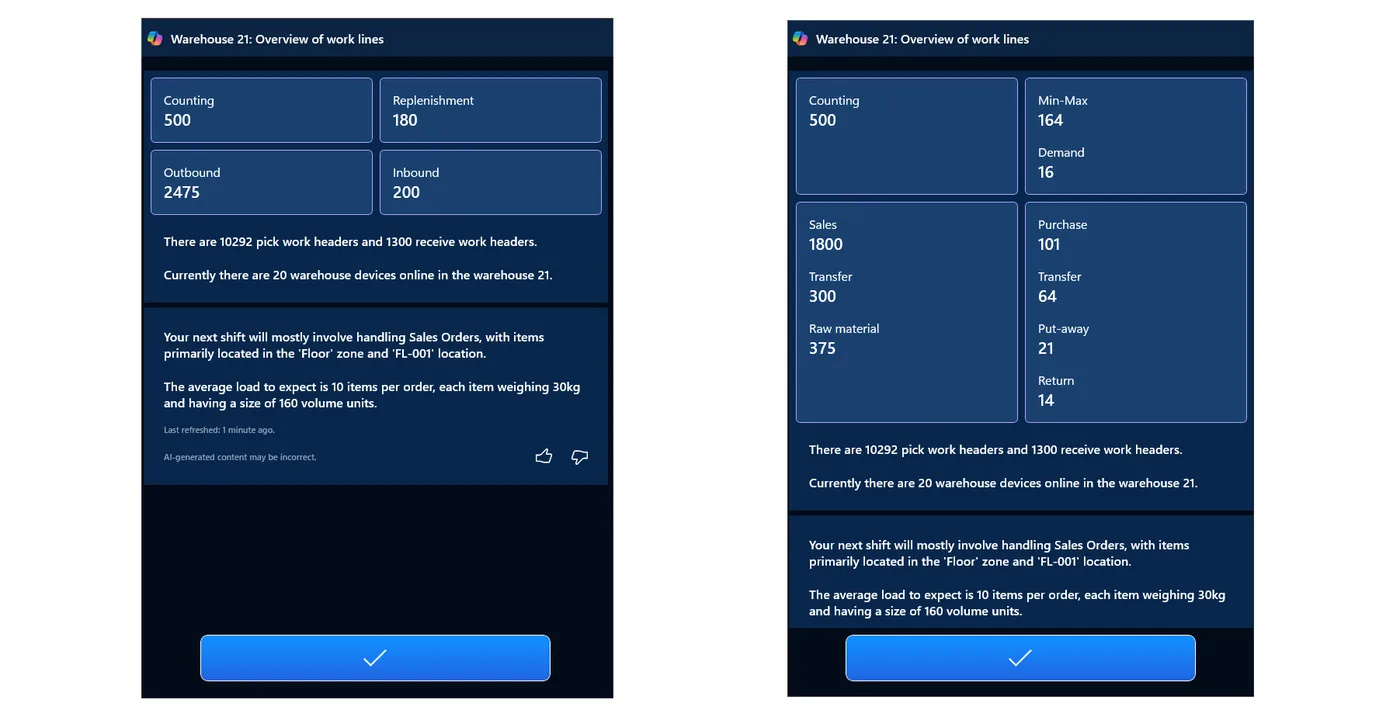
Copilot shift summary in the Warehouse Management app
The warehouse mobile app summarising work lines by type, such as counting, replenishment, sales and purchase, and what the next shift should expect.
- Sign-in with company accounts
- Managed devices, private distribution
- Inspections and job forms
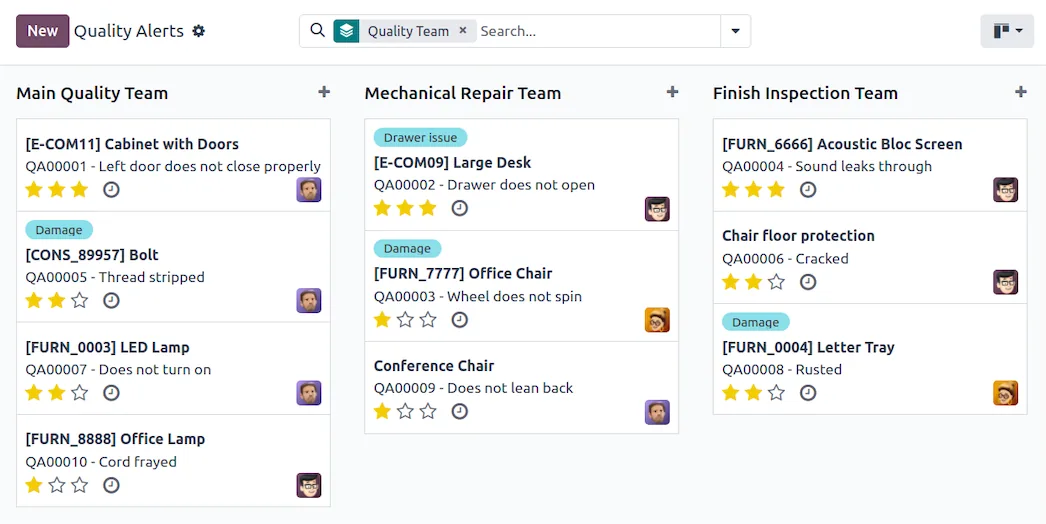
Quality alerts in Odoo Quality
Product defects reported as alerts and grouped by quality team, each with a reference, the issue found, a damage tag and a priority rating.
- Scanning on rugged devices
- A multilingual workforce
- Employee data under PDPL
Which platform for enterprise mobile app development for staff, field teams and approvals in Bahrain?
An honest comparison. We implement all of these, so the recommendation follows your processes, team and budget.
| Option | Best when | How it fits this need |
|---|---|---|
| Custom enterprise app | Offline work, scanning, many users or complex integrations. | Built around how your field staff actually work, with tight ERP integration and device controls. More upfront effort, and you own the app and its roadmap. |
| Power Apps | Microsoft-based company, simple forms and good connectivity. | Quick to build on Dataverse with Microsoft security included. Per-user licences and limited offline and hardware support can constrain large field teams. |
| Vendor mobile apps | Standard ERP or CRM processes on the phone. | Dynamics 365, Odoo and Zoho mobile apps cover many needs with configuration alone. Try them first; they struggle with custom workflows and rugged devices. |
| Low-code form builders | Simple checklists and data collection for a small team. | Fast and cheap for basic forms, but ERP integration, offline sync and audit controls are usually limited, and data can end up in yet another silo. |
What changes in Bahrain
The local rules and realities we design for before go-live. Rules change, so we re-check the current position at scoping.
A multilingual workforce
Field teams in Bahrain often mix Arabic, English, Hindi, Urdu, Malayalam and Tagalog speakers. We design icon-led screens with short labels, offer Arabic and English as standard and add further languages for key forms where supervisors need them.
Employee data under PDPL
Location tracking, photos and HR records are personal data under Bahrain's PDPL. We collect only what each process needs, track location only during working tasks, and help you document the purpose and inform employees properly.
LMRA permits and site clearance
Contractors and facilities firms track worker IDs, LMRA work permit expiry, site inductions and certificates. The app shows supervisors who is cleared for a site and alerts HR before permits expire. We confirm the current LMRA rules at scoping.
What drives the cost, and what it connects to
No price list: we quote a fixed price in BHD after discovery. These are the factors that move the effort up or down.
Workflows and roles
Each distinct workflow, such as inspections, scanning or approvals, adds screens, rules and testing. Several roles with different permissions add further complexity.
Offline depth
Viewing cached data offline is modest work. Creating and editing records offline across many users with conflict resolution needs careful design and extensive testing.
Back-end integrations
Connecting to Dynamics 365, Odoo, Zoho or an HR system is often the largest effort, especially where data needs transforming or the ERP is heavily customised.
Security and device controls
MDM integration, app protection policies, audit logging, penetration testing and evidence for auditors or regulators add effort beyond a basic internal app.
What it connects to
Jobs, assets and stock flow to the app; completed work, parts used and time spent flow back through Dataverse or Business Central APIs.
Pick lists, transfers and maintenance requests reach the app; scans and completed requests post back through Odoo's JSON-RPC API.
User identities, groups and multi-factor sign-in come from the directory; app roles follow the groups IT already manages.
App installation, updates, protection policies and remote wipe commands are pushed to enrolled devices from IT's console.
Photos, signed forms and completion reports are filed automatically in the right project or client folder.
How we deliver enterprise mobile app development for staff, field teams and approvals
Phases, indicative timing and what is delivered in each. Scope is fixed and priced in BHD before we start.
Process and security discovery
We shadow field staff, map workflows and systems, and agree identity, device and data security requirements with your IT team.
Prototype with real users
Supervisors and technicians test a prototype on the devices they actually use, in sunlight, with gloves and on poor signal.
Build and integrate
We build the app, offline sync and ERP integration in sprints, with IT reviewing security controls as they are delivered.
Pilot one team
One team or site uses the app for real work while we fix usability issues and integration edge cases.
Rollout and support
We roll out team by team through MDM, train champions and maintain the app through OS, ERP and policy changes.
When enterprise mobile app development for staff, field teams and approvals is the wrong answer
If your need is a standard process such as CRM, timesheets or simple approvals, the mobile apps that come with Dynamics 365, Odoo or Zoho, or a Power Apps canvas app, may be enough at a fraction of the cost. A custom enterprise app makes sense when your users, devices, offline conditions or integrations go beyond what those tools handle well.
How we handle it: We implement Zoho, Odoo and Dynamics 365 and build AI and custom software, so our written recommendation can point you to a simpler option, or to doing nothing yet.
Checklist and common mistakes
Buyer's checklist
What to ask for before you choose a provider.
- Ask how users sign in and how access is removed when an employee or contractor leaves the company.
- Check the app supports your device management tool and private distribution through Apple Business Manager or managed Google Play.
- Require a field pilot where real users test offline working, glare, gloves and older phones before full rollout.
- Ask exactly how offline edits are synced and what happens when two people change the same record.
- Confirm the integration approach for your ERP version, including error handling, retries and monitoring of failed transactions.
- Agree what employee data is collected, especially location, and how it is documented and explained under Bahrain's PDPL.
Common mistakes
What we see go wrong in Bahrain projects, and how to avoid it.
- Designing in the office onlyScreens that look fine on a desk fail in sunlight, with gloves or on a ladder. Test with real users in real working conditions before finalising the design.
- Underestimating offline syncTreating offline as a late feature leads to lost or duplicated records. Decide early which data is needed offline and how conflicts between users are resolved.
- Letting the app bypass ERP rulesApps that write directly to ERP tables skip validations and approvals. Use the ERP's official APIs and business logic so data stays consistent and auditable.
- Ignoring device managementInstalling apps manually on staff phones creates security gaps and update chaos. Plan MDM enrolment and private distribution before the pilot starts.
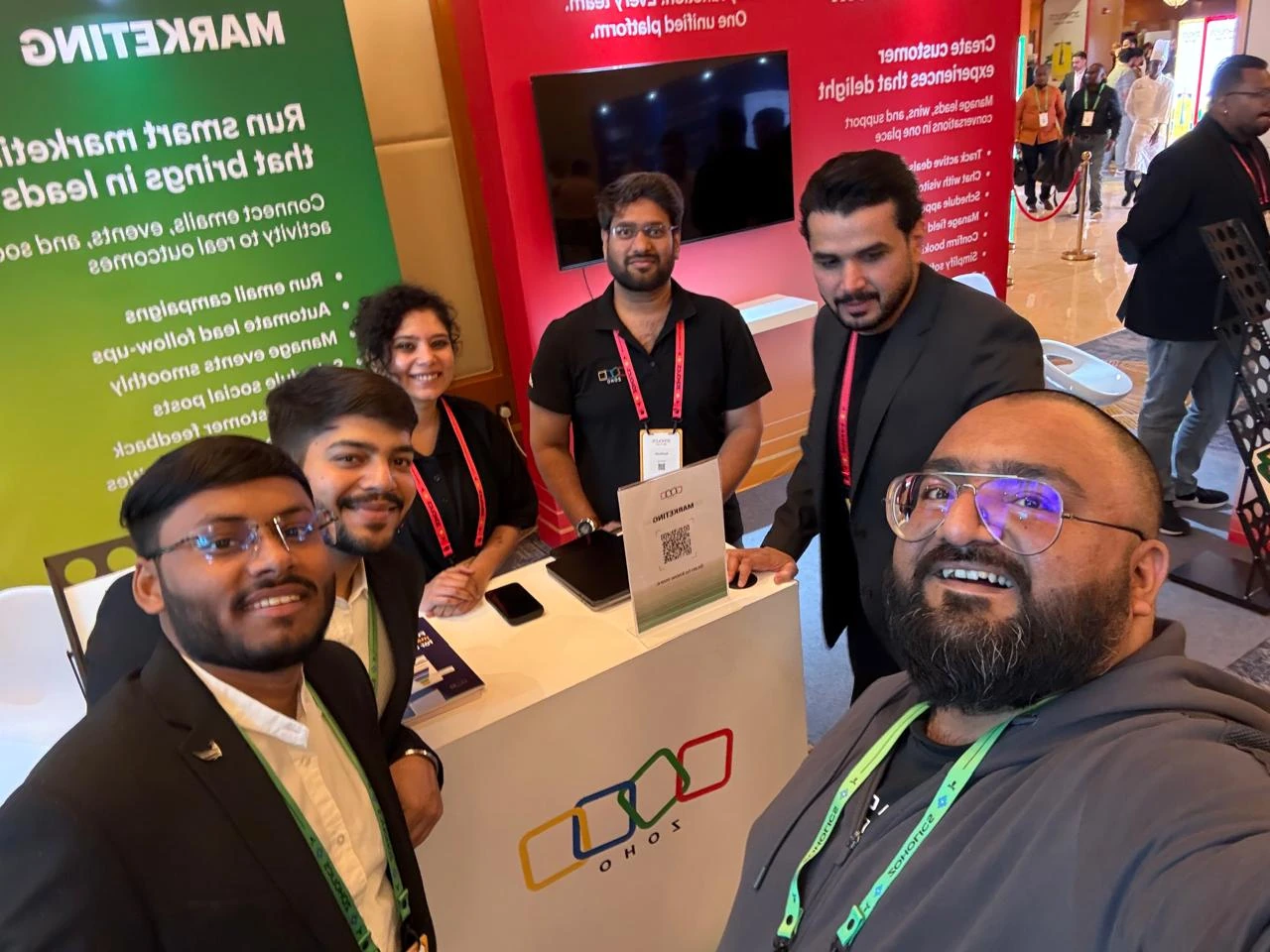
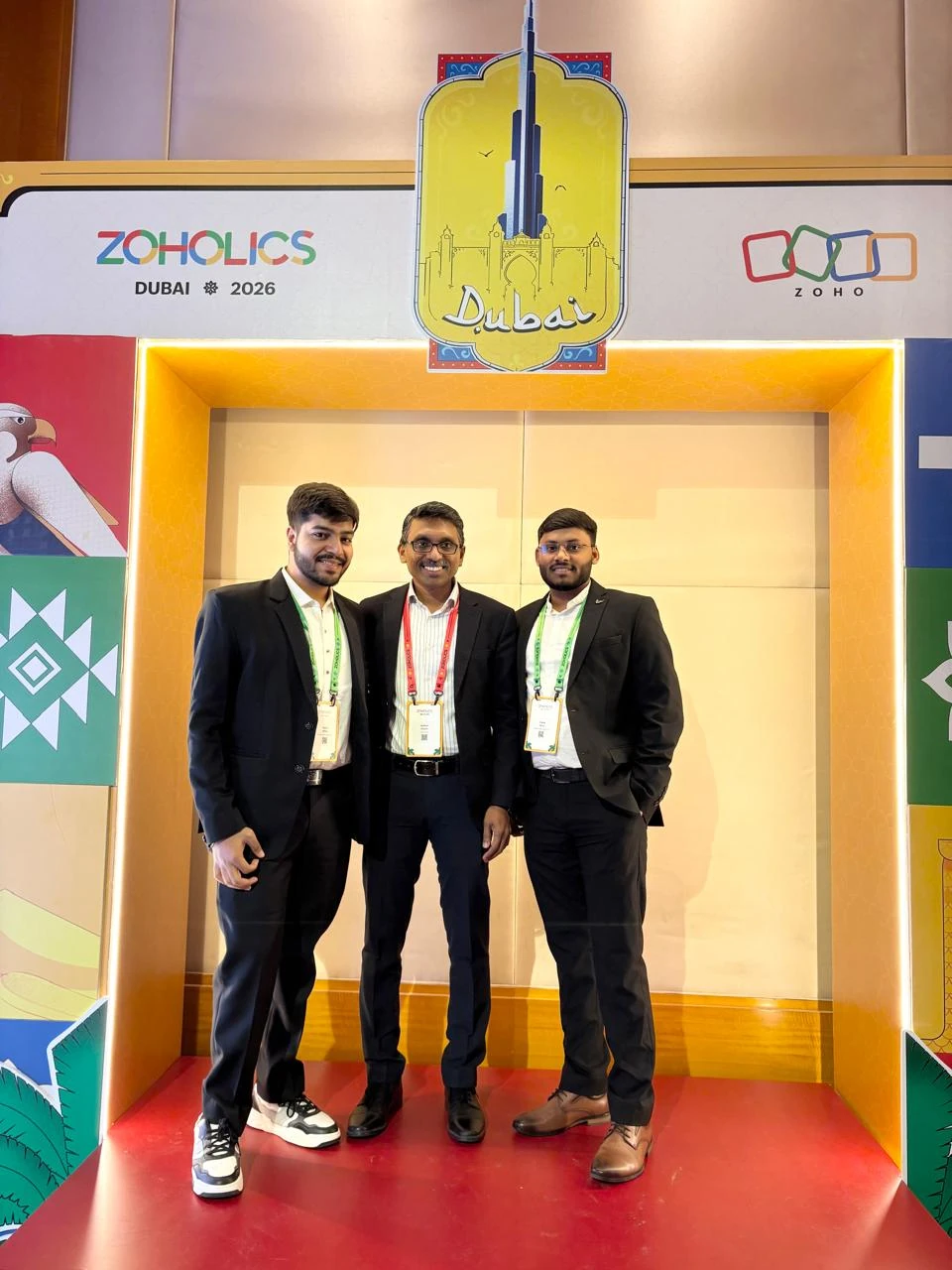
The team behind your Bahrain project
That is our team at Zoholics 2026. We deliver Zoho, Odoo, Dynamics 365 and custom projects for Bahraini businesses remotely from our Gulf offices in Riyadh and Ras Al Khaimah and our delivery centre in India, working 24/7 across our offices, and we arrange on-site workshops in Bahrain when a project needs them.
Enterprise Mobile App Development for Staff, Field Teams and Approvals in Bahrain: questions we get asked
What is enterprise mobile app development in Bahrain typically used for?
How is this different from your enterprise app development page for Bahrain?
Can the app connect to Dynamics 365 or Odoo?
Should we use Power Apps instead of a custom app?
How do you keep company data secure on employees' phones?
How much does an enterprise mobile app cost in Bahrain?
Can contractors and subcontractors use the app without joining our directory?
Do we need rugged devices for warehouse or site work?
Can one app serve several companies in our group?
Why choose Shyphan?

Talk to a consultant about enterprise mobile app development for staff, field teams and approvals
A free 30-minute call, then a written recommendation and a fixed quote in BHD, including the honest option that this is not the right fit.
