





















 Saudi Arabia
 UAE
UAE Qatar
Qatar Bahrain
 Kuwait
 Oman
Oman Lebanon
 Egypt
Egypt India
India UK
UK Ireland
 Germany
 USA
USA Australia
 Singapore
 South Africa
 Iraq
Iraq Jordan
 Hungary
 Georgia
 Turkey
 LagosNigeria




 Workflow rules · UAE
Zoho Workflow Automation in the UAE
Zoho workflow automation in the UAE is the set of record-triggered rules inside each Zoho app: when a record is created, edited or reaches a date, Zoho updates fields, sends alerts, creates tasks or runs a Deluge function. Shyphan builds these rules in CRM, Books, Desk and People, names them clearly, and prevents the rule conflicts that slow systems down.
Prefer to talk? Call +971 55 145 3265
Book a free Zoho consultation
Tell us what you want to fix. A senior consultant replies within one working day with a written view.
The first AI Enabled Zoho Partner in the Middle East and Africa. Accredited by Zoho on 14 October 2026 after the Zoho AI Accelerator Series. Read the announcement
AI Enabled Zoho Partner in the UAETrusted by businesses across the UAE, Saudi Arabia and beyond












Zoho Workflow Automation in the UAE: the short answer
- What it is
- Zoho workflow automation is the configuration of workflow rules that fire automatically on record events or dates inside a Zoho application.
- Best suited to
- UAE teams already using Zoho who send the same reminders, update the same fields or assign the same tasks by hand every day.
- Core stack
- Zoho CRM workflow rules, Zoho Books workflows, Zoho Desk workflows, Deluge functions, Webhooks
- Typical timeline
- Two to six weeks for a focused first phase such as one or two Zoho apps; a wider Zoho One rollout runs in further phases.
- What it costs
- Zoho bills its licences directly, per user or per organisation depending on the edition. Implementation is a fixed price in AED after a free 30-minute discovery call.
- Local specifics
- Licence and visa expiry reminders; Working week and Ramadan hours; WhatsApp notifications with opt-in.
- Delivered by
- Shyphan AI Solutions, Zoho Premium Partner and Zoho Top Partner MEA Q3 2026, from its Ras Al Khaimah office with remote delivery across all seven emirates.
- Last reviewed
- 29 September 2026
Zoho Workflow Automation in the UAE: who it is for
UAE teams already using Zoho who send the same reminders, update the same fields or assign the same tasks by hand every day. Zoho workflow automation is the configuration of workflow rules that fire automatically on record events or dates inside a Zoho application.
- Record-triggered rules
- Date-based scheduled actions
- Alerts and templates
- Field updates and assignments
What we use to deliver Zoho workflow automation
Only what the first phase needs is switched on; more follows in later phases.




Zoho Workflow Automation in the UAE: what is included
Zoho workflow automation in the UAE is the set of record-triggered rules inside each Zoho app: when a record is created, edited or reaches a date, Zoho updates fields, sends alerts, creates tasks or runs a Deluge function.
Record-triggered rules
Rules fire on create, edit, field change or delete. Example: when a deal stage becomes Negotiation, set the probability, notify the sales manager and create a task to send the revised quote.
Date-based scheduled actions
Actions run relative to a date field: a reminder seven days before a trade licence or contract expiry, or a follow-up call three days after a quote is sent if no reply is logged.
Alerts and templates
Email alerts use merge-field templates in English or Arabic, sent to owners, managers or customers. We keep a template library so wording stays consistent across rules. Recipients can include CC lists and customer contacts.
Field updates and assignments
Workflow field updates set status, owner or category automatically, and assignment rules spread leads by emirate, language or product line so none sit unassigned. Round-robin and load-based options are both available.
Custom functions on triggers
Where a rule needs logic, such as calculating a discount tier or updating a related record, we attach a Deluge function to the rule, with error logging. Functions are commented so your admin can follow them.
Rule hygiene and naming
Each rule follows a naming convention, has a description and a single purpose. We check execution order so two rules do not overwrite each other's field updates. Unused or duplicated rules are switched off.
See it in Zoho
Real screens from the platforms we implement. Yours are configured to your entities, processes and KPIs.
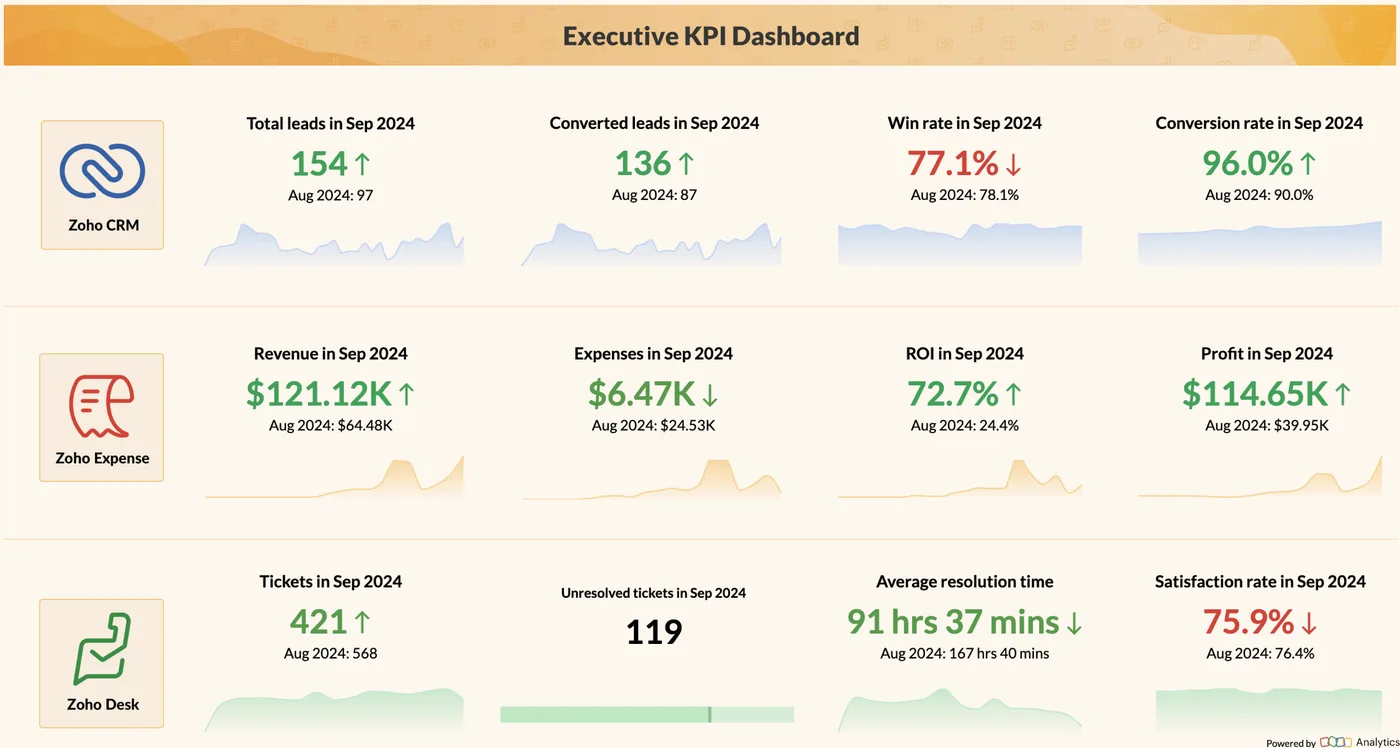
Executive KPI dashboard in Zoho Analytics
Leads, conversions, revenue, expenses, profit, tickets and satisfaction on one board, drawn from Zoho CRM, Expense and Desk.
- Licence and visa expiry reminders
- Working week and Ramadan hours
- WhatsApp notifications with opt-in
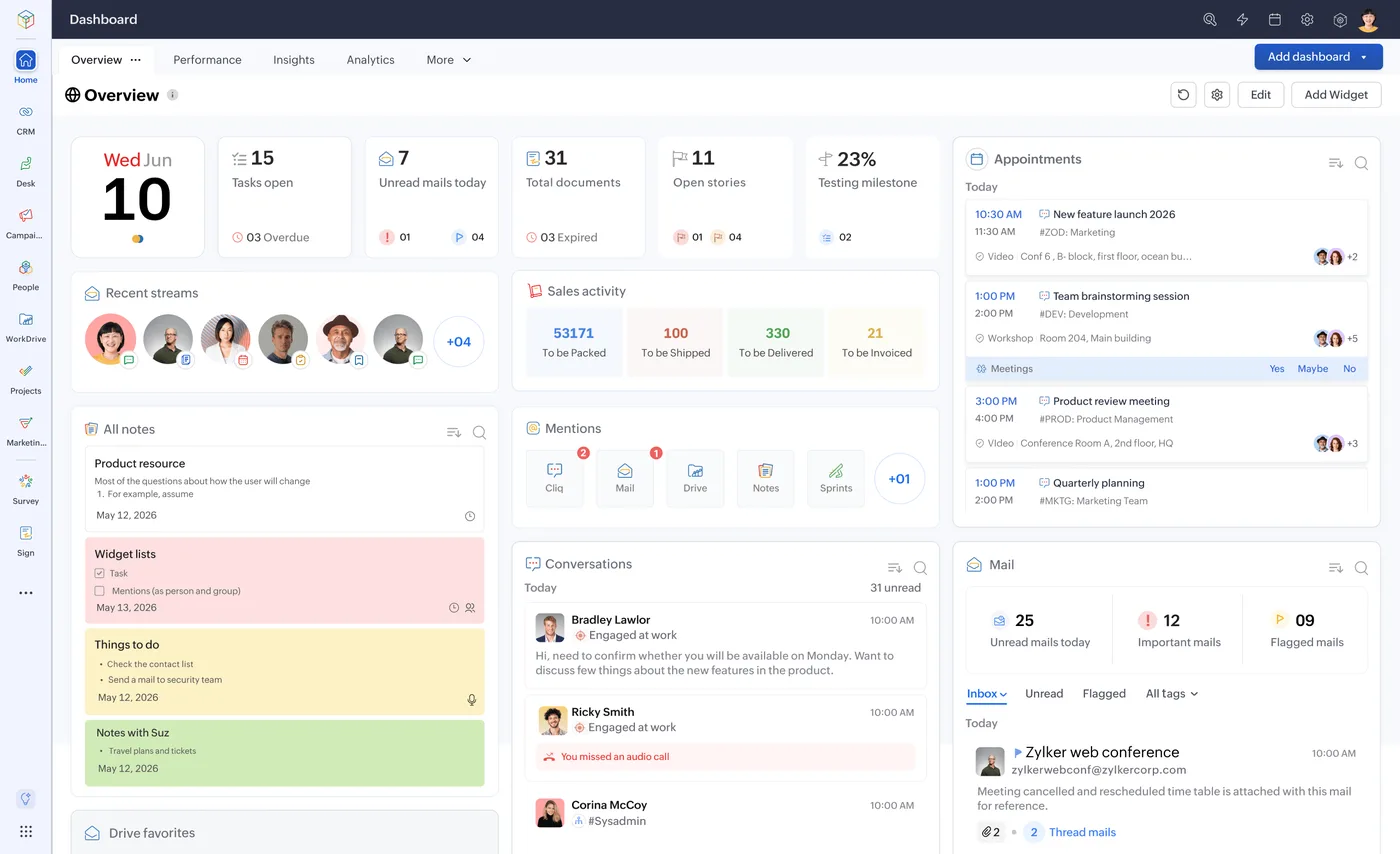
The Zoho One home dashboard
One home for tasks, approvals, mail and activity across every Zoho app, behind a single sign-on.
- Record-triggered rules
- Date-based scheduled actions
- Alerts and templates
What changes in the UAE
The local rules and realities we design for before go-live. Rules change, so we re-check the current position at scoping.
Licence and visa expiry reminders
Trade licences, Ejari tenancy contracts, employee visas and Emirates IDs all expire on fixed dates. Date-based workflow rules warn owners well ahead, avoiding fines and service interruptions.
Working week and Ramadan hours
Scheduled actions can be timed around your working week, weekends and reduced Ramadan hours, so reminders do not land on customers at inappropriate times. Business hours settings control this.
WhatsApp notifications with opt-in
Some workflow alerts are better sent on WhatsApp. This needs the WhatsApp Business Platform with approved templates and customer opt-in, which we set up correctly.
How we deliver Zoho workflow automation
Phases, indicative timing and what is delivered in each. Scope is fixed and priced in AED before we start.
Task inventory
We list every repetitive manual step your team takes in each Zoho app and the trigger that should start it.
Rule design
Triggers, conditions and actions written up in a table for your approval, with a fixed AED quote.
Build in sandbox
Rules built in the sandbox or a test copy where available, with test records for each condition.
User testing
Your team runs daily work and confirms alerts, updates and tasks behave as expected. Adjustments are made before production deployment.
Deploy and document
Rules deployed to production, with a rule register listing each rule's purpose and owner. Your admin gets a short handover session.
When Zoho workflow automation is the wrong answer
Workflow rules work inside one app and on one record at a time. If your need is a multi-stage process with mandatory steps and approvals, Blueprint (process automation) is the right tool, and if data must move across several apps, business automation with Zoho Flow fits better. Also watch edition limits: lower Zoho CRM editions cap the number of workflow rules.
How we handle it: We implement Zoho, Odoo and Dynamics 365 and build AI and custom software, so our written recommendation can point you to a simpler option, or to doing nothing yet.


A UAE team you can meet in person
That is our team at Zoholics Dubai 2026. We deliver Zoho projects from our Ras Al Khaimah office with remote delivery across all seven emirates, in English and Arabic, and we run workshops on site in Dubai, Abu Dhabi and Sharjah when a project needs it.
Related services by emirate
Related services by emirate
Zoho Workflow Automation in the UAE: questions we get asked
What can Zoho workflow automation UAE teams set up in CRM?
What is the difference between workflow rules and Blueprint?
Are there limits on workflow rules?
Can workflows run in Zoho Books too?
Why is our CRM slow after adding many rules?
How is workflow automation priced?
Why choose Shyphan?

Talk to a consultant about Zoho workflow automation
A free 30-minute call, then a written recommendation and a fixed quote in AED, including the honest option that this is not the right fit.
