





















 Saudi Arabia
 UAE
UAE Qatar
Qatar Bahrain
 Kuwait
 Oman
Oman Lebanon
 Egypt
Egypt India
India UK
UK Ireland
 Germany
 USA
USA Australia
 Singapore
 South Africa
 Iraq
Iraq Jordan
 Hungary
 Georgia
 Turkey
 LagosNigeria




 CRM workflow rules · UAE
Zoho CRM Workflow Development in the UAE
Zoho CRM workflow development in the UAE is the building of workflow rules inside Zoho CRM specifically: record triggers, criteria, instant and scheduled actions, assignment rules, field updates, webhooks and Deluge custom functions. Shyphan designs each rule with a single purpose, checks it against your edition's limits and execution order, and tests it with real records before release.
Prefer to talk? Call +971 55 145 3265
Book a free Zoho consultation
Tell us what you want to fix. A senior consultant replies within one working day with a written view.

The first AI Enabled Zoho Partner in the Middle East and Africa. Accredited by Zoho on 14 October 2026 after the Zoho AI Accelerator Series. Read the announcement
AI Enabled Zoho Partner in the UAETrusted by businesses across the UAE, Saudi Arabia and beyond












Zoho CRM Workflow Development in the UAE: the short answer
- What it is
- Zoho CRM workflow development is designing and building workflow rules in Zoho CRM, including triggers, criteria, instant and scheduled actions, webhooks and custom functions.
- Best suited to
- UAE sales and service teams on Zoho CRM that want follow-ups, assignments, alerts and field updates to happen automatically at the right moment.
- Core stack
- Zoho CRM workflow rules, Assignment rules, Scheduled actions, Deluge custom functions, Webhooks, Zoho CRM sandbox
- Typical timeline
- Two to six weeks for a focused first phase such as one or two Zoho apps; a wider Zoho One rollout runs in further phases.
- What it costs
- Zoho bills its licences directly, per user or per organisation depending on the edition. Implementation is a fixed price in AED after a free 30-minute discovery call.
- Local specifics
- Assignment by emirate and language; Renewals tied to UAE document dates; Messaging rules with consent.
- Delivered by
- Shyphan AI Solutions, Zoho Premium Partner and Zoho Top Partner MEA Q3 2026, from its Ras Al Khaimah office with remote delivery across all seven emirates.
- Last reviewed
- 29 September 2026
Zoho CRM Workflow Development in the UAE: who it is for
UAE sales and service teams on Zoho CRM that want follow-ups, assignments, alerts and field updates to happen automatically at the right moment. Zoho CRM workflow development is designing and building workflow rules in Zoho CRM, including triggers, criteria, instant and scheduled actions, webhooks and custom functions.
- Trigger and criteria design
- Scheduled actions on date fields
- Assignment and round-robin rules
- Custom functions on rules
What we use to deliver Zoho CRM workflow development
Only what the first phase needs is switched on; more follows in later phases.


Zoho CRM Workflow Development in the UAE: what is included
Zoho CRM workflow development in the UAE is the building of workflow rules inside Zoho CRM specifically: record triggers, criteria, instant and scheduled actions, assignment rules, field updates, webhooks and Deluge custom functions.
Trigger and criteria design
Each rule's trigger (create, edit, specific field update, date or deletion) and criteria are chosen carefully. Tight criteria mean the rule fires only when it should, which keeps the CRM fast and avoids surprise emails to customers.
Scheduled actions on date fields
Scheduled actions run a set time before or after a date: a follow-up task three days after a quote is sent, a renewal alert 45 days before contract end, or a check-in call a week after delivery.
Assignment and round-robin rules
Leads and cases are assigned by emirate, language, product line or source, with round-robin distribution among agents. Unassigned records are flagged to a manager rather than sitting unseen. Rules respect leave and availability.
Custom functions on rules
When an action needs logic, a Deluge function runs from the rule: creating related records, calculating values from line items or updating the parent account. Functions include error logging. Code stays short and documented.
Webhooks to other systems
Rules can call webhooks to notify your telephony, messaging or ERP system when a record changes, sending selected fields in the format that system expects. Failed calls are logged and retried where the receiving system allows it.
Execution order and limits
We check which rules fire on the same event, their order and your CRM edition's limits on rules and actions, so rules do not overwrite each other or hit a ceiling later.
See it in Zoho
Real screens from the platforms we implement. Yours are configured to your entities, processes and KPIs.
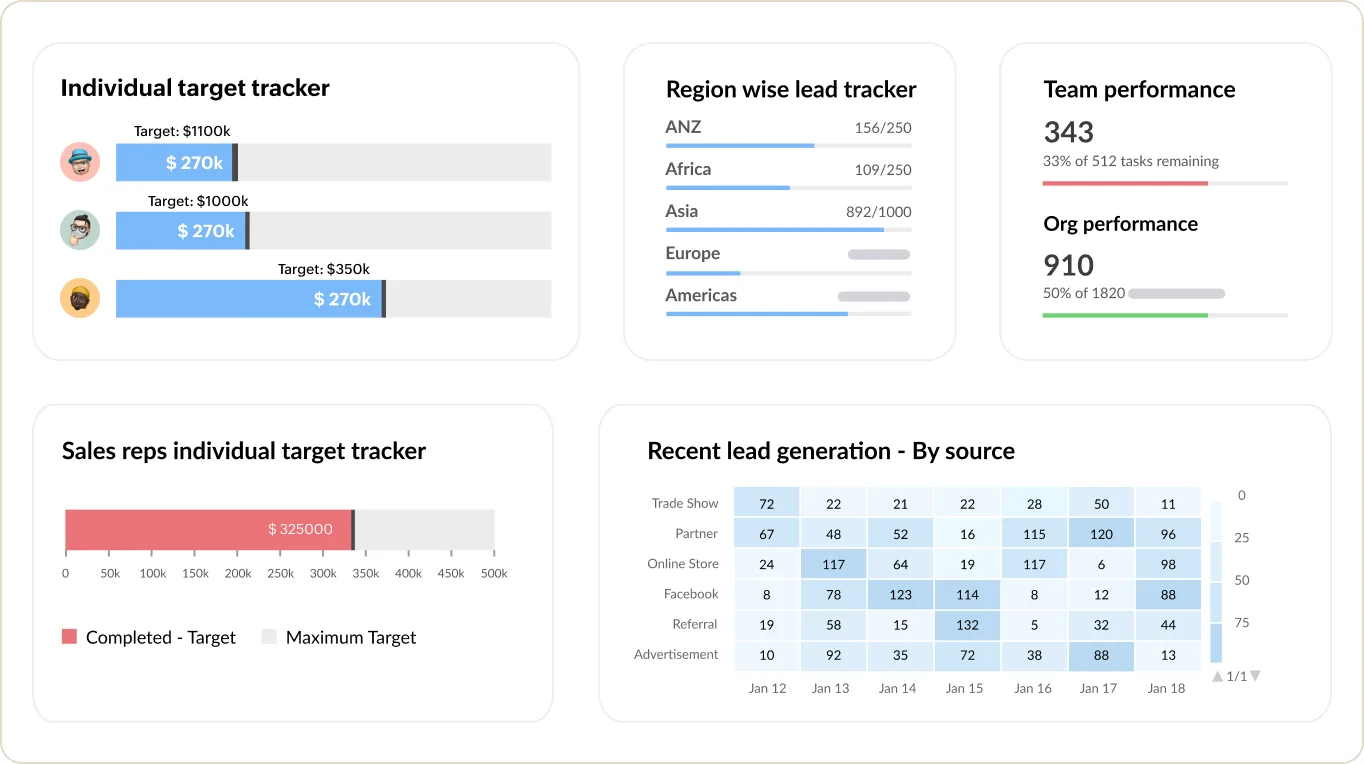
Sales targets and team performance in Zoho CRM
Individual and regional target trackers, team performance and recent leads by source.
- Assignment by emirate and language
- Renewals tied to UAE document dates
- Messaging rules with consent
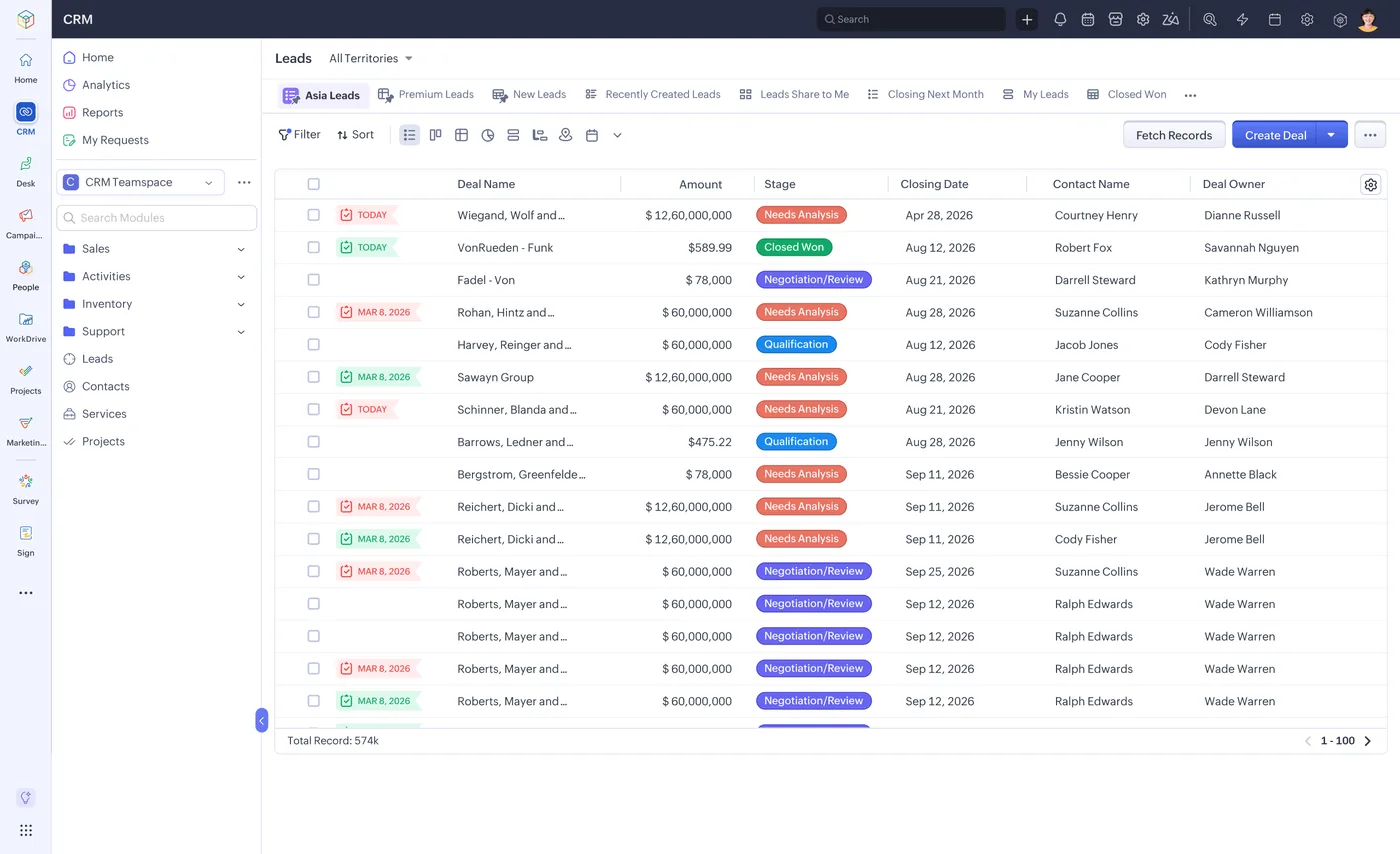
The lead list in Zoho CRM
Every lead with its source, stage, value and owner, filtered by territory or team.
- Trigger and criteria design
- Scheduled actions on date fields
- Assignment and round-robin rules
What changes in the UAE
The local rules and realities we design for before go-live. Rules change, so we re-check the current position at scoping.
Assignment by emirate and language
UAE leads often need routing by emirate and by Arabic or English speaker. Assignment rules and criteria use structured emirate and language fields so routing does not depend on free-text addresses.
Renewals tied to UAE document dates
Contract, trade licence and service renewals in the UAE follow fixed dates. Scheduled actions on those date fields remind account owners well before the renewal, reducing lapsed contracts.
Messaging rules with consent
If rules send WhatsApp messages, they must use the WhatsApp Business Platform with approved templates and customer opt-in. We add a consent field and include it in the rule criteria.
How we deliver Zoho CRM workflow development
Phases, indicative timing and what is delivered in each. Scope is fixed and priced in AED before we start.
Rule catalogue
Every rule written up with purpose, trigger, criteria and actions for your approval, with a fixed AED quote.
Sandbox build
Rules, functions and webhooks built in the CRM sandbox, with test records for every criteria branch.
Conflict check
All rules on each module reviewed together to catch overlapping triggers and conflicting field updates.
User testing
Sales and service users confirm alerts, assignments and tasks behave correctly in their daily work.
Deploy and register
Rules deployed with consistent names and descriptions, and a rule register handed to your CRM admin.
When Zoho CRM workflow development is the wrong answer
Workflow rules are the wrong tool when users must complete stages in order with mandatory data at each step; use Blueprint. They are also wrong for multi-app chains, where Zoho Flow or a business automation design fits better. And if you already have dozens of unexplained rules, start with a workflow audit before adding more.
How we handle it: We implement Zoho, Odoo and Dynamics 365 and build AI and custom software, so our written recommendation can point you to a simpler option, or to doing nothing yet.


A UAE team you can meet in person
That is our team at Zoholics Dubai 2026. We deliver Zoho projects from our Ras Al Khaimah office with remote delivery across all seven emirates, in English and Arabic, and we run workshops on site in Dubai, Abu Dhabi and Sharjah when a project needs it.
Zoho CRM Workflow Development in the UAE: questions we get asked
What does Zoho CRM workflow development UAE teams need usually include?
How many workflow rules can Zoho CRM have?
Can workflow rules update related records?
What is a scheduled action?
Can rules send WhatsApp messages?
How is CRM workflow development priced?
Why choose Shyphan?

Talk to a consultant about Zoho CRM workflow development
A free 30-minute call, then a written recommendation and a fixed quote in AED, including the honest option that this is not the right fit.
