





















 Saudi Arabia
 UAE
UAE Qatar
Qatar Bahrain
 Kuwait
 Oman
Oman Lebanon
 Egypt
Egypt India
India UK
UK Ireland
 Germany
 USA
USA Australia
 Singapore
 South Africa
 Iraq
Iraq Jordan
 Hungary
 Georgia
 Turkey
 LagosNigeria




 Zoho Desk · Ajman
Zoho Desk Setup in Ajman
Zoho Desk Ajman setup for small support teams that live in a shared inbox and a WhatsApp group. We turn customer emails, calls and WhatsApp messages into tickets with an owner, a due time and a full history, so nothing is forgotten when someone is off. Shyphan is a Zoho Premium Partner; the setup is a fixed AED quote after a free discovery call.
Prefer to talk? Call +971 55 145 3265
Book a free Zoho consultation
Tell us what you want to fix. A senior consultant replies within one working day with a written view.

The first AI Enabled Zoho Partner in the Middle East and Africa. Accredited by Zoho on 14 October 2026 after the Zoho AI Accelerator Series. Read the announcement
AI Enabled Zoho Partner in the UAETrusted by businesses across the UAE, Saudi Arabia and beyond












Zoho Desk Setup in Ajman: the short answer
- What it is
- Zoho Desk is a cloud help desk that converts customer messages from every channel into tracked tickets with owners, response times, templates and reports.
- Best suited to
- Ajman traders, e-commerce sellers, installers and service SMEs with one to ten people answering customers, who currently share an inbox, a WhatsApp number or a personal phone.
- Core stack
- Zoho Desk, Zoho CRM, Zoho Books, Zoho SalesIQ, Zoho Forms
- Typical timeline
- Two to six weeks for a focused first phase such as one or two Zoho apps; a wider Zoho One rollout runs in further phases.
- What it costs
- Zoho bills its licences directly, per user or per organisation depending on the edition. Implementation is a fixed price in AED after a free 30-minute discovery call.
- Local specifics
- Built for small Ajman teams; WhatsApp-first customers; Free zone and mainland brands.
- Delivered by
- Shyphan AI Solutions, Zoho Premium Partner and Zoho Top Partner MEA Q3 2026, from its Ras Al Khaimah office with remote delivery across all seven emirates.
- Last reviewed
- 29 September 2026
Zoho Desk Setup in Ajman: who it is for
Ajman traders, e-commerce sellers, installers and service SMEs with one to ten people answering customers, who currently share an inbox, a WhatsApp number or a personal phone. Zoho Desk is a cloud help desk that converts customer messages from every channel into tracked tickets with owners, response times, templates and reports.
- From shared inbox to tickets
- WhatsApp number into the queue
- Customer history in one view
- Canned replies in Arabic and English
What we use to deliver Zoho Desk setup
Only what the first phase needs is switched on; more follows in later phases.




Zoho Desk Setup in Ajman: what is included
Zoho Desk Ajman setup for small support teams that live in a shared inbox and a WhatsApp group.
From shared inbox to tickets
Your info@ mailbox becomes a ticket queue. Every email gets a reference number and an owner, replies are tracked, and anyone can see who is handling what without forwarding chains or asking in the WhatsApp group.
WhatsApp number into the queue
Many Ajman businesses answer customers on one WhatsApp number shared between phones. Connecting it through the WhatsApp Business Platform brings those chats into Zoho Desk, with history kept even when staff change.
Customer history in one view
Agents see past tickets, orders and unpaid invoices from Zoho CRM and Zoho Books next to the ticket, so a repeat customer does not need to explain their order number again.
Canned replies in Arabic and English
Ready answers for delivery times, returns, installation and payment questions, in both languages, let a small team respond quickly and consistently without copying text from old emails, and help new staff sound like the rest of the team.
Simple response targets
Rather than complex SLAs, small Ajman teams get two or three clear targets, such as first reply within four working hours, with a reminder when a ticket is about to go overdue.
Start on a lower edition
Zoho Desk has several editions. We set up the one that covers your channels and team size, keep configuration light, and only suggest upgrading when a feature would clearly save more than it costs.
A furniture showroom handling delivery complaints
How Zoho Desk setup in Ajman looks in practice. Illustrative; every project is scoped to the business.
For example, an Ajman furniture showroom near the Al Jurf industrial area sells sofas and bedroom sets to families across the northern emirates. Three staff answer calls and one WhatsApp number about delivery dates, missing parts and assembly problems, and complaints are often lost when the delivery team is out and the owner is at the warehouse.
- Create ticket types for delivery date, missing or damaged part and assembly issue, each linked to the customer's Zoho Books invoice number so staff see what was sold.
- Route missing-part tickets to the warehouse person with a simple checklist, and assembly issues to the fitter's mobile app with the customer address and photos.
- Add Arabic and English canned replies for delivery confirmations and part reorders, plus a weekly view of open complaints for the owner.
See it in Zoho SalesIQ
Real screens from the platforms we implement. Yours are configured to your entities, processes and KPIs.
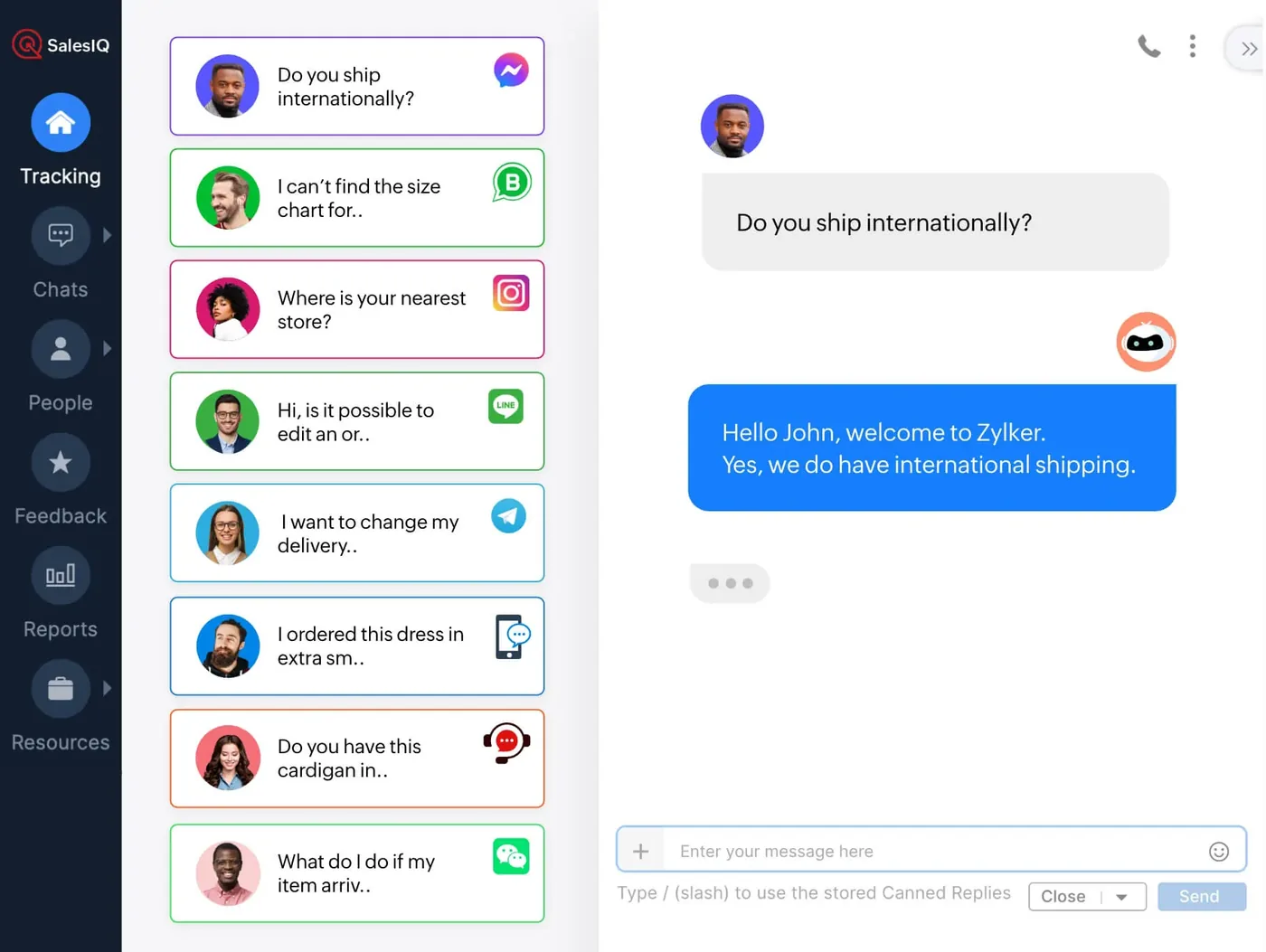
Omnichannel chat in Zoho SalesIQ
Customer messages from Messenger, WhatsApp, Instagram, Telegram and other channels in one queue, answered by a bot in the conversation panel.
- From shared inbox to tickets
- WhatsApp number into the queue
- Customer history in one view
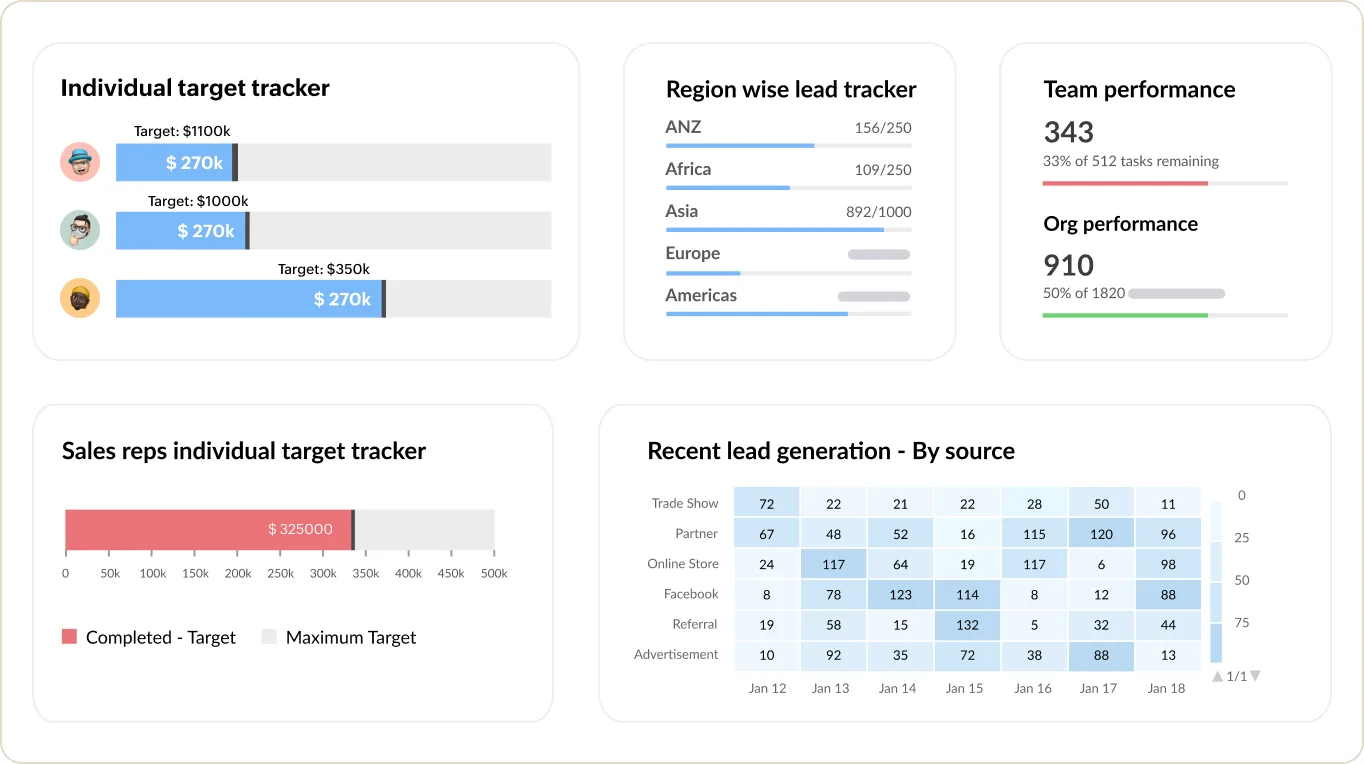
Sales targets and team performance in Zoho CRM
Individual and regional target trackers, team performance and recent leads by source.
- Canned replies in Arabic and English
- Built for small Ajman teams
- WhatsApp-first customers
Which platform for Zoho Desk setup in Ajman?
An honest comparison. We implement all of these, so the recommendation follows your processes, team and budget.
| Option | Best when | How it fits this need |
|---|---|---|
| Zoho Desk on a lower edition | A few people share customer messages across phone and WhatsApp | Good for a small Ajman team that needs owners, due times and history on each complaint without a heavy system. Lower editions keep cost in line with a small showroom. |
| Zoho CRM cases only | Sales team already works in CRM and complaints are rare | If after-sales issues are occasional, logging them as CRM cases avoids another app. Once complaints need SLAs, canned replies and a queue, Desk becomes cleaner. |
| WhatsApp Business app with labels | One person answers everything and volumes are very low | Labels and quick replies in the free app can be enough for a one-person operation. It falls apart when two people share the phone or someone goes on leave. |
| Odoo Helpdesk | You already run Odoo for sales, stock and invoicing | If the showroom's invoices and stock are already in Odoo, its Helpdesk links tickets to orders in the same database. For Zoho Books users, Zoho Desk connects more naturally. |
What changes in Ajman
The local rules and realities we design for before go-live. Rules change, so we re-check the current position at scoping.
Built for small Ajman teams
Most Ajman businesses have no dedicated support department. The setup is kept simple enough for a salesperson or office manager to run, with a fixed AED quote and licences billed by Zoho.
WhatsApp-first customers
Customers in Ajman usually message first and email later, if at all. We treat WhatsApp as the main channel, with opt-in handled properly for template messages.
Free zone and mainland brands
Owners running an Ajman Free Zone trading company and a mainland shop can keep separate brands and email addresses in one Zoho Desk account, each with its own signature and templates.
Working with businesses in Ajman: we support companies across Ajman Free Zone and Al Jurf, with remote delivery and on-site workshops where the project needs them.
What drives the cost, and what it connects to
No price list: we quote a fixed price in AED after discovery. These are the factors that move the effort up or down.
Number of channels
Email and a web form are quick to connect. Moving a WhatsApp number to the Business Platform, template approval and phone integration each add setup work.
Link to accounting records
Showing invoices and customer balances inside tickets needs the Zoho Books connection configured, or a custom link if you use another accounting system.
Ticket types and rules
A single queue is simple. Separate types for deliveries, parts and assembly, each with its own assignment rule and checklist, takes more design with your team.
Training non-office staff
Warehouse staff and fitters using the Desk mobile app need practical training in their own language and time, which adds hours to the rollout.
What it connects to
Customer WhatsApp messages arrive as tickets; staff replies and approved template updates about deliveries go back from Desk.
Invoice details and customer balances show inside each ticket, so staff confirm what was sold before promising a part or visit.
A simple complaint form with photo upload on your website creates tickets with the order number already filled in.
Replacement part requests from tickets check stock availability and raise purchase orders to suppliers when parts are missing.
The shared inbox forwards to Desk, so email complaints join the same queue as WhatsApp and phone requests.
How we deliver Zoho Desk setup
Phases, indicative timing and what is delivered in each. Scope is fixed and priced in AED before we start.
Discovery call
A free call to see how customers contact you today and who answers which kind of question.
Setup
Configure the mailbox, WhatsApp connection, ticket fields, simple response targets and canned replies in Arabic and English.
Link records
Connect Zoho CRM or Zoho Books so agents see orders and invoices, if you already use them.
Training
A short training session for the team, remote or on site in Ajman, plus a one-page guide.
Check-in
Review first-month reports with the owner and adjust replies, rules and targets that are not working.
When Zoho Desk setup is the wrong answer
If you receive only a few customer messages a day, a well-organised shared inbox and WhatsApp Business app may be enough. And if customer questions are mainly about sales rather than problems, Zoho CRM with a WhatsApp connection may serve you better than a help desk.
How we handle it: We implement Zoho, Odoo and Dynamics 365 and build AI and custom software, so our written recommendation can point you to a simpler option, or to doing nothing yet.
Checklist and common mistakes
Buyer's checklist
What to ask for before you choose a provider.
- Ask whether the setup can start on a lower Zoho Desk edition and what would trigger an upgrade later.
- Confirm your existing business WhatsApp number can be moved to the WhatsApp Business Platform and what that changes for staff.
- Ask to see a ticket linked to a real invoice from your Zoho Books or accounting system during the demo.
- Check that Arabic and English reply templates will be written for your products, not left as generic samples.
- Require a short, hands-on training session for every staff member, including the delivery and warehouse people.
- Ask what support is available after go-live if a staff member leaves and someone new must take over.
Common mistakes
What we see go wrong in the UAE, and how to avoid it.
- Keeping the WhatsApp phone as backupIf staff still answer customers on the old phone, half the conversations never reach Desk. Move the number fully and agree that every reply goes through the system.
- Buying the top edition firstSmall Ajman teams often pay for features they never use. Start on the lowest edition that covers your channels and upgrade only when a real need appears.
- Too many ticket statusesTen statuses confuse a three-person team. Use open, waiting on customer, waiting on part and closed, then add more only if reports need them.
- No customer reference on ticketsWithout an invoice or phone number on each ticket, history cannot be found later. Make the reference a required field from day one.


A UAE team you can meet in person
That is our team at Zoholics Dubai 2026. We deliver Zoho projects from our Ras Al Khaimah office with remote delivery across all seven emirates, in English and Arabic, and we run workshops on site in Dubai, Abu Dhabi and Sharjah when a project needs it.
Zoho Desk Setup in Ajman: questions we get asked
Is Zoho Desk Ajman worth it for a team of two or three people?
Can we connect our business WhatsApp number to Zoho Desk?
How is Zoho Desk Ajman different from your Zoho CRM Ajman service?
Can agents see a customer's invoices in Zoho Desk?
How long does Zoho Desk take to set up in Ajman?
What does Zoho Desk cost for an Ajman SME?
Can our delivery and assembly staff use Zoho Desk on their phones in Ajman?
Can Zoho Desk tell customers when their spare part has arrived?
What if our Ajman team is only two people and one is often away?
Why choose Shyphan?

Talk to a consultant about Zoho Desk setup
A free 30-minute call, then a written recommendation and a fixed quote in AED, including the honest option that this is not the right fit.
