Request A Quote

Follow Us On:

  1. Home
  2. Case studies
  3. Tawoon
Case study · Customer engagement

Tawoon

A Zoho SalesIQ chat and bot setup that turns website visitors into conversations and hands them to the right agent.

Industry
Customer engagement
Location
Saudi Arabia
Apps
1 connected app
Scope
4-step process
Products used
Services
Zoho implementationSystem integration
At a glance
Live chat and bot running on the website
Routine questions handled by the bot
Visitors handed to agents when needed
A base ready for CRM and Desk
The challenge

What Tawoon needed to fix

Tawoon engaged Shyphan for Phase 1 of its customer engagement setup: live chat and a bot on its website using Zoho SalesIQ, with CRM and Desk lined up as the next stage.

  1. Silent website visitorsVisitors left without a way to ask questions in real time.
  2. Routine questionsAgents spent time on questions a bot could answer.
  3. Handoff to peopleConversations needing a person had to reach an agent quickly.
  4. Ready for the next stageThe setup had to be ready to connect to CRM and Desk later.
Hands using a smartphone app beside a laptop
Hands using a smartphone app beside a laptop. Photo credit
Before and after

What changed for the team

BeforeAfter

Visitors left the website without a way to ask questions in real time

Live chat and a bot now run on the website

Agents spent time on routine questions that a bot could answer

Bot flows handle common questions before an agent is involved

Conversations needing a person had to reach an agent quickly

Routing rules hand conversations to a live agent when needed

The chat setup had to be ready to connect to CRM and Desk

A Phase 1 SalesIQ base is in place for the planned next stage

How it works

The business process, step by step

  1. 01

    Website visitor

    A visitor lands on the Tawoon website, where the Zoho SalesIQ chat widget is configured and available. Rather than leaving with an unanswered question, the visitor can start a conversation in real time.

  2. 02

    SalesIQ bot

    The SalesIQ bot greets the visitor and answers common questions using the bot flows configured for the site. This takes routine questions away from agents so they can focus on conversations that need a person.

  3. 03

    Agent handoff

    When a conversation needs a person, SalesIQ routing rules hand it to a live operator. Operators are set up in SalesIQ, and the chat history is kept so the agent can see what was already discussed.

  4. 04

    Next stage

    Connecting SalesIQ to Zoho CRM and Zoho Desk is planned as the next stage. Contact and ticket creation will be added once requirements are confirmed, and was not part of Phase 1.

The solution

What we built for Tawoon

Shyphan delivered the project on Zoho SalesIQ, covering a 4-step process with 2 integration points.

  • Chat widget configured on the website
  • Bot flows for common questions
  • Routing rules for agent handoff
  • Operator setup and chat history
Zoho SalesIQ
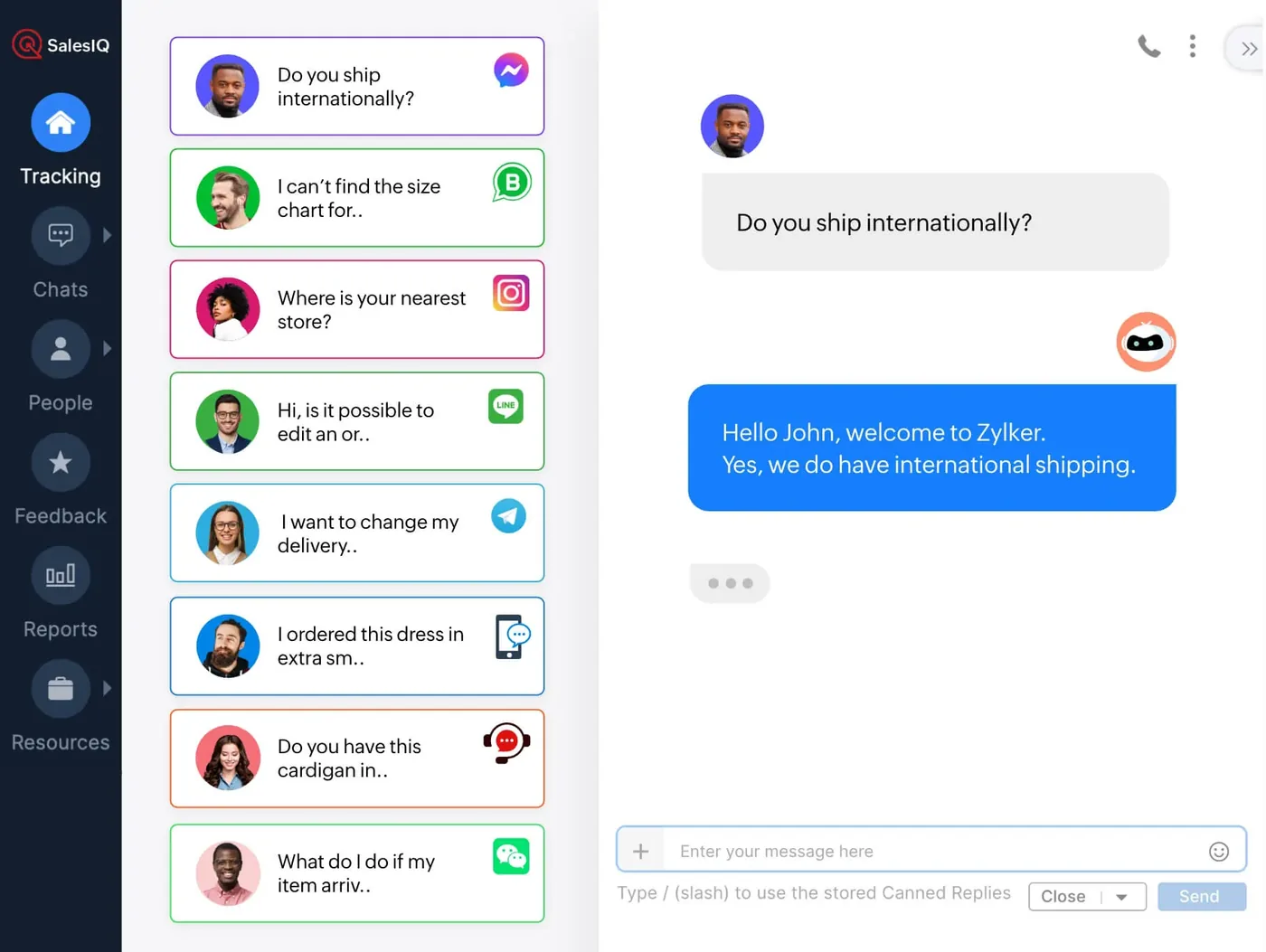
Zoho SalesIQ interface
Zoho SalesIQ product screenshot, for illustration

Who uses it

Website visitors

Start a chat from the website widget, get answers from the bot and reach a live agent when they need one.

Operators

Pick up conversations routed to them by SalesIQ rules and use the chat history to continue where the bot left off.

Administrators

Maintain the bot flows, routing rules and operator setup in Zoho SalesIQ as questions and teams change.

Architecture

How the systems connect

InputsWebsite visitorsChat widget
Delivered by Shyphan
OutputsLive agentsZoho CRM (planned)Zoho Desk (planned)

Integrations

  • SalesIQ chat (Phase 1)

    Live chat and bot running on the website.

  • CRM and Desk (next stage)

    Contact and ticket creation planned once requirements are confirmed.

Reports and dashboards

Chat history

Past conversations with website visitors, available to operators and administrators for review and follow-up.

Bot conversations

Chats handled by the configured bot flows, showing which common questions visitors are asking most.

Operator activity

Conversations handed to each operator through the routing rules, so workload can be reviewed.

Live visitors

Visitors currently on the website, so operators can see who may start a chat next.

The results

What the system does now

  • Live chat and bot running on the website
  • Routine questions handled by the bot
  • Visitors handed to agents when needed
  • A base ready for CRM and Desk
Delivery

Five phases, discovery to support

  1. 01
    Discovery

    Process mapping, documents and data reviewed with each team.

  2. 02
    Design

    Target flow agreed across 1 apps and 2 integration points.

  3. 03
    Build

    Apps configured, custom logic built and integrations connected.

  4. 04
    Test and train

    User acceptance testing with real scenarios and role-based training.

  5. 05
    Go-live and support

    Cut-over, hypercare and ongoing improvements.

Local rules built in

ZATCA e-invoicing

Fatoora-format tax invoices with XML and QR, cleared or reported as required.

15% VAT

Standard, zero-rated and exempt supplies mapped, with return-ready reports.

Saudi PDPL

Personal data kept to what the process needs, with role-based access.

Arabic and English

Bilingual documents where customers and authorities expect them.

FAQ

Questions about this project

What was included in Phase 1?

Phase 1 covered Zoho SalesIQ on the Tawoon website: the chat widget, bot flows for common questions, routing rules for agent handoff, and operator setup with chat history. Connections to Zoho CRM and Zoho Desk were not part of this phase.

When does a chat move from the bot to a person?

The bot greets visitors and answers routine questions through its configured flows. When a conversation needs a person, SalesIQ routing rules pass it to a live operator, who can see the chat history and continue the conversation.

Are contacts and tickets created in Zoho CRM or Zoho Desk?

Not yet. Contact and ticket creation in Zoho CRM and Zoho Desk is planned as the next stage, once requirements are confirmed. The Phase 1 SalesIQ setup was built so that it can be connected to both later.

Ready to write your own success story?

Send us your brief and a senior consultant will reply within 1 hour with scope, timeline and a fixed quote. No spam, no junior reps.

Talk to us

Where this service is weak - and what we do about it

We are not the cheapest, and we decline work where the budget will not cover doing it properly or where the product is the wrong answer.

How we handle it: You get a written recommendation after the free discovery call either way, including when that recommendation is not to proceed.

Vikas Saroj, Co-Founder and COO at Shyphan AI Solutions

Written and reviewed by Vikas Saroj, Co-Founder, COO & Growth at Shyphan AI Solutions, who owns delivery across India, the Gulf and the UK. Last reviewed on 14 September 2026. Meet the team · LinkedIn