





















 Saudi Arabia
 UAE
UAE Qatar
Qatar Bahrain
 Kuwait
 Oman
Oman Lebanon
 Egypt
Egypt India
India UK
UK Ireland
 Germany
 USA
USA Australia
 Singapore
 South Africa
 Iraq
Iraq Jordan
 Hungary
 Georgia
 Turkey
 LagosNigeria




 System connections · UAE
Zoho Custom Integration in the UAE
Zoho custom integration in the UAE connects a specific business system, such as a POS, online store, bank, warehouse system or legacy ERP, to your Zoho apps end to end. Shyphan maps every field, chooses the right tool for the job between Zoho Flow, Deluge functions and middleware, and adds error alerts and reconciliation reports so both systems agree.
Prefer to talk? Call +971 55 145 3265
Book a free Zoho consultation
Tell us what you want to fix. A senior consultant replies within one working day with a written view.

The first AI Enabled Zoho Partner in the Middle East and Africa. Accredited by Zoho on 14 October 2026 after the Zoho AI Accelerator Series. Read the announcement
AI Enabled Zoho Partner in the UAETrusted by businesses across the UAE, Saudi Arabia and beyond












Zoho Custom Integration in the UAE: the short answer
- What it is
- Zoho custom integration is the end-to-end connection of a third-party business system to Zoho, covering data mapping, sync direction, tooling, error handling and reconciliation.
- Best suited to
- UAE retailers, distributors and service firms whose sales, stock or payment data sits in a non-Zoho system and is currently exported and re-imported by hand.
- Core stack
- Zoho Flow, Deluge functions, Webhooks, Zoho Books, Zoho Inventory, Zoho CRM
- Typical timeline
- Two to six weeks for a focused first phase such as one or two Zoho apps; a wider Zoho One rollout runs in further phases.
- What it costs
- Zoho bills its licences directly, per user or per organisation depending on the edition. Implementation is a fixed price in AED after a free 30-minute discovery call.
- Local specifics
- VAT correctly split per source; Multi-emirate outlets; Invoice data for e-invoicing.
- Delivered by
- Shyphan AI Solutions, Zoho Premium Partner and Zoho Top Partner MEA Q3 2026, from its Ras Al Khaimah office with remote delivery across all seven emirates.
- Last reviewed
- 29 September 2026
Zoho Custom Integration in the UAE: who it is for
UAE retailers, distributors and service firms whose sales, stock or payment data sits in a non-Zoho system and is currently exported and re-imported by hand. Zoho custom integration is the end-to-end connection of a third-party business system to Zoho, covering data mapping, sync direction, tooling, error handling and reconciliation.
- POS and retail systems
- E-commerce stores
- Banks and payment gateways
- Right tool per connection
What we use to deliver Zoho custom integration
Only what the first phase needs is switched on; more follows in later phases.





Zoho Custom Integration in the UAE: what is included
Zoho custom integration in the UAE connects a specific business system, such as a POS, online store, bank, warehouse system or legacy ERP, to your Zoho apps end to end.
POS and retail systems
Daily sales, payment methods and item movements from your POS post to Zoho Books and Inventory, either per transaction or as a daily summary journal, with VAT split correctly for each outlet.
E-commerce stores
Orders, customers and refunds from your online store create sales orders and invoices in Zoho, and stock levels sync back to the store so you do not sell items you no longer hold.
Banks and payment gateways
Bank statements, payment gateway settlements and card fees are brought into Zoho Books for reconciliation, with gateway fees and VAT on fees posted separately from the gross sales amount. This saves hours at month end.
Right tool per connection
Zoho Flow suits standard connectors and visible run history, Deluge suits custom logic inside Zoho, and middleware or a small service suits high volumes or systems without APIs. We explain the choice for each link.
Reconciliation reports
A daily report compares record counts and totals between the two systems, so a missed order or duplicated invoice is spotted the next morning, not at quarter-end VAT time. Totals include VAT so returns match.
Failure alerts to an owner
When a sync fails because of a missing item code or invalid TRN, a named person is notified with the record and reason, and the failed item can be retried after correction.
See it in Zoho
Real screens from the platforms we implement. Yours are configured to your entities, processes and KPIs.
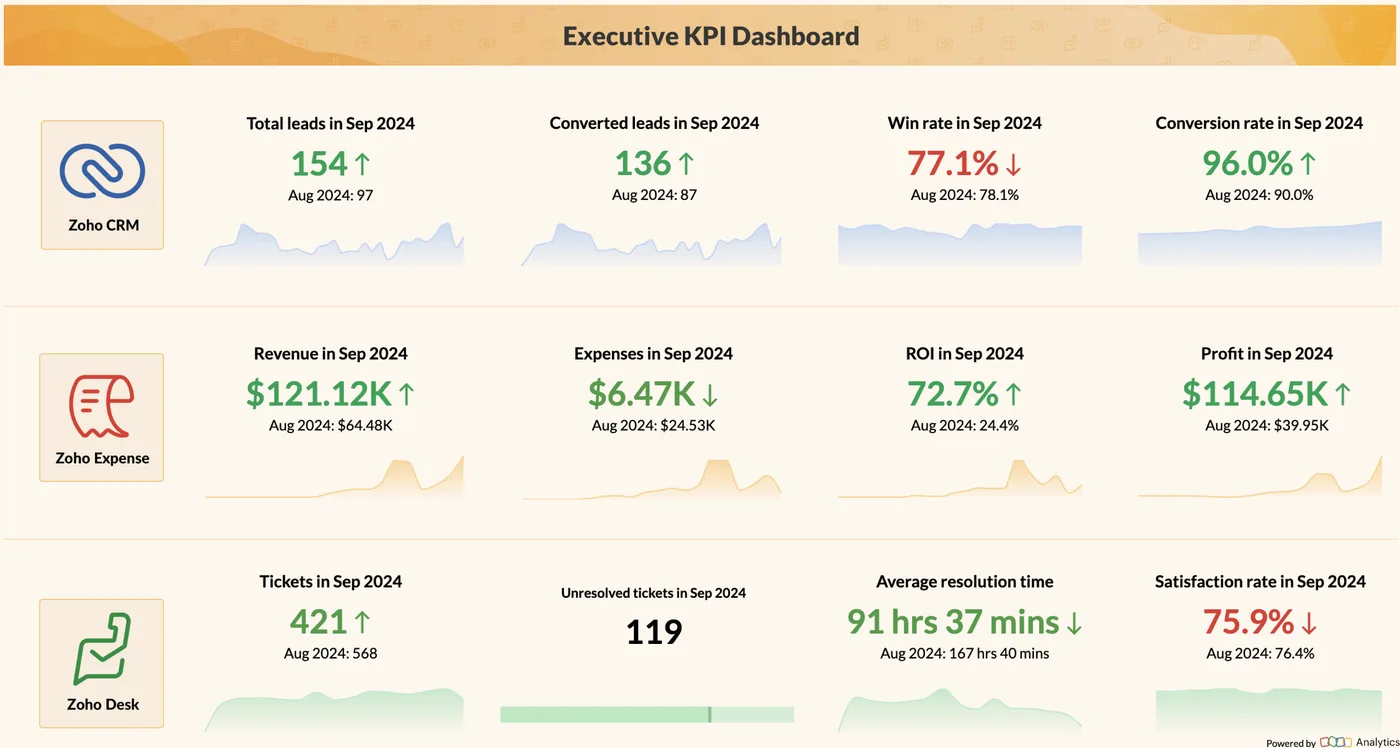
Executive KPI dashboard in Zoho Analytics
Leads, conversions, revenue, expenses, profit, tickets and satisfaction on one board, drawn from Zoho CRM, Expense and Desk.
- VAT correctly split per source
- Multi-emirate outlets
- Invoice data for e-invoicing
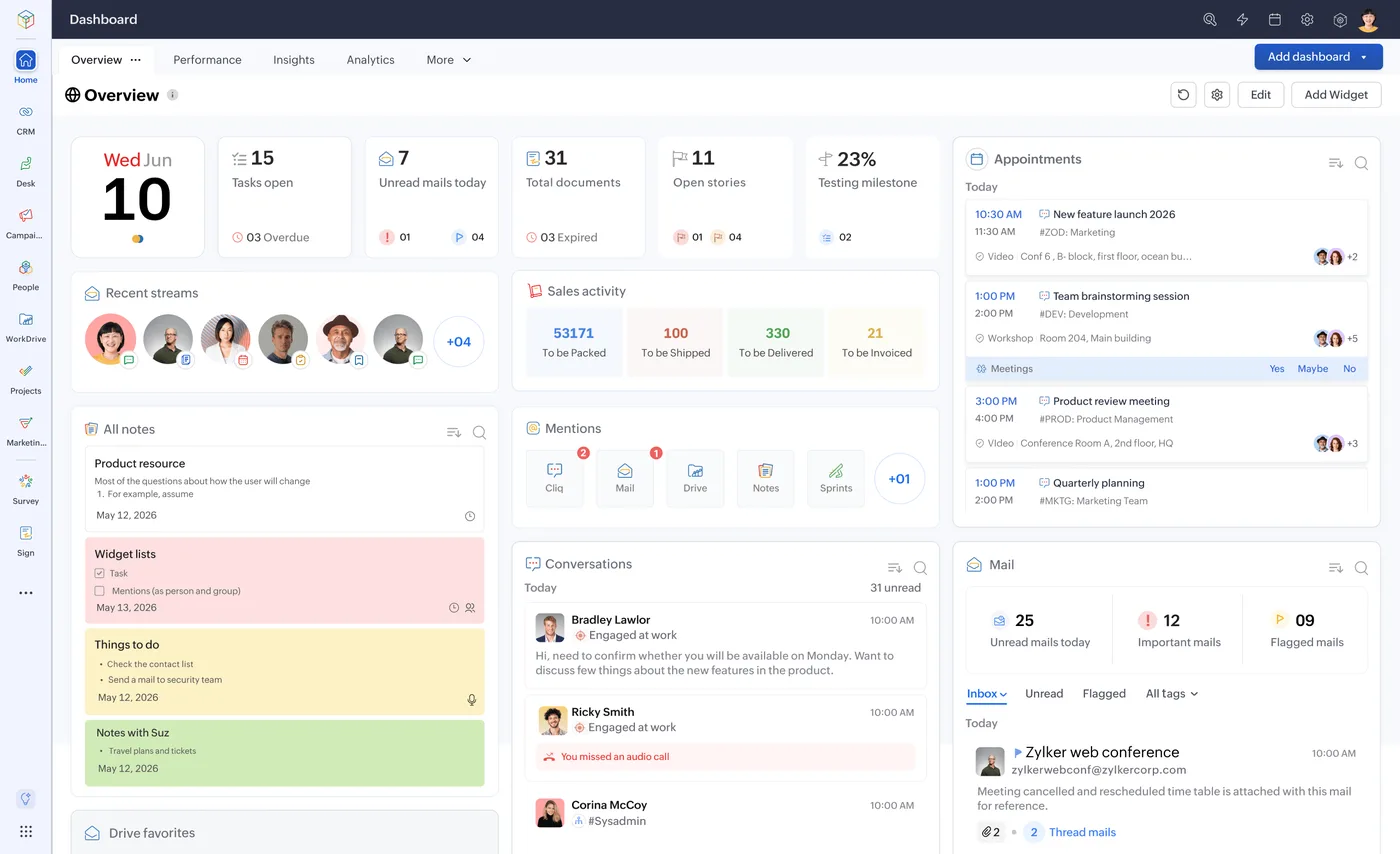
The Zoho One home dashboard
One home for tasks, approvals, mail and activity across every Zoho app, behind a single sign-on.
- POS and retail systems
- E-commerce stores
- Banks and payment gateways
What changes in the UAE
The local rules and realities we design for before go-live. Rules change, so we re-check the current position at scoping.
VAT correctly split per source
POS and online sales in the UAE must show VAT at 5% with the right treatment. Integrations post net amounts and VAT separately so the Zoho Books VAT 201 report stays correct.
Multi-emirate outlets
Retailers with outlets across several emirates need each location's sales mapped to its own warehouse and reporting tag in Zoho, so branch profit and stock remain accurate.
Invoice data for e-invoicing
With UAE e-invoicing phasing in from 2026-2027 through Accredited Service Providers, integrated invoices need clean customer TRNs and item data. Check the Ministry of Finance for the latest dates.
How we deliver Zoho custom integration
Phases, indicative timing and what is delivered in each. Scope is fixed and priced in AED before we start.
System inventory
We document the other system's API or export options, the data you need and the direction of sync.
Field mapping
Every field, code and tax treatment mapped between systems, agreed with your team, then a fixed AED quote.
Build connection
Integration built with the chosen tool, logging and retries, against test accounts on both sides.
Parallel run
Both manual and integrated processes run side by side and results are compared daily. Differences are traced to root cause.
Go live
Manual process retired, reconciliation report scheduled, and failure alerts routed to the owner. The owner receives a short runbook.
When Zoho custom integration is the wrong answer
If a published connector or Zoho Marketplace extension already links your two systems and fits your process, buy it rather than paying for custom work; we will check the Marketplace first. Custom integration is also hard to justify when volumes are tiny, where a weekly import may be cheaper. And if the other system has no API or export, expect limits.
How we handle it: We implement Zoho, Odoo and Dynamics 365 and build AI and custom software, so our written recommendation can point you to a simpler option, or to doing nothing yet.


A UAE team you can meet in person
That is our team at Zoholics Dubai 2026. We deliver Zoho projects from our Ras Al Khaimah office with remote delivery across all seven emirates, in English and Arabic, and we run workshops on site in Dubai, Abu Dhabi and Sharjah when a project needs it.
Zoho Custom Integration in the UAE: questions we get asked
Which systems do Zoho custom integration UAE projects usually connect?
Should we use Zoho Flow or custom code?
How do you stop duplicate invoices?
Can you integrate a system with no API?
Who fixes a failed sync?
How much does a custom integration cost?
Why choose Shyphan?

Talk to a consultant about Zoho custom integration
A free 30-minute call, then a written recommendation and a fixed quote in AED, including the honest option that this is not the right fit.
