





















 Saudi Arabia
 UAE
UAE Qatar
Qatar Bahrain
 Kuwait
 Oman
Oman Lebanon
 Egypt
Egypt India
India UK
UK Ireland
 Germany
 USA
USA Australia
 Singapore
 South Africa
 Iraq
Iraq Jordan
 Hungary
 Georgia
 Turkey
 LagosNigeria




 ERP mobile apps · UAE
ERP Mobile Application in the UAE
An ERP mobile application UAE field teams can use all day: sales reps taking orders at shops, drivers capturing proof of delivery, technicians closing jobs on site, and managers approving on the move. Shyphan configures the standard Odoo, Zoho or Business Central mobile apps where they fit, and builds custom React Native or Power Apps apps where they do not, with offline mode and barcode scanning. Fixed AED quote.
Prefer to talk? Call +971 55 145 3265
Get a free recommendation
Tell us what you want to fix. A senior consultant replies within one working day with a written view.
Trusted by businesses across the UAE, Saudi Arabia and beyond












ERP Mobile Application in the UAE: the short answer
- What it is
- An ERP mobile application is a phone or tablet app that lets staff read and update ERP data away from a desk, often with offline use, camera, GPS and scanning.
- Best suited to
- UAE distributors with van sales or delivery fleets, field service companies, contractors with site teams, and managers who approve on the move.
- Core stack
- React Native, Power Apps, Odoo mobile app, Zoho Creator mobile, Business Central mobile, Firebase
- Typical timeline
- Four to sixteen weeks depending on the platform, modules, data migration and integrations; we phase larger programmes.
- What it costs
- A fixed price in AED after a free discovery call, phased so you are never committing to the whole programme on day one. Platform licences are billed by the vendor.
- Local specifics
- Designed for UAE field conditions; Tax invoices from the field; Multilingual field teams.
- Delivered by
- Shyphan AI Solutions: Zoho Premium Partner, Official Odoo Partner, independent Dynamics 365 consultancy and custom software house, so the platform is chosen by fit.
- Last reviewed
- 29 September 2026
ERP Mobile Application in the UAE: who it is for
UAE distributors with van sales or delivery fleets, field service companies, contractors with site teams, and managers who approve on the move. An ERP mobile application is a phone or tablet app that lets staff read and update ERP data away from a desk, often with offline use, camera, GPS and scanning.
- Van sales and order taking
- Proof of delivery
- Technician job app
- Offline mode that syncs safely
What we use to deliver ERP mobile application
Tools and platforms we typically use, and the systems it connects to. The final choice is made against your systems, budget and team.





 Odoo
Odoo Business Central
 Microsoft 365
 WhatsApp
ERP Mobile Application in the UAE: what is included
An ERP mobile application UAE field teams can use all day: sales reps taking orders at shops, drivers capturing proof of delivery, technicians closing jobs on site, and managers approving on the move.
Van sales and order taking
Reps visiting groceries, pharmacies and retailers across the emirates see customer credit, price lists and van stock, take orders or sell from the van, print or share a tax invoice with TRN, and collect cash or cheques recorded against the customer.
Proof of delivery
Drivers see their route, capture signatures and photos, record short deliveries or returns, and mark orders delivered. The ERP updates immediately, so customer service and finance know what was actually delivered.
Technician job app
Technicians receive jobs, see asset history, record parts used and time spent, capture photos and customer signatures, and close the job. Parts and labour flow into invoicing without paper job cards.
Offline mode that syncs safely
Basements, warehouses and remote sites often have weak signal. Apps store work locally and sync when connection returns, with conflict rules so two users cannot overwrite each other's changes and nothing is lost when a phone goes flat.
Camera scanning and GPS
The phone camera scans barcodes and QR codes for stock, assets and deliveries, and GPS records where each visit or delivery happened, helping with route planning and dispute resolution when a customer questions a visit or delivery.
Manager approvals on mobile
Managers approve purchase orders, payments, discounts and leave from their phone, with the key figures shown up front. Decisions post back to the ERP with a timestamp and audit trail.
The platforms we deliver it on
Real screens from the platforms we implement. Yours are configured to your entities, processes and KPIs.
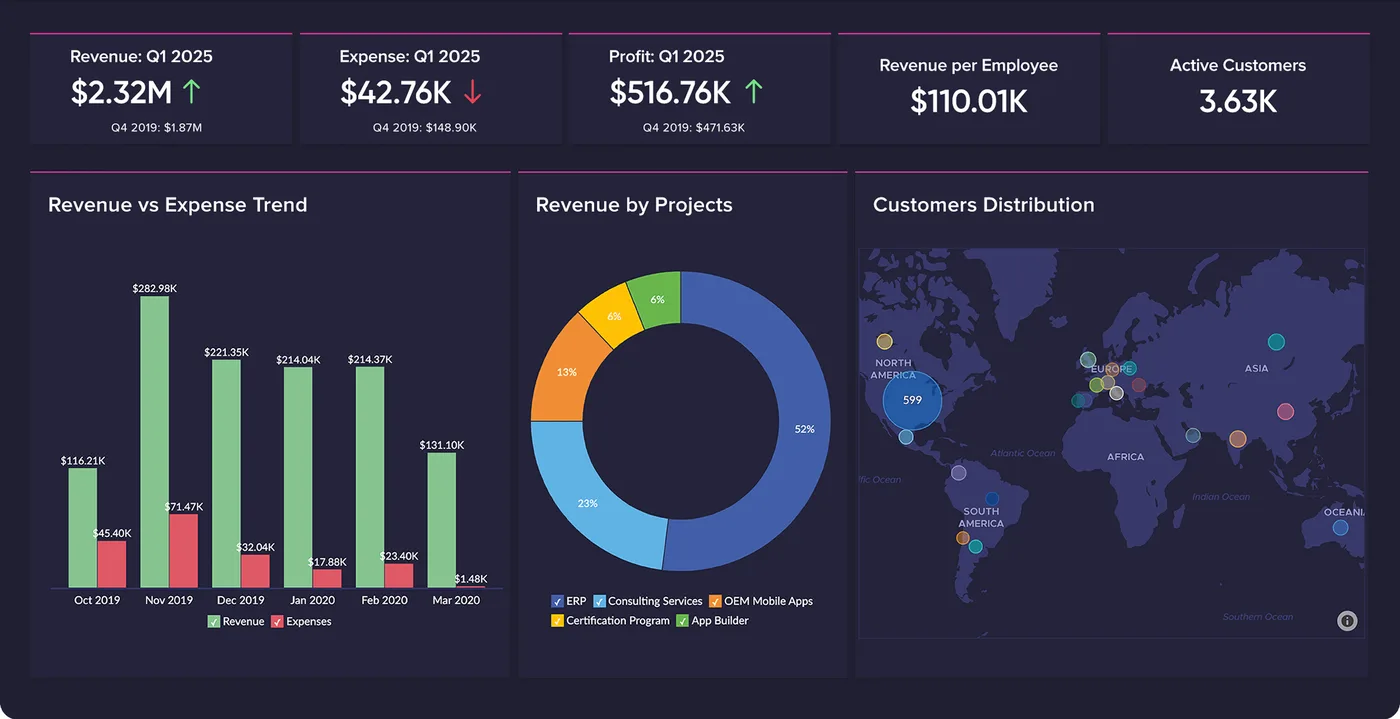
Finance overview in Zoho Analytics
Revenue against expense, revenue by project and customer distribution on one board, refreshed from Zoho Books and CRM.
- Zoho: fastest and lowest cost per user for SMEs and growing teams.
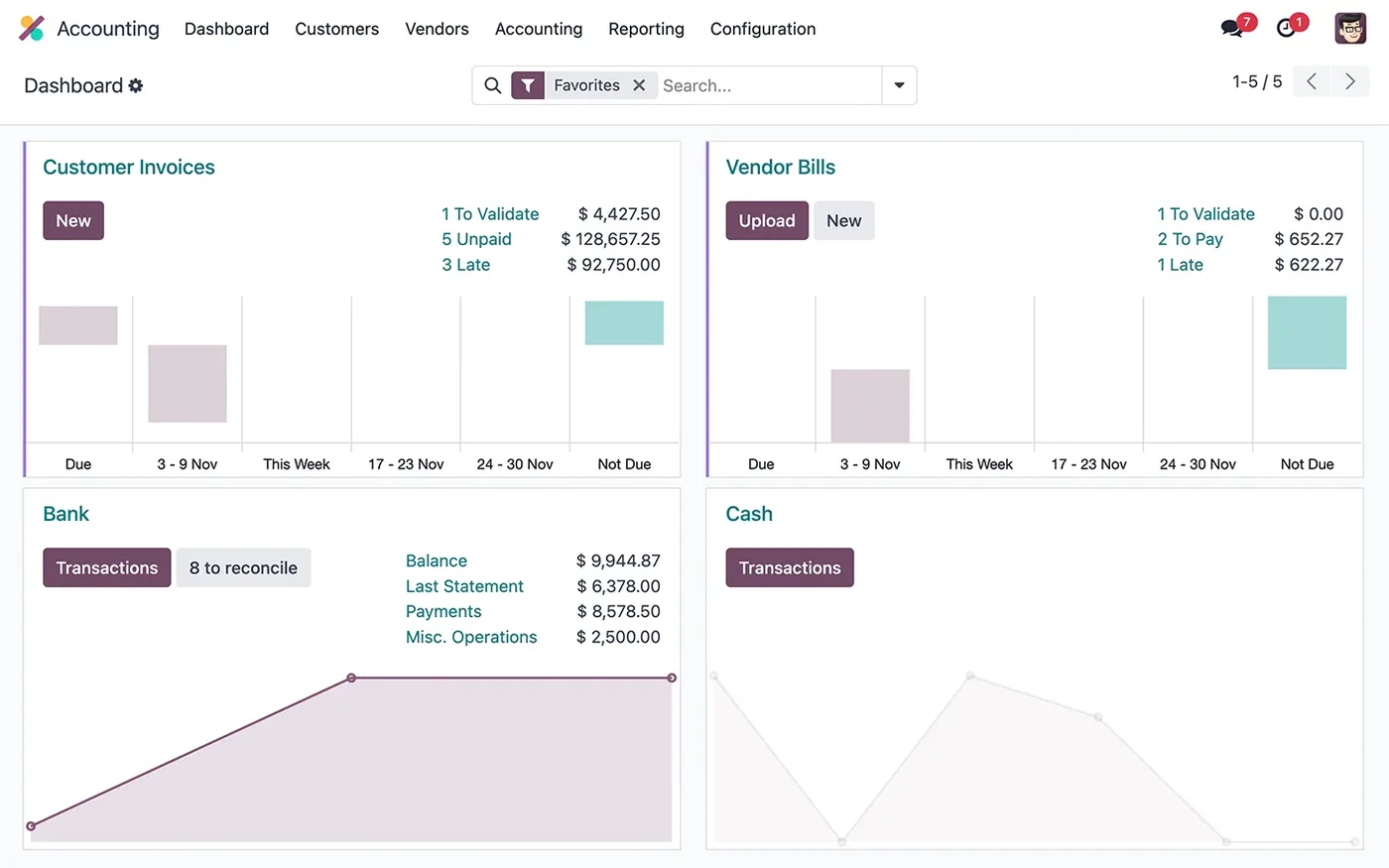
The Odoo Accounting dashboard
Customer invoices, vendor bills, bank and cash journals, with what is left to validate and reconcile.
- Odoo: strongest where stock, manufacturing and operations lead.
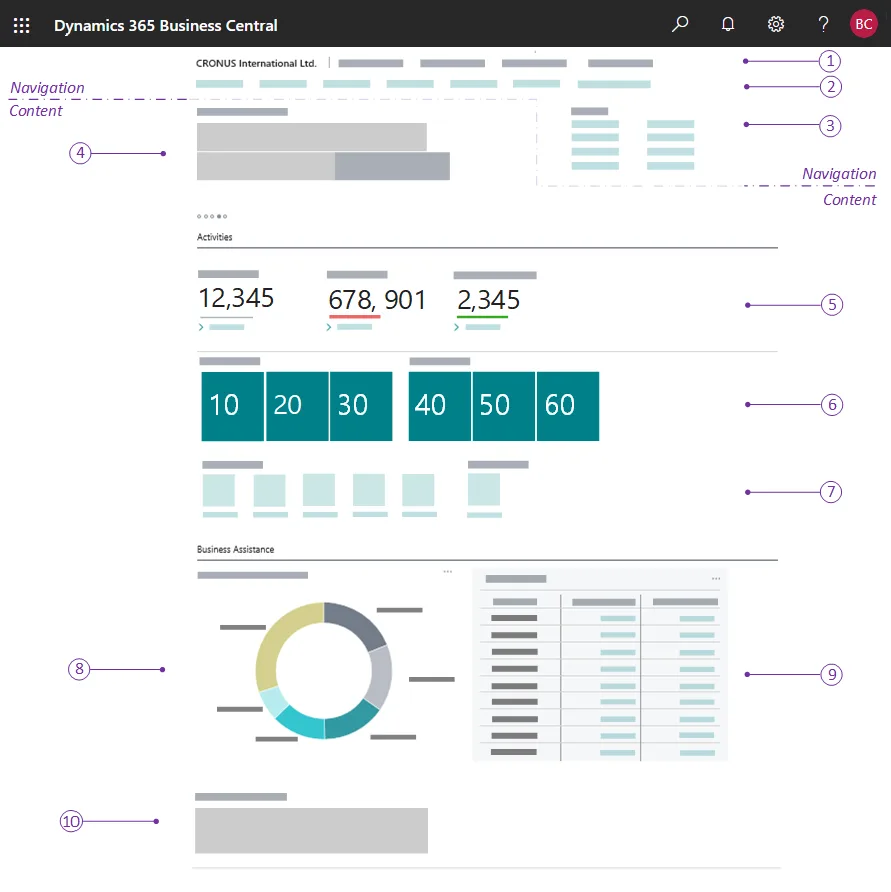
A Business Central role centre
The home page each user gets for their role: headlines, activity cues, KPI tiles, charts and actions. The numbered callouts come from Microsoft's documentation.
- Dynamics 365: best for Microsoft-centric companies and larger groups.
What changes in the UAE
The local rules and realities we design for before go-live. Rules change, so we re-check the current position at scoping.
Designed for UAE field conditions
Summer heat, bright sunlight and gloves affect how apps are used outdoors. We use high-contrast layouts, large buttons and quick flows so a driver can complete a delivery in seconds.
Tax invoices from the field
Van sales invoices printed or shared from the app show TRN and 5% VAT as a proper tax invoice, and cash, card and cheque collections are recorded for reconciliation.
Multilingual field teams
UAE field teams speak many languages. Apps rely on icons, scanning and minimal typing, with Arabic and English labels, so new staff can learn them in a short session.
How we deliver ERP mobile application
Phases, indicative timing and what is delivered in each. Scope is fixed and priced in AED before we start.
Field observation
We ride along or visit sites to see how field staff work, what they carry and where connectivity fails.
Standard app check
We test whether the ERP vendor's own mobile app can do the job before proposing custom development, then quote in AED.
Build or configure
Standard apps configured or custom apps built, with offline sync, scanning and printing tested on real devices.
Field pilot
A small group uses the app on real routes and jobs, and we fix issues found in the field quickly.
Rollout
App store or managed deployment, device setup, training and optional support for updates and new features.
When ERP mobile application is the wrong answer
If your field staff only need to look up information or approve a few documents, the ERP vendor's standard mobile app is probably enough and a custom app would be wasted money. Custom apps also need updates as phone operating systems change, so budget for maintenance. We always test the standard app first.
How we handle it: We implement Zoho, Odoo and Dynamics 365 and build AI and custom software, so our written recommendation can point you to a simpler option, or to doing nothing yet.


A UAE team you can meet in person
That is our team at Zoholics Dubai 2026. We deliver Zoho, Odoo, Dynamics 365 and custom projects from our Ras Al Khaimah office with remote delivery across all seven emirates, in English and Arabic, and we run workshops on site in Dubai, Abu Dhabi and Sharjah when a project needs it.
ERP Mobile Application in the UAE: questions we get asked
Is there a ready ERP mobile application UAE teams can use without custom development?
Do custom ERP apps work offline?
Can the app print tax invoices for van sales?
Which technology do you use for custom ERP apps?
How long does an ERP mobile app take?
How is pricing handled?
Why choose Shyphan?

Talk to a consultant about ERP mobile application
A free 30-minute call, then a written recommendation and a fixed quote in AED, including the honest option that this is not the right fit.
