





















 Saudi Arabia
 UAE
UAE Qatar
Qatar Bahrain
 Kuwait
 Oman
Oman Lebanon
 Egypt
Egypt India
India UK
UK Ireland
 Germany
 USA
USA Australia
 Singapore
 South Africa
 Iraq
Iraq Jordan
 Hungary
 Georgia
 Turkey
 LagosNigeria



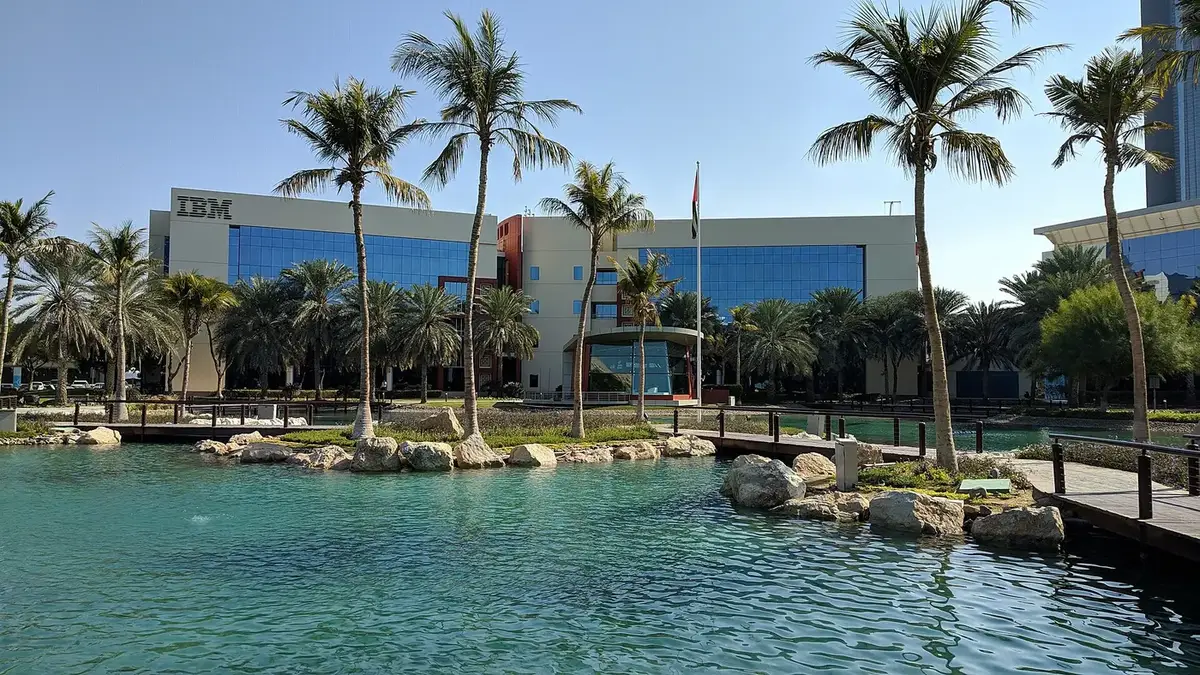
 Endpoint management · UAE
ManageEngine Endpoint Central in the UAE
ManageEngine Endpoint Central in the UAE, set up to patch, deploy, control and secure every device your organisation owns. Shyphan configures patch management, software deployment, remote control, OS imaging, mobile device management and USB and browser policies, with distribution servers at branch sites so devices across the emirates stay current without saturating links.
Prefer to talk? Call +971 55 145 3265
Get a free recommendation
Tell us what you want to fix. A senior consultant replies within one working day with a written view.
Trusted by businesses across the UAE, Saudi Arabia and beyond












ManageEngine Endpoint Central in the UAE: the short answer
- What it is
- Endpoint Central, formerly Desktop Central, is ManageEngine's unified endpoint management product for Windows, macOS and Linux computers, servers and mobile devices.
- Best suited to
- UAE organisations with hundreds or thousands of devices spread across offices, warehouses and branches in several emirates, and entities that must prove patch compliance.
- Core stack
- Endpoint Central, ServiceDesk Plus, Active Directory, Microsoft Entra ID, Apple Business Manager, Android Enterprise
- Typical timeline
- Four to sixteen weeks depending on the platform, modules, data migration and integrations; we phase larger programmes.
- What it costs
- A fixed price in AED after a free discovery call, phased so you are never committing to the whole programme on day one. Platform licences are billed by the vendor.
- Local specifics
- Patch evidence for IA Regulation; Distribution servers per emirate; Shared devices in warehouses.
- Delivered by
- Shyphan AI Solutions: Zoho Premium Partner, Official Odoo Partner, independent Dynamics 365 consultancy and custom software house, so the platform is chosen by fit.
- Last reviewed
- 29 September 2026
ManageEngine Endpoint Central in the UAE: who it is for
UAE organisations with hundreds or thousands of devices spread across offices, warehouses and branches in several emirates, and entities that must prove patch compliance. Endpoint Central, formerly Desktop Central, is ManageEngine's unified endpoint management product for Windows, macOS and Linux computers, servers and mobile devices.
- Automated patch management
- Software deployment and self-service
- Remote control for support
- OS imaging and deployment
What we use to deliver manageengine endpoint central
Tools and platforms we typically use, and the systems it connects to. The final choice is made against your systems, budget and team.





 Odoo
Odoo Business Central
 Microsoft 365
 WhatsApp
ManageEngine Endpoint Central in the UAE: what is included
ManageEngine Endpoint Central in the UAE, set up to patch, deploy, control and secure every device your organisation owns.
Automated patch management
We set patch groups for pilots, general users and servers, with test-then-deploy schedules for Windows, macOS, Linux and common third-party applications, plus reports showing missing patches by site. Critical patches can be pushed outside the normal cycle when needed.
Software deployment and self-service
Standard applications install automatically by department, and approved optional software appears in a self-service portal, so users stop asking IT to install the same tools one machine at a time.
Remote control for support
Technicians connect to users' machines with consent prompts and session logging, which helps when the user is in a Fujairah branch and the technician is in Dubai. Sessions can be recorded for audit where your policy requires it.
OS imaging and deployment
We build standard images and deploy them over the network, so new laptops and reinstalled machines arrive with the same configuration, software and policies every time. It cuts the time to prepare a new starter's laptop considerably.
Mobile device management
Company phones and tablets are enrolled through Apple Business Manager or Android Enterprise, with passcode rules, app distribution, Wi-Fi profiles and remote wipe for lost devices. Personal phones can use a work profile that keeps company data separate.
USB and browser policies
We apply USB storage restrictions, browser settings and extension controls by group, reducing data leakage and malware risk without blocking the tools teams genuinely need. Exceptions are approved through the service desk and logged.
Car rental counters across UAE airports
How manageengine endpoint central in the UAE looks in practice. Illustrative; every project is scoped to the business.
For example, a car rental company runs counters at Dubai, Abu Dhabi and Sharjah airports and city branches, with counter PCs, receipt printers, ID scanners and tablets used for vehicle inspections. Tablets are shared across shifts, get lost or reset, and counter PCs are updated only when an IT person happens to be at that location.
- Lock inspection tablets into kiosk mode with only the inspection app and camera, enrolled through Android Enterprise, with location tracking and remote wipe if a tablet goes missing.
- Group counter PCs by branch with patch windows that avoid flight arrival peaks, and deploy the rental system client, scanner drivers and printer drivers as packages.
- Set up a daily compliance dashboard showing patch status, offline devices and tablets that have not checked in, reviewed by the operations manager.
See it in ManageEngine Endpoint Central
Real screens from the platforms we implement. Yours are configured to your entities, processes and KPIs.
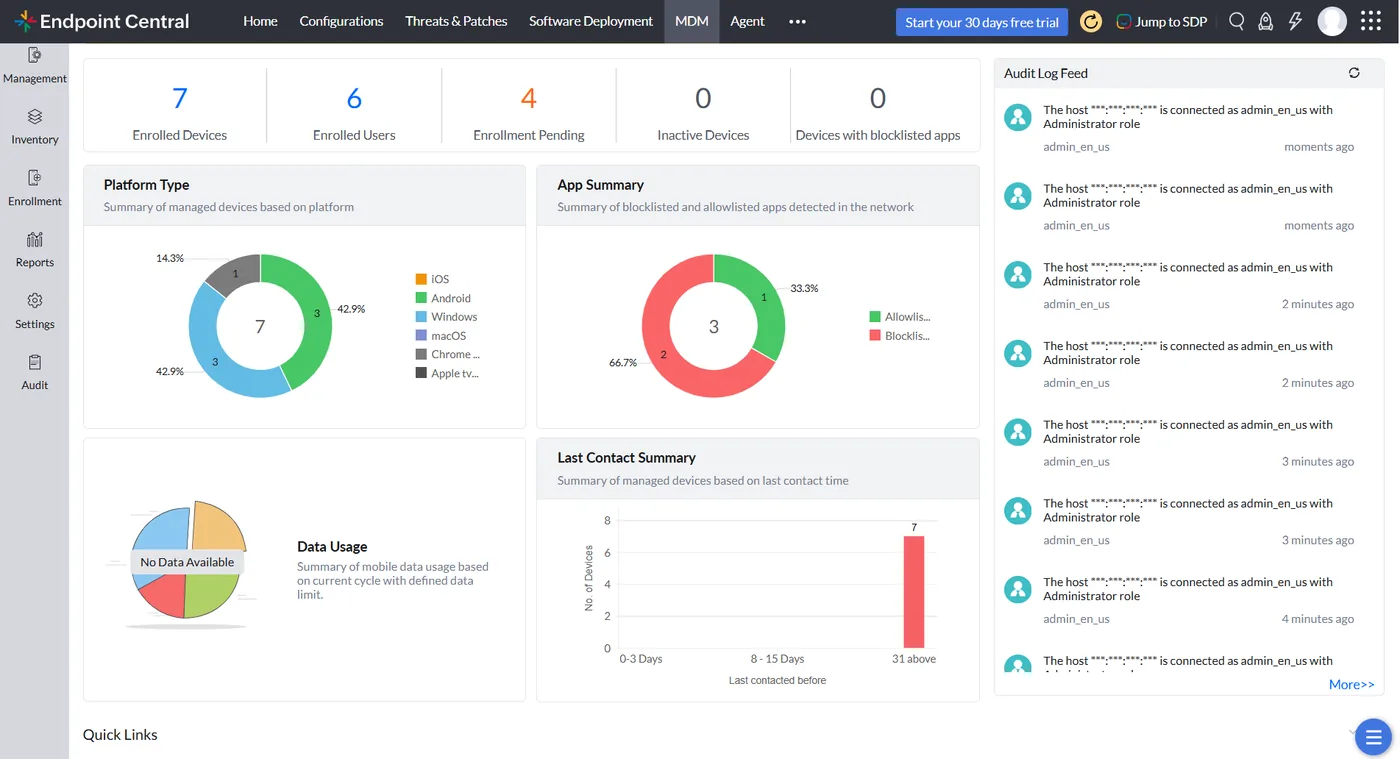
Mobile device management in Endpoint Central
Enrolled devices and users, devices by platform such as iOS, Android and Windows, blocklisted apps, last contact summary and an audit log feed.
- Automated patch management
- Software deployment and self-service
- Remote control for support
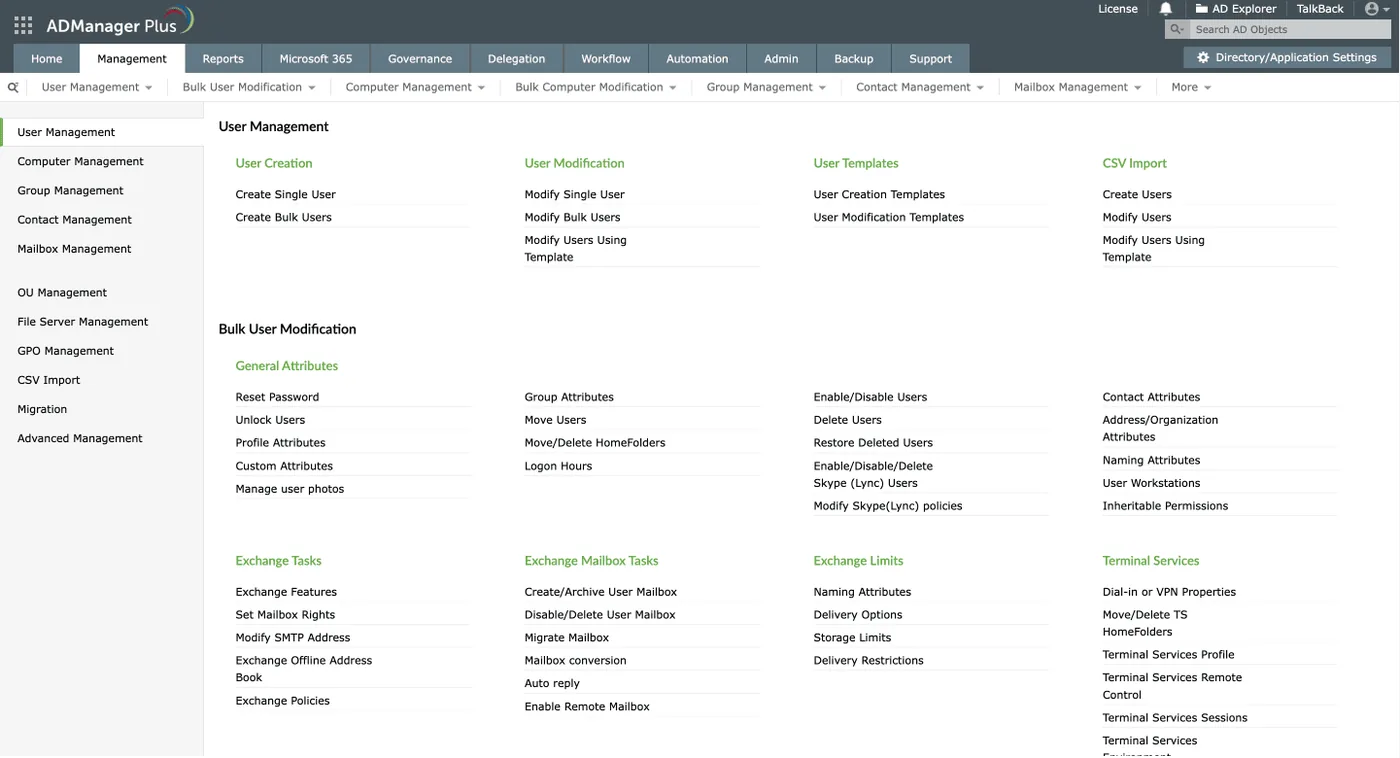
Active Directory user management in ADManager Plus
Single and bulk user creation, modification templates, CSV import and bulk tasks such as password resets, unlocks and Exchange mailbox changes.
- OS imaging and deployment
- Patch evidence for IA Regulation
- Distribution servers per emirate
 ServiceDesk Plus
 Endpoint Central
 PAM360
 OpManager
 ADManager Plus
 Log360
Which platform for manageengine endpoint central in the UAE?
An honest comparison. We implement all of these, so the recommendation follows your processes, team and budget.
| Option | Best when | How it fits this need |
|---|---|---|
| Endpoint Central | PCs, tablets and phones across many UAE sites need one console. | Covers patching, deployment, remote control and mobile kiosk mode together, which suits multi-site operators with shared devices and a small central IT team. |
| Endpoint Central plus ServiceDesk Plus | Branch staff raise many support requests. | Adds ticketing linked to device data, so technicians see and fix device issues from the ticket. Worth it once support volumes grow across branches. |
| Microsoft Intune | Microsoft 365 licensing already covers device management. | Handles Windows and mobile policies well inside Microsoft 365. Third-party patching and peripheral drivers often need extra tooling, packaging or custom scripts. |
| Separate MDM and patch tools | Different teams already own mobiles and PCs. | Can work, but two consoles mean two reports and two sets of policies. Most small IT teams find one tool easier to keep current. |
What changes in the UAE
The local rules and realities we design for before go-live. Rules change, so we re-check the current position at scoping.
Patch evidence for IA Regulation
Abu Dhabi and federal government-linked entities often need to show timely patching and device control under the UAE IA Regulation. We configure compliance reports for this; we confirm the current requirement at scoping.
Distribution servers per emirate
Branches in Sharjah, Ajman, RAK or Fujairah receive patches from a local distribution server rather than across the WAN, keeping downloads fast and links free for business traffic.
Shared devices in warehouses
Warehouses in JAFZA, KIZAD or SAIF Zone often run shared scanners and kiosk PCs. We apply kiosk mode and restricted profiles so those devices stay locked to their job.
What drives the cost, and what it connects to
No price list: we quote a fixed price in AED after discovery. These are the factors that move the effort up or down.
Kiosk and shared devices
Shared tablets need kiosk profiles, shift sign-in design and testing with the apps staff actually use, which adds effort beyond standard mobile enrolment.
Sites across emirates
Each site brings its own opening hours, network link and device mix. More sites mean more patch groups, distribution checks and rollout coordination.
Peripherals and drivers
Scanners, printers and card readers need driver packages and troubleshooting scripts. Unusual peripherals take longer to package and test than standard software.
Managed device count
Endpoint Central is licensed per managed device, so PCs, laptops, tablets and phones across every site together shape the licence and the rollout plan.
What it connects to
Inspection tablets enrol as dedicated devices, locked to approved apps, with location and wipe controls managed centrally.
Client software updates are packaged and deployed by branch, with version reports showing which counters run which release.
Staff accounts and branch groups drive which policies and apps each PC and user receives.
Branch faults become tickets, and technicians start remote sessions or run fix scripts from the ticket record.
Offline tablets, failed deployments and missed patches send alerts to IT and the relevant branch manager.
How we deliver manageengine endpoint central
Phases, indicative timing and what is delivered in each. Scope is fixed and priced in AED before we start.
Estate discovery
Inventory of devices, operating systems, sites, links and current patching approach. We also record which devices sit in each emirate and on which links.
Design
Agree device groups, patch rings, policies and distribution servers per emirate. The design is signed off before any agent reaches a production machine.
Build and pilot
Server or cloud tenant set up, agents pushed to a pilot group, policies tested. Pilot users are chosen from several departments to surface problems early.
Site rollout
Agents and distribution servers deployed site by site, with patch baselines applied. Each site is checked for agent coverage before the next begins.
Handover
Reports, runbooks and training for your team, then support if you want it. Compliance reports are scheduled to reach the right people automatically.
When manageengine endpoint central is the wrong answer
If you already pay for Microsoft Intune through Microsoft 365 E3 or E5 and your estate is mostly Windows and mobile, Endpoint Central may duplicate it. We would suggest using Intune and adding only what it lacks, such as third-party patching, rather than a second platform.
How we handle it: We implement Zoho, Odoo and Dynamics 365 and build AI and custom software, so our written recommendation can point you to a simpler option, or to doing nothing yet.
Checklist and common mistakes
Buyer's checklist
What to ask for before you choose a provider.
- Ask how shared tablets will be locked to specific apps and how staff sign in across shifts.
- Require patch windows designed around your busiest periods, not a generic overnight schedule for all sites.
- Check how peripherals such as ID scanners, card readers and receipt printers will be supported remotely.
- Ask what happens when a tablet is lost, including location, lock and wipe, and who can trigger each.
- Confirm how the design handles sites in several emirates with different network links and opening hours.
- Request a dashboard that operations managers, not only IT, can read and act on daily.
Common mistakes
What we see go wrong in the UAE, and how to avoid it.
- Leaving tablets fully openOpen tablets collect personal apps and get reset. Use kiosk mode with only the needed apps, and block factory reset where the platform allows.
- One patch window everywhereAirports, malls and city offices have very different busy periods. Set patch windows per site type so updates never run during the busiest hours.
- Ignoring peripheral driversScanner and printer faults stop counters just as surely as PC failures. Package drivers and create fix scripts as part of the rollout.
- No check on silent devicesDevices that stop reporting are often lost or broken. Review devices that have not checked in recently every day at operational sites.


A UAE team you can meet in person
That is our team at Zoholics Dubai 2026. We deliver Zoho, Odoo, Dynamics 365 and custom projects from our Ras Al Khaimah office with remote delivery across all seven emirates, in English and Arabic, and we run workshops on site in Dubai, Abu Dhabi and Sharjah when a project needs it.
ManageEngine Endpoint Central in the UAE: questions we get asked
What does ManageEngine Endpoint Central UAE implementation cover?
Is Endpoint Central the same as Desktop Central?
Can Endpoint Central patch third-party applications?
How does Endpoint Central work for branches in other emirates?
Should we choose Endpoint Central or Microsoft Intune?
How long does an Endpoint Central rollout take?
Can Endpoint Central lock tablets to one app for field or counter staff?
Can Endpoint Central manage devices across several UAE airports and branches?
Does Endpoint Central handle receipt printers and ID scanners?
Why choose Shyphan?

Talk to a consultant about manageengine endpoint central
A free 30-minute call, then a written recommendation and a fixed quote in AED, including the honest option that this is not the right fit.
